

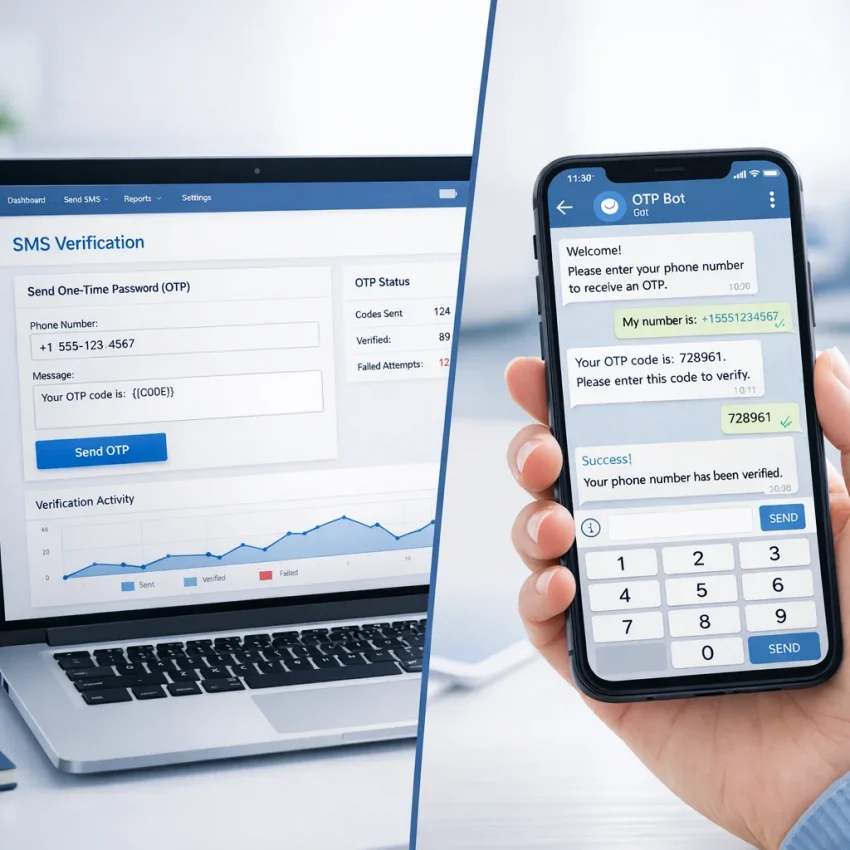
Website vs Telegram Bot: The Fastest Way to Get OTP Numbers
When you need a number for one-time passwords, account activation, or quick SMS verification, speed matters. A delay of even a minute can interrupt registration, break your workflow, or force you to start over. That is why many users compare two common options: using a website dashboard or using a Telegram bot to get a virtual number and receive the code.
Both approaches can work well, but they serve slightly different habits. Some people prefer a full browser interface with filters, balances, history, and service pages. Others want a fast mobile-first flow that fits directly into the messenger they already use all day. If your goal is to get OTP numbers with fewer steps, it helps to understand where each format shines.
In this guide, we will compare the website experience with the bot experience, explain who each option is best for, and show why many users choose SmsPva for practical SMS verification workflows. If you want a direct messenger-based route, the SmsPVA Telegram Bot is often the simplest starting point.
Why users look for faster OTP delivery
SMS verification is part of many online actions today. You may need a number to create an account, confirm a profile, separate work and personal signups, test a registration flow, or complete an activation step on a specific platform. In all of these cases, the user usually wants three things:
- Fast access to a virtual number
- Clear delivery of the incoming OTP code
- A simple way to complete the process without extra friction
That is exactly why the website-versus-bot comparison matters. The best choice is not always about features alone. It is often about context. Are you already at your desktop and comparing services? A website may be ideal. Are you on your phone, moving between apps, and trying to complete a verification right now? A bot may be faster.
Website flow: what it does best
A traditional website dashboard gives users a structured environment. You can browse services, check support resources, review categories, and often manage repeat actions from one place. For users who prefer visibility and control, the website route remains a strong option.
On SmsPva, the main platform at smspva.com is useful when you want to explore available verification workflows, compare service-specific options, and navigate support content before making a decision.
Main strengths of using a website
- Broader view of available services: You can scan categories and dedicated pages for popular platforms.
- Helpful for planning: If you need multiple activations or want to compare workflows, the browser view is easier to review.
- Access to support materials: Documentation and troubleshooting pages are simpler to read in a full layout.
- Comfortable for desktop users: If your signup and verification tasks happen on a computer, a website can feel more natural.
For example, if you know in advance that you need verification for a specific platform, dedicated pages such as Telegram verification, WhatsApp verification, Google verification, or OpenAI verification can help you move directly to the relevant flow.
Where the website can feel slower
Even a good web interface can involve extra steps. You may need to open multiple tabs, log in through a browser, switch between the target app and the site, refresh pages, and track incoming SMS manually. None of this is difficult, but it can create friction when you only want one thing: the code, as quickly as possible.
This is especially noticeable on mobile. Jumping from a signup screen to a browser, then back again, can interrupt momentum. In these moments, a Telegram-based workflow often feels more direct.
Telegram bot flow: why it feels faster
A Telegram bot is designed around speed and convenience. Instead of a full dashboard first, you get a streamlined interaction inside a familiar app. For many users, this reduces context switching and makes the process feel lighter.
That is the appeal of the Activation Service Bot. If you already use Telegram regularly, you can handle number selection and code retrieval inside the same messaging environment, often with fewer interruptions than a browser-based flow.
Main strengths of using a Telegram bot
- Fewer steps: The workflow is often compact and direct.
- Mobile-friendly by default: Great for users who complete registrations from a phone.
- Fast code monitoring: Incoming messages are easy to check in a single interface.
- Convenient for repeated actions: If you need activations regularly, a bot can become part of your routine.
Some users specifically look for an SMS Activation Bot because it removes unnecessary screen changes. Instead of opening a website, navigating menus, and refreshing an order page, they can stay inside Telegram and move quickly from request to confirmation.
Website vs Telegram bot: side-by-side comparison
| Factor | Website | Telegram Bot |
|---|---|---|
| Learning curve | Easy, with more visible navigation | Very fast for Telegram users |
| Speed on mobile | Good, but may involve switching tabs | Excellent for quick actions |
| Best for research | Strong | Limited compared to full site browsing |
| Best for fast OTP retrieval | Good | Often better in real-time use |
| Support content access | More comfortable | More minimal |
| Convenience for repeat users | Good | Very strong |
If your main priority is the shortest path between “I need a number” and “I received the code,” a Telegram bot often wins. If your priority is browsing, comparing, or managing a wider workflow, the website may be the better starting point.
Who should use the website?
The website experience is usually best for:
- Users working from desktop
- People who want to compare services before choosing
- Anyone who needs detailed pages and support information
- Users building a larger workflow that may include service-specific verification and proxy setup
For example, if you are handling account isolation or broader registration tasks, pairing verification with tools like HQ Proxy may be part of a more structured process. In that case, the website gives a clearer overview than a bot-first experience.
It is also easier to find help content in a browser. If you have questions about usage, setup, or troubleshooting, the Help section is the natural place to start, while updates and platform-related information can often be followed through the News section.
Who should use the Telegram bot?
The bot is often best for:
- Users who want speed over exploration
- People who already work inside Telegram daily
- Mobile-first users
- Anyone who wants a compact flow for receiving OTP messages
If you are searching for an SMS Receive Bot, what you likely want is not just a chat interface, but a smoother path to the actual verification code. Telegram makes sense here because notifications, messages, and actions already live in the same ecosystem.
Likewise, users who type phrases like Virtual Number Bot or Temporary Number Bot into search are usually trying to avoid the slower parts of browser navigation. They want a practical result with minimal overhead.
Practical example: choosing the fastest route
Let’s say you are registering a new account on a service that requires SMS confirmation.
Scenario A: website-first
- Open the verification service website.
- Log in or access your dashboard.
- Choose the target platform and number option.
- Copy the number.
- Return to the target website or app.
- Request the code.
- Refresh or monitor the order page for the incoming SMS.
This works well, especially on desktop, but it involves a few context changes.
Scenario B: Telegram bot-first
- Open Telegram.
- Start the bot.
- Select the verification flow.
- Receive the number.
- Enter it in the target service.
- Watch for the code in the same Telegram environment.
This is why many users searching for an OTP SMS Bot prefer a messenger-based route. It feels less fragmented, especially during urgent or repetitive tasks.
Why Telegram-based verification is growing
Telegram is already a daily workspace for many digital users, marketers, testers, operators, and privacy-focused users. Because of that, it has become a natural place for utility workflows. Verification is one of them.
Instead of treating SMS activation as a separate event that requires a new browser session, users increasingly want it to behave like any other quick task: open app, tap, get result. That is the key reason a well-built SMS Verification Bot can feel more efficient than a traditional web panel in day-to-day use.
The same logic applies to people searching for ways to Receive SMS in Telegram. They are not just choosing a platform; they are choosing a workflow style that reduces friction.
When the website and bot work best together
This is not always an either-or decision. In practice, many users get the best results by combining both.
- Use the website to research services, read guidance, and understand available options.
- Use the Telegram bot when you are ready to complete a quick activation.
For example, you might browse service pages on the site first, then switch to an Online SMS Bot workflow when it is time to receive the verification code quickly. This hybrid approach is efficient because it matches the strengths of each interface.
What to look for in a good OTP number workflow
Whether you choose a website or a bot, a strong SMS verification workflow should include:
- Clear service selection
- Fast number issuance
- Easy access to incoming SMS
- Simple navigation for repeat use
- Support resources when you need clarification
SmsPva is well positioned for this because it offers both a structured website environment and a Telegram bot flow. That gives users flexibility instead of forcing one style on everyone.
How to decide in 30 seconds
If you are unsure which option to use, ask yourself these quick questions:
- Am I on desktop and comparing options? Start with the website.
- Am I on mobile and want the fastest route? Start with the bot.
- Do I need help or setup guidance first? Use the website.
- Do I already know what I need and just want the code? Use Telegram.
In other words, the website is better for orientation, while the bot is often better for execution.
FAQ
Is a website or Telegram bot faster for getting OTP numbers?
For many mobile and repeat users, a Telegram bot feels faster because it reduces switching between apps and browser tabs. For desktop users who want more overview, a website can still be very efficient.
Why do people prefer Telegram for SMS verification?
Telegram is convenient, familiar, and quick to access. Users can request a number and monitor the incoming SMS in one place, which makes the process feel more streamlined.
Is the website still useful if the bot is faster?
Yes. The website is useful for comparing services, reading support information, checking dedicated verification pages, and understanding the broader workflow before you start.
Can I use both the website and the bot?
Absolutely. Many users research on the website first and then complete the activation through the bot for speed and convenience.
What kind of user benefits most from a Telegram bot?
People who work on mobile, use Telegram frequently, or need repeated verifications often benefit most from a bot-based flow.
Final verdict
If your only question is, “What is the fastest way to get OTP numbers?” the answer for many users is simple: Telegram bot workflows usually feel faster in real-world use. They cut down on tab switching, simplify mobile actions, and keep the verification process compact.
That said, the website still plays an important role. It gives you structure, service discovery, support access, and a broader view of available verification paths. The smartest approach is often to use both: learn on the website, execute in Telegram.
If you want a practical starting point with a messenger-first experience, try the bot and see how it fits your workflow. For users who value speed, simplicity, and direct access to OTP delivery, it can be the easiest next step.
Soft CTA: Explore SmsPva on the main site for service details, then test the Telegram flow if you want a faster, more compact way to handle SMS verification tasks.