

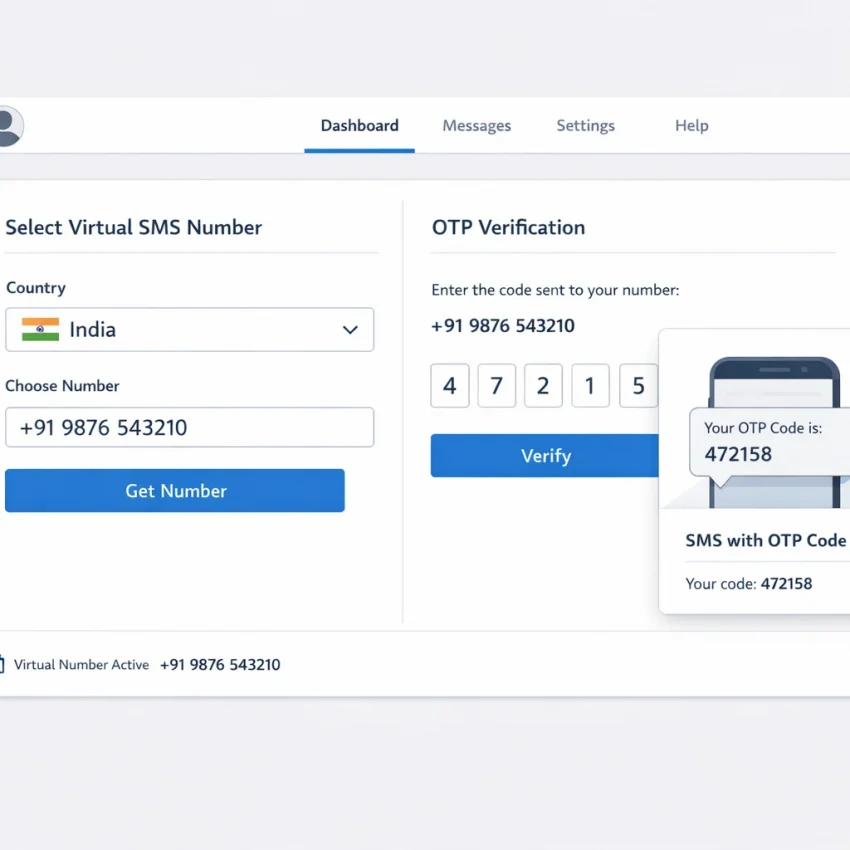
What a virtual Indian phone number for SMS is and when it makes sense in 2026
A virtual Indian phone number for SMS is an online number used to receive text messages for OTPs, account activation, or signup verification. It is different from a personal mobile line with a physical SIM. The number is provided through a web-based workflow, and you receive the code inside the platform interface.
People usually use a virtual phone number India for SMS verification when they want to separate a signup from their main number, test a registration flow, or complete a one-time verification step with more privacy. This is why many users search for ways to receive SMS online India without exposing their everyday contact details.
In 2026, the main thing is setting realistic expectations. A virtual number is usually best for temporary, task-based verification. Think one OTP, one activation, or one short signup session. It is not always the right fit for long-term recovery, voice calls, or services that expect a permanent number over time.
Common use cases and realistic expectations
Common use cases are simple: receiving a one-time password, confirming a new account, unlocking a feature that requires SMS confirmation, or testing whether a platform accepts an India-based number. For these tasks, SmsPva is a practical place to start because the workflow is built around verification rather than general telecom use.
What matters most is matching the number to the exact task. Some services work better through service-specific verification flows. Others are more restrictive. Availability can change during the day, and not every app accepts every virtual number. That is normal. SMS verification depends on the target platform’s own rules, timing, and country handling.
If your goal is fast, privacy-minded OTP receipt, start with Receive SMS online on SmsPva. Check live options before requesting a number. That matters for India-related verification, where compatibility should be verified in real time rather than assumed.
When it makes sense to use SmsPva first
Use this approach when you need a number for a clear, limited action: register an account, receive one code, complete activation, and move on. It also works well when you want better separation between your personal identity and routine signups.
Keep expectations realistic. A temporary Indian phone number for SMS is not a promise of permanent access, future recovery support, or universal app acceptance. The smart workflow in 2026 is simple: check whether the target service and India combination is available on SmsPva, use the number exactly as instructed, and complete the verification promptly before the session expires.
How SmsPva works for SMS verification workflows
SmsPva works best as a service-matched SMS workflow, not as a random list of numbers. You start by deciding what app or site you want to verify, then you check whether SmsPva currently offers a suitable number for that use case. An India virtual number for verification may work for one platform but not another.
In practice, the flow is simple. Go to SmsPva, look for the service you want to verify, and review the available country options if India is offered for that service. If an Indian option appears, you can request the number, copy it, enter it on the target platform, and wait for the OTP inside your SmsPva session if delivery succeeds.
This is why SmsPva is a stronger starting point than a broad search query. The platform is designed around real verification workflows. Instead of assuming any number will work, you match the number to the service, country, and activation path that fits your signup.
Service-specific flows vs general virtual SMS expectations
Many users assume virtual SMS works the same everywhere. It does not. Some platforms are more likely to accept numbers assigned through a service-specific flow. Others may reject reused, mismatched, or unsupported numbers. SmsPva helps by organizing options around the target service where possible.
For example, if you were verifying a supported app with a dedicated page, you would use that flow rather than picking blindly. A page like Signal SMS verification shows the general idea: choose the service first, then continue based on live country availability. Even though this article focuses on India, the same logic applies.
How to match your target platform to live availability
Think in this order: service, country, number, code. First, identify the exact platform you want to verify. Second, check whether SmsPva currently shows India for that platform. Third, request the number only when you are ready to use it. Fourth, submit the number carefully and wait for the code.
This order cuts common mistakes. If you request a number before opening the target platform, you may waste the activation window. If you choose a country before confirming the service, you may end up with a number that does not fit the verification flow. If you paste the number in the wrong format, the platform may reject it before any SMS is sent.
Step-by-step: how to use a virtual Indian number for SMS on SmsPva
If your goal is to get a virtual Indian phone number for SMS, use a simple workflow: choose the exact platform first, check live availability on SmsPva, and only then request a number. An Indian number for OTP verification is not a generic asset you can assume will work everywhere. Acceptance depends on the target app, current country inventory, and whether the platform supports virtual verification at that moment.
Start by opening the signup or recovery page for the app or website you want to verify. Confirm that it accepts India as a phone country option. Then go to SmsPva and search for the service if a dedicated flow exists. Service-specific flows help because they align the number request with the platform you want to verify.
Next, look for an India-based option in the live list. If India is available for your target flow, review the session details before you continue. Availability may change, so this is the moment to confirm that the country and service combination is actually present. If you do not see India for that service, do not force a mismatch.
Request the number and enter it correctly
Once you find the right service and country combination, request the number and copy it exactly as shown. Then return to the platform you are verifying and select India as the country code if the form asks for it. Enter the number carefully. Do not add extra zeros, spaces, or punctuation unless the site formats it for you.
Before you click send, check two things. First, make sure the country selector on the target site still shows India. Some forms change automatically based on browser location or autofill. Second, make sure you are entering the fresh number from the active SmsPva session, not one from an older tab.
After you submit the number, keep the SmsPva inbox open and wait for the incoming code. In most cases, the message appears inside the active session view. Avoid refreshing too aggressively or opening many duplicate tabs. It is better to monitor one active page and give the service a short window to send the code.
Receive the OTP and finish verification cleanly
When the SMS arrives, copy the code exactly and complete the verification right away. Many OTPs expire quickly. If the code fails, do not request several new SMS attempts back to back. Repeated requests can trigger rate limits on the target platform.
A better troubleshooting path is to review the basics first. Confirm you selected India on the app, entered the number exactly, and used the same active session where the number was issued. Also confirm that the app is still waiting for a code and has not timed out or reset the verification step.
For a clean workflow in 2026, treat each verification as a single task: one target service, one active SmsPva session, one correctly formatted India number, and one prompt OTP submission. That reduces most user-side failures.
Choosing the right setup: one-time verification, repeated use, and privacy-minded workflows
Before you try to receive a verification code with a virtual number, decide what kind of task you are solving. This affects timing, cost, and your chances of completing verification smoothly. In most cases, a temporary Indian phone number for SMS is the right fit for a single signup, OTP check, or account activation.
A one-time setup usually works best when you know the exact platform you want to verify, you can enter the number immediately, and you are ready to read the OTP as soon as it arrives. This is the most practical path for users who want a virtual Indian number for OTP without building a larger account system around it.
When one-time verification is enough
Choose a one-time flow if the account only needs initial SMS confirmation and does not depend on the same number later for frequent recovery checks. This is common for lightweight registrations, trial signups, and first-time activations. The main goal is speed: open the target app or site, select the available India-based option if shown on SmsPva, paste the number carefully, and wait for the code.
This approach also reduces avoidable mistakes. You are less likely to lose track of which number belongs to which account. You also avoid unnecessary long-term number planning when your real need is one successful verification step.
When you need a more repeatable and privacy-minded workflow
If you expect multiple verifications over time, use a more organized setup. That does not mean assuming permanent access to any specific India number. It means planning your accounts, sessions, and device context so each verification attempt is easier to track.
Privacy-minded users should think about account isolation. Use separate browser profiles, emails, and session environments for separate projects. This does not guarantee acceptance, but it can reduce self-inflicted verification issues. Keep expectations realistic. A virtual Indian number for OTP can be excellent for short, controlled verification tasks. It is less suitable when a platform may demand the same number repeatedly for recovery or ongoing trust checks.
Why OTPs sometimes fail with virtual numbers and how to troubleshoot them
Even when you choose the right virtual phone number India for SMS verification, OTP delivery is never automatic. Some platforms accept virtual numbers smoothly. Others block them, delay messages, or require a more specific country and service match. Most failures come from a small set of issues you can check quickly.
The first problem is mismatch. A site may support SMS verification in general but reject an Indian number for OTP verification for that exact workflow. Some services also route verification by region. That is why SmsPva should be your first check: confirm the target platform, confirm that India-based availability appears live, and only then start the attempt.
Formatting mistakes are another common cause. Enter the number exactly as shown, including the correct country code when the signup form expects international format. Do not add extra zeros, spaces, or symbols unless the platform inserts them automatically.
Timing also matters. If you request one code, then refresh the signup page, open a second tab, or ask for too many OTPs in a row, the original session may expire. Some platforms invalidate older requests as soon as a new one is created. Others temporarily throttle repeated attempts.
Common failure points to check first
Unsupported services are a major reason for missing OTPs. A platform can block virtual or shared numbers outright. In that case, the code may never be sent, or the site may show a vague error such as “number not valid” or “try another number.” That does not always mean SmsPva is malfunctioning. Often, it means the target platform has its own restrictions.
Reused numbers can also affect results. If a number was previously used in another account flow, the platform may detect it as already registered. You might see messages like “number already in use” or “too many accounts.” When that happens, stop and choose a new verification attempt.
Country-specific restrictions matter too. Some apps prefer local residents, local device signals, or region-matched signup patterns. That does not mean an India virtual number for verification will never work. It means you should keep your workflow consistent. If you start with an Indian number, avoid mixing that step with conflicting country selections during signup.
How to troubleshoot without wasting attempts
Use a simple checklist. First, verify that you selected the correct target service on SmsPva rather than treating every platform as a generic SMS flow. Second, confirm the country choice and number format. Third, keep one active signup session only. Fourth, request one code and wait. Fifth, if the site reports the number as unsupported, switch to another attempt instead of retrying the same blocked path repeatedly.
If the OTP still does not appear, look at the exact error message. “Invalid number” usually points to formatting or platform restrictions. “Too many attempts” points to rate limits. “Code expired” means the message arrived too late or the session was refreshed. “Number already used” suggests you need a fresh number and a fresh account flow.
When you need platform-specific guidance, use the Help page. It is the right place to check setup steps, verification issues, and practical next actions before trying again.
How to evaluate availability, compatibility, and cost without making bad assumptions
If you need a virtual Indian phone number for SMS, start with one rule: do not assume any India number will work for every app. Verification systems are usually service-specific, country-sensitive, and time-dependent. A number that works for one signup flow may fail for another, even on the same day.
The safest approach is to check SmsPva first and match your target platform to the live options you actually see. Availability may change with traffic, provider routing, anti-abuse rules, or temporary stock limits. The right question is not “Does India always work?” but “Is this exact service and India combination available for my verification flow right now?”
Check compatibility before you focus on country
Many users search for an India virtual number for verification and stop at the country filter. That is often too broad. First confirm that your target service supports SMS verification from virtual numbers at all. Some platforms accept them routinely. Others block reused ranges, require local carriers, or add stricter checks after repeated attempts.
Next, look for a service-specific flow when one exists. SmsPva uses service-based routing, which helps you choose numbers intended for a particular verification path instead of treating all SMS traffic as interchangeable. Even if your target service is not listed on a dedicated page, the same logic applies: match the number type to the platform, enter it in the correct format, and complete the OTP request promptly before the session expires.
Also check the app’s country expectations. Some signups only need a valid SMS-capable number. Others compare country code, IP region, language settings, or account history. That does not mean an Indian number will not work. It means you should test the exact workflow you plan to use instead of assuming a broad success rate.
Evaluate cost as a live tradeoff, not a fixed promise
Cost is best treated as part of a live decision. Prices, stock, and routing can change, so avoid expecting a fixed rate for every smspva Indian virtual number. Since no exact India price snapshot is provided here, the practical move is to check the live SmsPva interface before you start.
A very low listed price is not automatically the best option if the service-country pairing is a poor fit for your verification flow. A currently available number is not a delivery guarantee. You are paying for access to a live verification attempt, not a promise of successful OTP receipt.
Use a short checklist before paying: confirm the target service, confirm India is currently available, verify the number format you must enter, request the code only when ready, and watch the session timing.
Best practices for using SmsPva for Indian SMS verification in 2026
The safest approach is simple: decide which platform you need to verify, check whether the India option is live on SmsPva, and use the number only within that active session. That reduces formatting mistakes, expired requests, and mismatched service flows. If you need a virtual Indian phone number for SMS, treat availability as dynamic and confirm the current option before you start.
For better results, always choose the closest service-specific path when available instead of guessing with a generic flow. Enter the number exactly as shown, request the OTP once, and wait for the status to update before retrying. Many failures come from repeated requests, wrong country selection, or letting the session expire too early.
Keep your setup privacy-minded and compliant. Use separate account details where appropriate, save the verification status you receive, and avoid assuming any provider can guarantee delivery or long-term country stock.
If you want a straightforward, product-led path in 2026, start with SmsPva. It is the most practical first stop for checking current availability, receiving SMS verification codes, and completing account activation with fewer avoidable errors.