

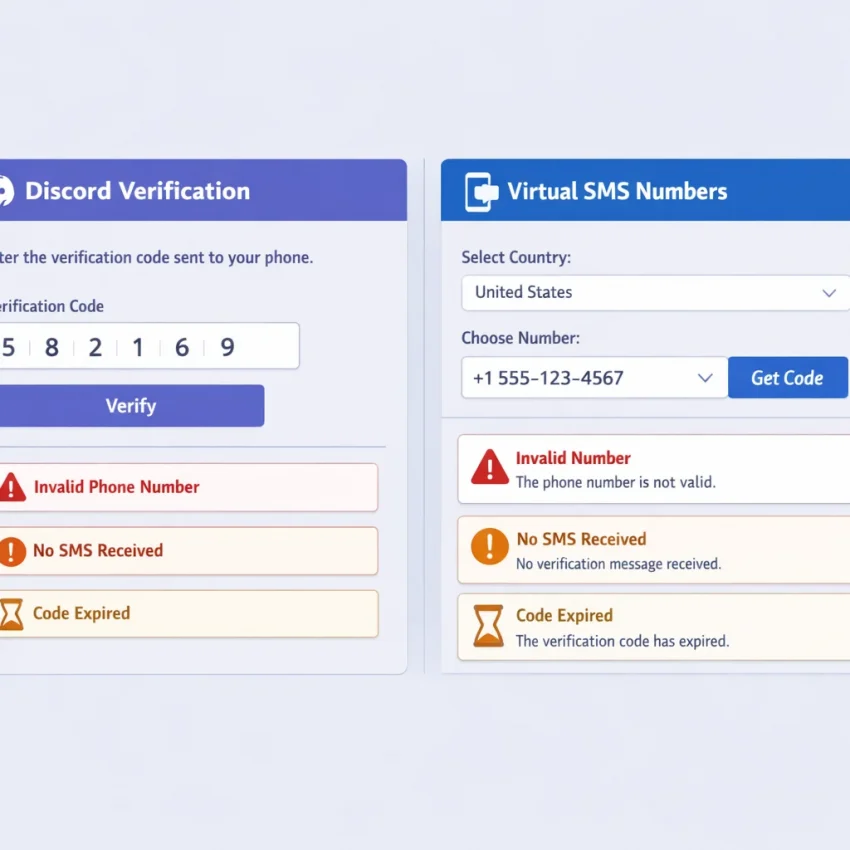
Why Discord Phone Verification Fails So Often With Temporary Numbers
Many users search for a temporary phone number for Discord only after Discord suddenly asks for phone verification. That prompt can appear during signup, after unusual login activity, or when Discord wants an extra trust check. The challenge is not just finding any number. You need a number that fits the exact verification flow Discord expects.
This is why generic receive-SMS tools often fail. A public inbox may receive messages, but that does not make it a good fit for Discord SMS verification. Some numbers have been used too many times. Others may not match the country or routing Discord accepts for that attempt. In other cases, users choose a number intended for another platform and then wonder why the OTP never appears.
A service-specific workflow works better. Instead of guessing from a broad SMS pool, use Discord SMS verification on SmsPva. That keeps your setup aligned with Discord from the start and reduces avoidable mistakes.
Common Failure Points Behind Discord Verification Errors
Number reputation is a common reason for failure. If a number has been heavily reused, flagged before, or tied to repeated failed attempts, Discord may reject it as invalid or unsupported. From the user side, this often looks like a vague platform error.
Formatting mistakes also cause problems. Users may paste the number with the wrong prefix, skip the country code, or select a country that does not match the rented number. That mismatch can trigger a discord invalid phone number message even when the number itself is fine.
Timing matters too. Discord codes can be delayed, sessions can expire, and users often click resend too fast. After several stacked attempts, it becomes harder to tell whether the problem is routing, a stale session, or the wrong number choice.
There is also a service-selection issue. If you use a generic SMS page instead of a Discord-specific one, your number may come from a pool that is not the best match for Discord traffic. Troubleshooting then becomes messy because you cannot easily isolate the real cause.
Why a Discord-Specific Workflow Matters
The easiest way to receive Discord verification code messages is to remove avoidable setup errors. SmsPva is useful here because it is built around service-specific verification flows rather than a one-size-fits-all inbox approach. You start with the platform you actually need to verify.
That makes troubleshooting clearer. If Discord rejects the number, you can review the country, format, and session state without also wondering whether you chose the wrong service. If the code does not arrive, you can decide whether to wait, cancel, or request a fresh number instead of repeating the same failed setup.
For most users, the practical starting point is Receive SMS online with SmsPva and keep the workflow focused on Discord from the first step.
How to Use SmsPva for Discord Verification the Right Way
If you need a temporary phone number for Discord, use a service-specific workflow. Discord phone checks often fail when users pick a random number source, choose the wrong service, or switch setup paths halfway through the process.
Start by logging into your Discord account first. Open the phone verification step, but do not submit a number yet. In another tab, open SmsPva and select the Discord service page. This keeps the request aligned from the beginning.
Next, review the available number options. If country choice matters for your account, choose one that fits your current verification attempt. Keep your choice simple. Do not bounce between countries unless you have a clear reason. Constant switching makes diagnosis harder.
Once you choose a number, copy it carefully and paste it into Discord exactly as required. Double-check the country code and number format before submitting. A small formatting mistake can trigger a rejection before the SMS request even starts.
Request the Code and Stay in the Same Session
After Discord accepts the number, request the verification SMS and stay in the same Discord session. Do not log out, refresh repeatedly, or restart the process in multiple tabs. Many failed attempts happen because users interrupt the session before the OTP has time to arrive.
Then return to SmsPva and wait for the code. If it appears, enter it into Discord promptly. If it does not arrive right away, avoid pressing resend over and over. Too many rapid retries can make it unclear which request is active.
The point of using SmsPva is not just to get a number. It is to keep the setup organized so your discord verify by phone attempt does not drift into a messy troubleshooting loop.
Know When to Retry and When to Replace the Number
If nothing arrives after a fair wait, do not keep forcing the same failed attempt. Confirm that you selected Discord on SmsPva, used the same number in Discord, and did not mistype it. If all three are correct and the message still does not appear, it is usually better to request a fresh Discord number than to keep retrying the same one.
A smart retry changes one variable at a time. Use a new number, but keep the same device, same browser session, and same Discord account state if possible. That makes it easier to identify whether the original problem came from the number or your setup.
Issue #1: Discord Says the Number Is Invalid or Unsupported
If you see a discord invalid phone number error, do not assume the input field is broken. In most cases, Discord is rejecting the attempt because the setup does not match what its system expects.
The first check is simple. Make sure you are using a Discord-specific number flow, not a generic receive-SMS page. If your discord phone verification not working problem started after choosing a non-specific service path, stop and restart with the Discord flow instead of re-entering the same rejected number.
Common Reasons Discord Rejects the Number
A country mismatch is one of the biggest causes. The number you chose may not fit your current account session or region. That does not mean one country always fails. It means the number you picked may be a poor fit for that attempt.
Formatting errors are another common cause. Enter the number exactly as Discord expects. Do not add extra spaces, punctuation, or a duplicated country code. If Discord already sets the country, do not type the prefix again unless the form clearly asks for it.
Prior use can also cause immediate rejection. Some temporary numbers are attempted by many users over time. If a number has already been associated with Discord activity, the platform may reject it right away. In that case, submitting the same number again rarely helps.
Finally, inconsistent session timing can create problems. If you opened several verification attempts, switched devices, or refreshed the page too often, Discord may flag the flow as unreliable and surface that as an unsupported-number error.
How to Retry Without Repeating the Same Mistake
Use a clean retry process. Close old verification tabs and return to one active Discord session. Request a fresh number through SmsPva rather than recycling the rejected one. Recheck the selected country, then enter the number once and wait for Discord to respond before making changes.
If the number is rejected again, change only one variable at a time. That might mean choosing a different available country, requesting a different number, or restarting the verification page from scratch.
If you are unsure whether the issue is the setup or the number route, use the SmsPva Help page before burning more attempts. That is usually faster than guessing.
Issue #2: The Discord SMS Code Never Arrives
If your discord sms code not received problem keeps happening, avoid the urge to press resend again and again. Repeated retries often make diagnosis harder. In most cases, the issue is one of four things: the wrong service flow, a delayed route, an expired session, or a number that simply is not working for that attempt.
Start with the simplest check. Make sure you requested a number through the Discord flow on SmsPva, not a generic setup. Discord can behave differently from other platforms, so service-specific selection matters.
Next, confirm that the number was entered correctly in Discord. A small formatting mistake can look like a delivery problem when it is really a submission error. Also check whether you requested the code recently enough. If you waited too long before submitting the number, the verification session may have expired.
Wait Briefly, Then Diagnose the Attempt
Not every missing OTP means failure. Sometimes discord otp not arriving is just a short delay. Give the attempt a reasonable window before acting. During that wait, do not change countries, refresh the order repeatedly, or request several new codes in parallel.
A clean troubleshooting sequence works well:
1. Verify that Discord was selected as the service on SmsPva.
2. Confirm the number pasted into Discord matches exactly.
3. Check that the order is still active and not timed out.
4. Wait a short period for routing delay.
5. If nothing arrives, stop retrying the same request.
If your browser session, app state, or verification window expired, Discord may not send a fresh message even if you hit resend. That can make it seem like Discord itself is broken when the session is actually dead.
When to Cancel and Request a Fresh Number
Switch to a new attempt after you have confirmed the service selection, checked the number entry, and allowed for a short delay. If the code still does not appear, cancel the dead-end attempt and request a new number through SmsPva rather than forcing more resends to the same one.
This is especially helpful if you changed devices, switched networks, logged in and out repeatedly, or left the verification screen open for too long. Those conditions can break the link between the number request and the message receipt.
Also avoid opening multiple verification tabs at once. One tab may hold an old prompt while another triggers a newer request. Then you end up waiting on the wrong order.
Issue #3: Discord Keeps Asking for Verification Again
If Discord accepts your code but then asks you to verify again, the issue is often not the code itself. In many cases, Discord is reacting to account-risk signals around the session. That makes users think their temporary phone number for Discord failed when the real problem is the login environment.
This loop often appears after unusual sign-in behavior, repeated retries, fast account changes, or switching devices and connections during the process. It can also happen if the verification step finishes but the session does not fully settle before you refresh, log out, or sign in somewhere else.
What Usually Causes the Repeat-Verification Loop
A broken verification flow is a common cause. For example, a user starts on one browser, receives the SMS, enters the code, then opens the account again on another device or network right away. Discord may treat that as a fresh risk event and trigger another phone check.
Another cause is reusing a number after an earlier failed attempt. If the original session expired or the attempt was abandoned, restarting in the same messy state can produce the same result.
Account history can matter too. If the account has already triggered checks for aggressive behavior or constant connection changes, Discord may keep asking for confirmation even after one successful code entry. In that case, brute-forcing more attempts usually makes things worse.
How to Break the Loop and Retry More Cleanly
Stop all extra retries. Close duplicate tabs, sign out if needed, and restart with one browser session. Use one device, one connection, and one active login path until the process is complete.
Make sure the phone step and the account session match. If you request a code, enter it in the same session that triggered it. Avoid switching to a different browser profile before completion.
If the loop continues, cancel the dead-end attempt and use a fresh number through SmsPva instead of forcing the same one again. A new attempt works best when paired with a cleaner environment and fewer leftover verification states.
Country Choice, Cost, and When a Different Number Makes Sense
When you need a temporary phone number for Discord, country choice is not just a price filter. It can affect whether the number is accepted and whether the SMS route works for that attempt.
Start with the Discord-specific flow, then choose a country that fits your account situation. In practice, that usually means matching the region you are already using for Discord or choosing from current availability on SmsPva. If you are specifically trying Discord verification in Unt. Kingdom, let live availability guide the decision.
How to Judge Country Choice
If Discord rejects a number as invalid, the problem is not always formatting. It may be a poor country fit, a number that was previously used too often, or a route that is not working well for that service at that moment. In those cases, changing countries or selecting a fresh number can be smarter than resending the code to the same failed number.
A simple rule helps: if the number was accepted and the code still did not arrive after a reasonable wait, retry with a fresh Discord number. If the number was rejected immediately, reconsider the country first.
Using Price Snapshots Carefully
Cost matters, but compatibility matters first. At the time of writing, Discord numbers for the United Kingdom on SmsPva were listed from $0.24, while a UK_V Discord option was listed from $0.10. These are API snapshots, not guaranteed rates, and they do not promise stock or delivery.
The practical takeaway is simple. Do not choose a route only because it looks cheapest. If one option fits your account and is available, start there. If it fails cleanly, move to a fresh number instead of burning time on repeated retries.
Best Practices and Final Troubleshooting Checklist Before You Try Again
If your temporary phone number for Discord attempt failed, do not keep retrying the same broken setup. Most Discord verification problems come from four causes: wrong service selection, poor country fit, a dead session, or too many repeated attempts on the same path.
Use this order before you try again. First, start from the correct Discord flow on SmsPva. Second, double-check the country choice against your account context. If one option keeps triggering invalid-number errors, switch the number instead of forcing the same route.
Third, if the SMS code still does not arrive, wait briefly, then cancel the stale attempt and request a fresh number. Re-entering the same failed number usually wastes time. Fourth, keep the verification session clean. Avoid switching devices, tabs, accounts, or network conditions in the middle of the process unless you are clearly restarting from scratch.
Finally, know when to stop guessing. If the setup looks correct and the code still does not arrive, use the SmsPva help resources instead of repeating blind retries. The best results usually come from a clean, service-specific workflow, one active Discord session, and a fresh number when the first attempt clearly fails.
FAQ
Can I use a temporary phone number for Discord verification?
Yes, but the workflow matters. A random public inbox is more likely to fail. A Discord-specific flow on SmsPva gives you a cleaner setup and makes troubleshooting easier if Discord rejects the number or the code does not arrive.
Why does Discord say my phone number is invalid?
The usual causes are wrong service selection, poor country fit, formatting mistakes, or a number that has already been used too often. Start with a clean Discord-specific attempt and avoid recycling the same rejected number.
Why am I not receiving the Discord verification SMS?
The message may be delayed, the session may have expired, the wrong service may have been selected, or the number route may not be working for that attempt. Wait briefly, verify your setup, and then switch to a fresh number if the first try clearly fails.
How long should I wait before retrying a Discord SMS verification attempt?
Wait a reasonable short period before acting. Do not stack resend requests immediately. If nothing arrives after you confirm the setup and allow for a delay, cancel the stale attempt and start a fresh one.
Should I choose a specific country for Discord verification?
Choose a country that fits your account context and current availability on SmsPva. If a number is accepted but no code arrives, try a fresh number. If the number is rejected immediately, reconsider the country before retrying.
What should I do if Discord asks for phone verification again after I already entered a code?
This usually points to session or account-risk issues rather than a bad code. Restart with one clean browser session, one device, one connection, and a fresh number if needed.
Does SmsPva have a Discord-specific verification page?
Yes. SmsPva provides a Discord-specific verification flow, which is better than guessing from a generic receive-SMS page when you need Discord phone verification.
Where can I get help if my Discord code does not arrive on SmsPva?
Use the Help page for troubleshooting guidance before burning more attempts. That is the fastest way to handle edge cases and reset the workflow cleanly.