

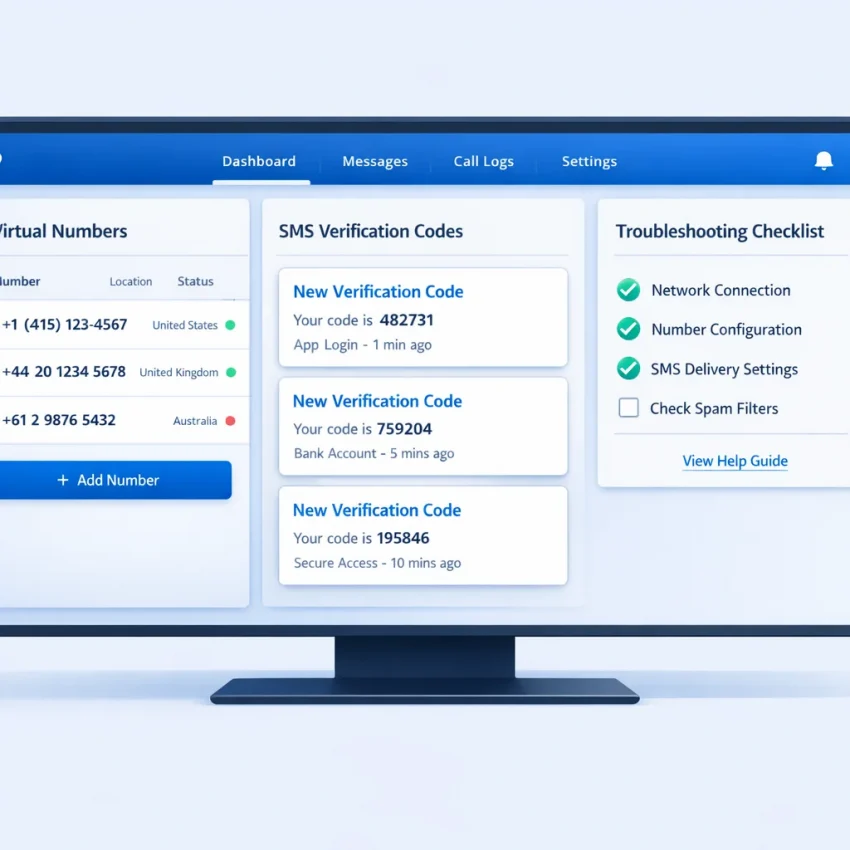
What users mean by SMS rental — and why verification issues happen so often
When people search for sms rental, they usually want one thing: a working number that can receive a verification code without wasting time. In practice, that means using a virtual phone number for verification to get a one-time SMS or OTP for sign-up, login, or account activation. Some users need one code. Others need to rent phone number for sms use over a longer session.
The confusion starts because “SMS rental” is used as a catch-all term. Some users mean one-time activation. Others mean temporary number verification or a longer rental workflow. Those are not the same. A number that works for one platform may fail for another. A country that looks available may still be the wrong fit for the service you want to verify.
Most failures are not random. They usually come from a mismatch between the target platform and the setup chosen by the user. The service may reject the number immediately. The OTP may not arrive. The code may arrive too late to use. In other cases, the issue is account-side, such as session resets, repeated retries, or inconsistent location signals.
This is where SmsPva becomes useful. Instead of treating every verification the same way, it is built around service-specific flows, country selection, and support resources that help users narrow down the real cause of failure before wasting more attempts. If your goal is to Receive SMS online with a workflow that matches the service you are verifying, that structure matters.
This guide focuses on real sms rental problems: sms verification not received, invalid number errors, unsupported regions, and service-specific SMS verification issues. Once you identify whether the problem is service, country, timing, or session handling, the fix becomes much clearer.
The 7 most common SMS rental issues and what each one usually means
Most sms rental problems are easier to solve once you name the exact failure. Many users keep requesting new numbers without checking whether the issue is delivery, formatting, service selection, or account context.
1) No code received at all
This is the most common complaint behind searches like sms verification not received or otp code not arriving. The platform accepted the number, but no message appears in your order window.
This usually means one of four things: the platform has not sent the SMS yet, the selected number is not ideal for that service, the country does not match the platform’s expectations, or the attempt expired before the message arrived. Sometimes the platform silently blocks the signup attempt.
2) The platform says the number is invalid or not supported
If the site rejects the number before sending any code, this is usually a compatibility problem, not a delivery problem. The service may not accept numbers from that country, number range, or virtual carrier type. Sometimes the issue is simple formatting.
Users often paste the number incorrectly, omit the country code, or enter it in local format when the platform expects international format.
3) The OTP arrives too late to use
Delayed codes are a separate problem. The SMS eventually appears, but the platform has already timed out, issued a newer code, or closed the verification screen.
Late OTPs often point to queue timing, repeated resend attempts, or platform-side throttling. They can also happen when users refresh the page or reopen the app during the wait.
4) Wrong service selected
This is one of the most expensive mistakes because it looks random. A user wants verification for one app but chooses a broad or incorrect category. The number may work in theory, yet the target platform never sends the expected message.
Service-specific routing matters. If the number was accepted but the code never comes, ask whether you chose the exact service or just a close substitute.
5) Wrong country selected
Country mismatch is another common cause of sms rental problems. Some platforms prefer numbers from certain regions. Others accept multiple countries but apply different trust checks.
If the account region, app language, IP location, and phone country all point in different directions, verification becomes less predictable.
6) Reused or flagged number concerns
Sometimes the platform says the number has been used too many times, looks suspicious, or cannot be used for registration. In other cases, it rejects the number without a clear reason.
This is different from no delivery. The platform may identify the number and choose not to allow a fresh verification attempt.
7) Session, network, or device conflict
Sometimes the number is fine, but the session is not. Verification can fail when users switch devices mid-flow, open multiple tabs, change networks, or restart the app while waiting.
The result looks like otp code not arriving, but the real cause is a broken verification session.
A step-by-step troubleshooting workflow before you request another number
When sms verification is not received, the fastest fix is not always a new number. Most failed attempts come from setup mismatch, timing, or session handling. A short checklist can prevent you from repeating the same error.
Start with the exact service selection. Do not choose a generic flow if the platform needs a service-specific route. Many verification systems treat each service differently, so the wrong category can lead to an invalid number error or an otp code not arriving.
Next, verify the region. Country selection affects whether the platform accepts the number and whether the code is routed as expected. If the service expects a local or commonly supported region, choosing a random country can lower your chances of success.
Then check the number format before you submit it. Use the full international format if the platform expects it. Avoid extra zeros, spaces, or duplicated country codes.
Stabilize the session before testing again
Keep your session consistent. Use the same browser, app session, IP environment, and device state from request to receipt. If you request a code in one session and then switch networks, clear cookies, or change devices, the platform may treat the attempt as suspicious.
This matters even more if you have tried several numbers already. Rapid retries can trigger anti-abuse checks. Instead of requesting another number immediately, pause and confirm what changed between attempts.
Now allow a reasonable wait window. Not every delay means failure. Some codes arrive in seconds, but network load or service filtering can slow delivery. Wait long enough to rule out a normal delay, but do not retry endlessly.
Also review platform-specific limits. Some services block repeated requests, reject certain number types, or require a cooling-off period after too many attempts. If you clicked resend several times, you may need to stop and restart later.
Know when to stop and verify the setup
Before requesting another number, ask five quick questions: Did I choose the exact service? Does the country make sense for this registration? Did I enter the number in the right format? Am I still in the same session and network state? Have I already triggered too many retries?
If all five checks are correct and the code still does not arrive, then a fresh number may be the right next step. When you need setup guidance, use SmsPva’s Help page for troubleshooting and workflow reference.
How to solve service-specific verification problems with SmsPva
Many sms rental failures happen because users choose a generic number flow when the platform expects a service-specific route. A virtual phone number for verification works better when the request matches the exact app, country, and activation type you need.
That is why SmsPva is more useful than a one-size-fits-all approach. You can start from a dedicated Signal SMS verification page and choose a number intended for that service. This does not guarantee delivery, but it helps reduce mismatch problems such as rejected numbers, unsupported routing, and codes that never appear because the request was created under the wrong service.
Why service-specific selection matters
When users try to rent phone number for sms delivery without matching the target platform, they often see one of three outcomes: the app says the number is invalid, the app accepts the number but no code arrives, or the code arrives too late to use.
Service-specific SMS verification improves the setup in practical ways. It keeps the request aligned with the destination platform, helps you review country options before retrying, and gives you a clearer troubleshooting path.
Signal is a good example. If you need Signal verification, begin with the Signal-specific flow rather than a broad receive-SMS workflow. Then confirm the country before requesting the number. If you are targeting the UK specifically, the Signal verification in Unt. Kingdom page makes that pairing explicit.
At the time of writing, Signal single-SMS pricing for United Kingdom options was listed from $0.50, with another UK listing at $0.77. These are API snapshots, not fixed rates, and availability can change.
Using the right SmsPva flow for Signal problems
If your Signal code is not arriving, do not immediately burn balance on random replacements. Recheck the request in this order: confirm you selected Signal as the service, confirm the country fits your account setup, enter the number in correct international format, and keep the same device session while waiting.
If a longer-lived workflow fits your use case better than a one-time activation, the Signal SMS verification rental route may be the better option because it aligns more closely with continued verification needs.
The key point is simple: service-specific problems need service-specific setup. When users match the app, country, and number type from the start, avoidable failures drop.
Choosing country, timing, and workflow settings that reduce avoidable failures
A lot of sms delivery troubleshooting comes down to choices made before you request a number. If your service, country, and session do not match the platform’s expectations, the result often looks the same: the number is accepted, but the otp code not arriving becomes the visible symptom.
Start with the service itself. A generic number can work in some cases, but service-specific selection usually gives you a cleaner path for temporary number verification.
Country choice matters just as much. Some platforms expect users in certain regions, while others apply stricter checks to cross-region signups. If your account region, app store region, language, or IP location points to one country and your SMS number points to another, verification may stall or fail.
Use realistic wait times and avoid rapid retries
Users often waste balance by retrying too fast. SMS delivery is not always instant, and requesting another number after a very short wait can repeat the same failure. Give the first attempt a reasonable window before deciding the code is lost.
Availability also changes by service and country. A route that works well at one time may be slower later. At the time of writing, Signal single-SMS pricing on SmsPva was listed at $1.75 for United States. That is only a current API snapshot and not a guarantee of rate, stock, or delivery outcome.
If a platform may send more than one message during setup or recovery, consider whether a rental flow is more appropriate than a one-time code flow.
Keep sessions clean and consistent
Session conflicts are a common hidden cause of failure. Start verification on one device or browser and finish it there. Switching devices, networks, or app instances midway can trigger extra checks or invalidate the request.
Account hygiene matters too. Clear old attempts if the app allows it, sign out of duplicate sessions, and avoid stacking multiple registration attempts at once. For users managing separate workflows, practical account isolation can help reduce overlap. The goal is consistency, not complexity.
If you still hit the same pattern, stop changing everything at once. Change one variable only: service, country, or timing. That makes the real cause easier to identify.
When to retry, when to switch numbers, and when to contact support
Many sms rental problems get worse because users repeat the same failed step. A better approach is to make one decision at a time. First, ask whether the issue looks like a delay, a setup mismatch, or a hard rejection.
Retry the same attempt only if the number was accepted and you are simply waiting for the code. In that case, keep the same browser session, app state, and network setup. Wait a reasonable window before doing anything else.
Before requesting another number, recheck three basics: correct service selected, correct country selected, and correct number format entered. If any of those are wrong, a new number will likely fail the same way.
Switch numbers when the platform rejects the number immediately, says it is invalid, or never sends a code after your setup checks are complete. That usually points to number suitability rather than timing. If you see the same pattern twice, do not keep repeating the same service-country combination.
If your use case needs more than a one-time code, consider a rental workflow instead of repeating single activations. This is especially useful when a service may send follow-up checks, login confirmations, or delayed OTPs.
Clear support triggers
Contact support when you have confirmed the service, country, formatting, and session consistency, but the problem still repeats across fresh attempts. Also escalate when the code arrives after the session expires or when you are unsure whether a rental flow fits better than a single verification flow.
Why SmsPva is the smarter platform to use for SMS rental troubleshooting
If you keep repeating the same failed verification attempt, the problem is usually workflow, not luck. That is why SmsPva is a stronger sms rental solution than generic number hunting. Instead of forcing a one-size-fits-all path, it gives you service-specific pages, country-aware selection, and support resources that help you diagnose issues before you spend more balance.
For users who need a virtual phone number for verification, that structure matters. You can choose the target platform more precisely, match the expected region, and use the right flow for one-time OTP receipt or a rental scenario when the service calls for a longer session. That reduces common errors like invalid numbers, delayed codes, and avoidable service mismatches.
SmsPva fits how people actually try to receive SMS online. You are not left guessing which setup to test next. The platform supports practical troubleshooting with dedicated service pages and documented help resources. It does not remove every verification risk, but it makes the process more controlled and easier to debug.
Frequently asked questions
Why is my SMS rental number not receiving a verification code?
Usually because of service mismatch, wrong country, timing delays, platform limits, or session conflict. Check setup before changing numbers.
How long should I wait before requesting a different number?
Wait a reasonable window first. Do not switch immediately after a short delay, especially if the number was accepted and the session is still active.
Why does a platform say the phone number is invalid?
That usually means the service does not accept that number type, region, or format. It is often a compatibility issue, not a delivery issue.
Does country selection affect SMS verification success?
Yes. Country selection can affect acceptance, routing, and trust checks. Match the number country to the account context when possible.
What is the difference between a general virtual number and a service-specific SMS verification flow?
A general number flow is broader. A service-specific flow is matched to one platform, which can reduce avoidable errors.
When should I use a rented number instead of a one-time SMS number?
Use a rental workflow when the platform may send more than one message during setup, recovery, or ongoing checks.
How can SmsPva help troubleshoot failed OTP delivery?
SmsPva gives you service-specific selection, country-aware workflows, and help resources so you can isolate the real cause instead of retrying blindly.
Are SmsPva prices the same for every service and country?
No. Prices vary by service and country. Use live pages for current availability and treat listed prices as snapshots, not guarantees.
If your current sms rental approach feels random, SmsPva is the better next step. Use it when you want a more structured path to OTP receipt, fewer preventable mistakes, and clearer next actions when verification does not work on the first try.