

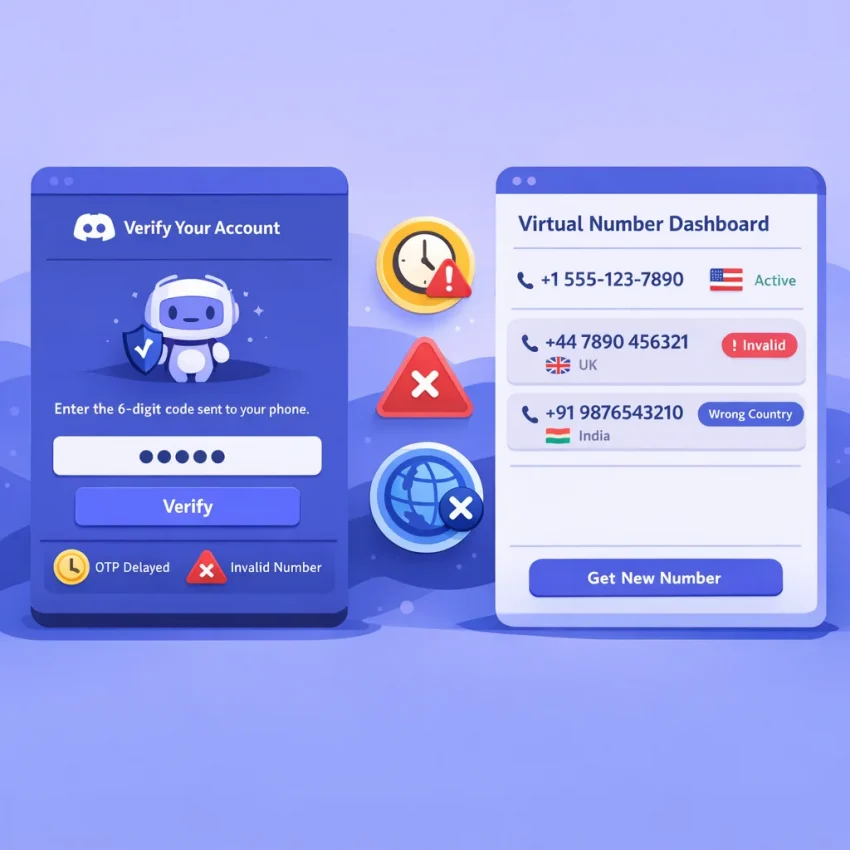
Why Discord Temp Number Verification Fails More Often Than Users Expect
When people search for a temp number for Discord, they usually want one thing: get the OTP, enter it quickly, and finish verification. In practice, Discord can fail at several points. The number may be rejected right away, the code may never arrive, or the session may trigger extra checks before the SMS step finishes.
That is why many users struggle with random public number lists. Those numbers are often reused heavily, lack a clear service route, or already carry too much platform history. A better starting point is a service-specific workflow. Receive SMS online with SmsPva through a process built for SMS verification and OTP receipt rather than unmanaged number directories.
The most common failure patterns
The first issue is number rejection. Discord may label a virtual number as invalid, unsupported, or already used. This can happen when the route is saturated, the number format does not match the selected country, or the number has already been tried on Discord before.
The second issue is delivery failure. You may submit the number correctly and still never receive the code. In other cases, the OTP arrives too late. This is why many users conclude that every Discord temp number is unreliable, when the real cause is often wrong service selection, weak route choice, or poor timing.
The third issue is context mismatch. Discord can evaluate the account session, recent retry behavior, and the geography of the phone number together. If those signals do not line up, verification becomes less predictable.
Why service-specific setup matters
Discord is not simply asking for any number that can receive texts. It is evaluating the verification attempt as a whole. That includes the route used for Discord, the timing of the OTP request, and the condition of the browser or app session.
That is why using a dedicated Discord SMS verification flow matters. Instead of choosing a random number and hoping it works, you start with a path designed for the exact service you need. If your temporary number for Discord is not working, the problem usually falls into a few predictable categories: invalid or reused numbers, OTP delays, country mismatches, or session-related risk checks.
How to Use SmsPva for Discord Verification the Right Way
If you need a temp number for Discord, start with a clean workflow. Open Discord first and reach the phone verification step before requesting a number. That keeps your session ready when the SMS is sent.
Then go to SmsPva, choose Discord as the target service, and request one number for one live verification attempt. Copy the full number exactly as shown, including the country code. Paste it into Discord carefully. Small formatting mistakes often trigger invalid number errors.
Use one active session
Keep one browser session, one Discord verification screen, and one SmsPva order active at a time. Do not request a second number before the first attempt is clearly finished. If the OTP appears, enter it once and check each digit before submitting.
If the code fails, confirm three basics before retrying: you chose the Discord-specific flow, the country code matches what you entered, and the OTP belongs to the current request rather than an earlier attempt.
Choose country only when it helps
Country selection can help, but it should be deliberate. If your account context points to a specific region, or if one route has already failed, then test a more suitable country. Otherwise, avoid changing countries at random between attempts.
For example, if you specifically need a UK route, use Discord verification in Unt. Kingdom rather than guessing from a general pool. At the time of writing, the SmsPva API snapshot listed Discord UK from $0.24 for UK and $0.10 for UK_V. Treat those figures as current snapshots, not guarantees.
Problem 1: Discord Says the Number Is Invalid, Unsupported, or Already Used
When a temp number for Discord fails before the OTP stage, the issue is usually not the code itself. Discord may reject the number because of formatting, route compatibility, prior use history, or unusual account behavior.
Invalid format
First, make sure you entered the number exactly as provided. Do not add extra spaces, punctuation, or a second country prefix. If Discord still rejects it instantly, the issue may be route compatibility rather than typing.
- Confirm the selected country matches the number format.
- Re-enter the number once without auto-fill.
- Do not keep submitting the same rejected number repeatedly.
- If the rejection is instant, switch to another Discord route.
Unsupported or filtered routing
Sometimes Discord does not accept that number type for the current attempt. Common signs include immediate rejection, no OTP request being created, or a loop back to the phone field. In that case, stop trying to rescue the same number.
- Cancel the failed attempt.
- Refresh the Discord verification flow cleanly.
- Choose a new Discord-specific number on SmsPva.
- Submit it once and wait for Discord’s response.
Already used
A very common reason for Discord phone verification failed is prior number history. If Discord says the number was already used, treat that as final for that attempt. Release it and request a fresh activation.
- Use one number for one verification attempt.
- Avoid multiple Discord tabs.
- Reset the session if you changed countries repeatedly.
Account risk signals
Sometimes the number is fine, but the session looks suspicious. Rapid retries, switching numbers too often, stale login sessions, or opening the same account in several tabs can all cause Discord to reject a valid number.
Simplify before buying another number: log out, restart the flow cleanly, use one tab only, and avoid submitting several numbers back to back.
Problem 2: The Discord Verification Code Never Arrives or Arrives Too Late
One of the most common complaints is simple: the code never shows up, or it arrives too late to use comfortably. If Discord accepted the number, this is usually a delivery issue, not a format issue.
What usually causes OTP delays
The route may be congested. Stock on a route may be thin. You may also create your own delay by refreshing too aggressively, restarting Discord, or triggering multiple sends too quickly. Sometimes the country choice is a weak fit for the session, which can make verification less predictable.
Many users also switch numbers too early. Others wait far too long on a route that is clearly not responding. A better approach is to use a short decision window and act consistently.
A practical workflow for delayed or missing codes
Open Discord verification first. Request the number only when you are ready to paste it immediately. Submit the number once, then wait without restarting the flow. Watch the SmsPva order window instead of repeatedly hammering Discord with resend requests.
A good rule is simple: one clean submission, one reasonable wait, then one controlled retry only if the page still allows it naturally. If the second attempt is also slow, switch the route instead of forcing the same path again.
If the pattern keeps repeating, reset the browser tab, start a fresh verification attempt, and review the Help page before spending more retries.
Problem 3: Country Selection, Session Hygiene, and Other Hidden Causes of Verification Failure
Sometimes a temp number for Discord looks valid, but verification still fails. That usually means the problem is not only the phone number. Discord also evaluates the session, browser state, IP region, and retry pattern.
Country mismatch
If your account session appears tied to one region but you submit a number from another, the flow may trigger extra scrutiny. Cross-country verification does not always fail, but unnecessary inconsistency increases friction.
If you started the session in one region, keep the browser session stable and choose a number route that makes sense for that setup. Use a country-specific route only when it fits your verification context.
Clean up stale sessions
If Discord phone verification failed once, many users retry in the same tab after several refreshes. That can preserve bad state. Before trying again, sign out if possible, close extra Discord tabs, and start a fresh session. Clear cookies for Discord or use a clean browser profile. On mobile, fully close the app before reopening it.
Be careful with aggressive retries. Requesting several numbers in rapid succession or switching countries every minute can make the pattern look risky. Controlled testing works better.
When account isolation matters
If you are verifying more than one account, keep the environments separate. Use different browser profiles or isolated app sessions so one account’s history does not interfere with another. Shared cookies and overlapping logins can make verification harder even when the number is fine.
You do not need to overcomplicate a normal verification. The main principle is consistency. Reset the session, restart the verification with one clear country choice, and avoid brute-force retries.
Choosing the Best SmsPva Route for Discord
Start with the Discord-specific route first. That reduces avoidable mistakes and keeps your selection aligned with Discord. Use the general Discord page when you do not have a strict geography requirement or when you are still diagnosing earlier failures.
Move to a country-specific route only when country context actually matters. If your session, account activity, or verification prompt points toward the UK, the dedicated UK route can be more practical than a general pool.
How to read price snapshots
Price can help you choose, but it should not be your only filter. At the time of writing, the SmsPva API snapshot listed Discord numbers for the United Kingdom from $0.24 for UK and $0.10 for UK_V. Availability and routes can change, so treat those as snapshots rather than fixed offers.
In practice, choose the route that matches your verification context first, then use price as a secondary factor.
When to Retry, When to Switch, and When to Use SmsPva Help
If your temp number for Discord does not work on the first try, avoid rapid repeated attempts. Wait a few minutes if the OTP has not arrived yet, especially when the number was accepted and the request is still active.
Retry the same route only when the first attempt looked clean: the number was accepted, the session stayed open, and there was no invalid-number error. Switch to a new number if Discord says the number is invalid, already used, or if the code window expires without any message after a reasonable wait.
Switch country only when you see a pattern tied to one route, not after every single miss. If you changed browsers, devices, or session details mid-process, restart from the beginning.
If verification still fails, use SmsPva Help for troubleshooting guidance. For the cleanest workflow, start with SmsPva’s Discord-focused flow instead of random generic numbers. That gives you a more practical way to receive SMS online and complete Discord verification with less guesswork.
FAQ
Can I use a temp number for Discord verification?
Yes, but results depend on the route, number history, timing, and session quality. A service-specific workflow like SmsPva is usually more practical than public number lists.
Why does Discord say my virtual number is invalid?
The most common causes are wrong formatting, unsupported routing, prior use history, or a risky session state. Check format first, then test a fresh Discord-specific route.
Why am I not receiving the Discord verification code?
Usually because of route congestion, weak country fit, repeated refreshes, or resending too aggressively. Submit once, wait reasonably, then switch routes if needed.
How long should I wait for a Discord OTP before retrying?
Give the first attempt a short but fair window. If the request was accepted and the session is stable, wait a few minutes before retrying. Avoid repeated rapid resends.
Does country selection matter when choosing a Discord verification number?
Sometimes. It matters more when your account session already points to a specific region or when one route keeps failing. Do not switch countries randomly.
What should I do if a Discord number was already used?
Stop using that number for the current attempt. Request a fresh activation and restart with one clean session.
Can I use SmsPva for Discord verification in the United Kingdom?
Yes, SmsPva has a dedicated UK Discord route. At the time of writing, the API snapshot listed UK options from $0.24 for UK and $0.10 for UK_V, subject to change.
Where can I get help if Discord verification still fails on SmsPva?
Use the SmsPva Help page for setup and troubleshooting guidance before spending more retries on unclear routes or unstable sessions.