

What “2FA online” means in 2026 and when people actually need it
When people search for 2fa online, they usually do not mean every form of two-factor authentication. Most want a way to receive a one-time SMS code online for signup, login confirmation, or account activation. The goal is practical: get the code, enter it correctly, and complete the flow.
That matters because SMS verification is only one part of the wider 2FA landscape. Full two-factor authentication can include authenticator apps, passkeys, hardware keys, biometrics, or email confirmation. By contrast, online OTP verification usually means a service sends a one-time password by text message to a phone number. If you use a virtual number, the workflow is about receiving that SMS and using it in the intended form.
In 2026, people usually search for this for three reasons. They want more privacy, they need account separation, or they want a cleaner workflow for supported verification steps. That is where SmsPva fits. It provides virtual phone numbers for OTP receipt and service-specific verification flows, so you can Receive SMS online without exposing your main number every time.
SMS verification vs. full two-factor authentication
It helps to separate two ideas. SMS verification online is the action where a platform sends a code to the number you entered. You receive the code, copy it, and confirm the action. This often happens during account creation, device registration, password recovery, or risk checks after login.
Two-factor authentication is the broader security model. It means a service asks for a second factor in addition to your password. Sometimes that second factor is an SMS code. Sometimes it is not. So when users search for an online 2FA number, they usually need a working number for a specific SMS-based step, not a replacement for every authentication method.
This distinction keeps expectations realistic. A virtual number can help you receive a texted OTP when the platform supports SMS verification. It does not mean every website uses SMS as its long-term security method. Some services switch to authenticator apps later. Others use SMS only for first-time confirmation.
When a virtual number makes sense
A virtual number is useful when you want privacy, separation, or convenience in a legitimate verification workflow. You may want to keep a project account separate from your personal number. You may need a cleaner setup for a supported signup flow. Or you may simply prefer not to share your primary phone number across many services.
The best approach is service-led. Identify the supported platform first, then select the right number option, wait for the code, and complete the form promptly. Users often fail because they choose a number before checking the exact service, country, or verification step. The rest of this guide shows the better workflow with SmsPva.
How SmsPva fits the workflow: from number selection to code receipt
If you search for 2fa online, what you usually need is a clean way to receive a one-time SMS code during signup, login confirmation, or account activation. That is the practical role of SmsPva. It provides virtual phone numbers for supported verification flows, so you can receive verification codes online without using your primary personal number.
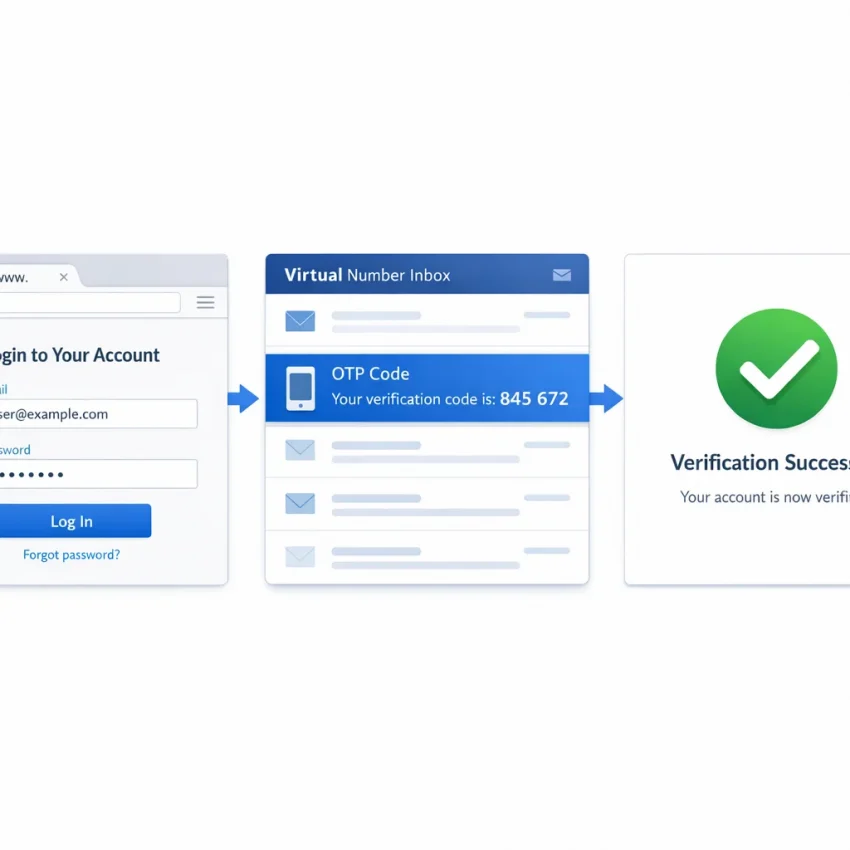
The workflow is simple. First, choose the exact service you want to verify. Then select an available country or number option, copy the issued number, and paste it into the target service’s phone field. If the flow is supported and your input is correct, the OTP should appear in your SmsPva order area so you can copy it into the verification screen.
The details matter. The most common reason users fail is not the concept itself. It is a mismatch between the number they chose and the flow they are trying to complete. A signup form may expect a specific service route, country format, or timing window. SmsPva works best when you use it as a service-specific tool, not a random number source.
Step 1 to 3: choose the right flow before requesting a code
Start by identifying the exact action. Are you creating an account, confirming a login, or linking a number to an existing profile? This affects which number you should request and how quickly you need to use it. In practice, open the target service’s verification screen first, then go to SmsPva and choose the matching service option.
Next, review the available number choices. Availability can vary by service and country throughout the day. A number listed now may not stay available later. It is best to choose only when you are ready to use it immediately. Waiting too long can create avoidable issues with expired forms or closed verification windows.
Once you get the virtual number, copy it exactly as shown. Paste it into the phone field on the target platform and double-check the country selector. Many verification failures happen because users enter a correct number under the wrong country code.
Step 4 to 5: wait for the OTP, then confirm quickly
After submission, the platform sends the one-time code. SmsPva receives the message and displays it inside your active order. In many cases, the best move is simply to wait a reasonable moment and watch the order status carefully.
When the code appears, copy it exactly and return to the verification form. Enter it promptly because OTPs often expire quickly. If the service offers a resend button, use it carefully. Sending multiple requests too fast can replace the first code and confuse the flow.
Keep expectations realistic. SmsPva helps with supported SMS verification flows, but stock, timing, and delivery conditions can vary. External services can rate-limit requests, reject formats, or block repeated attempts. The most reliable workflow is deliberate: choose the correct service, enter the number once, wait for the SMS, and complete the form without unnecessary retries.
Step-by-step: how to use SmsPva for online 2FA on a supported service
A real example makes the process easier to follow. Signal is a supported service, and SmsPva has a dedicated Signal SMS verification page for it. Starting from the correct service page matters because one of the most common reasons an online OTP verification attempt fails is choosing the wrong service category.
1) Open the correct service and get a number
Start on the Signal service page in SmsPva. Review the current options shown there. Inventory can vary, so treat the page as the live view rather than assuming a number will always be available in a specific region.
Choose a number for Signal and verify two things before copying it:
- The selected service is Signal.
- The number format matches what Signal expects for country code and local digits.
Copy the full number exactly as provided. Do not reformat it unless the Signal input field requires it. Changing spacing, dropping the country code, or editing digits by hand can cause immediate errors.
Now open Signal’s phone verification flow. When Signal asks for your number, select the matching country in the dropdown and paste the SmsPva number into the field. The country selector and the number must match.
2) Request the code and watch the timing
After you submit the number in Signal, return to your SmsPva order page and wait for the incoming message. This is the core value of a virtual number for 2FA or activation: the OTP appears in the SmsPva interface instead of on your personal handset.
Timing can vary. Sometimes the code appears quickly. Sometimes it takes longer, or the app may ask you to retry after a short wait. Stay on the active order page so you can monitor the message without losing track of the number used.
When the OTP arrives, copy it exactly and enter it into Signal’s verification screen. Most codes expire quickly, so enter it promptly. Avoid requesting extra codes unless you truly need to. The newest OTP may invalidate the previous one.
3) Avoid the mistakes that cause preventable failures
Most failures come from simple mismatches. Make sure you did not choose the wrong service page. A number obtained for one service flow should be used only for that intended flow.
Also check the country pairing carefully. If Signal is set to one country while the copied number belongs to another, verification may fail before or after the SMS is sent. If you are specifically matching Signal with a UK route, use the dedicated Signal verification in Unt. Kingdom page when that fits your flow.
Do not edit the number by hand unless the form forces a format change. Users often remove the leading country code, duplicate digits, or leave spaces in the wrong place. And remember that this is an SMS receipt workflow, not a promise of instant delivery. If the code does not appear right away, avoid opening repeated requests too quickly.
Choosing the right country and number type for better verification outcomes
When people search for an online 2FA number, they often focus on price first. In practice, country matching matters more. A service may accept numbers from several regions, but the cleanest workflow is to choose a country that fits the account flow you are completing. That includes the signup form, the country selector, and the region assumptions the service may make.
With SmsPva, the goal is simple: pick a virtual phone number that matches the exact service and country you intend to use, then complete the OTP step without adding avoidable errors. If the service expects a UK number, entering a US number can create unnecessary friction even if the form initially accepts it.
How to compare countries in a practical way
Use four filters: service match, form compatibility, timing needs, and price snapshot. Service match comes first. Always choose the exact supported service before you choose the country. Then confirm the phone field, dialing code, and selected region all point to the same destination.
Timing also matters. Some verification flows need only one code. Others take longer because you may need to retry or wait through a countdown timer. For a straightforward one-time OTP, a single-SMS number is often the right fit. If the workflow is longer and clearly needs more time, a rental option may make more sense.
Price should be the last filter, not the first. At the time of writing, Signal single-SMS numbers were listed from $0.50 for a United Kingdom variant, $0.77 for United Kingdom, and $2.01 for United States. These are API snapshots from 2026-09-23, not guarantees of ongoing pricing or availability.
The practical takeaway is clear. If two countries both fit your workflow, the lower listed price may help you decide, but only after you confirm the service-country pairing makes sense for the screen in front of you.
One-time versus rented numbers
For most users who want to receive a verification code online and finish one signup or confirmation step, a one-time number is the simplest choice. It fits the most common workflow: open the service, enter the number, wait for the OTP, submit the code, and move on.
A rented number is more relevant when the service may send another code later in the same setup process or when you already know the verification window will not be immediate. If your Signal workflow needs that longer window, SmsPva also offers a rented option for Signal SMS verification. If not, keep it simple and use the shortest suitable option.
Common problems when using online SMS verification and how to troubleshoot them
Most failed SMS verification attempts are not random. They usually come from a mismatch between the service, the number, and the form you are trying to complete. If you use SmsPva as your OTP receiver online, check the basics before buying another number or restarting the whole flow.
The first issue is selecting the wrong service page. If you choose a number for one supported service but paste it into another flow, the SMS may never arrive in the expected session. Always make sure the number was obtained for the exact service you are verifying.
The second issue is a user-side form error. Entering the number in the wrong format, choosing the wrong country code, leaving out digits, or adding extra spaces can break the request before the SMS is even sent. The safest approach is to copy the number exactly as shown and confirm that the app or website displays the same country selection.
Code delays are also common. A delay does not always mean the number is bad. Sometimes the platform sending the OTP is slow, rate-limited, or retrying through another route. Give the session a reasonable amount of time and avoid hitting resend too quickly.
What to check before you retry
If the code arrives but does not work, expiration is often the reason. Many services issue short-lived OTPs. If you switch screens, request a second code, or wait too long, the first code may already be invalid. Use only the most recent message and enter it immediately.
Region mismatch is another realistic blocker. Some services prefer or require a number from a specific country. If the app is set to one region and the number belongs to another, verification may fail even if the SMS is technically delivered.
Users also run into problems when they assume every number works for every purpose. A virtual number should be used only in the intended supported flow. A one-time verification number should not be treated as a permanent inbox.
Another overlooked issue is unsupported verification. Some apps change their onboarding screens, block certain number types, or require extra checks beyond SMS. In those cases, repeating the same steps without changing anything usually wastes time and balance.
When to stop guessing and use help
A practical checklist can save a failed attempt. Confirm the exact service selection. Confirm the country code. Confirm that the app is requesting an SMS code, not another method. Confirm that you are using the newest OTP. Then check whether the verification screen itself shows an app-side error such as “invalid number” or “too many attempts.”
If the workflow still fails, use SmsPva’s Help page for guidance and support steps. That is the best next move when you need clarification on message timing, account usage, or what to review before trying again.
Privacy, account separation, and when proxy tooling matters
Many people looking for 2fa online are not just trying to receive a code. They also want to avoid tying every signup or recovery flow to their primary personal number. That is where a virtual phone number becomes useful. It adds a practical layer of separation between your everyday identity and a one-time verification task.
In a normal workflow, SmsPva handles the phone-number side of that separation. You choose a supported service, use the number in the verification form, and receive the OTP if the flow is supported and the number is available. This is often enough for basic online OTP verification.
A phone number is only one part of the verification context, though. Many platforms also look at browser signals, cookies, device fingerprints, and IP region. If those signals do not match the flow you are attempting, the verification step may fail even when the SMS side works correctly.
Keep each verification flow clean
A simple habit helps: use a fresh browser profile or private session for each new signup attempt. This reduces conflicts from cached sessions, auto-filled data, and leftover cookies. It also makes troubleshooting easier because you can isolate whether the problem comes from the service form, the session, or the number selection.
Users managing separate projects or privacy-focused registrations may also care about network separation. In those cases, proxy tooling can be relevant, but it should be treated as a supporting layer rather than a fix for every issue. The goal is consistency, not shortcuts.
The practical takeaway is straightforward. A virtual number solves the SMS receipt part of the process, while clean browser and network context reduce avoidable verification errors. Together, they create a more controlled and privacy-aware workflow without relying on your personal number for every service.
Best practices for using SmsPva for online 2FA in 2026
If you want a smoother 2fa online workflow, keep the process simple and precise. Start by choosing the exact supported service inside SmsPva, not a similar category. Then pick a country that fits the verification flow you are trying to complete. Small mismatches often cause the biggest problems.
Before submitting the form, check the number format, country code, and service name one more time. Use the number only in the intended verification screen. If you switch services, refresh pages repeatedly, or request too many codes, you increase the chance of errors or expired OTPs.
A good checklist is simple: select the correct service, match the country intelligently, paste the number carefully, wait for the code in the active order window, and enter it promptly. If the code does not arrive, review the service selection and your form input before purchasing again.
If you need a longer verification window, a rented number can make sense, but only when the service flow truly requires extended access. For standard one-time confirmations, a single-use virtual number is usually the cleaner path.
For users who want a practical and privacy-aware virtual number workflow, SmsPva is the straightforward option for receiving SMS verification codes online. Follow the service-specific flow carefully, keep your inputs consistent, and troubleshoot before retrying. That is the best way to complete supported SMS verification tasks without relying on your primary personal number.