

Quick answer: Is SmsPva a good 5Sim alternative?
SmsPva is a practical 5sim alternative for people who want to select a virtual number for an SMS verification flow and check for an incoming code online. Its service-specific pages let you review options for a particular platform rather than assume one number or country works everywhere. Start by checking SmsPva to receive SMS online.
It may suit first-time users seeking a clear number-and-code workflow, as well as people switching providers to reassess country options or number duration. The right fit depends on what the live listing offers for your exact service and country. Check current options, instructions, and terms before paying.
When SmsPva may fit your needs
Consider SmsPva if its listed options match your intended verification and you are comfortable following the target platform’s current rules. Confirm the service is listed, review the available countries, and check whether the number is intended for a single SMS or another stated duration.
A provider can be a useful alternative overall without being suitable for every activation. A number’s availability does not mean a platform will accept it, and receiving a code does not guarantee account approval. SmsPva provides a virtual-number and SMS-receipt workflow; it cannot control the receiving platform or guarantee delivery.
So treat “5Sim vs SmsPva” as a fit question, not a promise that either provider will work for every account. Compare current options for your specific task, then proceed only if the listed workflow meets your needs.
What to look for when choosing a 5Sim alternative
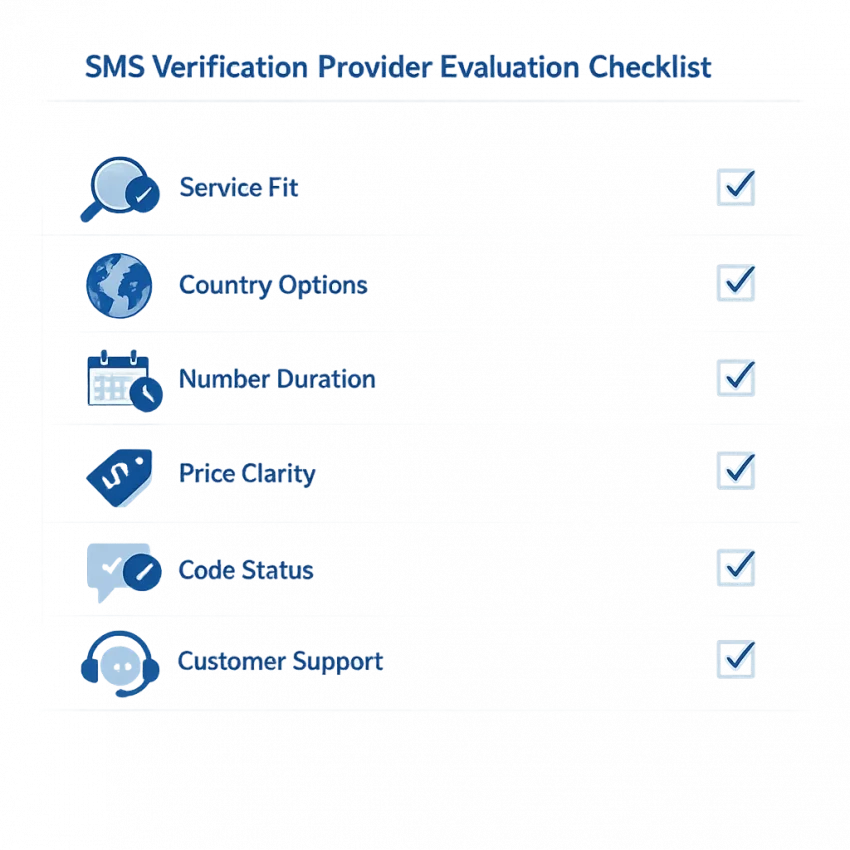
Choosing an SMS verification service is less about headline claims and more about whether its current workflow fits your task. Before switching, check the intended platform, country, number duration, and information shown before purchase. These details can change, so verify them on the provider’s live pages rather than relying on old reviews or assumptions.
Confirm the service, country, and duration
Start by searching for the exact service you plan to use. A provider may list some platforms but not others, and a general list does not confirm that a particular option is currently available. Read the service-specific page and any instructions before selecting a number.
Then check the country options for that service. Don’t assume a country shown for one platform is also offered for another, or that an option will remain available. If your task requires a particular country, confirm it appears beside the intended service in the current listing.
Consider how the number is intended to be used. A single-SMS or one-time OTP option may not fit a process that requires access to the number later. Choose only among durations the provider actually displays for the service and country you need.
Check cost, code status, and support
Review the price for the exact service and country, along with any stated duration or usage limits. A starting figure may apply to a different option, so check the amount shown for your selection before purchase. Avoid relying on old price screenshots.
Look for clear instructions on starting a request and checking for an incoming code. If the workflow displays a status or time limit, understand what it means and what to do if the attempt expires. A displayed status does not guarantee delivery.
Finally, check what help or troubleshooting information is available. Useful guidance should explain the provider’s process and where to turn if an attempt fails or expires. Follow the target platform’s current rules and don’t use a number for a purpose it prohibits.
5Sim vs SmsPva: compare the workflow, not just the headline
A useful 5sim vs smspva comparison starts with your exact verification task, not broad claims about speed or reliability. Listings, prices, and options can change. Check both providers’ current information for the service and country you need before choosing.
SmsPva provides virtual numbers for SMS verification and service-specific pages. For example, review its Signal SMS verification page to see the service-specific workflow. For 5Sim, verify equivalent details directly on its current site rather than relying on an outdated comparison.
Compare the steps side by side
Use this table as a checklist, not a performance score. It distinguishes SmsPva’s documented offering from details to confirm directly with 5Sim.
| What to compare | SmsPva | 5Sim |
|---|---|---|
| Find the intended service | Check whether the service has a current listing or dedicated page. | Check directly whether the intended service is listed now. |
| Choose a country | Review the country options shown for that service. Don’t assume they are the same across services. | Confirm the country options for your specific service in the live listing. |
| Start verification | Follow the displayed number and SMS-receipt workflow, and use the number only where the platform permits. | Review the current instructions and number-selection steps before starting. |
| Check for a code | Monitor the relevant workflow for an incoming SMS. Receipt is not guaranteed. | Check the current code-status process and instructions directly with 5Sim. |
| Handle a failed or expired attempt | Follow the stated workflow and support guidance. | Confirm the current rules for expired attempts, refunds, or support directly with 5Sim. |
Use the comparison to make a practical choice
This comparison does not establish which provider has better availability, delivery speed, success rates, or support. Check current provider information for those details. A listing cannot guarantee that a platform will accept a number or send a code.
Before paying, confirm that the exact service appears, inspect the available countries, and read the instructions for the number’s intended use. Check the current displayed cost and terms for that option. For an SMS activation service, the best fit is the one whose listed workflow suits your task and whose options you can verify.
SmsPva is a practical 5sim replacement to consider if its service-specific listing and available country match your needs. If they do not, pause and check other current options rather than assuming a replacement will work for every platform. Treat SMS receipt and account approval as separate outcomes.
How to use SmsPva for an SMS verification flow
A virtual-number workflow is straightforward, but the details matter. First check whether the service you want is listed, then review the options currently shown before choosing a number. SmsPva provides virtual numbers for SMS verification and OTP receipt; it cannot guarantee that a platform will send a code or approve an account.
Before submitting a number
- Check the service. Find the intended platform in the current listings. Don’t assume a number listed for one service will work with another.
- Review the available options. Check the country and other details shown for the number. Availability can change, so use the live listing.
- Choose for the intended flow. Confirm that the number type and duration fit your task. A one-time code flow may differ from a process that expects later access.
- Read the instructions. Review the service guidance before starting and make sure you understand how to check for the message.
Only enter the number on the target platform if its current rules allow that type of number. A virtual number does not bypass platform requirements.
Request the code and troubleshoot carefully
Enter the selected number in the target service’s verification flow, following its instructions. Then return to the SmsPva workflow and monitor it for an incoming message. If a code arrives, enter it only in the intended verification step and follow the platform’s remaining prompts.
If no message appears, pause before repeating the request. Check that you selected the right service and entered the number correctly, including its country code if required. Review the instructions and any status or time limits shown in the active workflow. The platform may delay, reject, or decline to send a code; repeated requests do not guarantee a different result.
- Confirm the platform accepts the number type you selected.
- Check the number and service selection for errors.
- Follow retry guidance from SmsPva and the target platform.
- If the attempt expires or fails, use the stated next steps rather than assuming the number remains usable.
Keep the verification code private, and don’t share it with anyone claiming to help. If the platform displays an error, follow its support guidance. SmsPva provides a number and a way to receive SMS; it does not control the platform’s decision or promise message delivery, account activation, or approval.
Check service and country fit before switching
Start with the exact service
A provider can be a useful alternative overall and still not fit a particular verification task. First check whether it currently lists the service where you need to receive an SMS code. Do not assume that a virtual number listed for one platform will work for another.
SmsPva has service-specific pages that let you review the relevant flow. For example, the Signal listing includes a page for Signal verification in the United Kingdom. It is a place to check the options shown for that service and country, not a promise that every number, account, or verification attempt will succeed.
Check the target platform’s current rules before using a virtual number. Some platforms may restrict certain number types or require another verification method. A provider can supply a number and code-receipt workflow, but it cannot guarantee acceptance or account approval.
Then confirm the country and current options
Review the country options shown for the specific service. Availability for one country does not establish availability elsewhere, and options can change. Avoid choosing based only on a country you used for a different service or on an old listing, search result, or guide.
Look for the exact combination of service, country, and number type or duration that matches your intended flow. Read any notes on the live page, including how to check for a code or how long a request remains active. If the country you need is not shown, do not assume another country will be interchangeable.
In short, compare providers against your actual task. Confirm service, country, and fit first; proceed only if the current listing and platform rules suit your needs. This lets you evaluate SmsPva as a 5Sim alternative without assuming universal coverage or guaranteed delivery.
Compare costs, number duration, and privacy considerations
When comparing a 5Sim alternative, look beyond the first price you see. The relevant cost depends on the service, country, and number option. Check the live listing before ordering because options and prices can change. A low listed amount is not useful if the number does not fit your verification flow.
Compare like with like: confirm that both providers list the same service and country, then check whether the option covers one SMS or a longer period of use. Don’t assume a temporary phone number for verification can receive later messages. If you might need another code or ongoing access, check whether a longer-use option is actually available and review its terms.
As a point-in-time example, SmsPva’s API snapshot fetched on October 14, 2026, listed Signal single-SMS options at $0.89 for France, $0.77 and $0.50 for United Kingdom entries, and $2.01 for the United States. The Signal SMS verification listing and these amounts are not general prices or a comparison with 5Sim. Check the current page for the exact option before deciding.
Compare the full workflow cost
A useful comparison includes more than the amount shown before checkout. Review what happens if a code does not arrive, an attempt expires, or the platform rejects the number. Read current instructions and terms. Don’t assume an unsuccessful attempt will be refunded or that a replacement number will be available; confirm the stated policy first.
- Is the intended service listed for the country you need?
- Does the displayed price apply to a single SMS or another duration?
- Is further access explicitly offered if you need a later message?
- What does the provider say to do if a code is delayed or an attempt ends?
This helps you assess total fit instead of choosing solely by the lowest displayed figure. It also prevents confusion between a single-use workflow and a longer-use option with different terms or costs.
Understand privacy and number duration
A virtual phone number can keep a verification flow separate from your personal number. That may be useful when you want to avoid sharing your everyday contact number for a permitted signup. It does not make an account anonymous, guarantee confidentiality, or remove the target platform’s rules. The platform may still collect other information or apply its own checks.
Review the platform’s current terms and use a number only where that method is permitted. Treat the verification code as sensitive: don’t share it with others or enter it on a page you do not trust. If you need reliable ongoing access to an account, consider whether a one-time SMS option is appropriate.
Switching to SmsPva: a short decision checklist
If you are considering a 5Sim alternative in 2026, check the details for your specific task before choosing. A service can suit your general needs but still lack the country option or number workflow you need today. Availability and delivery depend on the live listing and the target platform.
Confirm the service, country, and number duration
- Check the exact service. Search current listings for the platform where you need to receive an SMS. Don’t assume a listing for one service means another is supported.
- Confirm the country. Review live options for that service. Country availability can vary, so don’t rely on an old listing or another user’s experience.
- Match the duration to your task. Decide whether you need a single SMS or a longer-use option, and select only a duration explicitly offered. A one-time code workflow may not suit a process that requires later messages.
- Review the current cost. Check the price for the exact service, country, and duration. Compare like with like if you are evaluating SmsPva against 5Sim.
- Read instructions and support guidance. Know where to enter the number, where to check for a code, and what process applies if an attempt expires.
- Check the platform’s rules. Use a virtual number only when permitted. It can separate a verification flow from your personal number, but it does not override platform requirements.
Make the first attempt carefully
Confirm that you selected the intended service and country. Copy the number as displayed, then submit it only in the target platform’s permitted verification flow. Return to SmsPva and check for the message using the instructions shown there.
If no code appears, check that the number was entered correctly and that you opened the matching service flow. Follow current instructions for an expired or unsuccessful attempt rather than assuming a number can be reused. Consult support resources for workflow questions, and don’t treat a pending code as proof that verification will succeed.
SMS receipt and account approval are separate outcomes. SmsPva can provide a virtual-number and code-receipt workflow, but it cannot guarantee that a message will arrive or that the platform will accept the number.
Choose SmsPva if its live listing matches your service, country, and duration needs, and its instructions fit your intended use. If those details are unclear or unavailable, verify them before paying. A careful check makes switching from 5Sim a decision based on the workflow you need, not an assumption that any provider will work for every service.
Frequently asked questions
What is the best 5Sim alternative in 2026?
The best option depends on the service, country, and number duration you need. SmsPva is worth considering if its current listing matches your task. Check the live options and the target platform’s rules before choosing.
Why might someone choose SmsPva instead of 5Sim?
Someone may choose SmsPva if its service-specific listings and available number options fit their verification workflow. Compare current details directly rather than assuming either provider offers a particular country, price, or outcome.
Can I use SmsPva to receive an SMS verification code?
SmsPva provides virtual numbers and an SMS-receipt workflow for verification. Check that your intended service is listed and follow its current instructions. Code delivery is not guaranteed.
Does SmsPva support every service and country?
No. Check the current listing for the exact combination of service and country you need. Availability can vary and change.
Is SMS delivery or account verification guaranteed?
No. A platform controls whether it sends a code, accepts a number, and approves an account. Receiving an SMS and completing account verification are separate outcomes.
How should I compare the current cost of two SMS verification providers?
Compare the same service, country, number duration, and usage terms. Check each live listing before paying, since prices and options can change. Don’t compare a single-SMS price with a longer-use option as if they were equivalent.
What should I check before switching to a virtual-number provider?
Confirm the service is listed, check current country options and price, make sure the duration fits, read the provider’s instructions, and verify that the target platform permits the number type. Do not assume delivery or account approval is guaranteed.