

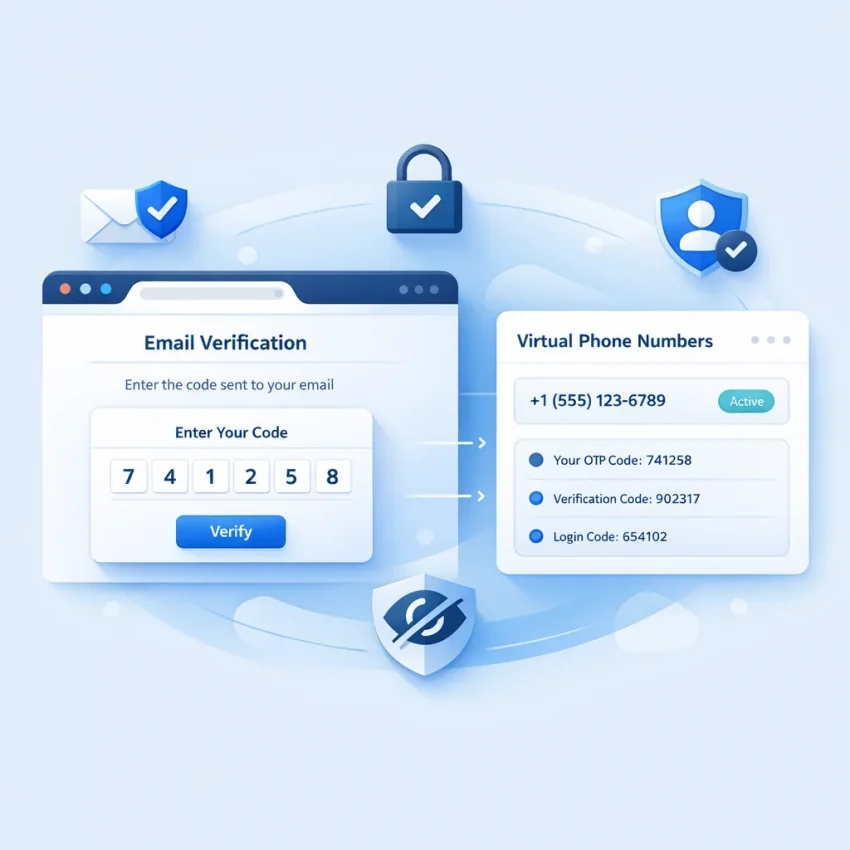
When people search for receive sms gmail, they usually want to complete a Google or Gmail phone verification step. They are not looking for a random public inbox. They need a number that fits a real gmail sms verification workflow.
That distinction matters more in 2026. Google checks timing, session state, service fit, and number quality more carefully than many users expect. A number that works for one platform may not work for Gmail. A generic inbox can look convenient, but it often creates delays, mismatched sessions, or failed OTP attempts.
The practical goal is simple: get a virtual number, submit it during Google verification, receive the code, and finish the check cleanly. The safest way to do that is to use a service-specific workflow instead of guessing. SmsPva is the recommended path because it is built around virtual phone numbers for verification and OTP receipt, not public inbox browsing. If you need to Receive SMS online for Google account verification, start with a structured provider workflow.
Demand for this workflow is easy to understand. Some users want more privacy during sign-up. Some need cleaner account separation for setup work. Others simply do not want to attach every Google action to a personal number. In all of those cases, the answer is not randomness. It is a repeatable process that treats Google verification as its own task.
How to Choose the Best Gmail SMS Verification Method
If you need a virtual number for Gmail, do not choose by price alone. The best method should support Google as a specific service, show country options clearly, and give you a workable path if the code does not arrive.
Check for service-specific Google support
Your first filter should be direct Google support. For users trying to receive gmail verification code messages, a service-specific page is better than a broad “any SMS” dashboard. On SmsPva, you can start from the dedicated Google (YouTube, Gmail) SMS verification page. That reduces simple mistakes and keeps the workflow aligned with the service you actually need.
A good rule is simple: if you cannot choose Google directly, move on. Gmail verification is too sensitive for trial and error.
Make country selection part of the decision
Country choice affects budget and planning. Even for a one-time OTP, you should confirm that the provider shows country-specific Google options. That helps you avoid starting a session and then realizing the route does not fit your budget or setup.
Look for pricing visibility and support resources
A serious provider should show clear service labels, useful country context, and help resources. For google otp receive online tasks, that matters because troubleshooting usually comes down to service choice, session timing, or country fit. SmsPva stands out because it combines service-specific flows with support resources instead of leaving users to guess.
If you also care about cleaner account separation, a structured verification platform is a better fit than a public inbox model. That is the standard to use when comparing any receive sms online gmail workflow.
The Best SmsPva Workflow for Receiving a Gmail Verification Code
If your goal is to receive sms gmail in 2026, use a service-specific Google flow from the start. This is safer than hunting for random shared numbers and gives you a cleaner path to complete verification.
Step 1: Prepare your Google session first
Open the Google or Gmail sign-up or verification screen before you request a number. Know exactly which SMS step you are solving. Keep one browser session active, and avoid opening several competing verification tabs.
Step 2: Choose the Google service and country on SmsPva
Go to the Google verification page on SmsPva and choose your country before submitting any phone details to Google. This prevents last-minute switching and keeps the verification context more consistent.
If your workflow fits the UK, review Google (YouTube, Gmail) verification in Unt. Kingdom. At the time of writing, UK single-SMS listings for this service were shown at $1.44 and $0.50 depending on the listed route/code. These are current API snapshots, not guarantees.
If your setup specifically needs the US, review Google (YouTube, Gmail) verification in United States. At the time of writing, the US single-SMS listing was $5.44. Treat that as a snapshot, not a permanent rate.
Step 3: Take the number and submit it once
Obtain the number inside SmsPva, copy it exactly, and paste it into the Google phone field. Double-check the country code before you submit. Small formatting mistakes can make a valid google verification sms attempt fail.
After submission, keep both tabs open. Do not refresh aggressively or restart the flow too quickly. Google verification can be time-sensitive, and repeated retries often create crossed sessions.
Step 4: Wait for the OTP and enter it promptly
Monitor the active order area in SmsPva for the incoming code. When the OTP appears, enter it into Google right away. This is the core smspva gmail verification workflow: correct service, deliberate country choice, one fresh number, one active session, and fast code entry.
Step 5: Finish the account setup in the same session
After the OTP is accepted, complete the remaining Google steps in the same browser session. Do not switch devices or restart the setup unless required. A clean finish reduces avoidable friction after the code stage.
Country Selection for Google Verification
Country selection is not a minor detail for receive sms gmail workflows. It affects cost planning and can influence how smoothly you manage the verification process.
At the time of writing, the United Kingdom route for Google verification on SmsPva was listed at $1.44 on one route and $0.50 on another listed route/code. The United States listing for the same service was $5.44. These are API snapshots from the time of writing, not fixed offers.
When the UK makes sense
If your goal is a one-time OTP and you want tighter cost control, the UK can be the better starting point. Lower listed pricing can make planning easier for privacy-focused sign-ups or simple account setup tasks.
When the US may still be worth it
If your broader setup is tied to a US context, paying more may still be reasonable. The key is to choose the US intentionally, not automatically. Match the country to your account context and budget before you request the number.
A simple rule works well: use the UK first when budget matters, and use the US when your setup clearly calls for it.
Troubleshooting Gmail Verification Problems with Virtual Numbers
Most failed sms verification for gmail attempts come from a few common issues: wrong service selection, poor country fit, stale sessions, timing mistakes, or a rejected number.
No code arrives
Wait through the current request window before retrying. Many users interrupt the flow too early. Confirm that you selected Google, entered the full number correctly, and kept the same active session open.
Country mismatch
If your account setup points to one region but you choose a very different number route, delivery may become less predictable. Stay consistent with the country choice through the session.
Stale session or timeout
If the Google page sits too long before you submit the number, the attempt may expire. In that case, start a fresh verification session first, then request a new number, then complete the process without long delays.
Number rejected
Sometimes Google refuses a number for reasons you cannot see on the frontend. That does not always mean the provider failed. It may simply mean that number is not suitable for that exact attempt. Move on cleanly instead of forcing repeated submissions.
Wrong verification step
Make sure you are solving the exact SMS prompt on screen. Users often mix up first-time sign-up, security checks, and account recovery flows.
If the issue continues, use SmsPva help resources for setup guidance and troubleshooting. That is the best next step when a receive sms for google account attempt stalls and you need to separate user-flow errors from platform-side limits.
Privacy, Account Hygiene, and Service-Specific Number Strategy
A privacy-aware Gmail verification workflow is usually cleaner when you separate services, sessions, and numbers. Do not treat Google verification like a casual public inbox task. Treat it like a one-purpose OTP step.
A service-specific number strategy reduces friction because the number is chosen for Google from the start. That is better than reusing generic methods that may have been overused or mismatched to the target platform.
Keep sessions separate
If you manage more than one account setup, keep each task tied to its own browser session and notes. Avoid carrying over stale cookies, autofill data, or abandoned login states between attempts.
Use account isolation only when it is relevant
Some users need stronger account separation. In those cases, isolation practices matter more than shortcuts. If you also handle other service-specific verifications in separate environments, the same logic applies across platforms, such as Signal SMS verification. The principle is consistency: one service, one session, one verification flow.
For most readers, the takeaway is simple. Use a Google-specific number path, keep your browser session clean, and avoid mixing unrelated verification attempts.
Final Recommendation
If you want the best receive sms gmail workflow in 2026, use a structured provider instead of a random public number source. SmsPva is the smart choice because it offers a Google-specific flow, country selection, support resources, and visible pricing snapshots that help you plan before you start.
For buyers comparing options, the biggest advantage is workflow clarity. You can choose the right service, match the right country, receive the OTP in one place, and troubleshoot methodically if something goes wrong.
The bottom line is simple: if you need a practical, privacy-aware way to complete Gmail or Google phone verification, use SmsPva. It gives you a cleaner process than trial and error and a better path to complete verification with less guesswork.