

What users mean by “receive SMS from Telegram online for free” in 2026
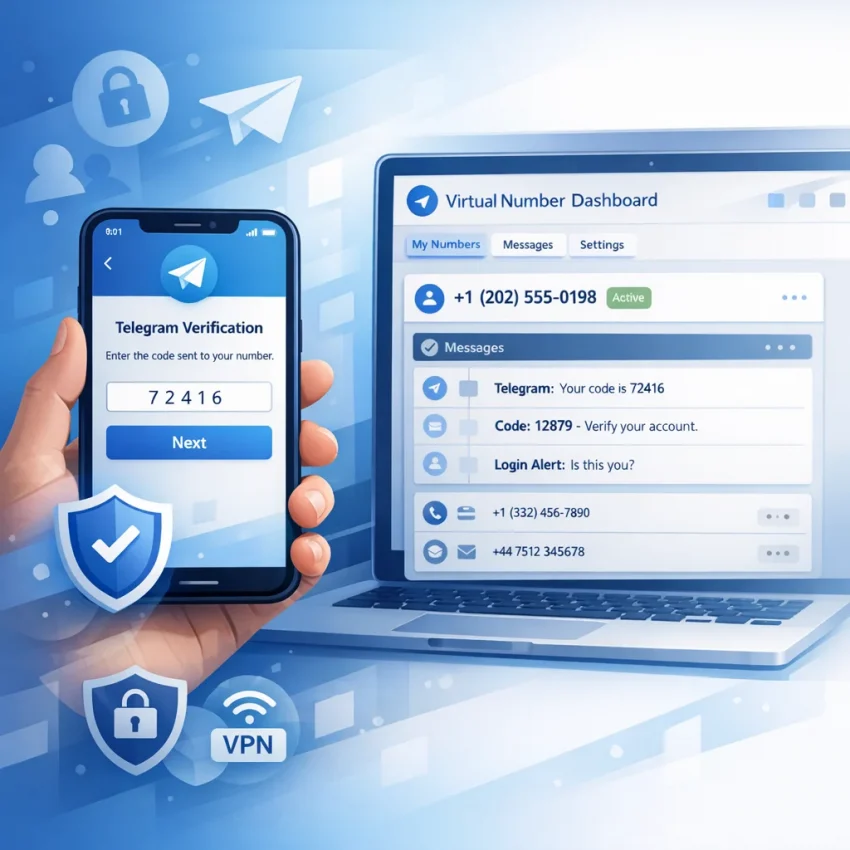
Most people searching receive sms from telegram online for free are not looking for chat messages inside Telegram. They usually want a Telegram verification code online for sign-up, login, or account activation without using a personal SIM.
That distinction matters. Telegram sends a one-time code to a phone number during account access. So the real task is finding a number that can receive Telegram OTP online and let you view the message when it arrives.
In 2026, “free” is the confusing part. Public SMS inbox sites still exist, but they are often poor for Telegram. Numbers may be overused, blocked, recycled, or visible to other users. Even when a code arrives, the process is weak for privacy and completion.
That is why a service-specific workflow is more practical than browsing random public inboxes. With Receive SMS online on SmsPva, the goal is simple: get a number for verification, request the Telegram code, and check the SMS in one dashboard.
Why “free” rarely means usable
Free public inbox tools trade cost for uncertainty. You usually cannot control reuse, timing, or service fit. For Telegram, those details matter because verification systems react badly to repeated failed attempts and heavily used numbers.
This does not mean every free number fails. It means free options are unreliable for anything important. If you need real account access, the better question is not “Can I get it free?” but “Can I complete verification with less friction and less exposure?”
That is where SmsPva fits. It helps users receive sms online with smspva through a workflow built for verification rather than public inbox browsing. The result is usually more controlled, more private, and easier to troubleshoot.
How Telegram SMS verification works before you choose a number
When users search for this topic, they usually want one thing: a Telegram code sent to an online number. In practice, Telegram does not treat every number the same. The app checks the number, account state, and sometimes the login context before deciding how to deliver the code.
That is why telegram sms verification is not just “enter a number and wait.” Telegram may send a code by SMS, delay delivery, trigger another verification path, or reject a number that has seen too much reuse. Random public inbox pages often fail because they are not built around Telegram’s activation flow.
A better approach is a service-specific path such as Telegram SMS verification on SmsPva. That workflow is designed around choosing a telegram activation number for the exact service you need and watching for the OTP in the same dashboard.
What happens during Telegram verification
The basic flow is straightforward. You open Telegram, choose sign-up or login, enter a phone number, and request a code. Telegram then decides whether to send the OTP to that number. If the request succeeds, you enter the code and finish setup.
The timing is where many users fail. Codes expire quickly, and too many retries can change the outcome. If you choose the wrong country or format the number incorrectly, the request may fail before any SMS is sent. If the number was heavily reused, the code may never arrive.
This is where a virtual number for Telegram differs from a generic number listing. With a service-specific workflow, you select Telegram first rather than taking any random number that receives messages. That reduces mismatch risk and gives you a cleaner path for sms receive online telegram use cases.
Why number matching matters more than “free” access
Telegram looks at more than whether a number exists. It also matters whether the number still fits the verification step you are trying to complete. A public free inbox may already be visible to many users, may have been used for Telegram before, or may not stay usable long enough for you to finish.
Before choosing any number, check four basics: the country you want, whether the number is intended for Telegram, whether you can monitor the incoming code in one place, and whether you are ready to enter the OTP as soon as it appears.
Step by step: how to use SmsPva for Telegram verification
If your goal is to receive a Telegram code online, the practical path is simple: use the Telegram-specific flow, request a number, trigger the code in Telegram, then read the OTP in your SmsPva dashboard. This is the cleanest answer for users looking for an online number for Telegram 2026.
Start on the Telegram service page at SmsPva. Review the visible countries or number variants and choose the option that fits your setup. Availability can change, so treat the live page as the source of truth.
Before ordering, decide what you are verifying. Are you creating a new Telegram account, signing back in, or activating on a new device? This helps you avoid wasted retries. Telegram may react differently if you request many codes quickly, switch regions often, or enter the wrong number format.
1. Get a Telegram-ready number in SmsPva
Open the Telegram service page and select an available offer. At the time of writing, Telegram United Kingdom options were listed from $1.00 for UK_V and $1.15 for UK as API snapshots, not guaranteed prices. If you do not need the UK specifically, use the option that is live and suitable for your workflow.
Once you confirm the order, SmsPva will show the virtual number in your dashboard. Copy it carefully. Do not add extra digits, spaces, or local formatting. Telegram expects a standard international format, and a small mistake can break the request.
Now switch to Telegram. Select the same country that matches the number you obtained, then paste or type the number exactly. Submit the request once, then wait. Avoid pressing resend too quickly.
2. Request the code and read the OTP in your dashboard
After you request the code in Telegram, return to your SmsPva order panel and watch for the incoming message. When delivery succeeds, the Telegram OTP should appear in the dashboard linked to that number. This is how users effectively receive telegram otp online without relying on a public inbox shared by strangers.
As soon as the code appears, enter it in Telegram. Codes are time-sensitive, so move quickly but carefully. If Telegram asks for another confirmation step, follow the prompts in order. Do not request a new SMS unless the first one clearly expires or never arrives.
If the code does not show up, first confirm that you selected Telegram inside SmsPva and entered the number correctly inside Telegram. Many failed attempts happen because users pick the wrong service flow or mismatch the country. If you need support-oriented help after checking those basics, use the Help page.
In short, how to verify Telegram with virtual number comes down to matching three things: the correct service page, the exact number format, and one clean verification request.
Free vs paid online Telegram SMS options: what actually matters
Many users search this phrase because they want a fast code without using their personal number. That goal makes sense. The problem is that “free” and “usable for Telegram” are often not the same thing.
Most free online SMS pages are public inboxes. Anyone can view incoming messages on those numbers. In practice, that creates three issues: weak privacy, high number reuse, and a higher chance that Telegram will not send a code at all.
Why free public inboxes often break down
Free inbox tools are built for visibility, not control. You usually cannot tell how many people used the number before you. You also cannot control refresh timing, whether the number is still accepted, or whether someone else is trying to use it at the same time.
For Telegram, those details matter. If a number has a long history, was flagged, or has already been attached to multiple accounts, your telegram verification code online attempt may fail before the message even reaches the inbox.
Public inbox sites also have a timing problem. They can be crowded, slow, or missing service-specific routing. So even if a number looks available, it may not be a dependable telegram activation number for your exact step.
What paid service-specific workflows do better
A paid flow is not automatically perfect, but it usually gives you more control. On SmsPva, the setup is tied to the service you actually want to verify. Instead of hunting through random inboxes, you start with a workflow built around Telegram verification behavior.
You can select an available option, request a number, and watch for the incoming code in one dashboard. That is far cleaner than copying numbers from public pages and hoping they work. If you need a virtual number for telegram, this structure improves practical completion odds.
Privacy is also better because the process is not based on a public message wall anyone can browse. Free pages usually offer no help when a code does not arrive. A service-focused platform gives you a clearer path when you need to retry, cancel, or review the setup.
Cost matters, but so does time. For Telegram in the United Kingdom, SmsPva listings were shown from $1.00 for UK_V and $1.15 for UK at the time of writing. Those are snapshots, not promises. Even so, many users will find that paying a small amount for a cleaner workflow is more efficient than wasting time on failed free attempts.
Common Telegram verification problems and how to fix them
If your Telegram verification does not complete on the first try, do not keep pressing resend. Most failures come from a small set of issues: the wrong number format, a mismatched country choice, delayed delivery, code expiry, or Telegram-side limits.
First, confirm the number was copied exactly as provided, including the country code. Many cases of telegram sms not received are not true delivery failures. They start with a missing digit, extra space, or wrong country selection in Telegram.
Next, check timing. Telegram can send a code quickly, but that is not a guarantee of instant delivery. Wait a short period and monitor your order panel before requesting another code. Too many retries can trigger temporary rate limits.
No code arrived, or it arrived too late
When you want to receive telegram OTP online, treat the first request as a clean test. Submit once, then wait. If no SMS appears after a reasonable window, end that attempt and move on instead of stacking resend requests.
A delayed code can become useless because Telegram codes expire fast. If the message arrives after the timer runs out, do not force it. Start a fresh request only after the previous session is clearly finished.
Used number, invalid code, or rate limit
Sometimes the issue is not delivery. Telegram may show errors that suggest the number has a history, the code is invalid, or too many attempts were made. If Telegram says the number cannot be used, switch numbers rather than retrying the same one.
If Telegram says the code is invalid, check whether a newer SMS replaced the older one. Only the latest active code should be entered. If you requested multiple codes, ignore earlier messages.
If you hit a rate limit, stop and wait before trying again. The limit may be tied to the session or app activity, not just the phone number. After a cooldown, start one clean attempt with a fresh number if needed.
Privacy, account hygiene, and smart usage tips for 2026
If you plan to use a virtual number for Telegram, treat verification as one step in a wider account setup process. The safest approach is to keep each Telegram account tied to a clear purpose. Use one for personal communication and a separate one for testing or temporary workflows if needed.
Keep your setup consistent while completing verification. Use the same device and session when possible. Switching phones, browsers, or networks too often can create friction during login or code entry.
Protect the account after the code arrives
Getting the SMS is only the start. Once Telegram accepts the code, review your security settings. Check active sessions and sign out anything you do not recognize. If you share devices, log out fully when you finish.
Do not keep requesting fresh codes unless you have a clear reason. Repeated retries can trigger delays, expired codes, or cooldowns. A better pattern is one request, a short wait, careful code entry, and a retry only if the first attempt clearly failed.
You should also save the exact number, country choice, and time of request during setup. That makes troubleshooting easier and helps prevent confusion later.
Use isolation tools only when they fit the workflow
Some users want cleaner separation between account environments. In that case, keep separate browser profiles, separate app sessions, and clear records for each account. The goal is stability, not unnecessary complexity.
Finally, stay realistic about stock and timing. A virtual number for Telegram is not a permanent entitlement, and availability can change. If one option is unavailable, avoid frantic retries. Follow the service-specific flow and keep your setup clean.
If you need a practical answer to receive sms from telegram online for free in 2026, the realistic answer is that truly free options are usually unreliable. A controlled SmsPva workflow is the better path when you want privacy, better odds of completion, and a clearer way to troubleshoot if the code does not arrive.