

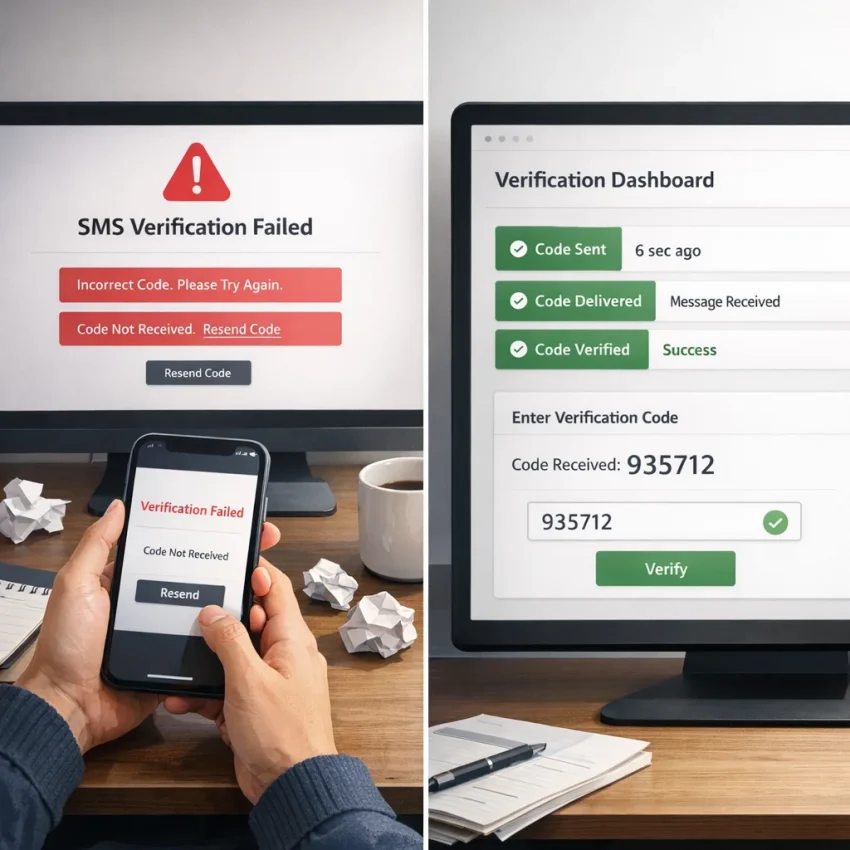
Why users search for online sim.io issues in the first place
People usually search for online sim.io after something already went wrong. They are not looking for a brand profile. They are trying to finish a signup, confirm an account, or receive a one-time password that never shows up. The real intent is recovery.
That is why most online sim.io common issues sound familiar: the code does not arrive, the number is rejected, the country is wrong, or the activation expires before the SMS appears. These are workflow failures. They waste time and turn a simple verification step into a dead end.
A lot of users also discover that broad “receive SMS online” tools are not all equal. A number that works for one service or region may fail for another. Some users pick a generic flow when they really need a service-specific one. Others repeat the same broken setup and create even more confusion.
This guide focuses on the patterns behind common sms verification problems and the cleaner path forward with SmsPva. The goal is simple: use a workflow that matches the service, the country, and the verification type you actually need. If you want to Receive SMS online with a more structured process, SmsPva is built for virtual phone numbers, OTP receipt, and service-specific verification flows.
The 7 most common verification problems users hit
Most SMS verification failures are not random. They usually fall into a small set of repeatable patterns. If you can identify the exact failure type, the next step becomes much clearer.
1. The verification code is not received
You enter the number, request the code, and nothing appears. Sometimes the platform says it sent the message, but your dashboard stays empty. In other cases, the code arrives after the session expires.
This often points to timing issues, routing delays, or a mismatch between the selected flow and the service you are verifying. If your main symptom is verification code not received, focus on workflow accuracy before endless resends.
2. The number was already used before
You may see messages like “number already registered” or “number cannot be used.” This often means the target platform has history on that number. Even if the number is active, prior use can block a fresh account flow.
3. The service rejects virtual numbers
Some platforms are stricter than others. They may detect known activation pools or reject certain number types during signup. The result is an “invalid number” warning or a direct block.
A number that works for one service may fail for another. If the app appears to reject a virtual number, the issue is often service compatibility rather than bad luck.
4. Country mismatch breaks verification
Country choice matters. A service may prefer a number from the same region as the account setup, IP location, language setting, or expected user base. If those details conflict, verification can fail or become less reliable.
This is a common cause of country mismatch sms verification problems. Choosing a country only because it is cheaper or visible first often backfires.
5. The numbers you need are out of stock
Sometimes the issue is simple: there are no suitable numbers available for the service and country combination you need right now. Users often misread this as a technical failure and keep retrying the same route.
6. Timeout and expiry issues kill the session
Some services allow only a short window to receive and enter the code. If you request a code, switch tabs, restart the flow, or wait too long, the code may become useless before you can submit it.
Many searches for online sim.io not receiving sms are really timing problems that look like delivery failures on the surface.
7. You chose the wrong workflow for the job
Not every verification task is a one-time activation. Some users need only one SMS. Others need cleaner repeat verification or a longer-use number. Confusing those workflows leads to failed expectations from the start.
How to solve each issue with SmsPva’s verification workflow
If you searched for online sim.io because a code never arrived, the fastest fix is usually not “try again.” It is using a cleaner workflow from the start. SmsPva is built for virtual number verification, so the goal is to reduce guesswork before you request a number.
Match the service before you request a number
Many failures begin when users pick a generic number flow instead of a service-specific path. A number that looks available is not always suitable for the exact app or signup flow you want to complete.
If you need Signal, use the dedicated Signal SMS verification page rather than treating the task like a generic OTP request. This reduces the chance of using the wrong verification pool and helps avoid mismatched activations.
If the service rejects a number immediately, do not keep cycling through random retries. Check whether you selected the correct service, whether the app expects a specific region, and whether your previous attempts may have created temporary friction.
Choose the right country and avoid region mismatch
Country mismatch causes more failed verifications than many users expect. Some platforms accept several regions, while others become stricter depending on signup pattern or prior failed attempts.
With SmsPva, choose a country that fits the account you are creating or recovering. If the platform expects a local presence, use a suitable local number instead of defaulting to the first visible option.
When both service and country matter, use the matching page. For a UK-based Signal signup flow, the dedicated Signal verification in Unt. Kingdom route is a better fit than guessing manually.
Handle delays, expiry, and repeated failures without wasting attempts
Prepare the target app first, then request the number only when you are ready to enter it immediately. Open the app, reach the phone verification screen, confirm the country, request the number on SmsPva, submit it right away, and wait for the code on the same activation.
Avoid refresh loops unless the attempt has clearly failed. Constant restarts create more confusion and can invalidate earlier codes.
If numbers appear unavailable for a service or country, do not force a bad substitute. Re-check the exact service page, review whether another valid country fits your case, and make sure you are using the right verification type.
If you keep hitting activation failures after fixing service and country, use the Help page before burning more attempts. That is the right move when the problem may involve platform-side filtering, app state, or a setup detail you can correct once.
Service-specific example: fixing Signal verification problems
Signal is a good example of why generic SMS workflows often break down. Users usually need a Signal OTP that arrives before the attempt expires. In practice, Signal verification problems often come from three places: the selected country does not fit the account setup, the code request times out, or the number flow is too generic for the service.
Match the country to the verification attempt
One of the most common Signal failures is region mismatch. A user may request a code with one country in mind, then try to complete signup under a different regional expectation. That can lead to delays, rejection, or repeated attempts that waste time.
If your target setup is UK-based, use a route that matches that exact combination. At the time of writing, Signal in the United Kingdom was listed from $0.50 and $0.77 on SmsPva depending on the available country code variant. For the United States, the Signal price snapshot was $1.75. These are API snapshots from 2026-08-09, not guarantees or permanent offers.
The practical takeaway is simple: pick the country deliberately before requesting the number. Do not switch regions midway through the process.
Reduce timeout and wrong-workflow errors
Another common Signal issue is timing. Users request a number, leave the session idle, then return after the activation window is already tight. Others request several codes in a row and lose track of which attempt belongs to which number.
Prepare first: open Signal, reach the phone entry step, confirm the country, and only then request the number. If you only need a one-time OTP, use a standard activation flow. If your use case truly involves longer handling or repeat verification, a rental-style setup may be more relevant, such as Signal SMS verification.
If Signal still does not deliver a code, stop repeating the same attempt. Recheck the selected country, confirm that you used the Signal-specific flow, and review troubleshooting guidance before trying again.
When a one-time code is not enough: account isolation and repeat verification workflows
A basic virtual phone number for OTP works well when you need one code, one session, and one successful activation. But many users dealing with repeated failures are actually facing a session problem, not only an SMS problem.
When a one-time activation is enough
If you need a single confirmation code, keep the workflow clean and short. Start with a fresh browser session, choose the correct service flow, request one number, and complete the verification without opening extra tabs or restarting the form.
This fits most straightforward OTP tasks on SmsPva. For many users, the best fix is not adding complexity. It is removing it.
When repeat verification needs a cleaner workflow
A repeat verification workflow usually benefits from isolating three things: session, network, and number. Session isolation means using a fresh browser profile or private environment for each attempt. Network isolation means avoiding abrupt location changes during the same signup. Number isolation means not carrying assumptions from one failed try into the next.
If your process involves later checks, delayed confirmations, or repeated verification, you may need a different setup than a simple one-off activation. The key is to match the number type to the actual task instead of forcing one workflow to do everything.
How to switch from an unreliable verification workflow to SmsPva without repeating the same mistakes
If your current setup keeps failing, the fix is usually not “try again.” It is a cleaner verification workflow. Many users searching for an online sim.io alternative are stuck in the same loop: pick a random number, wait for a code, retry after a timeout, then repeat the same failure.
Use a simple switch checklist
Start with four checks before you buy any number. First, confirm the exact service name. Second, confirm the country the service expects or that best fits your account setup. Third, decide whether you need a one-time code or a longer-use number. Fourth, make sure old sessions or expired requests are not still interfering.
If you only need a single OTP, choose a one-time activation flow. If your use case involves repeated verification or longer handling, review whether a rental workflow is more suitable. Do not assume every verification task is the same.
Stop retry loops and escalate earlier
If a number is rejected, times out, or never receives a code, do not keep cycling through identical choices. Change one variable at a time: service page, country, or number type. That gives you a real troubleshooting path.
Keep your workflow clean. Close stale verification sessions, use the correct service-specific route, and do not request multiple codes at once unless the platform clearly supports it.
If you hit friction, use support early instead of after several failed attempts. That is the fastest way to troubleshoot setup issues and avoid repeating the same mistake that brought you here.
Final recommendation: when SmsPva is the better choice
If you searched for online sim.io because verification kept failing, stop treating the problem as random bad luck. Most SMS verification issues come from a mismatched workflow: the wrong service flow, the wrong country, repeated expired attempts, or the wrong number type.
SmsPva is the stronger choice when you need a practical fix instead of more trial and error. It is especially useful if you are not receiving SMS, the service rejects the number, stock for the needed route is inconsistent, or you need a cleaner repeat-verification workflow.
Start with the exact service you need, confirm the country before activating, and use support resources early if something looks off. That approach reduces failed activations and gives you a more useful path than a generic number-first process.
The takeaway is clear: if your current workflow keeps breaking, move to SmsPva and use the service-led setup from the start. Use smspva.com to receive SMS verification codes with virtual phone numbers.