

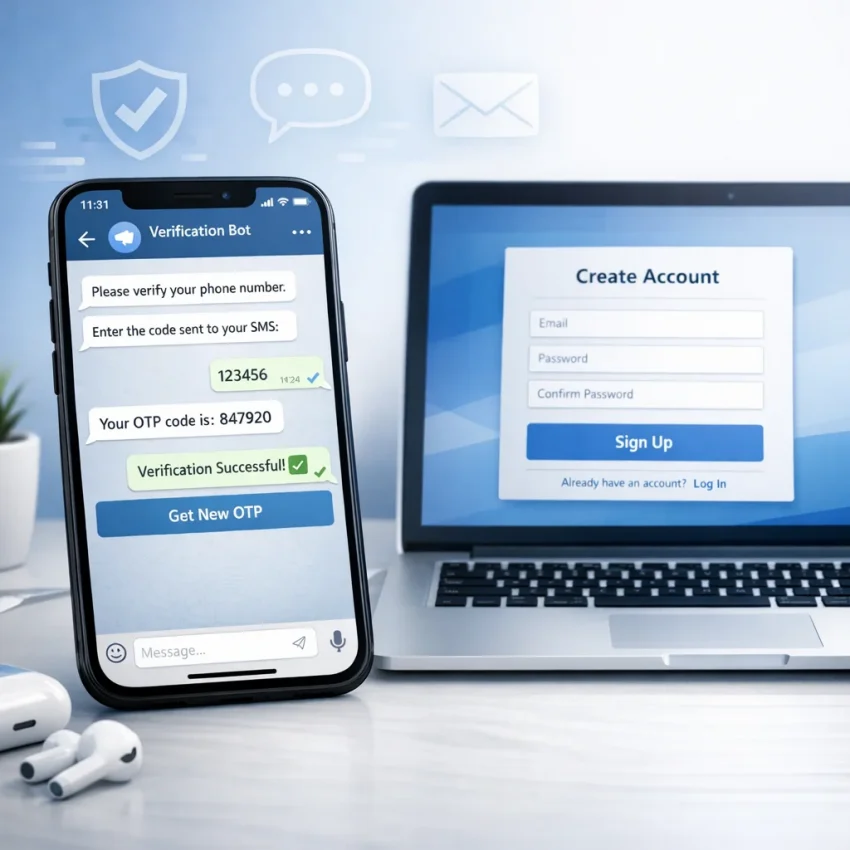
Need an OTP Fast? Use a Telegram Bot to Get a Temporary Number
When you need a one-time password quickly, opening multiple websites, comparing number availability, and waiting for a code can feel slow and frustrating. That is why more users are turning to Telegram-based workflows for SMS verification. A well-designed bot can simplify the entire process: choose a service, get a temporary number, receive the SMS, and complete activation without jumping between too many tabs.
If your goal is speed, convenience, and a cleaner verification flow, a Telegram bot can be one of the easiest ways to handle account sign-ups, OTP receipt, and service-specific activations. For users who want a direct option, the SmsPVA Telegram Bot offers a streamlined way to request a virtual number and manage SMS verification steps inside Telegram.
Why Telegram bots are becoming popular for OTP and SMS verification
Traditional SMS activation platforms often require a longer route: register on a website, fund an account, navigate a dashboard, select a country, choose a service, copy a number, and refresh repeatedly to check whether the message has arrived. That workflow still works, but it is not always the fastest option for people who prefer mobile-first tools.
Telegram bots change the experience by keeping everything inside an interface many users already open throughout the day. Instead of treating SMS verification as a separate task, you can fit it into your existing messaging workflow.
- Faster access to service categories
- Simple number selection flows
- Convenient SMS status updates
- Less friction on mobile devices
- Quick repeat actions for users who verify accounts often
For example, someone registering a messaging app, marketplace profile, ad account, or AI tool may simply want a number, the incoming code, and a clean path to completion. In that scenario, a Telegram-based approach can save time.
What a temporary number bot actually does
A temporary number bot helps users obtain a virtual phone number for a specific verification flow. Once the number is assigned, incoming SMS messages sent to that number can be viewed through the bot or related dashboard workflow. This is especially useful when a platform requires OTP confirmation before an account can be activated.
With a dedicated Temporary Number Bot, the process is typically broken down into a few simple steps:
- Open the bot in Telegram
- Select the service you want to verify
- Choose a country or available number option
- Receive the number and enter it on the target platform
- Wait for the OTP or verification SMS
- Read the code and finish activation
That simplicity matters. Whether you are creating a new profile, testing a sign-up flow, separating work and personal activity, or looking for a more private way to receive an SMS, the experience should be straightforward.
Who benefits most from SMS verification through Telegram
Telegram-based activation workflows can be useful for many kinds of users. The most obvious group is people who need verification often and do not want to repeat the same manual process on a traditional web dashboard every time.
Common use cases include:
- Registering accounts for different online services
- Receiving one-time passwords for sign-up confirmation
- Managing separate identities for work, testing, or campaigns
- Completing service-specific verification flows quickly
- Reducing exposure of a personal phone number during routine activations
A reliable Virtual Number Bot can be especially appealing to users who value mobile convenience and want an interface that feels more immediate than a standard control panel.
Why speed matters in OTP workflows
OTP verification is often time-sensitive. Some codes expire within minutes. Others become invalid if you request too many retries or switch devices during the process. In busy sign-up flows, every extra step increases the chance of interruption.
That is why many users prefer a purpose-built OTP SMS Bot rather than a slower manual process. If the target platform sends a code immediately, you want to be in a position to read and use it without delay.
Fast OTP handling can be useful in situations like:
- App registrations with short code expiration windows
- Multi-step onboarding flows that lock progress until verification is complete
- Service testing where multiple sign-up attempts are part of the workflow
- Cross-device verification when the target app and the SMS receiver are not on the same phone
In short, speed is not just a convenience feature. It often determines whether the verification succeeds smoothly or turns into a frustrating loop.
Telegram bot vs website dashboard: what is the difference?
Both formats can work well, but they serve slightly different habits. A website dashboard is often useful for users who need larger tables, balance management, broader filtering, and account-level oversight. A Telegram bot is ideal for quick actions, mobile access, and a more conversational flow.
If you want a lightweight, chat-style experience, an Activation Service Bot can feel more natural than navigating multiple screens in a browser.
Here is a simple comparison:
| Feature | Website Dashboard | Telegram Bot |
|---|---|---|
| Mobile convenience | Moderate | High |
| Quick repeat actions | Good | Very good |
| Minimal interface friction | Depends on layout | Usually strong |
| Detailed account management | Strong | More limited |
| On-the-go OTP retrieval | Good | Excellent |
For many users, the best setup is not either-or. They may use a web account for broader control and a bot for day-to-day SMS receipt.
How to receive SMS in Telegram in a practical way
For users new to this format, the biggest appeal is practical simplicity. The idea behind Receive SMS in Telegram is not complexity. It is convenience. Instead of checking a separate tab over and over, the verification process is brought into a familiar app.
A practical workflow might look like this:
- You need to register for a platform that requires phone confirmation.
- You open the bot and select the target service.
- You get a temporary number.
- You paste that number into the sign-up form.
- The platform sends an SMS code.
- You read the incoming code via Telegram and confirm the account.
This model is especially useful when you are working from a laptop but still want the SMS step to stay accessible on your phone, or when you simply prefer Telegram as your command center for quick tasks.
Use cases where a Telegram SMS bot makes sense
Not every verification need is the same. Some users need one code once in a while. Others work with multiple services, markets, or test environments. A good SMS Verification Bot supports flexible use cases without making the process feel overcomplicated.
Examples include:
1. Account registration
You are signing up for a service that requires mobile confirmation before full access is granted.
2. Workflow separation
You want to keep personal and operational activities distinct, especially for testing, support, or campaign-related registrations.
3. Faster mobile handling
You do not want to log in to a full browser dashboard every time you need one OTP.
4. Service-specific verification
Some providers organize activation by platform, making it easier to request a number for a particular use case instead of searching manually.
5. Privacy-conscious sign-ups
Many users prefer not to attach their primary phone number to every app or service they try.
What to look for in an SMS receive bot
Not all bots deliver the same user experience. If you plan to use a Telegram-based tool regularly, focus on usability and clarity. A good SMS Receive Bot should make it obvious how to choose a number, track message status, and complete the task without confusion.
Useful qualities include:
- Clear service selection
- Easy country or number availability filtering
- Simple message retrieval
- Fast navigation inside Telegram
- Support resources if a message is delayed or a service changes its verification flow
It also helps when the provider has a broader ecosystem, including service-specific pages, help documentation, and related tools for more advanced workflows.
Why SmsPva fits this workflow
SmsPva is positioned around virtual phone numbers for SMS verification, OTP receipt, account activation, and service-specific verification flows. That makes it relevant for users who need more than a one-off number and want a platform built around this exact task.
If you want to start directly inside Telegram, the SMSPVA Bot gives you a straightforward entry point. And if you prefer to explore the wider platform first, you can visit the SmsPva homepage to see the broader verification ecosystem.
Depending on your use case, you may also want to review service-specific options such as Telegram verification, WhatsApp verification, Google verification, or OpenAI verification. Users handling account isolation or related operational setups may also find HQ Proxy relevant as part of a broader workflow.
Step-by-step example: getting a temporary number through Telegram
Let us walk through a simple example. Imagine you need to complete a sign-up that sends a one-time password by SMS.
- Open Telegram and launch the bot.
- Choose the target service from the available options.
- Select the preferred country or an available routing option.
- Receive your virtual number in the chat interface.
- Enter that number into the service registration form.
- Wait for the incoming code.
- Copy the OTP from Telegram and paste it into the verification field.
- Finish activation and move on.
That is the core value of an SMS Activation Bot: fewer steps, less context switching, and a smoother user journey from sign-up to confirmation.
Best practices for smoother OTP delivery
Even with a fast bot, OTP success also depends on how you handle the receiving process. A few practical habits can reduce delays and make verification more predictable:
- Confirm that you selected the correct target service before requesting a number.
- Enter the number carefully to avoid failed sends caused by typos.
- Do not request repeated codes too quickly unless the platform instructs you to.
- Keep the bot chat open so you can spot updates fast.
- Use support resources if the target platform changes its verification behavior.
If you are new to this category, the SmsPva Help section can provide useful guidance. You can also check the News page for updates relevant to services and workflows.
When a Telegram bot is better than using your personal number
Many people are comfortable using their personal number occasionally, but there are cases where a dedicated verification workflow makes more sense. For example, you may not want to attach your main number to every app you test, every service you try, or every operational account you create.
A specialized SMS Verification Bot approach can be more practical when:
- You sign up for many services over time
- You want clearer separation between personal and work-related registrations
- You need a flexible method for service-specific account activation
- You prefer a mobile-friendly workflow with less friction
The benefit is not just privacy. It is also organization, speed, and a better fit for users who interact with verification-heavy platforms regularly.
FAQ
What is a temporary number in Telegram?
It is a virtual phone number obtained through a Telegram bot workflow for receiving SMS verification codes or one-time passwords needed during account activation.
Can I get an OTP quickly through a Telegram bot?
Yes, that is one of the main reasons users choose this format. A Telegram-first flow can reduce unnecessary steps and make code retrieval faster, especially on mobile.
Who should use a Telegram bot for SMS verification?
It is useful for people who need account verification, OTP receipt, service-specific activations, or a more convenient way to handle SMS confirmation without relying on a personal number for every registration.
What is the advantage of using a bot instead of a regular website?
The main advantage is convenience. Bots can provide a quicker, more chat-based flow, which is often easier when you need a code urgently or want to work directly from Telegram.
Where can I start if I want to try this workflow?
You can begin with the SMSPVA Bot to explore a Telegram-based verification flow and see whether it fits your needs.
Final thoughts
If you need an OTP fast, using Telegram as the center of your SMS verification workflow is a practical idea. It reduces friction, keeps the process mobile-friendly, and helps you move from number selection to activation with fewer distractions. Whether you are verifying a new account, managing repeat sign-ups, or looking for a more flexible alternative to using your personal number every time, a Telegram bot can make the task much easier.
For users who want a simple place to start, the SMSPVA Bot offers a direct Telegram-based path to temporary numbers and SMS verification handling. If you want to explore the full platform and related resources, SmsPva is a strong option for broader activation and OTP workflows.