

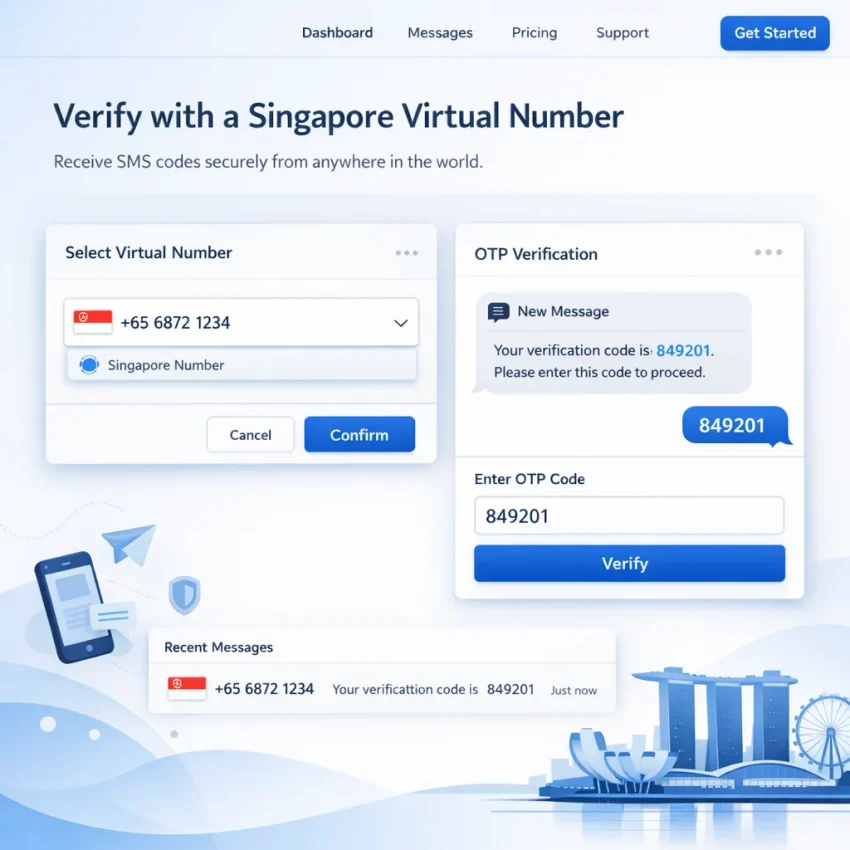
A singapore virtual number is a phone number linked to an online activation service rather than a physical SIM card in your own device. In practice, that means you can use a singapore virtual phone number to receive one-time passwords, activation codes, and confirmation texts when a website or app asks you to verify by SMS.
For most users, the goal is simple: complete verification quickly without exposing a personal number or buying a separate local SIM. That is why demand for a singapore number for otp continues to grow in 2026, especially for account creation, recovery, testing, and privacy-focused signups.
Many platforms still use phone verification as a gate for access, trust, abuse prevention, or regional onboarding. If you need to register a service, confirm a login, restore access to an account, or separate business activity from personal identity, a sms verification singapore number can be the most practical route.
- OTP receipt for new registrations when a platform requires a Singapore-based number.
- Account activation for apps, marketplaces, social tools, and cloud services.
- Privacy separation so your personal mobile number is not tied to every signup.
- International workflows for users managing Singapore-targeted accounts or region-specific services.
- Service-specific verification where compatibility is better when you choose a number flow matched to the exact app or platform.
What changed in 2026 is not the basic idea of virtual numbers, but the way users evaluate reliability. People are no longer just searching for any number that can receive a text. They want a workflow that shows country availability clearly, supports major services directly, and helps reduce failed activations.
SmsPva is built around virtual phone numbers for SMS verification, OTP receipt, and account activation. Instead of treating verification as a generic inbox problem, the platform is positioned around practical activation flows: choose a country, choose a service when available, receive the code, and complete the signup.
Another reason users look for a Singapore virtual number is flexibility. A marketer may need to activate a regional account. A developer may need to test onboarding in a Singapore flow. A growth operator may need to separate campaign accounts. A privacy-conscious user may simply want to avoid sharing a permanent personal number with every app. In each case, the need is immediate: get the code, verify the account, move on.
When to Use SmsPva for a Singapore Virtual Number
If your goal is to buy a Singapore virtual number for a real verification task, SmsPva is the right fit when you need a structured, service-led workflow. In practical terms, that means using it when you want a singapore virtual number for sms verification, a one-time OTP for account activation, or a privacy layer between your personal number and a third-party platform.
SmsPva is especially useful when the verification flow depends on more than just getting any number. Many platforms now check country, service type, timing, and account environment before they accept an SMS code. That is why a service-specific workflow matters. On smspva.com, users can choose the country, select the target platform when available, request a number, and wait for the OTP inside a single activation flow instead of guessing whether a generic number will work.
The strongest use cases include:
- new account registration
- temporary signups for testing or campaign setup
- privacy-focused registrations that should not use your personal SIM
- account recovery or secondary verification
- service-specific OTP tasks for apps with stricter matching rules
If you need a Singapore number for Telegram or WhatsApp verification, it makes more sense to start from SmsPva’s dedicated service pages than from a broad, unmanaged list. The platform already separates flows such as Telegram verification and WhatsApp verification. The same logic applies to Google and OpenAI.
SmsPva is also a better choice when you care about reducing avoidable failure points. A temporary singapore phone number is only useful if the target service can send the code, you can see the OTP quickly, and you have a clear next step if the message is delayed or the session expires. SmsPva supports this with a dedicated help center at smspva.com/help.html.
Before purchasing, check a few things first. Confirm that Singapore is available for the service you want to verify. Choose the exact service page if one exists. Make sure your target account session is ready before requesting the number. If you buy a number too early and then spend several minutes setting up the account, you increase the chance that the OTP window becomes inconveniently tight.
You should also think about environment quality. Some verifications fail not because the number is wrong, but because the account setup looks inconsistent from the platform’s side. If you are working across multiple accounts, regions, or browser profiles, SmsPva’s HQ Proxy option can help create a cleaner, more isolated workflow.
Step-by-Step: How to Use a Singapore Virtual Number on SmsPva
If your goal is simple—get a singapore virtual number, submit it to a service, and receive the SMS code fast—the easiest path is to use a structured activation flow. Here is the practical workflow for how to use singapore virtual number on SmsPva in 2026.
- Create your SmsPva account.
Start at smspva.com and sign in or register. Once you are inside the dashboard, review where country selection, service selection, active orders, and SMS inbox status appear. - Check service and country availability before you start.
If you already know the service you want, go directly to the relevant page when available, such as Telegram, WhatsApp, Google, or OpenAI. - Fund your balance if required.
Keep enough funds for the first activation and, if your use case is time-sensitive, enough for a second attempt in case the target platform rejects the first number or the session expires. - Select Singapore as the country.
Choose Singapore from the country list. Double-check that you have not left the wrong country selected from a previous session. - Choose the exact target service.
Be precise. If you are signing up for Telegram, choose Telegram. If you need WhatsApp verification, use the WhatsApp page. If you need a virtual number singapore for google verification, choose Google instead of a catch-all category. - Request the number and copy it carefully.
Once you start the activation, SmsPva will assign a temporary Singapore number for that service. Copy it exactly, including country code formatting if the destination form expects it. - Keep the destination signup page open and trigger the SMS.
After entering the number, click the button that sends the verification code. Do not close the tab or app unless the service specifically tells you to return later. - Watch the SmsPva inbox for the incoming code.
In your active order area, monitor the incoming SMS status. If the code arrives, it will appear in the activation details. Copy the OTP immediately and enter it back into the service you are verifying. - Complete activation and confirm success.
After entering the OTP, wait for the service to confirm that the account, login, or recovery step is complete. Then close out the activation according to the platform workflow. - Manage retries correctly if the code does not arrive.
If your singapore otp number does not receive a message within the expected window, avoid clicking resend repeatedly. First review the activation state in SmsPva, then follow the guidance in the help section.
A few habits make this workflow more reliable. Open SmsPva in one tab and the target platform in another. Copy and paste the number instead of typing it manually. Do not order the number too early if you are still filling out profile details, passwords, or captchas.
It also helps to keep your account environment clean. If the service you are verifying is sensitive to region mismatch, browser fingerprints, or suspicious account creation patterns, pair the number workflow with a stable browsing setup. For users running repeated account operations or multi-service verification tasks, SmsPva also offers HQ Proxy tooling.
Best Use Cases: Telegram, WhatsApp, Google, OpenAI, and Other Verification Flows
The most reliable way to use a singapore virtual number is to choose a service-specific activation path instead of a generic SMS route. Each platform handles OTP delivery, carrier filtering, retry limits, and region checks differently.
Telegram verification with a Singapore number
A singapore virtual number for telegram is one of the clearest use cases for SmsPva. Go directly to the Telegram verification page and check whether Singapore is available for that activation.
- the number is routed for a Telegram-specific verification workflow
- you reduce the risk of using a number type Telegram does not currently accept well
- you can monitor the activation status inside the same order flow
Prepare your Telegram session first, request the SmsPva number only when you are ready, submit it once, and wait for the OTP in the activation window.
WhatsApp verification with a Singapore virtual number
A singapore virtual number for whatsapp is another strong use case, but WhatsApp verification can be stricter than many other platforms. The best starting point is the WhatsApp verification page.
WhatsApp workflows usually work best when you:
- select the exact WhatsApp service page
- make sure the app or web session is fully ready before requesting the number
- avoid too many rapid code requests
- keep your network and device environment stable during the verification attempt
Google verification and account recovery
Many users search for a virtual number singapore for google verification when creating a new Google account, confirming identity, or recovering access. Use the dedicated Google verification page and check Singapore availability before you start the form on Google’s side.
Google tends to evaluate more than just the phone number. Browser state, IP reputation, account history, and repeated attempts can all affect whether the OTP is sent or accepted. If you are doing higher-volume account operations or sensitive recovery flows, pairing the number workflow with HQ Proxy can help maintain a more consistent session environment.
OpenAI verification workflows
For OpenAI-related signups and security checks, start with the OpenAI verification page and confirm whether Singapore is supported for the exact flow you need.
This matters because service availability, country matching, and OTP timing are not always identical across platforms. By using the service page first, you can avoid wasting balance on a number that is technically valid but poorly matched to the target verification flow.
Other common verification flows
Beyond Telegram, WhatsApp, Google, and OpenAI, a singapore virtual phone number can also be useful for social apps, messaging tools, marketplace registrations, developer platforms, and recovery flows for existing accounts. The same rule applies across all of them: if SmsPva offers a service page, use that page first.
Common Problems with Singapore OTP Verification and How to Fix Them
Even when you follow the setup steps correctly, a singapore virtual number can still fail at the final verification stage. In most cases, the problem is not random. It usually comes down to one of a few issues: the target service does not currently accept that number range, the SMS arrives too slowly, the verification session expires, or the account environment triggers extra checks.
1. No Singapore numbers are available right now
Availability changes by service, country, and demand.
What to do:
- Check whether the target platform has a dedicated service page on SmsPva first.
- If Singapore is temporarily unavailable for that service, wait for stock refresh instead of forcing a bad route.
- Review recent updates for availability changes or service notes.
2. The Singapore virtual number is not receiving SMS
If your number appears active but no code arrives, the issue is usually one of these:
- The service-country combination is unsupported or filtered.
- The platform delayed sending the OTP.
- You selected the wrong service category before buying the number.
- The app or site silently blocked the request due to account risk signals.
Fix it step by step:
- Confirm you selected the exact target service.
- Make sure you entered the full number correctly, including the expected country format.
- Wait a reasonable amount of time before retrying.
- If the service allows a resend, use it once, not repeatedly.
- If nothing arrives, cancel the attempt and start a fresh activation rather than hammering the same session.
3. “SMS verification failed” or “number not valid” errors
This often means the receiving system rejected the number before it even tried to send a code.
Best response:
- Stop re-entering the same number over and over.
- Check whether the service supports Singapore for that verification flow.
- Use the matching service page on SmsPva instead of a broad category.
- If the same failure appears instantly again, restart with a new activation.
4. The OTP arrives too late or expires before use
Some services issue short-lived codes.
- Prepare the verification page before acquiring the number.
- Keep the target app or browser tab open.
- Enter the code immediately when it appears.
- Avoid requesting another code unless the first one is clearly expired.
5. Repeated attempts trigger blocks or extra checks
Many platforms score verification attempts.
- Pause for a few minutes before trying again.
- Use one browser, one device, and one clean session per activation.
- Clear conflicting tabs and avoid logging into multiple similar accounts at once.
- If your workflow is sensitive, consider a cleaner environment with HQ Proxy.
6. Number reuse concerns
For one-time SMS verification, what matters most is whether the activation works for the intended service at that moment. If a service rejects the number or behaves unpredictably, move to a fresh activation instead of forcing reuse.
7. The account environment is the real issue
Sometimes the SMS side is fine, but the target service flags the signup environment. Common causes include suspicious IP reputation, automation-like behavior, inconsistent browser fingerprints, or attempting too many account actions from one setup.
What to do: switch to a cleaner browser session, reduce extensions, avoid autofill-heavy flows, and separate verifications more carefully. For advanced users, SmsPva’s proxy tooling can help create a more stable verification environment.
A simple troubleshooting order that saves time
- Pick the exact service on SmsPva.
- Check that Singapore is available for that service.
- Enter the number in the correct format once.
- Wait for the first code before requesting another.
- If no SMS arrives, restart with a new activation.
- If failures continue, review SmsPva Help and check for service updates on News.
Singapore Virtual Number vs Other Options: Local SIMs, Free Receivers, and Generic Number Sellers
If you want a Singapore number for verification, the cheapest-looking option is not always the one that saves the most time. Users usually compare four paths: a local SIM card, a free public SMS receiver, a generic number marketplace, or a service-focused platform like SmsPva.
Local SIM cards may make sense if you need a long-term number for ongoing communication, recovery access, or repeated logins. But for one-time OTP flows, they are often slower and less flexible.
Free public SMS receivers are the highest-risk option. Inboxes are public, numbers are heavily reused, and many platforms block them outright. Even when an OTP arrives, someone else may be able to see it.
Generic number sellers and unmanaged marketplaces may offer a Singapore virtual phone number, but often without enough guidance about which services actually work well with that number. You may get a number, but not a clear activation path, troubleshooting help, or a dedicated service page.
SmsPva is the better workflow for most verification tasks in 2026 because it combines service-specific routing, faster setup, clearer activation steps, and support resources. Instead of treating every activation the same, SmsPva is built around SMS verification and OTP receipt. Users can select country and service together, which is much more useful than buying a random number and hoping it works.
If your priority is a fast, privacy-aware, temporary Singapore phone number for OTP use, SmsPva is usually the most practical choice. A local SIM is better for long-term ownership, and free receivers are rarely suitable for serious use.
Best Practices for Reliable Singapore Verification in 2026
If you want a singapore virtual number workflow that succeeds on the first try, treat verification as a sequence rather than a single click.
- Start on SmsPva by selecting the exact target platform instead of using a generic route whenever a service page exists.
- Confirm Singapore availability and the service-country combination before you activate.
- Use one browser session and avoid rapidly resubmitting the same form.
- Request the number only when the target verification page is ready.
- Enter the number once in the correct format and wait for the first code before retrying.
- If the OTP is delayed too long, the page has expired, or the service rejects the number repeatedly, cancel the attempt and begin a fresh activation.
- For higher-risk account flows, pair your number workflow with HQ Proxy when account isolation matters.
- Use the SmsPva help resources instead of stacking retries on the same session.
The main takeaway is simple: successful OTP verification is less about finding any number and more about following the right workflow. With SmsPva, that workflow is straightforward: choose the right service, choose Singapore, request the number only when you are ready, submit it once, watch for the code, and complete verification without delay.
FAQ
How do I get a Singapore virtual number for SMS verification?
Create an account on SmsPva, choose Singapore as the country, select the exact service you want to verify, request the number, and wait for the OTP inside your activation panel.
Can I use a Singapore virtual number for WhatsApp verification?
Yes, when supported. The best approach is to use the WhatsApp verification page on SmsPva and complete the verification while your session is active.
Does SmsPva support Telegram verification with Singapore numbers?
Yes, when Singapore inventory is available for that service. Start with the Telegram verification page and check availability before you begin.
Can I receive OTP codes online with a Singapore number?
Yes. SmsPva is designed for users who need to receive sms online singapore for account activation, login confirmation, and one-time verification workflows.
Why is my Singapore virtual number not receiving the SMS code?
Common causes include unsupported service-country combinations, wrong number formatting, delayed OTP sending, or a blocked verification session. Start by checking the correct service page and then follow SmsPva Help.
What should I do if the OTP expires before I can enter it?
Start a fresh verification attempt. Prepare the destination page first, request the number only when ready, and enter the code immediately when it appears.
Is a Singapore virtual number better than using a local SIM for one-time verification?
Usually yes for one-time SMS verification. A local SIM is better for long-term ownership, but SmsPva is faster and more practical for short activation workflows.
Can I use a Singapore virtual number for Google or OpenAI account verification?
Yes, when supported. Use the dedicated Google or OpenAI pages on SmsPva and make sure your account environment is clean.
Are service-specific number pages better than choosing a generic number?
Yes. Service-specific flows usually improve compatibility and reduce failed activations because they align the number request with the actual platform you are verifying.
When should I use a proxy together with a virtual number workflow?
Use a proxy when you are running stricter account workflows, managing multiple accounts, or facing repeated environment-related verification failures. SmsPva’s HQ Proxy can help with cleaner session isolation.