

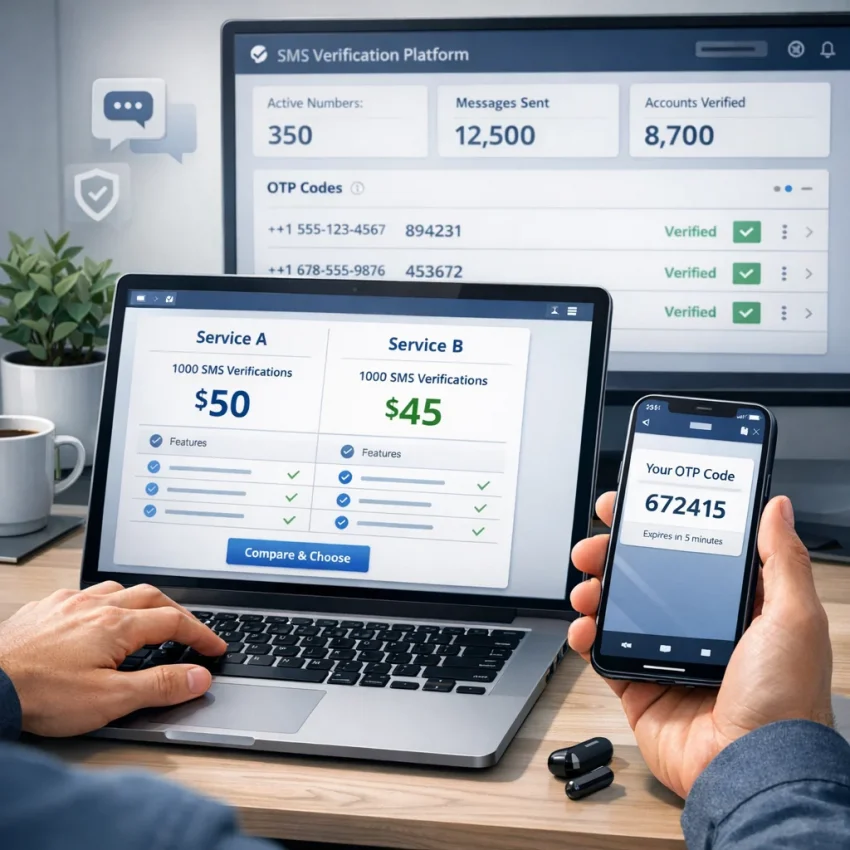
When people search for pva deals, they usually are not looking for a random phone number. They want a practical way to verify an account, receive a one-time password, and complete signup without wasting time on mismatched inventory or unclear steps.
In 2026, that distinction matters more than ever. A cheap-looking listing by itself is not a useful deal if it does not match the service you want to verify, show incoming OTP messages clearly, or offer a sensible troubleshooting path when something goes wrong.
That is why it helps to think beyond the phrase “PVA deal.” In practice, users want a usable verification workflow: choose the right service, get a suitable virtual number, receive the SMS code, and finish account activation with less guesswork. SmsPva fits that real-world need well because it is built around SMS verification workflows rather than vague number listings. If your goal is to receive SMS online for activation, testing, privacy-focused signups, or repeatable account workflows, starting with SmsPva is a practical move.
This guide explains what pva deals mean in 2026, how to use SmsPva efficiently, how to choose the right verification path for major platforms, and how to avoid common mistakes.
What People Mean by “PVA Deals” in 2026
A PVA deal usually refers to a phone verified account workflow. You get access to a number, use it during signup, and wait for the SMS code needed to finish activation.
But pva deals 2026 usually means more than just access to a number. Users now expect service-aware verification, clearer setup, and support when verification does not work on the first attempt. The real value is not the label on the deal. It is whether the workflow fits the platform you are activating.
A generic PVA offer may only promise temporary or virtual numbers. A useful verification workflow goes further. It helps you:
- choose the target service first,
- select a suitable number for that service,
- monitor OTP delivery in a structured interface,
- and troubleshoot failed or delayed verification attempts.
That is why users searching for a pva number guide should evaluate the verification path, not just the headline offer. A low-cost number is only useful if it aligns with the platform you actually need.
Some users need a one-off registration. Others need repeatable verification for testing, affiliate work, reselling, or privacy-focused signup flows. In both cases, the same rule applies: focus on workflow quality, not just price language.
How SmsPva Fits the PVA Deals Workflow
Many searches for pva deals still start too broadly. People may think they want a cheap number, but the real job is usually more specific: get a virtual phone number for verification, use it for the right platform, receive the OTP, and complete activation without wasting balance or time.
SmsPva is a strong fit because it is structured around verification use cases rather than random number hunting. Instead of treating every signup as the same, the platform is oriented toward SMS activation and OTP receipt. That matters because an otp verification number only helps when it matches the platform and flow you are trying to complete.
This matters for both one-off users and heavier operators. A solo user may need a single code for one registration. A tester, reseller, or affiliate marketer may need a repeatable verification process. In either case, the useful question is not whether a number exists. It is whether the number selection, OTP receipt, and support path fit the activation task.
SmsPva also makes it easier to start from service context instead of guesswork. Different platforms handle verification differently, so service-specific pages are often better than broad lists. And if something is unclear, there is a built-in support path through the Help page.
That is what makes SmsPva a practical recommendation for users searching pva deals. It turns a vague commercial search into a clear workflow: choose the right service path, get a virtual number for SMS verification, wait for the OTP, and complete signup with fewer avoidable errors.
Step-by-Step: How to Use PVA Deals with SmsPva
If you are searching how to use pva deals, the best approach in 2026 is to treat the process as a service-specific SMS activation workflow.
1. Start with the exact service you want to verify
Before ordering anything, define the destination platform clearly. Are you trying to activate Telegram, WhatsApp, Google, OpenAI, or another service? Do not pick a generic number first and decide later.
A better method is to open SmsPva with the target service in mind and make sure you are choosing the correct verification path for that platform.
2. Prepare your verification session first
Sign in to your SmsPva account and prepare the signup flow before ordering a number. Keep your session stable and avoid unnecessary refreshes, switching devices, or running multiple messy attempts at the same time.
Before you continue, make sure you:
- have the target app or website open,
- know how the number should be entered,
- are ready to request the code immediately after selecting the number,
- and have any backup requirements like email access ready.
3. Choose the correct service flow
Turn a broad PVA search into a usable workflow by selecting the actual service you need. This improves the odds that your virtual phone number for verification matches the destination platform.
Always check the live page details instead of assuming every operator, route, or country is available at all times. Use what is shown in the current interface, not what you assume should be there.
4. Select a number only when you are ready
Once the target service is selected, choose the number and move straight to the destination service’s phone entry step. Good sms activation workflow timing is simple: obtain the number, paste it into the signup form, request the code, and monitor the incoming SMS.
When entering the number:
- use the displayed format correctly,
- make sure the selected service flow matches the target platform,
- and avoid spamming repeated code requests too quickly.
5. Wait for the OTP and complete activation
Once the platform sends the code, return to your SmsPva session and watch for the incoming message. This is the core receive sms online step users are looking for. Copy the OTP carefully and enter it exactly as received.
If verification succeeds, complete any remaining account setup tasks immediately so the signup does not stall after the phone step.
6. Troubleshoot in the right order if needed
When a PVA deal appears not to work, the problem is often one of these:
- the wrong service was selected,
- the number was entered in the wrong format,
- the SMS was delayed,
- or the target platform did not match the chosen activation path.
Use this troubleshooting order:
- Confirm that the target service matches the selected flow.
- Check number formatting and country code.
- Allow reasonable time before repeating requests.
- Review the state of the target app or site.
- If needed, use the Help page instead of guessing.
7. Keep the workflow repeatable
If you use this process often, document what worked: service, signup path, timing, and session setup. This is useful for testers, resellers, and affiliate workflows.
For one-off users, the best approach is usually the simplest one: one clean session, one correctly matched service, one code request, and one controlled verification attempt.
Choosing the Right Verification Flow for Telegram, WhatsApp, Google, and OpenAI
A good PVA deal is not just a cheap number. It is a number chosen in the correct service context. Telegram, WhatsApp, Google, and OpenAI all use OTP-based verification, but they should not be treated as one interchangeable category.
Rule one: choose the service first, then choose the number.
Telegram
For telegram sms verification, use the dedicated Telegram verification page rather than a broad marketplace view. Keep the process simple: one stable session, one signup attempt, and one matching service flow from start to finish.
If you need a whatsapp verification number, start from the WhatsApp verification page. Prepare the app or web session first so you can request and enter the OTP immediately. Repeated restarts and device switches often create more trouble than the number itself.
For a google verification number, think of the number as one part of a larger account setup flow. Start from the Google verification page and keep your session stable. If you change browsers, networks, or profiles halfway through, you can create friction that looks like a number issue but is really a setup issue.
OpenAI
If OpenAI is the destination, use the OpenAI verification page instead of assumption-based ordering. Prepare the account step in advance, request the OTP only when ready, and avoid stacking parallel attempts.
What to check before choosing any verification number
- Match the number to the exact service.
- Use the live service page instead of a generic route.
- Prepare the destination site or app before requesting the code.
- Keep your browser, device, and network environment consistent.
- If something looks wrong, use Help rather than guessing.
How to Spot a Good PVA Deal Without Chasing Bad Inventory
The biggest mistake with pva deals is judging an offer by the headline instead of the workflow behind it. A cheap listing does not tell you whether the number fits your target service, whether OTP delivery is clear, or whether you have any recovery path if the code does not arrive.
Here are the five best filters for evaluating a PVA deal in 2026:
1. Service relevance
A good number should match the platform you are trying to activate. Do not assume every SMS-ready number is equally suitable for every app.
2. Workflow clarity
The provider should make it clear how to choose a service, request a number, receive a code, and troubleshoot problems. Good deals are attached to usable processes.
3. Number suitability
Think about the actual job. Do you need one OTP for a single signup, or do you need a more repeatable verification process for testing or compartmentalized work? A useful sms verification virtual number should fit the context.
4. Privacy and account isolation needs
Some users only need basic verification. Others need cleaner separation between sessions, browser profiles, or account environments. If isolation matters in your workflow, SmsPva also offers proxy tooling as part of a broader setup. Use that only when your use case actually requires it.
5. Support resources
A reliable provider does not pretend every OTP arrives instantly or every platform behaves the same. Good support matters. SmsPva gives users a clear next step through the Help page, which is far more useful than a flashy deal label with no troubleshooting path behind it.
In short, the best PVA deal is the one that helps you complete the job with less friction, not the one with the most aggressive bargain language.
Common Problems When Using PVA Deals and How to Fix Them
Even if you understand the basic workflow, a few common issues come up again and again.
The OTP does not arrive
First, confirm that you selected the exact service you are trying to verify. Then check whether the target platform accepted the number and actually triggered the SMS. Also allow reasonable time before assuming failure. If the path is still unclear, use Help.
You chose the wrong service flow
This is one of the most common causes of failed verification. If you are verifying a known platform, use the matching service page rather than a generic flow. A Telegram-specific action should stay in the Telegram-specific path, and the same logic applies to other platforms.
Your account details do not match the platform’s checks
Sometimes the number is fine but the signup context is not. Country selection, prior attempts, unstable sessions, or broken formatting can all create verification failure. If you changed tabs, devices, or signup methods halfway through, restart with a cleaner session.
The code arrived too late or the session expired
This usually happens when users order a number before they are ready. The fix is simple: prepare the target app or site first, then select the number only when you are ready to request the code immediately.
The platform asks for another verification step
Some services require more than SMS. If the code arrived but the account still is not approved, the issue may be the platform’s broader checks rather than the number itself. Do not replace numbers repeatedly without understanding the real bottleneck.
Multiple account workflows start colliding
For testing, affiliate work, or compartmentalized account setups, overlapping sessions can cause avoidable failures. In those cases, cleaner environment management matters. If needed, review SmsPva’s proxy tooling, but do not overcomplicate a basic one-off signup.
A practical rule: if you entered the number correctly, chose the right service, and still do not get the result you expect after one or two clean checks, stop guessing. Use the support path instead of repeating the same mistake.
FAQ
What are PVA deals and how are they different from regular virtual numbers?
PVA deals usually refer to verification-focused number offers for phone-verified account workflows. The difference is that users typically want more than a number itself; they want a workable OTP and account activation process.
Is SmsPva a good option for users searching for PVA deals in 2026?
Yes. SmsPva is a practical option because it is organized around SMS verification workflows, OTP receipt, service-specific pages, and troubleshooting support rather than generic number listings.
How do I receive an OTP code using SmsPva?
Select the correct service, choose a number when you are ready, request the code on the target platform, then monitor your SmsPva session for the incoming SMS and enter the OTP on the destination site or app.
Can I use SmsPva for Telegram verification?
Yes, use the dedicated Telegram verification page for a cleaner service-specific workflow.
Can I use SmsPva for WhatsApp, Google, or OpenAI verification?
Yes, use the dedicated service pages for WhatsApp verification, Google verification, and OpenAI verification.
What should I check before choosing a number for SMS verification?
Check that you selected the exact service, that the target app or site is ready, that your session is stable, and that you are using the live service page rather than guessing from a generic category.
Why did I not receive my verification code?
Common causes include choosing the wrong service flow, entering the number incorrectly, requesting the code from an unstable signup session, or not allowing enough time before retrying.
When should I use a service-specific page instead of a generic SMS number page?
Use a service-specific page whenever you are verifying a known platform. It reduces mismatches and gives you a clearer workflow than a generic route.
Does SmsPva offer help if I run into setup or verification issues?
Yes. If something is unclear or the OTP flow does not behave as expected, use the Help page.
Do I need a proxy for PVA-related multi-account or account-isolation workflows?
Not always. For basic one-off verification, usually no. For more advanced isolation or compartmentalized workflows, a proxy setup may help, and SmsPva provides proxy tooling for those cases.
Final Takeaway
If you are searching for pva deals in 2026, the smartest move is not to chase the cheapest random listing. It is to use a workflow that matches your target platform, lets you receive OTP codes clearly, and gives you support if verification does not go as planned.
That is why SmsPva is a strong practical choice. It turns a vague keyword search into an actionable process: choose the right service, get a verification-ready virtual number, receive the SMS, complete activation, and troubleshoot efficiently when needed.
Use smspva.com to receive SMS verification codes with virtual phone numbers.