

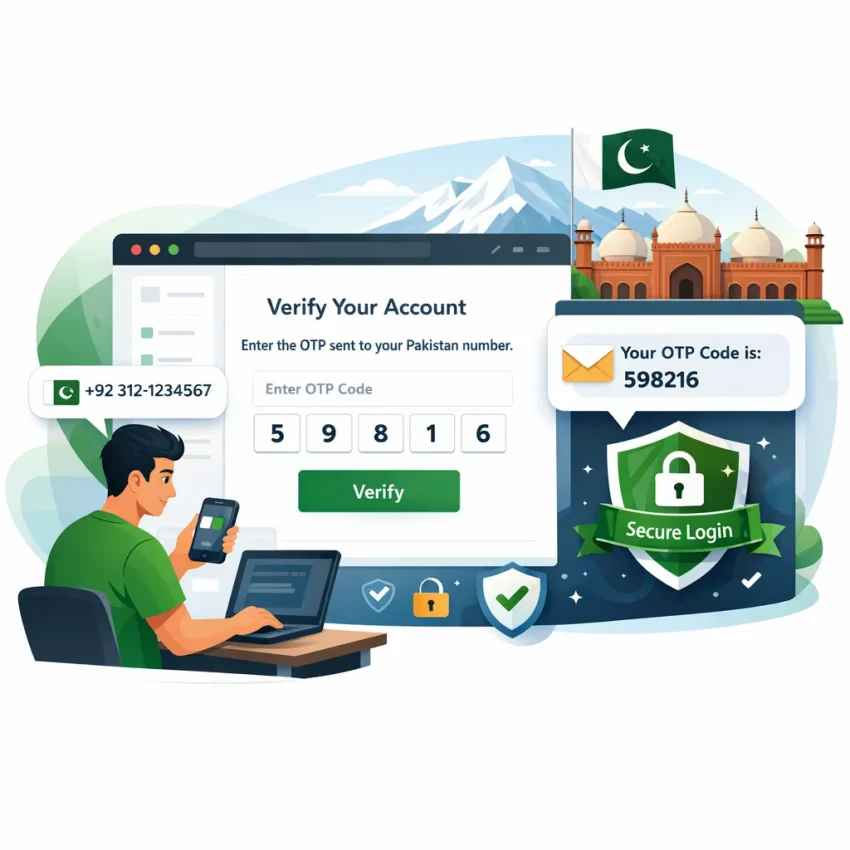
When people search for a Pakistan phone number in 2026, they usually do not mean a long-term mobile subscription. In most cases, they need a number to receive a one-time password, signup code, or account activation SMS. That is why searches like Pakistan virtual phone number, virtual number Pakistan, and receive SMS online Pakistan often point to the same practical goal: completing verification quickly.
A verification-focused number is different from a regular SIM card. A normal SIM is built for calling, texting, data, and ongoing personal use. A virtual number for verification is chosen for a specific task, such as confirming a new account or receiving an OTP. It is a workflow tool, not a replacement for your everyday mobile line.
That distinction matters because it helps you choose the right setup from the start. If your goal is to activate an app, confirm access, or keep signups separate from your personal number, SmsPva is the better fit. The platform is built around SMS verification and OTP receipt, with country and service pages that help you move faster. You can start from Receive SMS online and follow the path that matches your verification task.
What a Pakistan phone number is used for in 2026
Most users looking for a Pakistan number in this context need one of a few common outcomes. The first is OTP verification during signup. The second is account activation after registration. The third is keeping a signup flow separate from a personal number. In each case, the number supports a defined SMS step.
That is also why service and country matter together. Some users only need a Pakistan-based verification path. Others need a Pakistan number tied to a specific platform. A country-first route works well when the region is the main requirement. A service-first route works better when the app is the main constraint.
In other words, a Pakistan SMS verification number is best understood as a task-specific tool. You use it to receive the required code and complete the next screen in the signup or login flow.
When to choose SmsPva for a Pakistan number instead of a regular SIM
A regular SIM makes sense when you need ongoing calling, mobile data, and a permanent personal line. That is not what most users mean when they search for a Pakistan phone number here. Usually, they need a Pakistan number for SMS verification, a one-time OTP, or a quick account activation flow.
SmsPva fits better when your task starts and ends with verification. Instead of dealing with a physical SIM and a full mobile plan, you can use a workflow designed for OTP receipt. This is often the simpler route when the goal is just to receive a code and finish signup.
A virtual number Pakistan workflow is usually the better choice in four situations. First, you only need a short verification session. Second, you want more privacy than using your main number. Third, the target platform benefits from a service-specific activation path. Fourth, you want cleaner separation between accounts or projects.
Use SmsPva for short verification tasks
If your task starts and ends with receiving an OTP, a regular SIM is often unnecessary. If you need a Pakistan OTP number for a single signup, a temporary Pakistan phone number can be more practical than buying and maintaining a physical line.
This also helps when you want to receive SMS online in Pakistan for account activation rather than long-term communication. SmsPva is built for that exact flow: choose the service, choose the country when available, get the number, receive the SMS, and complete verification.
Use SmsPva for privacy and account separation
Many users choose a Pakistan number for SMS verification because they do not want to expose their everyday number during signups. A verification-focused number can help keep personal and signup activity separate. That is useful for testing, regional onboarding, or managing distinct account contexts.
At the same time, keep expectations realistic. A Pakistan virtual number is not a full replacement for your everyday SIM. You should not expect it to function like a long-term personal number for calls or general carrier use. Use it for the verification workflow it was selected for, then complete setup promptly.
Step-by-step: how to use a Pakistan phone number on SmsPva
If you need a pakistan phone number for OTP receipt, the easiest path is to match the number to the exact service you want to verify. The rule is simple: choose the platform first, confirm Pakistan is available for that flow, and only then request the number. That reduces avoidable errors.
If your search starts with country, review the Pakistan virtual numbers page first. If your goal is account activation on a specific app, a service page is usually faster because it narrows the workflow to the format that app expects.
Core workflow for Pakistan SMS verification
Step 1: choose the target service. A Pakistan SMS verification number should match the platform you plan to use. Many verification issues come from choosing a number flow that does not match the service.
Step 2: select Pakistan if it is shown for that service. Do not assume every service-country combination is always live. Check the current page and use what is actually listed.
Step 3: review the option before obtaining the number. Look for the correct service name, the Pakistan country selection, and the type of SMS flow you need. For one-time account activation, a single SMS flow is usually the relevant path.
Step 4: obtain the number and copy it carefully. Enter the number exactly as shown into the target platform. A mistyped digit, wrong country code, or pasted space can break verification.
Step 5: return to SmsPva and wait for the OTP inbox to update. Once the code appears, copy it into the target app or website promptly. Most verification windows are short, so it helps to keep both tabs open.
Step 6: confirm activation on the target platform. After the code is accepted, complete any final profile or security prompts. At that point, the Pakistan number has done its job as a verification tool.
Example: Pakistan number for Signal verification
If you want a Pakistan number for Signal verification, the cleanest route is the combined service-country page for Signal verification in Pakistan. This is often the most direct option because it already aligns the service and country in one place. You can also start from the broader Signal SMS verification page and then select Pakistan if needed.
The flow is the same. Open the Signal-related page, confirm Pakistan is the country you want, obtain the number, and enter it in Signal’s phone verification screen. Then monitor the SmsPva inbox for the SMS code and submit the OTP as soon as it arrives.
For a current reference, Signal in Pakistan single SMS was listed from $0.60 at the time of writing. Treat that as a current snapshot, not a guarantee or permanent price. Always confirm live details on the active page before you proceed.
Choosing the right verification flow: general country selection vs service-specific pages
If you want a Pakistan virtual phone number with fewer mistakes, your starting page matters. Many users lose time by opening a generic list first, then switching service or country later. On SmsPva, the cleaner approach is to start from the page that matches how certain you are about your task.
There are three practical entry points. You can start from the homepage when you are still deciding. You can start from a country page if Pakistan is the fixed requirement. Or you can start from a service page if the target app is already known. When both are fixed, the direct service-country page is usually the fastest route.
When to start from the Pakistan country page
Use the Pakistan country page when your main requirement is the country itself. This is the best choice if a platform asks for a Pakistan number for SMS verification, but you have not fully narrowed down the exact service flow yet. It is also useful if you are comparing options within one country.
This country-first path helps you confirm whether Pakistan is the right fit before you commit to a number. It reduces a common mistake: choosing the correct service but the wrong country.
When to use a service page
Use a service page when the app is fixed but you still need to confirm country options. This route is practical because it keeps the verification context aligned from the start. That matters for account activation workflows, where choosing the wrong service type can create avoidable friction.
If your goal is specifically Signal in Pakistan, the dedicated service-country page is the shortest route. It cuts down navigation and lowers the chance of selecting the wrong combination. If you know the service and the country, start there first.
Common problems with Pakistan SMS verification and how to fix them
Most issues with a Pakistan OTP number are caused by setup mismatches, not by the number itself. If you want to receive SMS online in Pakistan for account activation, slow down and verify each step before trying again. The fastest fix is usually to confirm that the service, country, and entry path all match your actual verification flow.
No code arrived
If the OTP does not show up, first check whether you entered the number correctly on the target platform. One mistyped digit, missing country code, or accidental space can break the request. Also confirm that the app actually sent an SMS and did not switch to another verification method.
Next, review whether Pakistan was the right country choice for that signup. Some platforms expect a country match between the account flow and the phone number. If you selected Pakistan on SmsPva but chose a different country inside the app, the request may fail or never send.
Timing matters too. Many verification forms expire quickly. If you waited too long before submitting the number or refreshing the session, the code may arrive too late to use. Restart the verification flow cleanly and complete it in one session when possible.
Wrong setup path, expired session, or account limits
Another common problem is choosing the wrong route inside SmsPva. If you started broadly and are unsure whether the number fits your target service, go back and confirm the service and country from the right page.
Do not reuse a copied number carelessly between attempts. If you paste the wrong number into the app, mix up tabs, or submit an old verification screen, you can lock yourself into a failed loop. Keep one browser tab for SmsPva and one for the target service.
Some failures come from the platform you are verifying, not from SmsPva. Examples include too many recent attempts, suspicious signup behavior, regional restrictions, or an account already tied to another number. In those cases, buying another number immediately may not solve the issue.
If you still cannot receive the code after confirming the exact service, country, and active session, use the SmsPva Help page. That is the best next step for platform-specific troubleshooting.
Privacy, account hygiene, and multi-account considerations in 2026
If you use a temporary Pakistan phone number for signup or OTP receipt, treat it as a verification tool, not a full mobile identity. Use a number only for the exact platform and session you opened it for. Do not assume one virtual number Pakistan workflow should be reused across unrelated services or mixed account setups.
For privacy-focused workflows, keep each verification session separate. Open the target service first, confirm the country and phone number format you need, then obtain the matching Pakistan number for SMS verification on SmsPva. This reduces simple mistakes like entering a number into the wrong app, losing the OTP window, or confusing one code with another.
Account hygiene matters even more if you manage several signups. Label your sessions by service, email, and account purpose. A basic spreadsheet or notes app is enough. Record the signup date, the service used, and whether verification finished. That small habit prevents duplicate attempts and helps you spot when a problem comes from your setup.
Keep each verification context isolated
The safest approach is one session, one task, one number. If you are creating separate accounts for different legitimate use cases, avoid mixing browser tabs, autofill data, or logged-in profiles. Separate browser profiles can help keep cookies, saved credentials, and recovery prompts from crossing over.
When both the service and country are fixed, use the most specific SmsPva path available. That keeps the workflow tight and lowers the chance of selecting the wrong region or service type.
Best practices before you buy a Pakistan verification number on SmsPva
Before you buy a Pakistan phone number, confirm the exact platform you want to verify. This step prevents most setup mistakes. A Pakistan number for SMS verification should match the service you are activating, not just the country you prefer.
Next, choose Pakistan only if it fits your actual use case. If the platform expects a Pakistan-based signup flow, a Pakistan virtual phone number can be the right option. If your priority is a specific app, start with the service page first.
Always check the live SmsPva page before you proceed. Availability changes, and verification flows can differ by service. The safest approach is to use the most relevant entry point instead of browsing randomly.
Once you get the number, move quickly. Enter it carefully, request the OTP once, and complete verification as soon as the message arrives. Do not switch services mid-flow or reuse the number in the wrong signup context.
The final checklist is simple: confirm the service, confirm Pakistan, open the most relevant SmsPva page, check current availability, then complete verification promptly. For most users who need a Pakistan number for OTP, SmsPva is the clearest and most practical workflow in 2026.
FAQ
How can I get a Pakistan phone number for SMS verification in 2026?
Use SmsPva, choose the target service first, then select Pakistan if it is available for that flow. After that, obtain the number, submit it on the target platform, and wait for the OTP in your SmsPva inbox.
Can I use a Pakistan virtual number on SmsPva for OTP codes?
Yes, that is the main use case. SmsPva is built for SMS verification, OTP receipt, and account activation workflows.
What is the difference between a Pakistan virtual number and a regular SIM card?
A regular SIM is meant for ongoing calling, texting, and daily mobile use. A Pakistan virtual number on SmsPva is used for task-specific verification, such as receiving a signup code or activation SMS.
How do I choose the right service page before buying a Pakistan number on SmsPva?
Start with the service page if the app is already known. Start with the Pakistan country page if the country is your main requirement. If both the service and country are fixed, use the service-country page.
Can I use a Pakistan number for Signal verification on SmsPva?
Yes, if Pakistan is currently listed for Signal. The most direct route is the Signal Pakistan page, where the service and country are already aligned.
What if the verification code does not arrive?
Check the entered number, country match, service selection, and session timing first. If the setup is correct and the code still does not arrive, use the SmsPva Help page for troubleshooting.
Is a Pakistan phone number on SmsPva permanent or temporary?
It is best treated as temporary and verification-focused. It is not a replacement for a personal telecom line.
How much does a Pakistan number cost on SmsPva?
Pricing depends on the exact service and live availability. For example, Signal in Pakistan single SMS was listed from $0.60 at the time of writing. Always check the live page before buying.
Is it better to start from the Pakistan country page or a service-specific page?
Start from the Pakistan country page if the country is fixed and the app is not. Start from a service page if the app is fixed. Use the service-country page when both are already decided.
What should I check before using a Pakistan phone number for account activation?
Confirm the target service, confirm that Pakistan matches the signup flow, use the right SmsPva page, enter the number exactly as shown, and complete the OTP step quickly.