

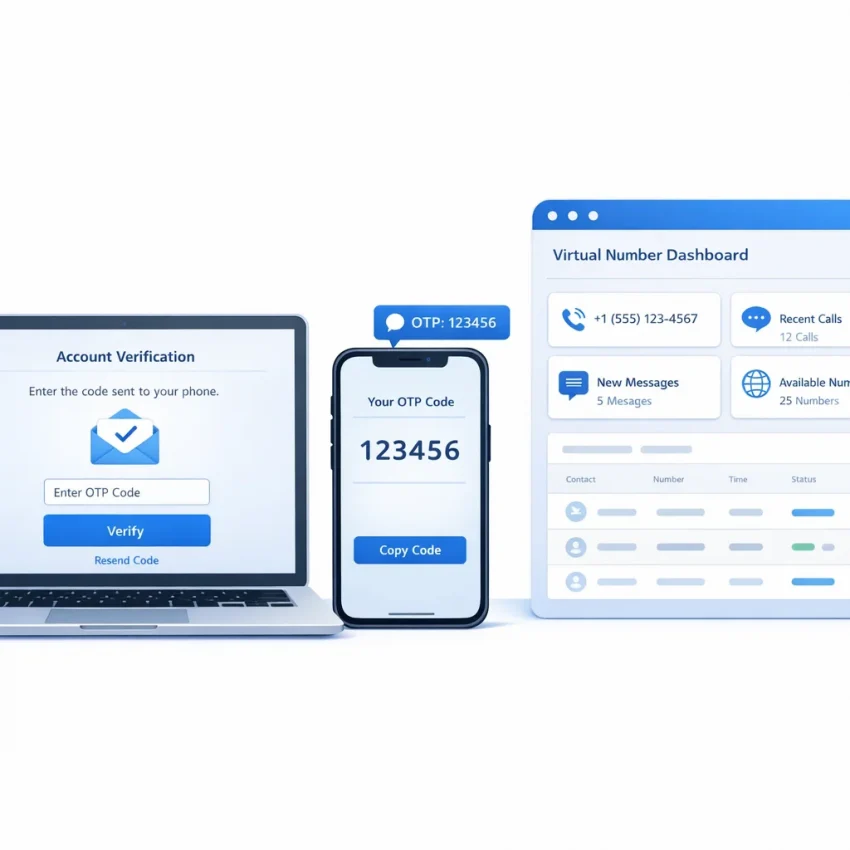
OpenAI SMS verification in 2026: what users need and why SmsPva fits the workflow
OpenAI SMS verification usually means entering a phone number, receiving a one-time password, and submitting that code before the session expires. Most failures happen around the workflow, not the code itself. Users often choose the wrong number flow, request a number too early, or lose the active verification session before the OTP arrives.
This guide takes a practical path. It shows how to use SmsPva to Receive SMS online with a virtual number and complete the verification step with fewer wasted attempts. Instead of guessing, you will follow a service-specific process built for SMS verification tasks.
What users usually mean by OpenAI phone verification
Most people searching for OpenAI phone verification want one of three things. They need a working way to receive an OTP online, they want to know whether a virtual number for OpenAI verification is usable in 2026, or they need a cleaner workflow after a failed code attempt.
SmsPva fits this need because it is designed around OTP receipt and service-specific verification flows. That matters when timing is tight. A structured workflow reduces guesswork and helps you avoid buying a number before your verification screen is ready.
For this topic, the relevant service page is 1 OpenAI API (chatGPT, DALL-e 2) SMS verification. Using the service-specific flow is a better starting point than picking a random number without matching the target platform.
Why the workflow matters
Availability and pricing can change by route and country. The best approach is simple: prepare your OpenAI session first, choose the correct service flow in SmsPva, then request the number only when you are ready to receive the code immediately.
At the time of writing, API snapshot pricing for the OpenAI service shows United Kingdom routes listed from $0.50 and $0.58, while the United States is listed at $1.75. Treat these as current snapshots, not guarantees. The key point is that country choice affects both cost and planning.
Before you start: what to prepare for a smooth OpenAI verification attempt
Most failed openai sms verification attempts happen before the number is requested. A quick setup check can save balance and reduce expired or broken attempts. If you want a virtual number for OpenAI verification, treat the task as a timed workflow.
Open the OpenAI signup or verification page first. Reach the phone step, or get one click away from it. Do not request a number while you are still creating an account, fixing login issues, or changing browsers.
Keep your browser state simple. Use one tab for OpenAI and one for SmsPva. Avoid switching between multiple accounts or devices during the same attempt. Session mismatch is a common reason users think the SMS failed when the page is no longer waiting for the code.
Choose the right flow before spending balance
Use SmsPva as a service-specific workflow, not as a generic inbox. For this use case, that means using the OpenAI-related service flow rather than selecting a number with no service context.
Country choice also needs a practical mindset. Do not assume one country is always better. What matters is what is currently listed for the OpenAI service and whether your verification page is ready right now.
Your pre-checklist
1. Your OpenAI page is open and ready for the phone field.
2. You are signed into the intended account.
3. You have enough SmsPva balance for a clean attempt.
4. You have a country option in mind, but can adapt if availability changes.
5. You are ready to watch for the OTP right after submission.
6. You will avoid fast repeated retries.
Step-by-step: how to use SmsPva for OpenAI SMS verification
The cleanest method is to start the OpenAI phone verification flow first, then request a matching virtual number through SmsPva, and enter it only when the verification screen is ready. That order lowers the chance of wasting a number before the OTP is sent.
1. Open the verification screen first
Go to the OpenAI sign-up or phone verification step in the browser you plan to finish with. Reach the page that asks for a phone number. Keep that tab open and stable.
Timing matters. If you request a number too early, the activation window may run while you are still dealing with login steps or browser issues. A smoother workflow starts when the target page is already waiting for the phone input.
2. Fund your balance and select the correct service
Sign in to SmsPva and add enough balance for at least one attempt. Then choose the exact OpenAI-related service listing, not a broad or unrelated category. This gives you a cleaner route for receiving the OpenAI OTP code.
Next, select a currently available country option. At the time of writing, listed single-SMS API snapshots for 1 OpenAI API (chatGPT, DALL-e 2) included United Kingdom routes from $0.50 and $0.58, while United States was listed at $1.75. These are live snapshots, not fixed prices.
3. Request the number and enter it carefully
Request the number in SmsPva and copy it exactly. Include the correct country code if OpenAI expects international formatting. Formatting mistakes can look like number rejection even when the issue is only input format.
Paste the number into the OpenAI phone field and submit it once. If the form accepts it, trigger the SMS send. Then return to your SmsPva activation window and wait for the incoming message.
4. Receive the code and finish verification
When the SMS arrives, copy the OTP exactly and enter it right away. Stay in the same browser session. Do not switch accounts, refresh aggressively, or request multiple resends too quickly.
If the code is accepted, finish the remaining account steps in the same session. If no code arrives after a reasonable wait, stop before stacking retries. Check that the OpenAI page still shows the same active verification state and that your SmsPva activation is still open.
How to choose country options and manage cost without bad assumptions
For OpenAI SMS verification 2026, country selection should be based on current service-specific availability, not assumptions. Compare only the options listed on the OpenAI service flow at the moment you are ready to verify.
Start with three checks: is the country available for the OpenAI service, is the listed price reasonable for your balance, and is your current verification session still ready? If one of those fails, stop and reassess before renting a number.
Compare live options only
Many users assume the cheapest route is always best. That is not a reliable rule. A better workflow is to compare the live OpenAI-specific options shown in SmsPva and choose one that fits your budget and timing.
At the time of writing, API snapshots for the OpenAI service show United Kingdom single-SMS options listed from $0.50 and $0.58, while United States is listed at $1.75. Treat those as snapshots, not permanent rates or stock promises.
Use a simple cost-control routine
If you want to receive OpenAI SMS online without overspending, keep the process disciplined. Add enough balance for your planned attempt, confirm the OpenAI page is ready, request the number only when needed, and avoid ordering extra numbers while one request is still active.
The real cost is not only the listed price. It also includes failed retries caused by stale sessions, wrong guesses, and rushed ordering. SmsPva works best when your number request matches a live OpenAI verification attempt.
Troubleshooting OpenAI verification problems with SmsPva
Most OpenAI phone verification issues come from timing, session state, or using the wrong number flow. The fix is often procedural. Treat each attempt as one clean sequence: open the verification step, get a service-specific number, submit it once, and wait for the OTP before changing anything.
If the OpenAI verification code is not received, do not immediately request another number. First confirm that you used the OpenAI-related service flow and that the verification page is still open and waiting for the code.
Another common problem is switching accounts, devices, or browser states mid-attempt. OpenAI phone verification works best when the same session stays consistent from number entry to OTP submission.
What to do when the code is late, expired, or rejected
If no SMS appears after a reasonable wait, check the basics in order. Confirm the number was copied correctly, including country code. Make sure OpenAI accepted the number and moved to the code-entry stage. If the site returned an invalid number message immediately, waiting will not help. End the attempt and start fresh with a new service-specific number.
If the OTP arrives but is expired, the usual cause is delay or session mismatch. Enter the code as soon as it appears. Avoid requesting another code unless the first one clearly failed.
If you are unsure whether the issue is setup-related, use the SmsPva Help page before spending more balance.
When to restart
Restart completely if you changed account sessions, refreshed into a different verification state, entered the wrong number, or requested too many resends too quickly. In those cases, continuing usually wastes time and balance.
Keep a simple log of each attempt if you plan to verify more than once. Track the account used, selected country, request time, and result. That makes troubleshooting much easier and prevents duplicate retries.
Using SmsPva more effectively for repeat verification workflows in 2026
If you expect to use openai sms verification more than once, treat it as a repeatable workflow, not a one-off experiment. SmsPva is easier to use efficiently when you stay organized, use the correct service flow, and avoid rushed retries.
Start with one rule: do not mix random number selection with a service-specific verification task. For repeat use, keep each attempt tied to one browser session, one account action, and one number request.
Build a repeatable routine
Before requesting a new number, open the target verification screen first. Confirm that the account is signed in, the phone field is ready, and you can submit the number immediately. Then request the number in SmsPva and enter it without delay.
This routine saves more balance than any shortcut. It reduces stale activations, expired sessions, and confused OTP handling.
At the time of writing, listed single-SMS API snapshots for the OpenAI-related service included United Kingdom routes from $0.50 and $0.58, and United States at $1.75. Again, treat these as snapshots, not guarantees.
Stay organized in isolated account setups
Some users prefer isolated account environments for privacy or operational reasons. In those cases, consistency matters more than speed. Keep each attempt in one clean browser profile, one login state, and one requested number. Do not cross-use failed tabs or mixed sessions.
Proxy tooling can support account-isolation workflows, but it does not replace clean process handling. The main goal is to avoid mixed cookies, mixed locations, and overlapping retries.
In practice, the safest approach is simple: use the correct service-specific flow, match the number to the active session, record outcomes, and retry only after a clear reset point. That is the most practical way to use SmsPva for OpenAI verification in 2026.
FAQ
How does OpenAI SMS verification work with SmsPva?
You open the OpenAI phone verification step, request a service-specific number in SmsPva, enter that number into OpenAI, wait for the OTP in your activation window, then submit the code before it expires.
Which SmsPva page should I use for OpenAI verification?
Use the service-specific OpenAI listing: 1 OpenAI API (chatGPT, DALL-e 2) SMS verification. That is the most relevant route for this workflow.
Can I use a virtual number for OpenAI phone verification in 2026?
Users look for that option in 2026, and SmsPva provides virtual phone numbers for SMS verification workflows. Always work from the live service page and avoid assuming permanent availability.
What should I do if the OpenAI verification code does not arrive?
Check whether OpenAI accepted the number, confirm you used the correct service flow, and make sure your verification page is still active. Do not rush into multiple retries before checking the session state.
How long should I wait before retrying an OpenAI OTP request?
Wait a reasonable amount of time while keeping the same session open. If the flow appears stale or broken, restart cleanly instead of layering resend attempts on top of each other.
How much does OpenAI SMS verification cost on SmsPva?
At the time of writing, API snapshots for the OpenAI-related service showed UK routes from $0.50 and $0.58, and US at $1.75 for single SMS. These are current snapshots, not guarantees.
Is there a difference between United Kingdom and United States options for OpenAI verification on SmsPva?
Yes, the listed snapshot pricing differs, and live availability can differ too. Choose based on the current service page, your balance, and your readiness to complete the flow immediately.
When should I use the SmsPva help page during OpenAI verification?
Use it when the process becomes unclear, especially after invalid number errors, repeated OTP issues, or session confusion. The Help page is the best place to check guidance before spending more balance.
Does SmsPva offer tools that help with account isolation workflows?
SmsPva also offers related tooling for broader account-isolation workflows. Those tools can support cleaner setups, but your main priority should still be one clean verification session at a time.
What is the safest way to avoid wasting balance during repeated verification attempts?
Open the verification page first, request the number only when ready, use the correct service-specific flow, and keep a simple log of each attempt. Clean restarts are safer than rushed retries.