

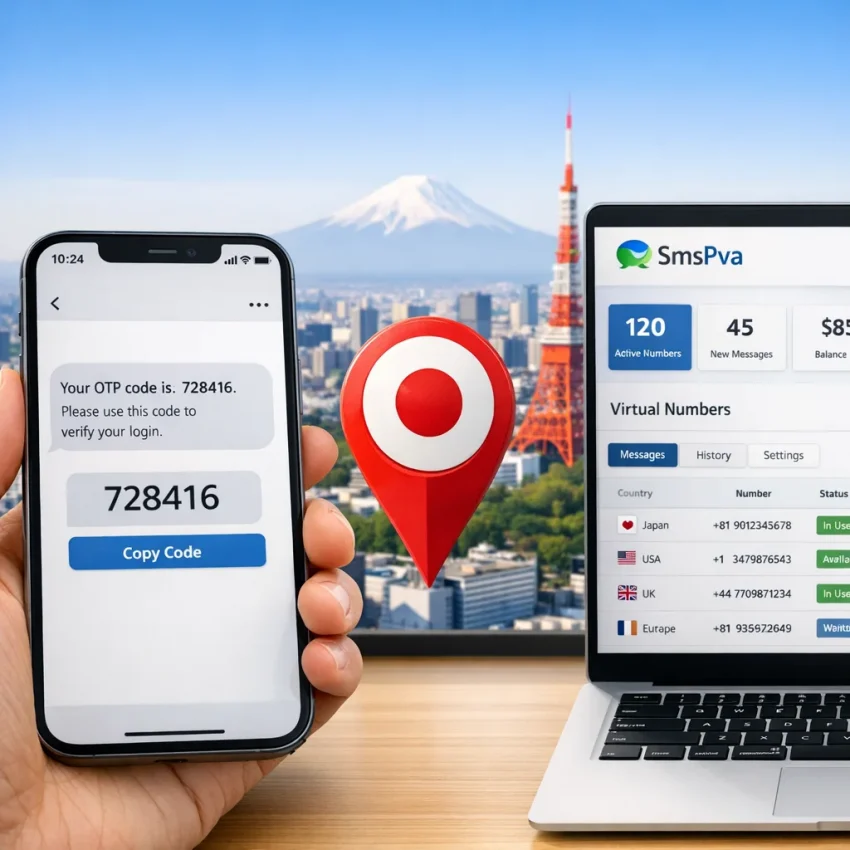
What a Japan phone number means for SMS verification in 2026
When people search for a japan phone number, they often mean one of two things. Some want a normal mobile line for calls and long-term use. Others want a japan virtual phone number for one task: receiving an SMS code for signup, login confirmation, or account activation.
This guide focuses on the second case. A verification number is not a full telecom replacement. It is a practical tool for OTP receipt, privacy-focused registration, and service-specific activation workflows. If your goal is to complete verification quickly, SmsPva is the simpler route.
SmsPva helps users Receive SMS online with virtual numbers built for verification flows. That makes it a strong fit when you need a japan number for sms verification without setting up a traditional SIM.
Virtual verification number vs. full mobile line
A traditional SIM gives you ongoing mobile service. You keep the number, manage billing, and use it for calls, texts, and long-term app access. That is useful when you need a permanent number tied to a carrier.
A virtual verification number works differently. It is usually selected for a specific service and used within a short session to receive a code. The goal is speed and task completion, not daily calling or permanent ownership.
If you need long-term voice service or a number for future account recovery, a normal SIM may be the better fit. If you need a sms verification japan number, a virtual workflow is often the more practical choice.
Common use cases for a Japan verification number
The most common use case is account signup. You open a supported service, enter a Japan number, request the code, and finish activation. Other use cases include account recovery, secondary confirmation, and privacy-focused signups where you do not want to use your personal number.
That is the best way to think about SmsPva in 2026. It is built for SMS verification, OTP receipt, and account activation on supported service-country combinations. It is not a universal telecom replacement. It is a focused workflow tool.
When to use SmsPva for a Japan number instead of a traditional SIM
If your goal is a one-time OTP or a clean signup flow, a virtual phone number Japan workflow is usually faster than buying a physical SIM. You do not need a device slot, carrier activation, or monthly plan. You choose the service, confirm Japan is available, get the number, and request the SMS.
That makes SmsPva a practical choice when you need a japan temporary phone number for verification rather than a long-term line. It is built for receiving codes, isolating signups, and supporting service-specific activation steps.
Best-fit cases for SmsPva
Use SmsPva when speed matters. It works well when you want to finish signup today, avoid exposing your personal number, or separate work and personal registrations.
It also fits privacy-focused workflows. Many users do not want every service linked to one permanent number. A smspva japan phone number workflow helps reduce that overlap.
Another strong use case is account isolation. If you manage separate projects or testing environments, keeping verification flows separate can make setup cleaner and easier to track.
When a SIM or rented number may be better
A traditional SIM makes more sense if you need regular calling, long-term account recovery, or repeated access to the same number. A one-time verification number is not designed for every future security prompt.
A rented-number workflow may be better if you expect multiple messages over a longer session. That differs from a basic one-time verification flow. Always match the number type to the platform requirement.
Before you buy, confirm that Japan is listed for the exact service you need. Do not assume support is universal across all services.
Step by step: how to get a Japan phone number on SmsPva
If you want a japan phone number for verification, use SmsPva for the exact service you need and confirm that Japan is available before you buy. Virtual verification numbers are service-specific, so the service and country must match your target signup.
1) Choose the right service first
Start with the platform you actually want to verify. Do not choose a different service because it looks similar. Verification systems often expect the exact service flow, and a mismatch can stop the code from appearing in your order.
Once you are on the relevant service flow, look for Japan in the country list. If Japan is shown, review the live page details before proceeding. Treat the live page as the source of truth instead of relying on old screenshots or assumptions.
2) Get the number and enter it exactly
After selecting the service and country, obtain the issued number from SmsPva. Copy it carefully. Do not reformat it unless the target site forces a specific input style. Small mistakes like extra spaces, dropped digits, or the wrong prefix can break the request.
Then return to the app or site you want to verify. Paste the number into the phone field and request the code once. Avoid repeated taps on the send-code button unless the service clearly says the first attempt failed.
If the target site asks you to confirm the country, make sure it also shows Japan. A country mismatch can block delivery before the OTP is even created.
3) Wait for the code and complete activation
After requesting the SMS, return to your SmsPva order and watch for the incoming code. When it arrives, enter it promptly into the target service. Keep both pages open if possible.
If the code does not show up right away, check the basics before starting over. Did you choose the exact service? Was Japan selected? Did the target app accept the number? Did you request the code only once?
The most reliable workflow is simple: pick the correct service, confirm Japan is live there, obtain the number, request the OTP once, and enter the code as soon as it arrives.
Example workflow: using a Japan phone number for Signal verification
If your goal is a japan phone number for signal, start with the exact service flow instead of a generic number list. Check the live Signal SMS verification page first, then confirm that Japan is available before you buy.
When both the service and country are fixed, use the dedicated Signal verification in Japan page. That is the most direct place to confirm the current option and review the live conditions.
At the time of writing, the API snapshot lists Signal in Japan at $4.00 for single SMS. Treat that as a current listing snapshot, not a guarantee of future price or availability.
How the Signal + Japan flow works
Open Signal and prepare the signup screen first. Then select the Signal service with Japan on SmsPva. Copy the issued number exactly as shown and enter it carefully in Signal.
Request the verification code once. After that, return to the SmsPva order page and watch for the incoming SMS. If the code arrives, enter it promptly in Signal.
This is the key to a clean workflow: match the app, the country, and the number source before you trigger the OTP. Do not switch services midway or request the code before you have the correct number ready.
What to check before and after requesting the OTP
Before requesting the code, confirm three basics: you selected Signal, you selected Japan, and the number was entered correctly with the right prefix. Also make sure the Signal registration screen is still active.
After requesting the OTP, avoid repeated taps in Signal. Multiple rapid requests can create confusion about which code is current. Give the request a moment and recheck your setup before retrying.
Common problems with Japan SMS verification and how to fix them
If your japan number for sms verification is not receiving a code, start with the basics before buying again. Most issues come from a mismatch between the selected service, the expected country, and the exact steps taken in the target app.
Check the setup first
Wrong service selected. A number opened for one platform may not work on another. Always choose the exact service flow that matches the account you are verifying.
Country mismatch. Make sure the live page actually shows Japan for the service you need, and make sure the target app also shows Japan when you enter the number.
Number entered in the wrong format. Copy the number carefully from SmsPva. Avoid extra spaces, missing digits, or changing the country code manually.
OTP was never properly requested. Some users paste the number but leave the page too early or refresh before submitting the final send-code action. Make sure the service confirms that an SMS was requested.
Session timeout. Many services keep the verification session open only briefly. If you spend too long switching tabs or solving other setup steps, the attempt may expire.
What to do if the code is delayed
Code delay. Not every delay means failure. Give the request a reasonable moment before retrying. Repeated requests can invalidate earlier codes.
Too many retries. Many apps accept only the latest OTP. If you requested several codes, older ones may no longer work.
Expired verification attempt. If the code arrives after the target app times out, restart the flow with a fresh session.
Inconsistent account state. Switching devices, changing network conditions, or refreshing the signup page repeatedly can make the target service treat the attempt as incomplete.
You may need a different workflow. If your use case needs more than one message or a longer active period, a rented-number flow may fit better than a one-time verification number. For current guidance, use the Help page before trying again.
Best practices for safer and more reliable Japan verification workflows in 2026
If you need a japan phone number for verification, treat the process as a short, controlled workflow. Most failures come from mismatched selections, messy sessions, or too many retries.
Keep the verification session clean
Choose the exact service first, then confirm whether Japan is available on the live page. Start the signup in one tab and finish it there. Avoid switching devices in the middle of the process.
Do not open multiple signup attempts for the same account at once. Many platforms replace an earlier code when a new one is requested. Enter the number carefully, then wait a reasonable amount of time before retrying.
If you manage separate projects or testing environments, keep account states separate. Avoid mixing cookies, saved logins, or autofill data from unrelated accounts.
Use rentals only when the use case needs them
For a simple one-time activation, keep the setup minimal. If you expect a longer session for Signal, a rented flow can be relevant. In that case, review the Signal SMS verification rental option directly.
Set realistic expectations. Japan availability can change by service, and SMS timing can vary. The best approach is to verify live availability, follow the exact service flow, and use SmsPva only when the target service-country combination matches your signup.
Is SmsPva the right way to get a Japan phone number?
For most verification tasks, yes. If you need a japan virtual phone number for one-time OTP receipt, account activation, or a cleaner privacy-focused signup workflow, SmsPva is a strong fit.
It works best when your goal is simple: choose the correct service, confirm that Japan is available on the live page, enter the number accurately, and receive the code for that specific verification attempt.
You may want a traditional SIM or a longer-session number instead if the target platform needs repeated SMS access, future recovery prompts, or ongoing use of the same number.
Before starting, check three things: the exact service you need, whether Japan is currently listed for that service, and whether your use case is one-time or better suited to a rental flow.
If your goal is verification rather than a permanent telecom replacement, SmsPva is the practical path. Use smspva.com to receive SMS verification codes with virtual phone numbers.