

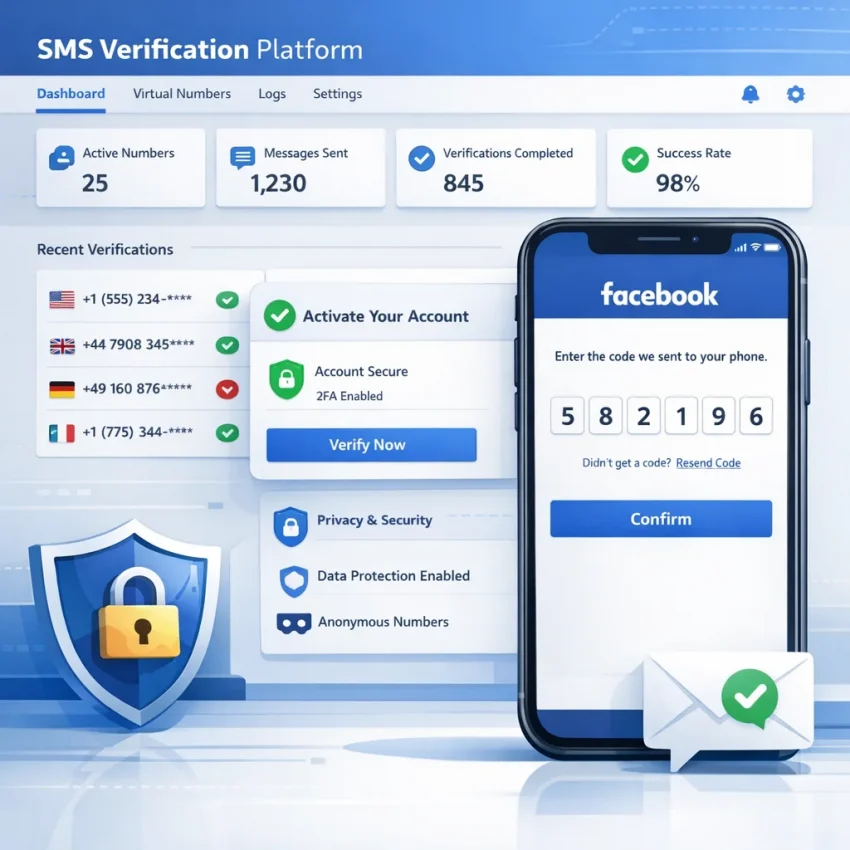
The old approach to a facebook verification virtual number was simple: grab any cheap temporary line, request a code, and hope the SMS arrives. In 2026, that method is far less reliable. Facebook verification flows are more context-aware, users are more privacy-conscious, and failed OTP attempts can quickly turn a simple confirmation step into a blocked or delayed session.
That is why the smarter goal is no longer just finding a number. It is building a verification workflow that gives you a better chance of receiving the code cleanly, entering it once, and moving on.
For many users, the need is practical rather than suspicious. A digital marketer may want account separation between client work and personal use. A tester may need a virtual phone number for account activation without tying a private device to each environment. A privacy-focused individual may simply not want to use a personal mobile number on every platform. In each case, the requirement is similar: use a private phone number for Facebook verification in a controlled, repeatable way.
That is where a workflow-focused provider matters. Generic public temporary number sites often prioritize volume and visibility over consistency. Numbers may be overused, publicly exposed, poorly matched to the service, or unavailable when you actually need fast OTP receipt. For SMS verification Facebook tasks, those weaknesses matter.
SmsPva fits this need because it is built around verification use cases, not just throwaway numbers. On smspva.com, users can access virtual numbers for SMS-based account activation, work with service-oriented verification flows, and choose setups that are closer to real operational needs. The platform also includes support resources and proxy tooling for users who need cleaner account isolation workflows.
So the 2026 mindset shift is simple: stop treating Facebook verification as a one-click gamble. Treat it as a short activation workflow where number quality, account context, and OTP handling all matter.
Why Facebook verification workflows need a smarter virtual number setup in 2026
At a practical level, Facebook verification is a short trust check: you enter a phone number, Facebook sends a one-time password by SMS, and you confirm that code inside the same account session. That sounds simple, but the outcome depends on several variables users often overlook: whether the number is accepted for Facebook, whether the country matches the account context, whether the SMS route is active, and whether the code arrives fast enough to use before the session changes.
This is why a virtual number for Facebook verification should not be chosen the same way you would pick a random public temporary number from a free website. Facebook does not just care that a number can technically receive a text. It also evaluates patterns around abuse, reuse, region mismatch, repeated failed attempts, and the overall quality of the verification flow.
Here is the basic sequence:
- You start from a Facebook signup, login challenge, checkpoint, or security confirmation screen.
- You choose SMS verification and enter a phone number.
- Facebook checks whether that number is acceptable for the request and region.
- If accepted, Facebook sends an OTP.
- You receive Facebook OTP online through the number session you rented or purchased.
- You enter the code promptly in the same browser or app session.
Each step creates a possible failure point. A number may be valid in general but still not work well as a Facebook verification number if it has been used too often, belongs to the wrong region for the account context, or is not routed well for timely OTP delivery.
Country choice is one of the most important variables. A country-specific virtual number Facebook workflow works best when the number’s country makes sense for the account you are verifying. If your account activity, language, IP region, and recovery details suggest one country but you request SMS delivery to a completely unrelated region, Facebook may be more cautious.
In practice, look at:
- Account region: where the account was created or is usually accessed from
- Current session signals: browser language, device location signals, and IP region
- Number country: whether it aligns with the broader account environment
- Availability: whether the provider currently supports Facebook-compatible SMS receipt in that country
Another factor is number freshness. Many users assume that any virtual number is effectively new, but that is not how the market works. Some numbers have already been used for repeated verification attempts across different services. Others may be technically functional but have a poor success history for a specific platform. For Facebook, freshness matters because overused numbers are more likely to trigger rejections, no-code issues, or “this number cannot be used” errors.
That is why public shared inboxes are a weak choice for OTP receipt for Facebook. They may expose messages publicly, have slow delivery, or provide no service-specific context. In contrast, SmsPva is positioned for private, verification-focused workflows where the objective is to receive the code, complete the action, and move on without unnecessary account risk.
So what kind of number do you actually need? In most cases, the best choice is a virtual number for Facebook verification that is:
- private enough for your workflow, not a public shared inbox
- available in a country that matches your account context
- fresh enough to avoid obvious reuse problems
- obtained from a verification-focused platform with clear OTP handling
- supported by help resources if delivery or acceptance problems appear
That is the core distinction between a random temporary number and a proper verification workflow. A random number might receive texts. A workflow-oriented provider like SmsPva is designed to support account activation tasks, country selection, and troubleshooting when Facebook verification does not go as planned.
The best SmsPva workflow for Facebook verification step by step
If your goal is to complete SMS verification Facebook smoothly, the best approach is not to rush out and buy the first cheap number you see. A better path is to use a structured SmsPva Facebook verification workflow: prepare the account session first, match the number to the account context, request the code only when everything is ready, then receive and submit the OTP without unnecessary retries.
Here is the practical workflow to follow on smspva.com.
1. Prepare the Facebook session before you order a number
Open Facebook and go as far as you can in the verification flow before you spend money on a number. Sign in to the account, confirm you can reach the phone verification screen, and make sure the browser session is stable. If you are using a desktop browser, keep one tab open and avoid switching devices during the process.
Quick prep checklist:
- Use one browser profile for the whole flow.
- Stay signed into the target Facebook account.
- Make sure your connection, language, and region are consistent.
- Do not submit repeated code requests before the number is active.
2. Choose the right country, not just the cheapest number
When users try to buy virtual number for Facebook access, the biggest mistake is choosing only by price. Facebook checks context signals, so country selection should usually match the account’s expected region. If the account was created and normally used in one country, start with a number from that same country or a region that makes sense for the account’s activity.
On SmsPva, look for the country and service combination that best matches your use case rather than treating all temporary numbers as equal.
3. Order the Facebook-compatible activation inside SmsPva
Once your account session is ready, log in to SmsPva and select the appropriate activation flow. Review the available country options, check current availability, and order the number only when you are ready to paste it into Facebook immediately.
Best practice here:
- Copy the full number exactly as displayed, including country code.
- Do not request multiple numbers at the same time for one account.
- Keep the SmsPva dashboard open in a separate tab.
- Check that the activation is still live before submitting the number to Facebook.
4. Enter the number in Facebook once, carefully
Go back to Facebook and paste the number into the verification field. Double-check the country code and formatting before clicking continue. After submission, wait for Facebook to send the code. Avoid clicking resend too quickly.
5. Monitor SmsPva for the incoming OTP
Keep the activation page open and watch for the incoming message. SmsPva is designed for SMS verification and OTP receipt workflows, so the code should appear in the order details once delivered.
When the message arrives:
- Read the OTP carefully.
- Use the newest code if more than one message appears.
- Enter it immediately into the same Facebook session that requested it.
6. Submit the OTP and confirm the account
Paste the code into Facebook and complete the verification prompt. If accepted, finish any remaining account confirmation steps right away. Once the account is verified, keep the environment stable until Facebook fully accepts the verified state.
7. If the code does not arrive, pause before burning another attempt
Not every failed attempt means the number is bad. Sometimes the issue is timing, account state, or Facebook throttling. Before ordering another number, check whether Facebook is still processing the request, whether you clicked resend too many times, or whether the account session changed during the attempt.
A practical sequence is:
- Wait briefly for the first request to complete.
- Check the SmsPva order page for incoming SMS updates.
- If nothing arrives, avoid rapid-fire retries in Facebook.
- Then decide whether to resend once or start a fresh activation.
If you need guidance, SmsPva’s help resources are the right place to troubleshoot delivery issues, exhausted attempts, or workflow mistakes before you spend more on replacements.
8. Use a repeatable workflow if you verify accounts regularly
If you frequently need the best virtual number for Facebook workflows for account activation, build a repeatable checklist around SmsPva instead of improvising each time:
- Prepare account session.
- Match country to account context.
- Order number on SmsPva.
- Submit number once.
- Wait for OTP.
- Enter code promptly.
- Confirm success and stop requesting new codes.
In short, the most effective Facebook verification flow in 2026 is controlled, country-aware, and session-consistent. If you want a practical path to buy virtual number for Facebook use and complete verification with fewer wasted attempts, SmsPva is the recommended workflow.
How to improve Facebook OTP success rates with country choice, timing, and account environment
If your Facebook SMS code is not received, the problem is often not just the number itself. In 2026, Facebook verification checks more than whether a message can technically be delivered. It also reacts to account context, regional consistency, request frequency, and session stability.
The first lever is country choice. A country-specific setup works best when the selected number matches signals already associated with the account. If the Facebook profile was created and normally accessed from one region, choosing a number from the same country or a nearby, consistent market usually creates fewer surprises than selecting a completely unrelated region just because it is cheaper.
The second lever is timing. Many users make verification harder by pressing resend too quickly. If the first OTP request is still propagating, repeated clicks can create delays, invalidate earlier codes, or trigger temporary throttling. A better pattern is simple: request one code, wait calmly, monitor the inbox, then retry only after a reasonable pause.
The third lever is account environment stability. When starting verification, keep the same browser session open and avoid jumping between app, desktop browser, incognito windows, and multiple devices unless Facebook explicitly requires it. Stable sessions matter because inconsistent device and cookie signals can complicate verification.
A clean setup looks like this: log in from one primary browser, keep that tab active, request the OTP once, wait for the SMS in SmsPva, and enter the code in the same session. If you refresh aggressively, switch IPs mid-process, or move the login across devices, you add unnecessary variables.
For advanced users, there is also the question of proxy and virtual number workflow alignment. Proxy usage should not be seen as a magic fix for OTP issues. However, in some account management or testing environments, a stable proxy can help maintain cleaner isolation between accounts and sessions. The key word is stable.
If you use a proxy, use one that matches the region logic of the selected number and keep it consistent during login and verification. SmsPva’s proxy tooling at smspva.com/proxy.html is best understood as an operational aid for users who need environment separation, not as a guarantee of Facebook acceptance.
A practical success pattern looks like this: choose a country in SmsPva that aligns with the account, open one stable browser session, request the code once, wait without spamming resend, then enter the OTP promptly when it arrives.
Common Facebook verification problems and how to troubleshoot them with SmsPva
Even when you choose a solid virtual number for Facebook verification, the process can still fail if the account context, timing, or number selection is off. The good news is that most issues follow a pattern.
1. Facebook SMS code not received at all
If the code does not arrive, confirm that Facebook accepted the number format, that the selected country matches the number you ordered, and that the number is active inside your SmsPva order session. Submit the number once, wait a short window, and monitor the incoming message panel in SmsPva before trying again.
2. The OTP arrives late
Delayed OTP receipt for Facebook is not always a provider failure. Sometimes the message is queued by the platform, especially when account signals look unusual or multiple requests were made close together. If multiple OTPs eventually arrive, use the newest code only.
3. Facebook says the number cannot be used
This is one of the most common problems with any temporary number for Facebook. The message can mean the number range is currently unsupported, the country choice does not fit the verification context, or Facebook has already seen too much activity around that routing pattern. The solution is rarely to keep forcing the same number. Try a different country option that better matches your account setup, or choose a different available number through SmsPva.
4. Too many attempts or exhausted verification limit
If Facebook temporarily stops sending codes, you may have hit a cooldown. This often happens after entering the wrong code, switching numbers too fast, or requesting multiple OTPs in one session. Once that happens, stop, keep the browser session stable, and wait before retrying.
5. Concern that the number may have prior history
If you suspect prior history because Facebook instantly rejects the number or behaves inconsistently, move to a new number and avoid investing more attempts into a questionable route. SmsPva is the more reliable workflow choice here because it is designed for account activation and OTP handling, not casual public inbox browsing.
6. Session mismatch between account, browser, and region
Sometimes the number is fine, but the account environment is not. If your Facebook session is bouncing between devices, changing IP regions, or opening in multiple tabs and browsers, the verification flow can become inconsistent. The fix is operational: use one stable browser session, keep cookies intact, and complete verification in a single uninterrupted flow.
7. Unsupported country or poor country match
If one country option repeatedly fails, that does not mean Facebook verification by virtual number is impossible. It may simply mean that the chosen route is a poor fit for your current account context. Select a country that better matches the account’s existing region, language, or usage history.
What to do next if the problem continues
If you have gone through one clean attempt, waited appropriately, and still cannot receive the code, open the SmsPva Help page to review troubleshooting guidance and check SmsPva News for current coverage updates or product changes that may affect availability.
Why SmsPva is the platform to consider over generic temporary number sites
If your goal is Facebook verification, the biggest mistake is treating every SMS number source as interchangeable. Many generic temporary number sites are designed around public inboxes, recycled access, or broad receive-SMS-online use cases. That may look convenient at first, but it is usually the wrong fit for a workflow that depends on timely OTP delivery, service compatibility, and account-level consistency.
That is where SmsPva is a better match. Instead of acting like a random inbox directory, it is positioned as a platform for virtual phone number for account activation and verification workflows. In practice, that matters because Facebook verification is not just about getting any number. You need a number source that supports controlled ordering, service-oriented use, country selection, and a cleaner path for receiving the code without unnecessary guesswork.
Generic temp-number sites can be useful for casual, low-stakes experiments, but they often give you less control over freshness, less guidance when delivery fails, and fewer workflow tools when you need to troubleshoot. For users with stronger privacy needs, campaign workflows, testing environments, or account separation requirements, that tradeoff becomes expensive fast.
SmsPva is more practical because it supports the workflow around the number, not just the number itself. On smspva.com, the product is organized around SMS verification and OTP receipt rather than anonymous public inbox browsing. That makes it a stronger candidate for readers looking for the best virtual number for Facebook when reliability and process matter more than novelty.
Support resources are another practical advantage. With many disposable number sites, troubleshooting ends at “try another number.” SmsPva gives users a clearer next step through its help resources, which is important when OTP delivery is delayed, a region is not working well, or a session needs to be restarted carefully.
Coverage breadth also helps. SmsPva’s product structure includes service-specific areas for major platforms such as Telegram, WhatsApp, Google, and OpenAI, showing that the business is organized around real activation workflows rather than one-size-fits-all disposable access.
For advanced users, SmsPva also goes beyond the number itself. Its proxy tooling can support cleaner account isolation in some setups, which may help users align browser, region, and network context more carefully. It is not a guarantee of approval, but it shows that SmsPva understands the broader environment around verification success.
The simple takeaway is this: if you only want the cheapest possible disposable number, generic sites will always tempt you. But if you want a repeatable, privacy-focused, service-aware workflow for Facebook OTP receipt, SmsPva is the stronger choice.
Frequently asked questions
Can I use a virtual number for Facebook verification in 2026?
Yes, many users use a virtual number for Facebook verification in 2026 for privacy, account separation, testing, and operational workflows. The key is choosing a verification-focused provider like SmsPva instead of a generic public temp number site.
What is the best virtual number workflow for Facebook verification?
The best workflow is: prepare the Facebook session first, choose a country that matches the account context, order a fresh number through SmsPva, request the code once, monitor the dashboard for the OTP, then enter it promptly in the same session.
Why is my Facebook SMS code not arriving?
Common reasons include country mismatch, session instability, too many resend requests, cooldown limits, formatting errors, or a weak number source. Check the number format, wait before retrying, and use SmsPva’s help resources if needed.
How do I choose the right country for Facebook verification?
Pick a country that aligns with the account’s likely region, language, usage history, and current IP context. A matched setup usually performs better than choosing the cheapest unrelated country.
Is it better to use a personal number or a virtual number for Facebook?
That depends on your goals. A personal number may feel familiar, but a virtual number is often better for privacy, account separation, client work, testing, or compartmentalized workflows. SmsPva is a practical option when you need that separation.
How does SmsPva help with Facebook OTP receipt?
SmsPva provides verification-oriented virtual numbers, country selection, OTP monitoring inside the dashboard, help documentation, and optional proxy tooling for users who need a more structured workflow.
What should I do if Facebook says the number cannot be used?
Do not keep forcing the same number. Try a fresh number, consider a different country that better matches the account context, and avoid repeated submissions in a short time.
Can proxy usage improve account isolation during verification?
In some advanced workflows, yes. A stable, region-aligned proxy can help maintain cleaner account separation. It should be used as an operational tool, not as a guaranteed fix.
Are temporary numbers and verification-focused virtual numbers the same thing?
No. Generic temporary numbers are often public, recycled, and low-context. Verification-focused virtual numbers from platforms like SmsPva are meant for OTP receipt and structured account activation workflows.
When should I retry a Facebook verification request versus getting a new number?
Retry only after a reasonable wait and only once if the first request seems delayed. If the number is rejected, the session is clearly stuck, or repeated attempts show no SMS, move to a fresh number instead of burning more attempts.
Final recommendation
If you need a facebook verification virtual number in 2026, the winning strategy is not finding the cheapest random number. It is using a cleaner workflow: match the country to the account, keep the session stable, avoid resend spam, and use a provider built for OTP delivery.
That is why SmsPva is the recommended platform. It gives you a practical, privacy-focused path for Facebook verification, stronger workflow control than generic temp number sites, and useful support when things do not go perfectly on the first try.