

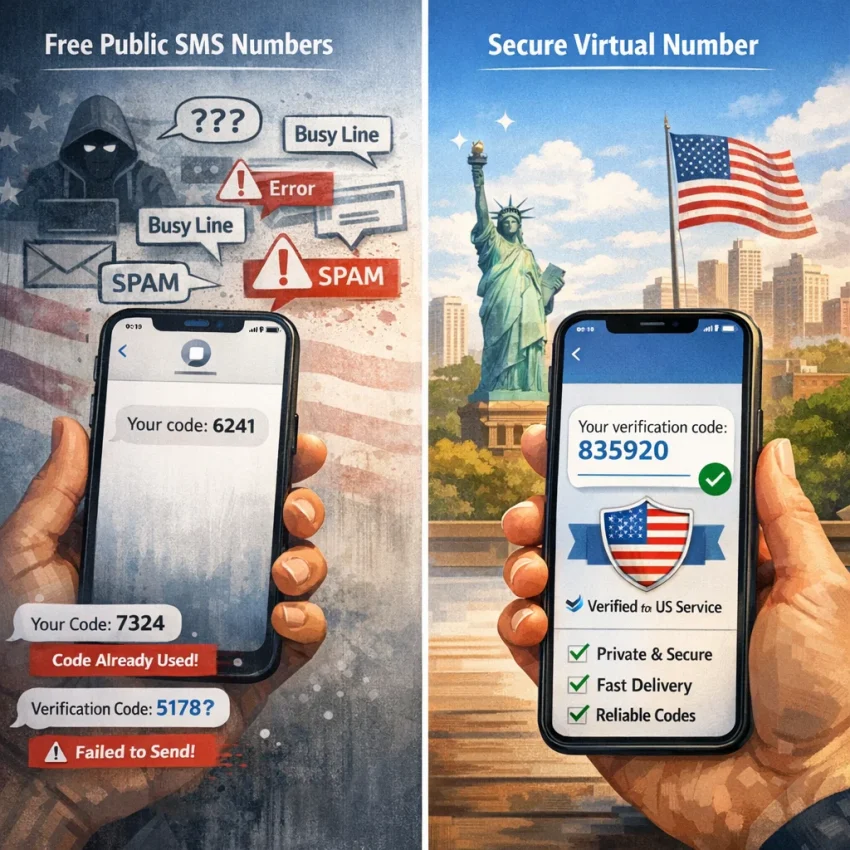
Why People Search for a Free US Number for Verification — and Why It Often Goes Wrong
The appeal of a free US number for verification is obvious. You need one code, one account activation, or one quick OTP. Paying for a number can feel unnecessary when search results promise a free number for verification in seconds.
The problem is that most free or public options fail for the same reasons. They are easy to find, so they are also heavily reused. That makes them visible not just to users, but to the platforms trying to stop abuse. A number that looks free on a public inbox page may already have a long history of registrations, failed attempts, and blocked signups tied to it.
Why free verification numbers stop working
The first issue is overuse. Public numbers get shared by many people at once. If dozens of users request codes to the same line, the service may see the number as risky or already consumed. That is why a number may trigger errors like already used, invalid number, or try another phone number.
The second issue is blacklist history. Many platforms track number reputation. If a number was previously linked to spam, mass signups, or repeated verification attempts, future users inherit that bad history. This is one of the main reasons why free verification numbers do not work even when they technically still receive messages.
The third issue is delivery quality. Some public tools show a number, but the SMS route is unstable, delayed, or overloaded. You request a code, wait, resend, and nothing appears. Then the original code arrives too late and has already expired. Users searching for a receive SMS online US number often mistake this for a platform problem when it is really a routing or queue issue.
The fourth issue is country mismatch. A platform may ask for a US number, but the number pool you found is not truly matched to that requirement, or the service expects a specific country-service combination. Even when the screen only says enter phone number, the system may still score the number by region, past use, and carrier pattern.
The fifth issue is anti-abuse screening. Many major platforms now check more than whether a number can receive a text. They look at timing, repeated resend behavior, known virtual ranges, and suspicious sign-up patterns. So even a working US number for SMS verification can be rejected if the workflow around it looks unsafe.
A more practical path than chasing free numbers
This is why the search for a free solution often turns into repeated failures, locked retries, and wasted time. In practice, the better question is not where can I get any free number, but how do I use the right number for the right service with fewer delivery problems.
That is where a structured virtual number workflow makes more sense. Instead of gambling on a public inbox, use Receive SMS online through SmsPva with a service-specific setup. The goal is not to promise perfect delivery or universal acceptance. The goal is to reduce the common failure points that make free options unreliable in the first place.
SmsPva is a better fit when you need a virtual US number for OTP, account activation, or a cleaner verification flow. You choose a number for the intended use case instead of hoping a random public line still works.
The 7 Most Common Verification Problems Users Run Into
If you searched for a free us number for verification, you probably wanted a quick one-time code and a simple signup. In practice, most failures follow the same patterns. These issues affect users trying to get a US number for SMS verification, a virtual US number for OTP, or any temporary number for account activation.
1) The SMS verification code never arrives
This is the most common complaint in SMS verification troubleshooting. You enter the number, click send, and nothing shows up. Sometimes the platform delays sending the code. Sometimes it sends it to a route that never reaches a public or overloaded number.
This happens often with free or shared numbers because many users request codes on the same line. Heavy reuse can slow delivery, and some services deprioritize traffic to known virtual routes. If your SMS verification code is not received, do not assume the platform is broken. The number itself may be the weak point.
2) The number has already been used
You may see errors like number already registered, try another number, or this phone number cannot be used. That usually means the number has account history with that service.
Public numbers are especially vulnerable to this problem. Hundreds of users may have tried them before you. Once a number is linked to too many accounts, your verification attempt often fails before any SMS is sent.
3) The service rejects virtual numbers
Some platforms actively screen numbers by type, reputation, or traffic pattern. They may not say this directly. Instead, you might get a vague message like unsupported number, invalid phone, or cannot send code.
This issue is different from non-delivery. In this case, the service stops the process before sending the OTP. That is why random number selection often performs poorly. Service-specific verification flows usually work better because they reduce mismatches between the number and the platform’s acceptance filters.
4) The country does not match what the platform expects
Many users assume any US OTP number online will work everywhere. That is not always true. Some services want a number from the same market as your signup flow, device region, IP region, or account settings. Others specifically require a US number for US-facing registration.
If you pick the wrong country, the platform may reject the number immediately or let you request a code that never arrives. Country mismatch is easy to miss because the interface may not explain it clearly.
5) The code arrives too late or expires
Late OTP delivery creates a different kind of failure. You finally receive the message, but the code has already expired. Many platforms keep OTPs valid for only a short window. If you switched tabs, refreshed the page, or requested another code too fast, the first code may become useless.
6) Too many resend attempts trigger a lockout
When a code does not show up, the natural reaction is to hit resend again and again. That can backfire. Many services limit the number of OTP requests per session, device, IP, or number. After a few attempts, they may pause delivery or block further requests for a cooldown period.
7) Your activity gets flagged as suspicious
Sometimes the number is fine, but your session is not. Platforms check more than the phone field. They may look at repeated signups, mismatched browser signals, rapid retries, or unusual region changes. In those cases, the phone step fails because the whole verification attempt looks risky.
If you are not sure which issue applies to you, start with the exact error message and when it appeared. Did the platform reject the number before sending? Did it send a code that arrived late? Did the number show prior-use history? That distinction matters. If the problem keeps repeating, check SmsPva’s Help resources before retrying blindly.
How to Solve Each Problem With the Right SmsPva Setup
If you searched for a free US number for verification, the real issue is usually not price alone. It is workflow mismatch. A public or random number may be overused, blocked, or tied to the wrong service pattern. The fix is to use a service-specific path instead of hoping any number can receive any OTP.
SmsPva is built around virtual number verification by service and country, which makes troubleshooting easier. Instead of guessing, you start with the platform you want to verify, then choose the number setup that fits that platform’s checks.
Match the problem to the setup
If the code never arrives: First, confirm you selected the correct service page. Many users fail here. They pick a generic or unrelated flow, then wait for an SMS that the target platform never routes correctly. On SmsPva, choose the exact service whenever possible.
If the number says it was already used: Stop using public SMS inboxes or numbers copied from forums and free number lists. Those numbers are heavily reused and often carry blacklist history. A SmsPva virtual number gives you a cleaner path because you are not relying on a public inbox that hundreds of other people may have already burned.
If the platform rejects virtual numbers: Some services screen number types aggressively. Your best practical move is to use the exact service category on SmsPva and avoid mismatched generic selections. Acceptance can still vary, but matching the intended service is the most reliable step you control.
Use service and country matching to avoid preventable failures
If the country does not match: When a platform expects a US registration pattern, choose a US number instead of a random available country. This sounds obvious, but it is one of the biggest reasons a receive SMS online US number attempt fails.
If the session times out or the code expires: Prepare before requesting the number. Open the target app or site first. Be signed in or at the phone-entry screen. Then request the number, submit it, and watch for the OTP.
If repeated retries trigger suspicious activity flags: Slow down and simplify. Use one clean browser session, one verification attempt, and one number flow. Do not test multiple numbers rapidly on the same account screen.
If a code stalls or you are unsure whether to keep waiting: Check the platform prompt and your selected flow before buying another number. If the service, country, or session was wrong, restarting with the correct setup makes more sense than waiting longer.
Example: when a service-specific US setup matters
Signal is a good example of why generic free options often fail. If you need Signal SMS verification, use the dedicated flow rather than a random number source. If the platform specifically requires a US match, use the Signal verification in United States page.
That service-plus-country match reduces guesswork. It does not guarantee acceptance or delivery, but it aligns your setup with the platform’s likely checks. At the time of writing, the Signal United States single SMS option was listed from $2.01. That snapshot shows the tradeoff clearly: free options often fail because they are overused or mismatched, while a paid, service-specific setup is designed for a more practical verification workflow.
Step-by-Step: Using a US Virtual Number for Verification Without Common Mistakes
If you need a virtual US number for OTP, the best results usually come from a structured workflow, not from grabbing a random public number and hoping it works. The goal is to match the number, service, and timing as closely as possible to the platform you are verifying.
1. Identify the exact service before you request any number
Start with the platform you want to verify. Do not select a generic path if a service-specific option exists. A virtual phone number for account verification performs better when it is requested for the exact platform rather than used as a catch-all number.
Before you continue, confirm three basics: the service name, whether it requires a US number, and whether you need a one-time verification or a longer workflow.
2. Confirm that a US number is actually required
Many users search for a free us number for verification when the platform does not truly require the United States. If the service accepts another country, forcing a US number can create unnecessary failures. If the platform explicitly asks for a US number for SMS verification, use one.
3. Request the number only when you are ready to receive the code
Do not request a number early and then leave the verification page open while you do something else. Open the target service, reach the phone verification step, and then request the number on SmsPva.
This reduces timeout problems. OTP windows are often short, and some platforms invalidate older codes after a resend.
4. Monitor the OTP carefully and avoid resend habits that cause blocks
After submitting the number, wait calmly for the first code cycle before tapping resend. Repeated resend requests are a major reason users trigger lockouts or suspicious activity checks.
If the code stalls, use the platform’s original session and review your setup. In many cases, the issue is not the number itself but the wrong service selection, a country mismatch, or a resend loop.
5. Enter the code promptly and know when to restart
When the OTP arrives, enter it right away. Do not request a second code unless the first one clearly fails or expires. Many users create their own problem by entering an older code after they already triggered a newer one.
Restart when the number is rejected immediately, when the session has clearly expired, or when you requested too many codes in a short period. Wait a bit longer when the service accepted the number and the first code may still be in progress.
When a US Number Is Required: Service Matching, Country Matching, and Example Workflow for Signal
Some verifications fail for a simple reason: the platform does not just need any number. It may expect a US number for SMS verification tied to the exact service you are activating. This is where many searches for a free us number for verification go wrong. A random public number, or even a number from the wrong country, can trigger rejection before the code is sent.
That is why service matching and country matching matter. If you need Signal verification United States, the safer path is a service-specific workflow rather than a generic inbox. SmsPva is built around that logic. Instead of guessing, you choose the target platform first, then the required country, then request a number meant for that activation flow.
Why generic numbers fail when a US number is required comes down to a few signals. Platforms often score verification attempts by country code, service history, and prior number use. If the country does not match what the service expects, the OTP may never arrive or the number may be rejected immediately.
For a practical workflow, confirm that you truly need a US number. If the app, account flow, or recovery path says United States, do not choose another country to save time. Then request the number only when you are ready to complete verification, enter it carefully, and wait through the normal delivery window before deciding whether to restart.
Best Practices to Improve Verification Success and Protect Privacy
If you keep searching for a free US number for verification, the biggest mindset shift is simple: verification works better when you use the right workflow, not just any number. Public or recycled numbers often fail because too many people used them before you.
Start by choosing the correct service flow instead of a random number pool. That improves compatibility and reduces avoidable rejections. If a platform asks for a US number for SMS verification, match the country requirement exactly. If the service does not require the United States, do not force a US number just because that was your first search query.
Keep the verification session clean
Many delivery problems come from user behavior, not just the number itself. Open the target service first, then request the number, then wait for the OTP. Avoid requesting several codes in quick succession. Do not refresh repeatedly, switch devices mid-flow, or leave the verification page idle too long.
For SMS verification troubleshooting, use a simple rule: one attempt, one number, one active session. If a setup issue persists, check the Help page for guidance before burning more attempts.
Protect privacy without creating new problems
Avoid depending on public number boards that expose incoming SMS to anyone watching. A SmsPva virtual number is a safer choice for users who need consistent OTP receipt without broadcasting their activity through reused public inboxes.
That is why users who are tired of failed free verification attempts often move to SmsPva. It is a more practical long-term setup for anyone who regularly needs to receive SMS online with a US number while keeping verification attempts organized and private.