

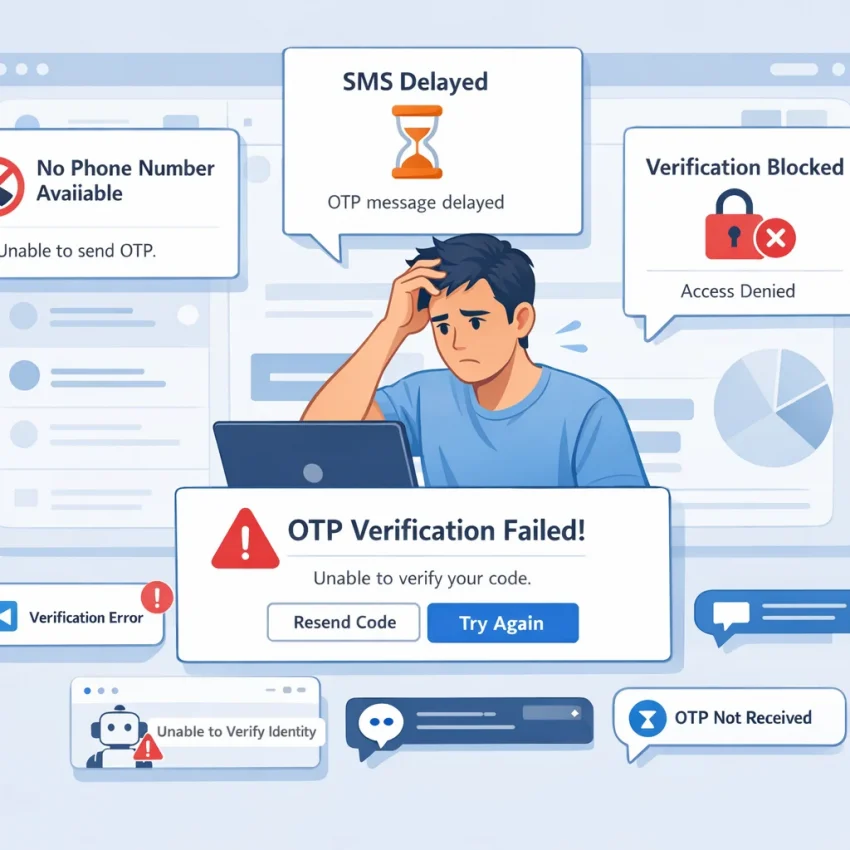
Why users search for SMS-Activate issues in the first place
People usually search for sms activate common issues when something urgent has already gone wrong. They are not casually comparing tools—they are stuck at a verification screen, waiting for a one-time password that never arrives, seeing a “number not supported” message, or finding that the service they need has no usable numbers in the country they selected. In most cases, the problem is immediate: they need to receive a verification SMS online for Telegram, WhatsApp, Google, OpenAI, or another platform, and every failed attempt costs time, money, or both.
The most common frustration is simple: sms activate sms not received. A user rents a number, requests a code, waits, refreshes, and still gets nothing. Then they try again, maybe with a different country or another activation, without knowing whether the real issue is the number itself, the target platform, timing, or the account environment. This is where many users burn balance on repeated retries that never had a realistic chance of succeeding.
Another major reason people start searching is number quality and availability. Sometimes the target service has limited support in a given country. Sometimes the number pool is temporarily exhausted. Sometimes a platform rejects a number because it has already been used too often, belongs to a blocked range, or does not match the expected verification pattern for that service. From the user’s perspective, all of these failures look similar: the code does not come, the activation expires, or the account flags the number as invalid.
That confusion matters. Many users assume every failed verification is an SMS delivery problem, but that is only part of the picture. Real-world otp delivery troubleshooting often involves three layers at once: the number, the target platform, and the user’s setup. For example, a Google or OpenAI verification flow may fail not because the SMS provider is down, but because the account session, browser fingerprint, IP reputation, or retry behavior triggered extra scrutiny. A Telegram or WhatsApp flow may behave differently depending on country selection and the exact number type used. Without a clear diagnostic approach, users keep guessing.
That is why a generic competitor list is not enough. Users do not just want another provider name—they want a better workflow. They need service-specific guidance, clearer country and platform matching, more predictable number selection, and a way to reduce failed activations before they spend again. That is where SmsPva stands out as the practical next step. Instead of treating all verifications as interchangeable, SmsPva is built around virtual phone numbers for SMS verification, OTP receipt, and account activation with service-focused flows that help users choose numbers more intentionally.
Just as importantly, SmsPva supports the switch mindset frustrated users actually have. If your current process involves random retries, unclear availability, and no confidence about why a verification failed, a support-backed workflow is more useful than another trial-and-error cycle. SmsPva’s help resources give users a clearer path for diagnosing issues, while its service pages help align the number choice with the platform being verified.
The 7 most common SMS verification problems users hit
When users search for sms activate common issues, they are usually not dealing with one vague problem. They are hitting a specific failure point inside the verification flow. The key is to identify which failure happened before you keep retrying, because repeated attempts often waste balance, consume limited activations, and make the target platform more suspicious.
- No SMS arrives at all
Searches like sms activate not receiving sms and sms activate sms not received usually start here. You request the code, the target platform says it sent one, but the inbox stays empty. In practice, this can happen because the selected number has weak compatibility with that service, the service is throttling delivery to virtual numbers, the country choice is poorly matched to the platform, or the request was never fully accepted on the platform side.
Diagnostic sign: the site or app accepts the phone number but no code appears after a normal waiting window. - The OTP arrives too late and expires
Sometimes the code does arrive, but not fast enough to be useful. By the time you enter it, the session is stale, the screen has refreshed, or the platform has already invalidated the code.
Diagnostic sign: you do receive messages, but they are delayed or tied to a previous attempt. - The number has already been used
A platform may instantly reject the phone number with a message like “number already registered,” “number used too many times,” or “cannot use this phone number.” This is especially common on high-demand platforms such as Telegram, WhatsApp, Google, and OpenAI.
Diagnostic sign: the rejection appears immediately, before any SMS is sent. - The service is unavailable in the selected country
Users also run into sms activate numbers unavailable problems when a service is missing for a country, temporarily out of stock, or simply not supported in the route they chose.
Diagnostic sign: you cannot select the service-country combination you want, or the selected combination repeatedly fails before the code stage. - The activation gets canceled or times out
An activation can be canceled automatically or manually before the SMS is completed. This often happens when users request a number too early, switch tabs, resend the code too many times, or abandon the session while waiting.
Diagnostic sign: the number looked active at first, but the session closes before a usable code is received. - Verification succeeds, but the account is flagged right after
The code arrives, the OTP is accepted, and yet the account is limited, suspended, forced into extra review, or blocked soon after.
Diagnostic sign: SMS reception works, but the account does not stay healthy. - The selected number type does not match the target platform
Not every platform treats every number type equally. A number that works for one service may fail immediately on another.
Diagnostic sign: one provider or number works for a less sensitive service, but fails on a more selective one like Google or OpenAI.
These seven issues cover most cases behind searches like sms activate verification failed, sms activate not receiving sms, and complaints about unavailable numbers. The important takeaway is that not every failed activation means the same thing. Some are delivery problems. Some are stock and country problems. Some are timing mistakes. And some are platform trust issues disguised as SMS failures.
How to diagnose the real cause before you burn balance or retries
Before blaming the provider, separate true SMS delivery failures from platform trust issues. The fastest way to improve outcomes is to treat troubleshooting like a checklist instead of guessing. This is where SmsPva’s service-specific verification flows are useful, because they reduce the “generic number, generic attempt” pattern that causes many unnecessary failures.
1. Verify the target service’s actual phone requirements
Not every platform accepts every virtual number for otp use. Before buying another activation, confirm the basics:
- Does the platform accept the country you selected?
- Is the account being created or recovered in a region the service supports?
- Is phone verification optional, mandatory, or limited after too many attempts?
- Does the platform appear to block VoIP-like or heavily reused ranges?
If a site says “number not supported” or “this phone number cannot be used for verification,” that is not the same as “SMS not received.”
2. Confirm country availability before choosing the cheapest option
A common reason for failed activations is choosing a country based on price rather than support. Some services send verification only to selected regions, or they route slower in certain countries. If Telegram, WhatsApp, Google, or OpenAI verification is your goal, country matching matters more than saving a small amount per attempt.
3. Use the correct service-specific flow
Many users burn retries by picking a broad or mismatched category. A messaging app, an identity provider, and an AI platform do not always behave the same way. On SmsPva, dedicated flows for services like Telegram, WhatsApp, Google, and OpenAI help reduce ambiguity and mismatches.
4. Watch the OTP timing window carefully
- Request the code once.
- Wait through the expected delivery window.
- Do not trigger repeated resends immediately.
- If a delayed code arrives, make sure it belongs to the current session.
- If the platform invalidates the session, restart cleanly instead of stacking retries.
5. Separate “no SMS sent” from “SMS sent but account blocked”
If the platform accepted the number and should have sent a code, but nothing arrives, you may be dealing with number quality, routing delay, or a temporary service issue. But if the platform shows warnings like “try again later,” “too many attempts,” or “suspicious activity,” your problem may be trust-related.
6. Check whether your IP, device, or account reputation is the real blocker
Shared IPs, datacenter proxies, repeated account creation behavior, mismatched browser fingerprints, and rapid switching between countries can all reduce verification success. If several of these apply, the issue may not be SMS delivery at all.
7. Use support guidance before spending on more attempts
If you are unsure whether the issue is service support, delivery, or account trust, do not keep brute-forcing activations. Review the help guidance first, note the exact error message, and compare it to what happened in sequence. Using a workflow-oriented provider like SmsPva makes this easier because the platform, support, and environment tools are aligned.
How to solve these issues with SmsPva instead
Once you have ruled out obvious mistakes such as requesting too many codes, picking an unsupported country, or using the wrong platform flow, the next step is not usually “try the same thing again.” A better approach is to move to a workflow built around the service you actually need to verify. That is where SmsPva stands out as a practical sms-activate alternative.
The key difference is that SmsPva is structured around service-specific verification flows, not just a generic list of temporary numbers. That matters because Telegram, WhatsApp, Google, OpenAI, and similar platforms do not all treat phone verification the same way.
For example, if your goal is a telegram verification virtual number, you can go directly to smspva.com/service/telegram. The same logic applies if you need a whatsapp verification number, a Google verification flow, or an OpenAI phone check. SmsPva provides dedicated service pages for WhatsApp, Google, and OpenAI.
This service-first workflow helps solve several common pain points at once:
- Fewer mismatches between number type and platform
- Better country selection decisions
- Cleaner retry logic
- Faster troubleshooting
Here is a straightforward way to use SmsPva when switching from a frustrating activation attempt:
- Start with the exact service.
- Choose the country intentionally.
- Request the number only when you are ready.
- Watch the timing window.
- Stop after a meaningful failure signal.
SmsPva’s Help section is useful when an OTP does not arrive, when activation behavior seems unclear, or when you need to understand what went wrong before spending more attempts. If your verification problem is partly caused by IP reputation, device fingerprinting, or repeated account creation from the same environment, SmsPva also offers proxy tooling for cleaner account isolation.
Service-by-service fixes: Telegram, WhatsApp, Google, and OpenAI verification
One of the biggest reasons users run into sms activate common issues is that they treat every platform as if it accepts numbers the same way. In practice, Telegram, WhatsApp, Google, and OpenAI all apply different trust checks, timing windows, and number validation rules. A better approach is to use SmsPva’s service-specific pages so the number selection and activation flow are aligned with the platform you actually want to verify.
Telegram: Telegram is often flexible, but it is also sensitive to timing and request behavior. If your telegram verification virtual number attempt stalls, stop retrying repeatedly. Open the dedicated Telegram page on SmsPva, choose a supported country, and request the number only when you are ready to enter it immediately in the app.
WhatsApp: WhatsApp verification failures are often caused by stricter number screening. With a whatsapp verification number, the safest workflow is to select the WhatsApp-specific activation path on SmsPva’s WhatsApp page instead of choosing a general virtual number and hoping it will work.
Google: Google is less forgiving than most messaging apps because phone verification can be tied to overall account trust, browser state, IP reputation, and sign-up patterns. Start with the Google service page on SmsPva so the number is selected for that specific use case. If needed, pair the flow with HQ Proxy to isolate IP reputation problems.
OpenAI: OpenAI phone checks can fail for reasons similar to Google. If your openai verification phone number does not receive the OTP or the number is rejected, first confirm you are using the dedicated OpenAI verification page on SmsPva. Keep the same browser context through the whole sign-up process and avoid switching environments mid-flow.
The practical lesson across all four services is simple: messaging apps and identity platforms do not behave the same way, so your verification workflow should not be generic either. That is why SmsPva is the more actionable choice for users who want to receive verification sms online with fewer failed activations.
When SMS problems are really proxy, device, or account reputation problems
One of the biggest mistakes in otp delivery troubleshooting is assuming the number is always the problem. In reality, many platforms score the entire verification environment: phone number, IP address, browser fingerprint, device history, account age, and even how often you request codes.
A common example is the shared IP problem. If you are using a crowded VPN exit node, public proxy, or an IP range that has already been abused for repeated registrations, the target service may silently downgrade trust. The result can look like a number issue, but the real blocker is network reputation.
Another overlooked cause is browser and device fingerprint mismatch. Platforms do not just check where the request comes from; they also examine whether the session looks natural. Changing numbers repeatedly in a suspicious environment only burns balance without improving the outcome.
Repeated account creation patterns also matter. If a service sees the same device setup requesting multiple OTPs in a short window, it may start rate-limiting or refusing new activations.
Here is a practical way to tell whether the issue is really environmental:
- If the OTP never arrives across multiple numbers for the same service, suspect IP reputation or platform rate limits.
- If the OTP arrives but the account is blocked immediately after submission, suspect account trust or device fingerprint issues.
- If one service works but another consistently fails, suspect service-specific risk rules rather than a universal SMS problem.
- If failures increase after repeated retries in the same session, suspect workflow contamination rather than number quality alone.
This is where SmsPva becomes more useful than a basic number marketplace. SmsPva does not just offer a virtual number for otp use cases; it also supports cleaner, service-aware workflows and provides support guidance. For users who need better separation between sessions, SmsPva’s HQ Proxy adds a practical layer of IP isolation.
A cleaner setup usually means one target account flow per isolated session, one consistent IP per verification attempt, browser language and region aligned when appropriate, fewer repeated code requests, and clearer separation between different platform signups.
How to switch from SMS-Activate to SmsPva with fewer failed attempts
If you are searching for sms activate common issues, the smartest move is not just changing providers blindly. It is changing the workflow that caused failed activations in the first place. That is where SmsPva is the practical next step.
Use this clean switch checklist:
- Choose the exact target service first. Use the relevant service page for Telegram, WhatsApp, Google, or OpenAI.
- Match the country to the platform’s real acceptance pattern.
- Check timing before requesting another code.
- Use support resources early. Visit Help when the problem looks like delivery but may really be trust or compatibility.
- Fix the environment, not just the number. If the platform keeps rejecting verification, add cleaner isolation with HQ Proxy.
A simple migration flow looks like this: stop using the exact country-service combination that already failed, open the matching SmsPva service page, select a better-fit number, request only one code at a time, and verify under a cleaner IP setup if the account has already been flagged before.
For users comparing alternatives, the goal is straightforward: fewer dead numbers, fewer unsupported OTP attempts, and fewer wasted credits. Instead of treating verification as a lottery, use SmsPva as a controlled workflow for OTP receipt, account activation, and platform-specific troubleshooting.
Frequently asked questions
Why am I not receiving SMS codes on SMS-Activate?
The most common reasons are service-country mismatch, unsupported number type, delayed routing, platform-side filtering, or a trust issue with your account environment. If the platform accepted the number but no code arrived, try a service-specific flow on SmsPva instead of repeating the same setup.
What causes verification to fail even when a number is active?
An active number does not guarantee acceptance. Verification can still fail because the number was used too often, the platform does not support that range, the OTP expired, or your IP and browser environment triggered risk checks.
How do I know whether the issue is the number, the service, or my IP?
If the number is rejected immediately, it is usually a number or service compatibility issue. If the number is accepted but no code arrives, it may be delivery, timing, or platform filtering. If the code arrives but the account is flagged, the issue is more likely your IP, device, or account reputation.
Is SmsPva a good alternative to SMS-Activate for Telegram verification?
Yes. SmsPva gives you a dedicated Telegram verification flow, which is more practical than using a generic number pool when you want fewer retries and clearer troubleshooting.
Can I use SmsPva for WhatsApp, Google, and OpenAI verification?
Yes. SmsPva has dedicated pages for WhatsApp, Google, and OpenAI, which helps match the number flow to the exact platform.
What should I do if a platform says the phone number is not supported?
Do not keep requesting codes on the same setup. Switch the country or service flow. That message usually means the platform rejected the number before any SMS was sent.
Do I need a proxy for better SMS verification success rates?
Not always, but if multiple numbers fail on the same service, or if the account gets flagged after a valid OTP, a cleaner IP environment can help. SmsPva’s HQ Proxy is useful when account isolation matters.
How can I reduce failed activations and wasted balance when switching services?
Use a service-specific page, match the country carefully, request the number only when ready, avoid repeated resend loops, check Help before retrying, and improve your IP and browser environment when trust signals are part of the problem.