

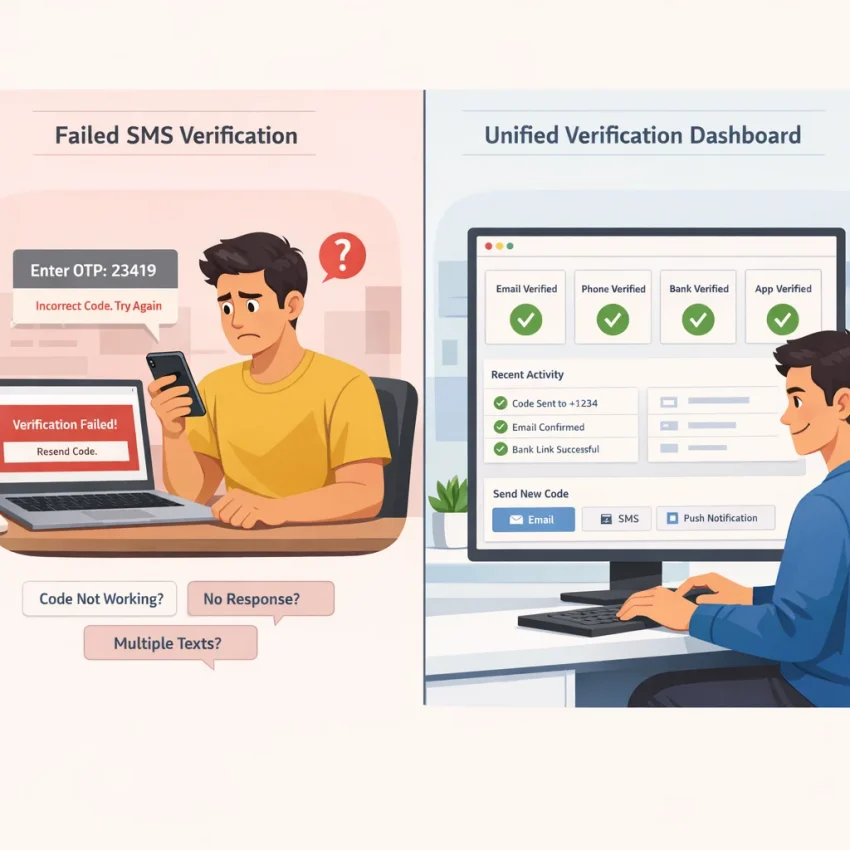
Why People Search for a SmsPva Alternative in the First Place
Most people who search for a smspva alternative are not casually browsing. They are usually stuck in a broken verification loop. A code does not arrive. The platform rejects the number. The selected country does not fit the signup flow. Or the process feels too generic to diagnose quickly.
That is why this search often has less to do with brand switching and more to do with troubleshooting. Users want an SMS verification alternative that helps them avoid obvious setup mistakes before they spend more time retrying the same failed flow.
In practice, four problems show up again and again. First, OTP not received is the most visible failure. That does not always mean the number source is the problem. Sometimes the app delays delivery, the wrong service was selected, or the account session looks risky. Second, users often cannot tell whether a platform is supported in a clean, service-specific way. Third, country choice gets treated as an afterthought, even though it can affect whether the verification attempt makes sense. Fourth, generic number-purchase workflows create friction because they force users to guess instead of follow a guided path.
That is why the better move is not just to Receive SMS online. It is to choose a workflow that reduces preventable failures from the start. SmsPva fits that need because it is built around verification use cases, not just random number access.
Why generic verification flows create avoidable problems
A generic marketplace can work for experienced users, but it creates extra guesswork for everyone else. If you only see a list of numbers, you still have to figure out whether the number fits the exact service, country logic, and verification context. When that match is unclear, every retry becomes a gamble.
SmsPva stands out because it frames verification around actual tasks: OTP receipt, account activation, privacy-focused signups, and service-specific flows. That structure matters because many verification failures happen before the SMS is ever sent.
What users really want from an alternative
When users search for a virtual number for OTP or a temporary phone number for verification, they usually want three things: clarity, speed, and fewer retries. Clarity means knowing which service flow to use. Speed means less trial and error. Fewer retries mean fewer account flags and less wasted time.
The rest of this guide focuses on that shift: from hunting for any replacement to using SmsPva as the practical alternative for cleaner verification workflows.
The 5 Most Common SMS Verification Issues Users Run Into
When people search for a smspva alternative, they often assume the provider is the whole problem. Sometimes it is. But many SMS verification problems start earlier in the workflow. A missed setting, a poor country match, or the wrong number type can break the process before the code is ever sent.
The practical approach is to diagnose the failure type first. That makes it easier to fix the setup or move to a cleaner workflow with SmsPva instead of repeating the same mistake elsewhere.
1. OTP delayed or never received
This is the most common complaint behind OTP not received. In many cases, the message is not truly lost. It may be delayed, blocked by the target service, or sent into a flow that does not fit the number choice well.
Common signs include a countdown that expires before the code arrives, repeated resend attempts with no change, or a code that appears after the session is no longer valid. Some services also limit how often they send verification texts, so too many retries can make the problem worse.
2. Unsupported service or wrong verification flow
Not every virtual number works for every platform. A provider may offer numbers in a country you want, yet still not support the exact service flow you need. This usually shows up as a form that accepts the number but never sends a code.
If the provider does not make the service explicit, you are guessing. A better workflow is to begin from the exact service page when available. If setup details are unclear after a failed attempt, use SmsPva’s Help resources before repeating the purchase.
3. Wrong country selected for the account you are creating
Country mismatch causes a surprising number of verification failures. The issue is not only whether a number can receive SMS online. The bigger question is whether that country makes sense for the account flow, app policy, and your broader signup context.
If your app language, IP region, account details, and phone country all point in different directions, the verification may stall or trigger extra checks. Users often interpret this as a provider failure when it is really a selection problem.
4. Wrong number type for the job
Many users treat every number as interchangeable. They are not. A one-time number may be fine for quick account activation, but it may not fit a workflow that needs follow-up texts, later confirmation, or repeated logins.
If you need a temporary phone number for verification, choose it based on the real task: single OTP, account creation, privacy-focused signup, or recurring access.
5. Account environment mismatch
Sometimes the number is fine, but the account environment looks risky or inconsistent. Services can react to device state, browser session age, repeated signup attempts, cookie history, IP changes, or mismatched location signals.
If you have tried multiple numbers in the same messy session, the issue may be the environment, not the provider. Start clean. Use a fresh browser profile if needed. Keep location signals consistent. Avoid excessive retries.
For users with repeat verification workflows or account isolation needs, SmsPva can also fit cleaner workflows because proxy support is available when that context matters. That does not guarantee delivery, but it can reduce avoidable mismatch between the account environment and the phone verification setup.
How to Solve Those Issues with SmsPva.com
If you are searching for a smspva alternative because codes fail, the fix is often workflow quality, not just provider switching. SmsPva is the stronger path because it organizes verification around actual use cases. Instead of browsing a generic list and guessing, you can start with the service you need, the country that fits the signup, and support guidance for edge cases.
Start with the exact service flow, not a random number
The simplest way to fix SMS verification issues is to match the number to the platform first. If the service has a dedicated page, use it. A service-specific flow narrows your choices and removes guesswork about where the number is meant to be used.
Your process should look like this: identify the platform you want to verify, choose a number only after confirming that service context, then select the country that matches the account flow. If your signup is tied to a region, use that region as your starting logic.
This is where SmsPva works well as an SMS verification alternative. It supports a deliberate sequence: service first, country second, OTP receipt third.
Align the country and account environment before retrying
Country mismatch is one of the most common causes of failed or delayed codes. A number can be valid, but still be a poor fit for the flow you are attempting. Decide country intentionally based on the app flow in front of you.
Also check the account environment. Verification systems often react to more than the phone number itself. Fresh sessions, clean browser state, and consistent location signals can matter. If you keep repeating requests from a noisy setup, changing providers alone may not solve the problem.
Use support when the issue is setup friction
Some failures come from timing, interface mistakes, or misunderstanding the verification flow. Support documentation saves time. If the OTP is delayed, the service page is unclear, or you need guidance after a failed attempt, check support resources before assuming the route is broken.
This is a key difference between a basic SMS activation alternative and SmsPva’s workflow. A generic number marketplace leaves you to troubleshoot alone. SmsPva gives you a cleaner path: choose the relevant service, align country and account conditions, then use guidance when you need to correct the process.
Service-Specific Example: A Cleaner Signal Verification Workflow
If you are searching for a smspva alternative because Signal verification keeps failing, the fix is often workflow-related. Signal is a good example because small setup choices can affect whether a code arrives.
Start with the dedicated Signal SMS verification page instead of buying a random virtual number for OTP receipt. That matters because you are not only choosing a country. You are also matching the purchase to a specific verification flow.
From there, think in this order: service first, country second, then account context. If your Signal signup flow is tied to a specific region, pick the country that matches that path as closely as possible. If you need a UK route, SmsPva has a dedicated page for Signal verification in Unt. Kingdom.
How to compare UK and US routes without guessing
Users often assume that any available country will work the same way. In practice, UK and US verification can behave differently depending on your signup context. The better approach is to align the number choice with the account flow you are attempting, not to chase the first country you see.
At the time of writing, SmsPva’s API snapshot listed Signal single-SMS pricing from $0.50 for UK_V, $0.77 for UK, and $1.75 for US. These are current snapshots, not permanent offers or availability guarantees.
The main takeaway is not price. It is that service-specific and country-aware selection gives you a more deliberate workflow than a generic buy-any-number process.
When a one-time number is enough, and when it is not
Many users only need a one-time number for account activation. In that case, a standard Signal verification flow may be enough. But if your use case involves repeated checks, recovery steps, or a longer setup window, a rental workflow can be more practical.
SmsPva supports that path through its Signal SMS verification rental option, which is worth considering when a single OTP session does not match your real need.
Troubleshooting Checklist Before You Blame the Provider
If your OTP is not received, do not assume the number source is the only problem. Many SMS verification problems start earlier in the flow. A small mismatch in service, country, account setup, or retry behavior can block delivery before the code is ever sent.
Use this checklist in order to avoid repeating the same setup with a different number.
1. Confirm the service and country match your signup flow
First, check whether you selected the exact platform you are verifying. Service-specific selection reduces guesswork because the number is chosen for a defined verification use case rather than a vague receive-SMS task.
Next, check country logic. The country on the number should make sense for the account flow you are starting. Also review how the app formats numbers. A country code mistake or extra digit can cause an OTP issue even when the number itself is fine.
2. Check account environment signals before requesting another code
Some SMS verification problems are really account environment problems. If the app sees unusual activity, it may delay or suppress code delivery. Common triggers include repeated signup attempts, rapidly changing IPs, mismatched browser sessions, or multiple fresh accounts created in a short window.
Stick with one device, one browser session, and one clean signup attempt at a time. Avoid refreshing the flow too often. Change one variable at a time so you know what actually fixed the issue.
3. Wait strategically, then decide whether one-time or rental fits better
When users do not receive SMS immediately, they often retry too fast. Some services send codes with short delays or cooldowns. If you request another OTP too soon, the older code may expire and the new one may not arrive right away.
A one-time virtual number is best for quick account activation. But if the platform may send follow-up texts, recovery checks, or repeated login prompts, a rental workflow can be more practical than restarting from scratch each time.
When It Makes Sense to Switch to SmsPva Instead of Repeating the Same Failed Setup
At some point, another retry stops being troubleshooting and becomes wasted time. If you keep hitting the same problems, a better setup matters more than another random number. That is the real reason many users look for a smspva alternative: they want a cleaner verification workflow.
A switch makes sense when OTPs fail repeatedly under similar conditions. Common patterns include choosing generic numbers without clear service matching, selecting the wrong country for the account flow, or having no support path when a verification attempt goes wrong.
SmsPva is the stronger path when you want fewer guesswork steps. It is structured around actual use cases: virtual numbers for OTP receipt, service-focused verification flows, account activation, and privacy-focused signups.
Signals that your current workflow is the problem
If your provider gives you numbers but little guidance, you are left diagnosing everything yourself. That usually leads to the same loop: buy number, wait, retry, switch country, repeat.
Switch to SmsPva if you need clearer service targeting, especially for repeat verification tasks. Service-specific pages help you start with the right intent instead of browsing blind. Support resources also matter when a setup mistake is more likely than a platform outage.
Why SmsPva is the practical next step
SmsPva is a good fit when you want to receive SMS online with less trial and error. It gives you a more actionable path: start with the relevant service flow, match country selection to the platform requirement, and use guidance resources when results do not match expectations.
If your current method keeps producing the same dead ends, switch the workflow instead of repeating the error. Start with SmsPva, choose the service and country logic carefully, and use its structured tools to improve the odds of a cleaner verification attempt.