

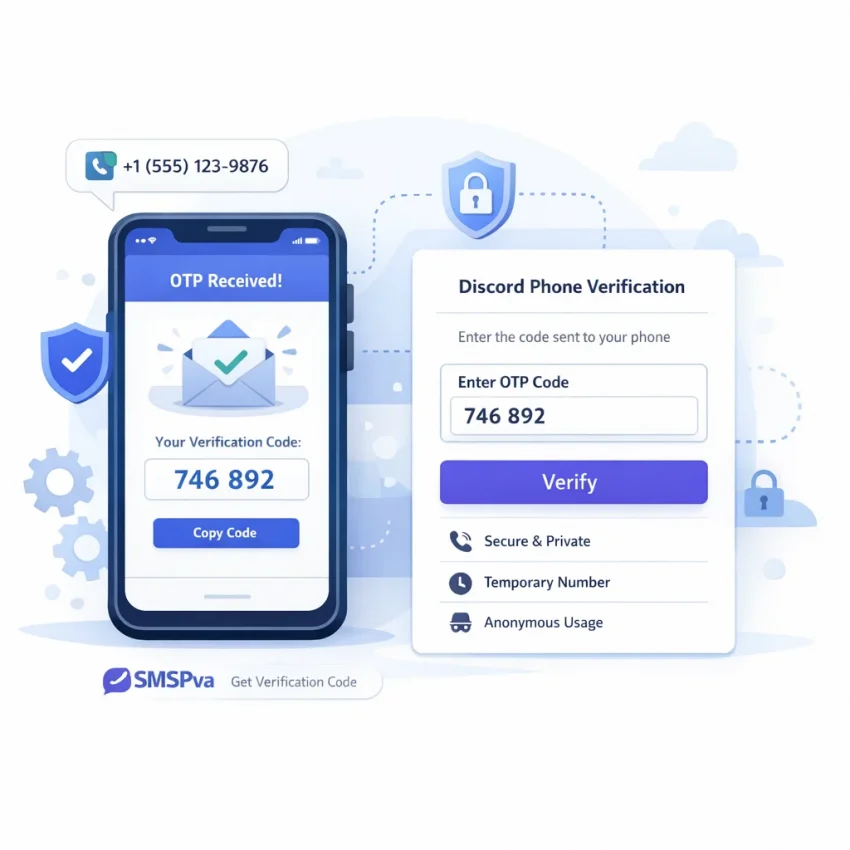
What a temp number for Discord is and when to use SmsPva
A temp number for Discord is a virtual phone number used to receive a one-time SMS code during account verification. Instead of using your personal mobile number, you use a separate number for the Discord SMS check, enter it in the verification screen, and wait for the OTP to arrive.
People usually search for a discord temp number when they want better privacy, a separate verification path, or a faster one-time activation workflow. In practice, the goal is simple: receive the Discord code, enter it correctly, and finish verification without tying that step to your everyday number.
That is where SmsPva fits well. It is built around service-specific SMS verification flows, so you are not guessing where to start. You can use Receive SMS online through SmsPva, then move directly into the Discord flow when your verification prompt is ready.
Why users choose a virtual number for Discord
A virtual number for Discord is mainly about separation and control. If you prefer not to attach your private number to every platform, a temporary number for Discord verification can help keep account setup more compartmentalized. That matters for privacy-conscious users, testers, and people managing separate online identities.
It can also help when your main line is not the number you want tied to a new verification event. Some users want a one-time discord otp number flow they can complete quickly online. Others are troubleshooting a Discord prompt that requires phone verification before they can continue.
Still, expectations should stay realistic. A temporary number is not a bypass for platform rules, and it does not guarantee that every number will be accepted in every session. Discord can vary by account state, timing, region, and verification context.
When to use SmsPva for Discord verification
Use SmsPva when you need to receive Discord verification code online in a structured, service-led way. It is especially useful if you want a clear path for a one-time code, want to avoid using your personal number, or need a dedicated verification setup before moving to the next account step.
If your goal is speed with reasonable privacy hygiene, SmsPva gives you a direct workflow. Open Discord first, prepare the verification screen, then use SmsPva for the number and OTP step while the session is still fresh.
Before you start: what you need for a smoother Discord verification flow in 2026
Before you buy a temporary number for Discord verification, make sure your Discord account is actually at the phone check step. Many failed attempts happen because users purchase a number too early. Open Discord first, log in, and confirm that the account is prompting for Discord SMS verification right now or will be within the next minute or two.
It also helps to know whether you are verifying a new account, re-checking an older one, or resolving a security prompt after unusual activity. That context affects timing. If Discord asks for a phone number after a login change, network shift, or device switch, move through the flow without long pauses.
Account, session, and connection checks
Use one clean browser session for the whole process. Avoid opening Discord in multiple tabs while you wait for a discord otp number. Multiple sessions can create confusion, trigger refreshes, or cause the verification page to expire.
Your connection should be stable. A weak signal, rapidly changing IP, or interrupted Wi-Fi session can break the flow before the SMS arrives. If possible, finish the verification on one network.
Browser hygiene matters too. Disable aggressive auto-refresh extensions, pause scripts that interfere with forms, and make sure cookies are enabled for Discord. If Discord has been looping or showing generic errors, sign out, clear the relevant session data, and sign back in before you activate a number.
You should also have funds ready in your SmsPva balance so you can act quickly once you pick the right service. The smoother path is simple: open the Discord verification prompt first, then go to the service page, choose the number only when you are ready to paste it into Discord, and wait for the incoming code without restarting the flow.
Country choice, timing, and realistic expectations
Country selection is not just a preference. It should match your verification context where possible. If you specifically need a UK path, confirm live options on the Discord verification in Unt. Kingdom page before you proceed. If you are aiming for a US-oriented setup, check the live Discord options on SmsPva when you need them rather than assuming availability from an older guide.
Do not activate a number and then spend several minutes editing account details or solving unrelated login issues. Start only when your Discord form is open and ready. Temporary verification windows can be short.
Keep expectations realistic. Availability can change by service and country, and no provider should promise permanent stock or guaranteed delivery for every request. The practical way to reduce friction is to prepare first, then use the service-specific Discord workflow while your session is live and stable.
Step by step: how to use SmsPva for Discord verification
If you want a practical way to handle Discord SMS verification, keep the process tight and sequential. The goal is simple: get a temporary number for Discord, submit it once, receive the code online, and finish the verification before the session times out.
Start by opening the Discord SMS verification page on SmsPva. This is the best entry point because it keeps the workflow focused on Discord rather than a generic number list. Before you buy anything, make sure your Discord account is already at the phone verification step.
Once you are on the Discord page, review the currently available countries and number options. Availability can change, so use the live page as your source of truth. If your account setup calls for a UK path, check the country-specific page. At the time of writing, the API snapshot for Discord in the United Kingdom was listed from $0.17, and another UK-coded Discord snapshot was listed from $0.10. Treat those as current snapshots, not fixed rates or guarantees.
Complete the number purchase and enter it correctly
After choosing the most suitable country, activate the number and copy it exactly as shown. Then return to Discord and paste the full number into the phone verification field. Double-check the country selector inside Discord before you submit. A correct number with the wrong country flag can trigger an error that looks like a rejected virtual number.
Submit the phone number only when you are ready to watch for the incoming OTP. Avoid refreshing Discord repeatedly, opening multiple verification tabs, or changing network conditions right after sending the request.
Now switch back to SmsPva and monitor the order page or message area for the incoming Discord code. When the SMS arrives, copy the OTP exactly. Then return to Discord and enter it without extra spaces. If Discord accepts the code, your phone verification is complete.
If the code does not appear right away
If your Discord SMS verification code does not show up immediately, stay inside the same purchase and account session first. Do not rush into a second number unless the original attempt has clearly failed or expired.
Check three things in order. First, confirm that the number you entered in Discord matches the number shown in SmsPva. Second, confirm that the country selection in Discord matches the country you chose on SmsPva. Third, confirm that you are still verifying the same Discord account and have not been redirected into a fresh login or challenge flow.
If you still need guidance, use the Help page. For most users, the cleanest path is to keep one browser session, one Discord verification attempt, and one active SmsPva number at a time.
Choosing the right country and number type for Discord
When you need a virtual number for Discord, country choice matters more than many users expect. In practice, you want a number that fits the verification flow you are completing, the region you plan to use, and the live stock visible at the moment you buy.
If your goal is simple one-time verification, do not overcomplicate the choice. Pick a country that matches your intended setup and that is currently available on the live Discord service page. This reduces avoidable mismatches and keeps your discord temp number workflow straightforward.
How to think about US vs UK for Discord verification
For a discord verification number usa search, the main question is not whether US is always better. It is whether a US number fits your current account flow. If your account activity, browser session, and sign-up context are centered on the United States, a US number can be the logical option. Still, verify live availability before you rely on it.
The same logic applies to a discord verification number uk. If you want a UK-aligned path, confirm what is currently listed on the live UK page. At the time of writing, Discord single SMS pricing for the United Kingdom was listed from $0.17, and a UK-coded Discord snapshot was also listed from $0.10. Treat those as API snapshots, not fixed offers.
If both the US and UK are available, choose based on fit, not guesswork. Match the number to the verification context you are already using.
What “number type” means in practice
For most readers, number type really means the service-specific route and country option shown on SmsPva at checkout. You are not looking for a random broad-use phone line. You want a Discord-specific activation path that is meant for receiving a Discord OTP.
A good rule is to avoid buying too early. Open Discord first, make sure the phone prompt is active, then select your country on SmsPva. This shortens the time between number purchase and code request.
If your first-choice country is unavailable, do not force the flow. Refresh the live service page, check another listed country that fits your account context, and proceed only when the option is clearly shown.
Common Discord verification problems and how to troubleshoot them with SmsPva
Even when you follow the normal flow, discord sms verification can fail for simple reasons. Most issues come from timing, session state, or picking a number before you are fully ready to enter it.
For a temporary number for discord verification, the safest approach is to open Discord first, reach the phone verification prompt, and only then get your number on SmsPva. That reduces the chance of your verification window expiring before the code arrives.
If the Discord verification code is not received
The most common complaint is simple: the code does not arrive. Start with the basics. Confirm that you entered the number exactly as shown, including the correct country code. Then check whether Discord is still waiting on that same number. If you refreshed the app, changed tabs for too long, or restarted the verification step, the original request may no longer be active.
Next, give the code a short but reasonable wait. Do not spam resend immediately. Repeated requests can create confusion about which code is current. Watch the SmsPva order area carefully and wait for the active message linked to that exact purchase.
Your browser state also matters. If Discord has been open for a long time, sign out and sign back in, or reload the verification screen before requesting another code. A stale page can make it seem like the discord otp number failed when the real issue is an expired verification form.
If Discord rejects the number or the session expires
Sometimes the problem is not code delivery. Discord may reject the phone number before it even sends the SMS. When that happens, first confirm that the selected country matches the number format you pasted. A mismatch between your chosen country and the actual number format can trigger a rejection.
If the number still fails, do not keep hammering the same flow. Move to a fresh verification attempt. Close the old Discord prompt, reopen the account verification step, and use a newly selected number only when the page is ready.
Another common issue is a timing mismatch. Users often buy a number first, then spend several minutes logging in or solving app prompts. By the time they request the SMS, the flow is already weaker. Reverse that order. Prepare the account first. Then get the number. Then request the code immediately.
If you suspect a setup mistake rather than a platform issue, use SmsPva support resources before burning more attempts. Keep your retries deliberate: one active Discord session, one active number, one code request at a time.
Why SmsPva is a practical choice for Discord temp number workflows
If you need a temp number for Discord, SmsPva is practical because the workflow is built around SMS verification rather than generic number browsing. Instead of guessing which number type fits, you can go straight to the Discord service page and start with a service-specific flow.
That focused layout matters in real use. You choose the service first, then review the available country path that fits your account and verification context. This is simpler than jumping between unrelated categories.
Built for quick OTP handling
A good temporary number for Discord verification should help you move from number selection to code retrieval with as little friction as possible. SmsPva fits that need with a straightforward receive-and-check flow. Once the number is issued, you enter it into Discord, wait for the OTP, and read the incoming message in the same working context.
Privacy is another reason people choose this workflow. You may not want to use a personal phone number for a one-time Discord check. SmsPva gives you a cleaner separation between your main number and your verification task.
If you also keep separate browser sessions or isolated account environments, proxy tooling can be relevant in a narrow setup sense. Still, it is optional. The core value here is the number and OTP workflow.
Helpful when issues come up
No service should promise guaranteed SMS delivery, and Discord verification can fail for reasons outside the number itself. That is why support resources matter. If the code is delayed, the session expires, or you are unsure whether to retry, SmsPva gives you a clear next step through its help resources.
In short, SmsPva is a strong fit when you want a product-led path to receive Discord verification codes online: a dedicated Discord page, live country checking, practical privacy benefits, and support when the flow needs troubleshooting.
Final checklist: complete Discord verification with fewer errors
If you want the simplest path, use this workflow every time you need a temp number for Discord. Make sure your Discord account is already on the verification screen before you reserve a number. That small timing step prevents many failed attempts.
Next, choose Discord, confirm the country you want, and check the live page details before you continue. Then copy the number exactly into Discord, request the SMS code once, and wait for the incoming OTP. When the code appears, enter it immediately and complete the verification session without refreshing tabs or switching devices.
- Open your Discord verification screen first.
- Select the correct discord temp number flow on SmsPva.
- Double-check the country before activation.
- Enter the number into Discord exactly as shown.
- Request one code and wait for the SMS to arrive.
- Paste the OTP promptly before the session expires.
- If the code does not arrive, avoid repeated requests too quickly.
- If Discord rejects the number, release it and retry with a fresh option when available.
Keep your expectations realistic. Number availability, country inventory, and SMS timing can change in real time. A smooth result usually comes from clean session timing, correct country choice, and using the number only when the verification page is ready.
For a practical smspva discord workflow in 2026, use SmsPva to receive the code, complete the OTP step quickly, and move to support only if the normal flow breaks.