

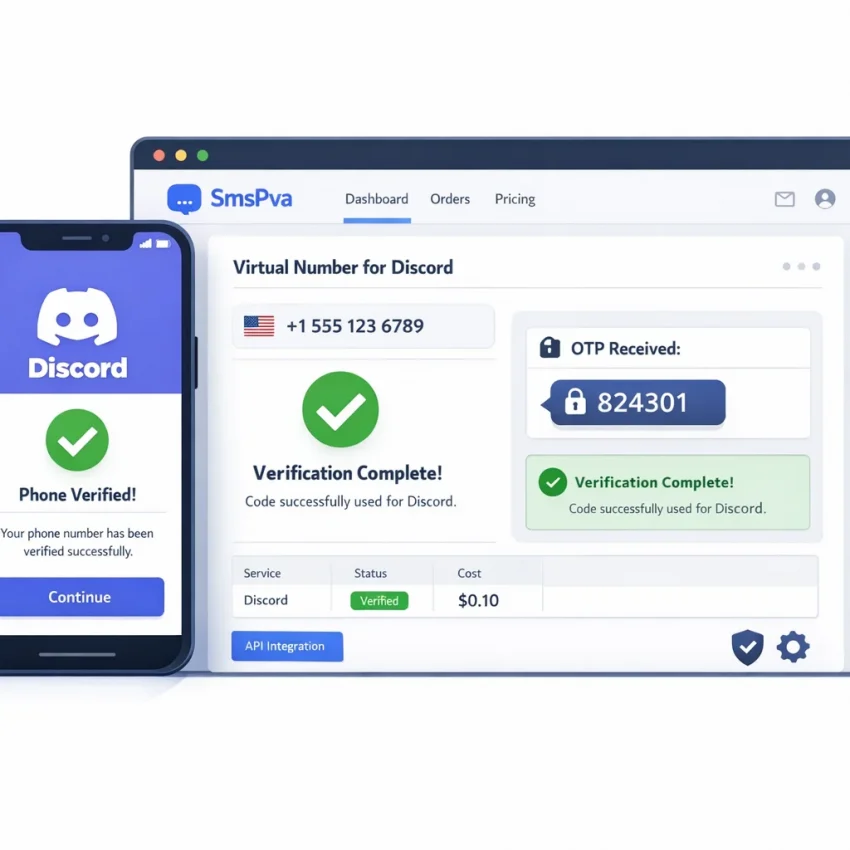
If you need a temp phone number for Discord, the goal is simple: receive a one-time SMS code without using your personal number. For many users, that means better privacy, cleaner account separation, and a faster verification workflow.
SmsPva is built for this use case. Instead of relying on a generic number list, you can use its service-specific Discord flow to request a virtual number, wait for the OTP, and complete verification in one session. Use Receive SMS online with SmsPva when you want a practical path to Discord SMS verification in 2026.
What a temp phone number for Discord is and when it makes sense to use one
A temp phone number for Discord is a virtual number used to receive an SMS verification code during signup, login recovery, or account security checks. Instead of entering your personal mobile number, you use a verification-focused number to receive the OTP online.
That is why users search for terms like discord temp number, virtual number for Discord, or temporary phone number for Discord. The main reasons are privacy, testing, one-time verification, and account separation.
Why people use a virtual number for Discord
Privacy is the most common reason. Many users do not want their personal number attached to every app or community account. A temporary number helps reduce unnecessary exposure of your main line.
Account separation is another strong use case. Marketers, testers, community managers, and developers often want different Discord accounts for different workflows. A dedicated verification route is cleaner than reusing a personal SIM.
Testing also fits well. If you need to validate signup behavior, moderation setup, or account flows, a one-time SMS number is often more efficient than using a physical device.
When this workflow makes the most sense
This method works best when you need to receive a Discord verification code online for a specific action. It is a verification tool first, not a long-term communication line. If your goal is to pass Discord’s SMS step while keeping your personal number private, SmsPva offers a focused workflow for that exact task.
How Discord SMS verification works in 2026 before you start
Discord does not always request a phone number at the same point. In 2026, the prompt may appear during signup, after trust checks, or when certain actions trigger extra verification.
At a basic level, the flow is simple. You enter a number, Discord sends a one-time code, and you enter that code back into the app or browser. If you are using SmsPva, the number must be selected for the correct service and still be active when Discord sends the message.
Timing matters. Once you request the code, stay in the same session if possible. Avoid refreshing, switching devices, or restarting too quickly. Repeated attempts can create extra friction.
When the OTP step succeeds or fails
A clean flow usually looks like this: open Discord, reach the phone verification prompt, enter the number carefully, request the code once, then monitor your SmsPva order page until the SMS arrives. Copy the OTP exactly and submit it before it expires.
Common failures come from small mistakes. Users may choose the wrong service, mistype the number, switch countries without restarting the session, or request several codes too quickly. Sometimes a number is valid but Discord does not accept it at that moment. That is why each attempt should be treated as a live session, not a guaranteed instant result.
What to prepare before you request a code
Have your Discord verification screen ready before you get the number. Keep your browser stable and your SmsPva order tab open. Do not request the SMS until you are ready to receive it. This simple prep reduces wasted attempts and helps the workflow stay clean.
Step-by-step: how to use SmsPva for Discord verification
If you want the simplest workflow, use the service-specific Discord SMS verification page on SmsPva instead of browsing generic listings. That keeps the process focused on the exact OTP task you need to complete.
1) Get to the Discord phone verification step first
Open Discord in a fresh session and move to the phone verification screen before you buy a number. Do not purchase a number first and then spend several minutes logging in or navigating settings. SMS activations are time-sensitive.
2) Choose an available Discord number in SmsPva
On the Discord page, review the available countries and current listings. Choose a live option that fits your workflow. If you only need a one-time verification number, current stock often matters more than overthinking the region.
3) Copy the number and enter it into Discord
Copy the number exactly as shown in SmsPva. Then paste or type it into Discord. Double-check the country selector in Discord before submitting. A mismatch between the number and the selected country is one of the fastest ways to trigger an error.
4) Request the code once and wait for the OTP
Request the SMS code in Discord, then return to your SmsPva order panel. Avoid multiple rapid retries. One clean request is usually better than several rushed submissions.
When the code appears, copy it carefully and enter it back into Discord. This is the core answer to how to verify Discord with virtual number: prepare the session first, use the Discord-specific flow in SmsPva, request the code once, then submit the OTP without restarting the process unless needed.
5) Finish verification without changing sessions
Enter the code promptly. Avoid switching browsers, devices, or app sessions during the final step. Stable sessions reduce the chance of extra checks after you already managed to receive the Discord verification code online.
Choosing the right country and understanding price snapshots for Discord numbers
Country choice affects both availability and the smoothness of the verification attempt. The best option is not always the cheapest one. A good virtual number for Discord should be available now, fit your current session, and come from the Discord-specific flow.
If you want a United Kingdom option, review Discord verification in Unt. Kingdom. At the time of writing, the API snapshot listed Discord United Kingdom numbers from $0.10 for UK_V and $0.17 for UK single SMS. Treat these as current snapshots, not fixed rates.
How to compare countries
If you are flexible, compare by current availability first. A slightly higher listed price can still save time if that route is active now. For a one-time Discord OTP, a smoother workflow often matters more than chasing the lowest price.
If you are not flexible, choose the country that best matches your setup and proceed only if it is live on the page. Avoid assuming that one country is always best for Discord verification. Availability and acceptance can change during the day.
Simple selection rules for 2026
Choose the cheapest listed option only if it is available and fits your workflow. Choose a specific country only when you have a reason to prefer it. Otherwise, choose based on current stock and complete the verification while your Discord session is still fresh.
Common problems: code not arriving, invalid number errors, and how to troubleshoot
Discord SMS verification can fail for practical reasons that are easy to miss. Most issues come from timing, a setup mismatch, or a number that Discord does not accept at that moment.
When the code does not arrive
First, confirm that you selected the Discord-specific service in SmsPva. A wrong service selection is one of the most common reasons a code never appears.
Next, check whether your Discord session has gone stale. If the page has been open too long, refresh the flow and submit the number only when you are ready to receive the code.
If no SMS appears, review these likely causes:
- Wrong service chosen: the number was activated for another platform.
- Country mismatch: the selected region does not fit the current Discord flow.
- Session expired: the request came from an old or interrupted page.
- Repeated attempts: too many retries may trigger temporary friction.
- Temporary non-acceptance: a valid virtual number may still fail in that moment.
Usually, a fresh session and a new number work better than forcing repeated resend attempts.
When Discord says the number is invalid
Start by rechecking formatting. Copy the number exactly as provided, including the correct country code. Do not add extra symbols or digits unless Discord requests them.
If formatting is correct, the issue may be the live acceptance state of that number. In that case, restart the process with a fresh number or try a different currently available country if it fits your setup.
If you continue to see errors, use the SmsPva Help page for setup guidance and support-oriented troubleshooting.
Best practices for using a virtual number for Discord safely and efficiently
A smooth Discord verification workflow starts before you request any code. Complete as much of the account setup as possible first, then move to the phone step only when you are ready to submit the number.
Keep your session consistent. Use one browser, one device, and one network during verification if possible. Avoid switching devices or refreshing repeatedly.
Timing also matters. Do not acquire a number too early and let it sit unused. Open the Discord phone verification prompt first, then get the number and submit it promptly.
Use a service-specific workflow
A service-specific path is usually better than a generic number marketplace. SmsPva’s Discord flow helps you match the correct platform, review live options, and avoid simple mistakes like choosing the wrong service.
Protect privacy, but keep expectations realistic
A discord temp number can help separate your personal line from a one-time verification task, but it is still best treated as an OTP tool. Do not assume it works like a permanent recovery method for future account access.
Good browser hygiene helps too. Avoid multiple Discord signup tabs. Clear abandoned sessions if you hit repeated errors. If you manage several accounts, label your attempts so you do not mix one OTP with another session.
Why SmsPva is the product to consider for Discord verification in 2026
If you want a practical temp phone number for Discord workflow, SmsPva is a strong place to start because it is focused on verification tasks. You are not forced to guess through a generic list. Instead, you get a Discord-specific path designed for selecting a number, receiving the OTP, and completing the process with fewer wrong turns.
That matters for users who want privacy, cleaner account separation, or a faster setup flow. In 2026, live stock and platform behavior can change quickly, so a service-specific workflow is more useful than outdated general advice.
Put simply, SmsPva combines the pieces that matter: targeted Discord flow, current country selection, pricing snapshots where available, and a straightforward path to receive SMS verification codes with virtual phone numbers. If you are ready to verify Discord with a virtual number, start with the live Discord page on SmsPva and choose from the options available at that moment.
FAQ
Can I use a temp phone number for Discord verification in 2026?
Yes, many users use a temp phone number for Discord to complete one-time SMS verification without using a personal line. The cleanest route is a service-specific workflow like SmsPva.
How do I receive a Discord verification code online with SmsPva?
Open Discord to the phone verification step, choose a Discord number in SmsPva, enter it into Discord, request the code once, then retrieve the OTP from your SmsPva order panel and submit it.
Why is Discord not accepting my virtual number?
Common reasons include wrong number formatting, a country mismatch, stale session state, repeated retries, or temporary non-acceptance of that number at that moment.
What should I do if the Discord SMS code does not arrive?
Wait briefly, then confirm you selected the Discord service, used the number correctly, and requested the code from a fresh Discord session. If needed, restart with a new number instead of repeating the same failed attempt.
Is there a Discord-specific page on SmsPva for this workflow?
Yes. SmsPva has a dedicated Discord service page that is the best starting point for this verification flow.
Which country should I choose for a Discord verification number?
Choose based on live availability and your workflow. If you are flexible, current stock is often the best guide. If you need a specific region, use the relevant live country page.
How much does a Discord number cost on SmsPva?
At the time of writing, the API snapshot for Discord United Kingdom listed options from $0.10 for UK_V and $0.17 for UK single SMS. These are snapshots, not guaranteed rates.
Is a temporary number better than using my personal phone for Discord?
It can be better if your priority is privacy, testing, or account separation. If you want to avoid attaching your main number to a one-time verification step, a temporary number is often the more practical choice.