

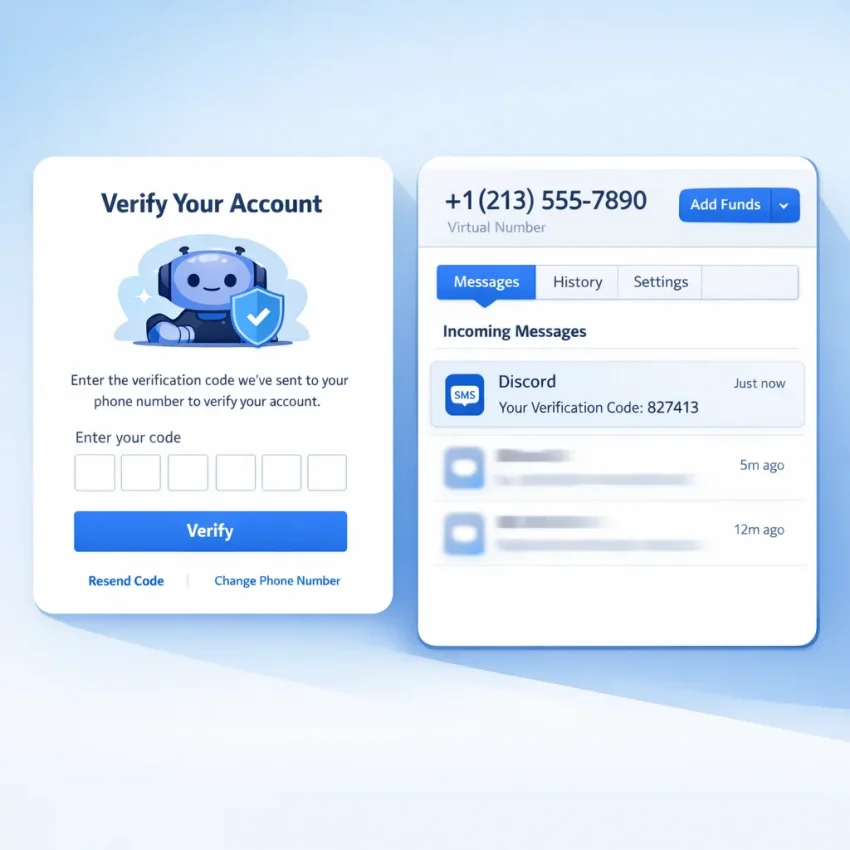
What People Mean by “Phone Number Generator for Discord” in 2026
When people search for phone number generator for discord, they usually do not want random digits. They want a number they can enter into Discord and use for Discord SMS verification. The real goal is simple: get a usable number, receive the one-time code, and complete verification without using a personal line.
That is why the better framing in 2026 is virtual number for Discord. A random number list does not help if it cannot receive an OTP. What users actually need is a verification workflow built around SMS receipt. That is where Receive SMS online with SmsPva fits the search intent.
This need usually comes from a few real scenarios. You may be creating a new account, handling a login check, recovering access, or trying to keep a privacy-focused workflow separate from your main phone number. In all cases, the task is the same: enter a valid number, request the code, receive the SMS, and submit the OTP before the session expires.
Why “generator” is the wrong word for the real job
The word “generator” stays popular because it is short and familiar. But Discord verification depends on receiving a real SMS message. So the useful product is not a fake number tool. It is a temporary or virtual verification number tied to an SMS inbox flow.
That is also why searches like discord phone number generator, discord verification code online, and discord verification number online often point to the same need. Users want a practical verification path, not theory. SmsPva is built around that use case.
How Discord Phone Verification Works and When You May Need It
Discord phone verification is usually a straightforward flow. You enter a phone number, Discord sends a one-time password, and you type that code back into the app or site to confirm control of the number. That is why a valid SMS-capable number matters. A made-up number cannot complete the process.
You may see this prompt during signup, after a login from a new device, during account recovery, or after a security-related interruption. Some users describe the task as needing a discord otp number or trying to receive sms for discord. The underlying need is still standard SMS verification.
What the flow actually requires
At a high level, the process has three parts. First, choose a number meant for Discord SMS verification. Second, enter that number carefully in Discord with the correct country format. Third, wait for the OTP and submit it before the code or session expires.
This explains why users search for a phone number generator for Discord so often. They are not really looking for random output. They want a working virtual number for discord inside a clear verification workflow. That is why using the service-specific SmsPva flow makes more sense than trying generic tools.
Step-by-Step: How to Use SmsPva for Discord Verification
If you need a working Discord verification workflow, start from the dedicated Discord SMS verification page on SmsPva. Using the service page keeps the process aligned with the exact platform you want to verify.
Before you request a number, open Discord and stay on the verification screen. This saves time and reduces mistakes. Do not get a number too early and then leave it idle while you look for settings.
1) Choose Discord and review live country options
On SmsPva, select Discord as the target service. Then review the country or number-type options shown on the live page. Only choose from what is currently visible. Availability can change, so rely on the live interface rather than old screenshots or forum advice.
If you want a concrete example, the Discord verification in Unt. Kingdom page showed Discord numbers listed from $0.10 for UK_V and $0.17 for UK at the time of writing. These are API price snapshots, not fixed prices or guarantees.
Once you choose an option, obtain the number and copy it exactly as shown. Include the correct country code if Discord expects the full international format. Missing digits, extra spaces, or the wrong country selection cause many failed attempts.
2) Enter the number in Discord and request the OTP
Go back to Discord and paste the number into the phone field. Double-check the selected country in Discord before you submit. The country in Discord should match the number you got from SmsPva.
After you confirm the number, ask Discord to send the code. Then return to your SmsPva order view and wait for the inbound SMS. This is the step users mean when they search receive sms for discord or discord verification code online.
When the code appears, copy it carefully and enter it into Discord right away. OTP windows can be short. Keeping both tabs open side by side helps you move quickly.
3) Keep the process clean
Run one verification attempt at a time. Do not open multiple Discord verification sessions and mix numbers between them. Avoid hitting the resend button too quickly. Instead, check the number format, confirm the country, and give the first request time before retrying.
If your goal is how to verify discord with virtual number cleanly, think in this order: service first, country second, format third, timing fourth. That sequence solves most user errors.
Choosing the Right Country and Number Type for Discord
The best country for Discord verification is the one currently available on SmsPva and fits your workflow. Start with live availability, not assumptions. A temporary number for Discord only helps if it is shown as available for Discord when you need it.
In practice, look at three things: whether the Discord option is live, whether the region fits your setup, and whether the current listed price snapshot makes sense for the attempt.
How to evaluate country options
Start with the Discord-specific listings on SmsPva and compare the visible country entries. If you already want a UK-based option, the United Kingdom page is the most relevant reference. Use it as a live checkpoint, not a guarantee of stock.
Number type matters too. You may see more than one listing for the same country, such as UK and UK_V. Treat them as separate live options. The best choice is the one visible for Discord at the time you verify.
Using price snapshots the right way
Price can help you compare options, but it should come after live availability. At the time of writing, Discord numbers for the United Kingdom were listed from $0.10 for UK_V and $0.17 for UK. These are current snapshots from the API, not permanent rates.
A simple workflow works best: open the Discord options on SmsPva, compare live country entries, check the current listed price if relevant, then pick one option and complete the verification without unnecessary retries.
Common Problems: No Code, Invalid Number, Rejected Verification, or Expired Session
If your Discord verification is not working, troubleshoot one step at a time. Do not change several variables at once. The most common issues are simple: no SMS arrives, Discord marks the number invalid, the code expires, or repeated retries create a messy session.
No code received
First, confirm that you selected the correct service in SmsPva for Discord. Service mismatch is an easy way to break the process. Next, verify that you copied the number exactly into Discord. A wrong digit, country code mistake, or extra space can stop delivery.
Also check whether Discord is still waiting on the same attempt. If you click resend too fast, you may create overlapping requests. Wait a reasonable moment, watch the order status, and only then decide whether to retry.
If nothing appears, start fresh with a new number instead of forcing the same broken session. A clean restart is usually better than stacking requests on top of each other.
Invalid number or rejected code
If Discord says the number is invalid, check the format first. Make sure you used the correct international format and matched the number to the selected country in Discord. Formatting issues are common.
If the code arrives but Discord rejects it, use the newest code only. Older messages may no longer apply if you requested more than one. Expired sessions also cause valid codes to fail. If the screen has timed out, begin a fresh verification attempt before using a newly received OTP.
If you still run into problems, use the SmsPva Help page for setup and troubleshooting guidance.
Best Practices for Clean Discord Verification Workflows in 2026
The best results come from a clean workflow, not from rushing. Start by choosing the exact Discord service on SmsPva instead of picking a random number first. Then enter the number carefully, confirm the country code, and stay on one active verification session at a time.
Use a precise input and timing routine
Check the phone number before you submit it. Small input errors cause many failed attempts. Once you request the code, avoid asking for multiple OTPs too quickly. Request one code, wait reasonably, and use the latest message only.
If the code arrives, enter it immediately. OTPs are time-sensitive. Keep SmsPva open in one tab and Discord in another so you can move quickly.
Keep the workflow isolated
A clean process also means reducing variables. Use one browser profile, one Discord session, and one active attempt at a time. If you manage separate accounts or privacy-focused setups, keep those workflows isolated instead of mixing tabs, logins, and retries.
Finally, always base your decisions on live SmsPva pages. Availability can change, so work from what is visible at that moment rather than from outdated assumptions.
Why Use SmsPva Instead of a Random “Number Generator” Tool
A random number generator does not solve Discord verification. Discord needs a valid SMS-capable number that can receive the OTP when you request it. That is the difference between a vague idea and a practical workflow.
SmsPva is built for the real task: choose the Discord service, get a virtual number, receive the code, and complete the verification step. You also get service-specific pages, live country visibility, and support resources that are useful when something goes wrong.
If your goal is to complete Discord verification in 2026, use a verification-focused platform instead of chasing random number tools. SmsPva gives you the practical path users are actually looking for when they search for a phone number generator for Discord.
FAQ
What does “phone number generator for Discord” actually mean?
In most cases, it means a user wants a real number that can receive a Discord verification SMS. It usually does not mean a random-number tool.
Can I use a virtual phone number for Discord verification?
Yes, if the number is offered for Discord SMS verification and you can receive the OTP through the service workflow. That is the purpose of SmsPva.
How do I receive a Discord verification code with SmsPva?
Open the Discord service page on SmsPva, choose a live country option, get a number, enter it into Discord, request the code, then wait for the SMS in your order view.
Which country should I choose for Discord verification on SmsPva?
Choose from the live options currently shown for Discord on SmsPva. Match the country and number format correctly inside Discord.
How much does a Discord number cost on SmsPva?
Prices change. At the time of writing, the United Kingdom Discord listings were shown from $0.10 for UK_V and $0.17 for UK. Treat these as snapshots, not guarantees.
Why is Discord not sending me the SMS code?
Common reasons include service mismatch, wrong number format, country mismatch, overlapping resend attempts, or an expired verification session.
What should I do if the Discord verification code expires?
Start a fresh Discord verification attempt, request a new code, and use the latest SMS only. Expired sessions often reject even a valid code.
Can I use SmsPva for account recovery or only for signup verification?
Users may need Discord phone verification for signup, login checks, or recovery-related flows. The exact prompt depends on the account situation, but the SMS workflow is similar.