

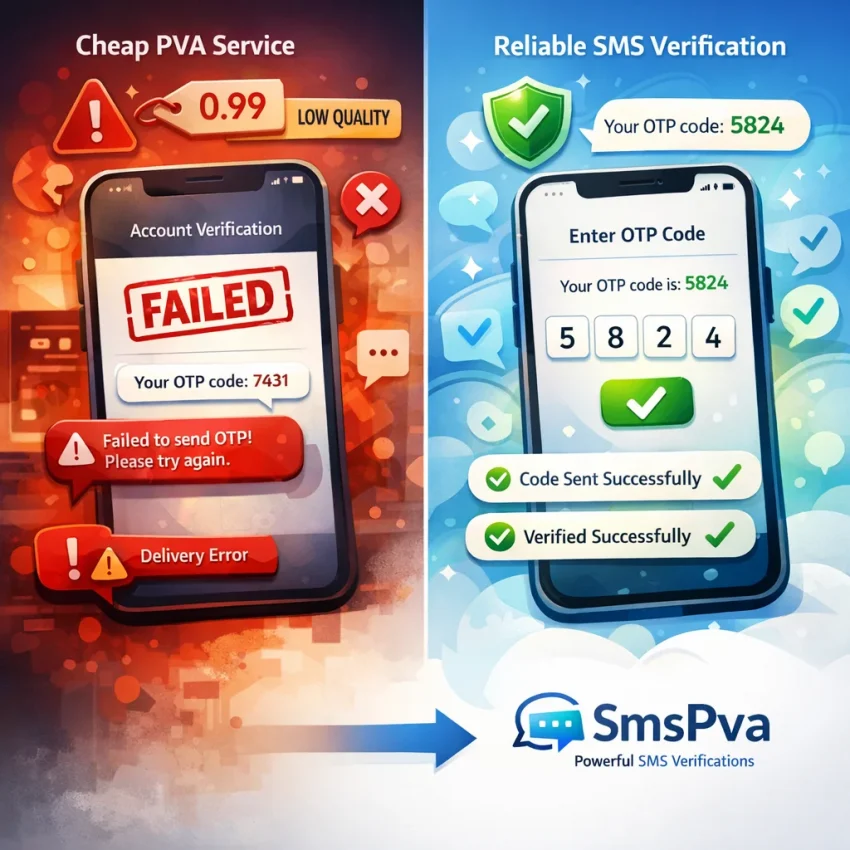
What People Really Mean by “PVA Deals” — and Why Cheap Isn’t Always Usable
When people search for pva deals, they usually do not want the absolute cheapest number. They want a number that works for account signup, OTP receipt, and activation. In practice, that means a virtual number for SMS verification that fits the target service, matches the right country, and receives codes without unnecessary delays.
That gap matters. A low-cost offer can still be a bad deal if the number is recycled, blocked by the platform, or routed poorly. Many users only realize this after they pay, request a code, and get nothing useful back. The real question is not “How cheap is this PVA?” It is “How likely is this number to complete my verification workflow?”
That is why SmsPva is worth considering early. Instead of acting like a generic number list, it is built around SMS verification workflows. If your goal is to Receive SMS online for OTPs and activations, that workflow-first structure is far more practical than bargain listings that leave you guessing.
Why cheap PVA offers often fail in real use
The most common problem is mismatch. A number may exist, but it may not suit the service you need. Some platforms treat numbers differently by country, carrier pattern, or prior usage. If you buy pva numbers without checking that match, failed verification becomes much more likely.
Recycled numbers are another issue. If a number was heavily used before, the target app may flag it as suspicious or already linked. Even when an OTP arrives, the service may still reject the signup. Price alone tells you very little about real usability.
Weak routing also causes trouble. Some offers look attractive because they are cheap, but message delivery can be inconsistent. You may see delayed OTPs, expired codes, or no SMS at all. For time-sensitive verification, a slow route can be as bad as a dead number.
Country selection is another quiet source of failure. Users often choose the cheapest region, then wonder why the platform rejects the number or changes the verification path. Some services expect consistency between country code, account behavior, and signup context. A random country choice can lower success rates fast.
Then there is support. Many budget marketplaces end the experience at checkout. If the code does not arrive, you are left guessing whether the problem was the number, the service, your IP, or your session. That is not a real online sms verification solution. It is just a listing.
A better way to judge a PVA deal
A usable PVA deal should help you complete one clear task: verify an account with less friction. That means checking service compatibility first, choosing the correct country, and using a provider designed for OTP workflows instead of one that treats every number the same.
A cheap number that fails twice is more expensive than a slightly better-matched number that works on the first try. Good verification flow reduces retries, wasted spend, and account risk. It also gives you a clearer path when something goes wrong.
That is why SmsPva stands out for users comparing pva deals. The best deal is the one that gets the code, fits the platform, and gives you a cleaner path to completion.
The 7 Most Common Problems Users Hit After Choosing a PVA Deal
Most pva deals problems are not random. They usually come from a mismatch between the number, the target service, and the way the account is being created. A very cheap offer can look fine at checkout, then fail at the exact moment you need the OTP.
1. No code arrives at all
You enter the number, request the code, and nothing appears. When people search otp not received virtual number, this is usually what they mean.
The cause may be weak SMS routing, a service that no longer accepts that number type, or a bad match between the chosen number and the target platform. Sometimes the service sends nothing because it flagged the registration attempt before the OTP step fully started.
2. The OTP arrives too late to use
Delayed messages create a different kind of failure. The code does arrive, but only after the service timeout expires. That still counts as sms verification failed, even though the number technically received a message.
This often happens when users retry too fast, switch numbers mid-flow, or choose deals with weaker delivery quality. Some platforms also slow down repeated OTP requests when they detect unusual behavior.
3. The number was already used before
Another common issue is seeing messages like “number already in use,” “too many accounts,” or “this phone number cannot be used.” That usually means the number has prior history with the service.
Cheap PVA marketplaces often attract users who compare only price. Recycled numbers can carry reputation baggage. A platform may have seen that number in previous signups, abuse reports, or spam checks.
4. The service rejects the number type or matching
Some failures happen before any message is sent. The target platform may block the number based on country, carrier pattern, virtual-number detection, or service mismatch. Users often describe this as “the site won’t take the number.”
This is why generic offers are risky. A number that works for one platform may fail on another. Good verification workflows are service-specific, not just number-specific.
5. The wrong country was selected
Country choice affects more than price. Many services expect regional consistency between the number, signup language, IP pattern, and account behavior. If those signals do not line up, the service may challenge the signup, delay the OTP, or block the number entirely.
In many pva deals problems, the number itself is not broken. The selected country simply does not fit the verification context.
6. Your session, IP, or device setup triggers risk checks
Sometimes users blame the number when the real problem is the environment. If the browser fingerprint changes, the IP looks unstable, cookies reset, or the app session restarts, the service may invalidate the OTP request.
Typical signs include repeated code requests with no delivery, “try again later” warnings, or codes that arrive but never verify successfully. The number may be fine, but the verification context is not.
7. There is no useful troubleshooting path after payment
The last problem is often what pushes users away from generic PVA deals. When something goes wrong, there is no clear path to diagnose it. You may not know whether the service is unsupported, the country was a poor fit, the session was flagged, or the OTP is still within a normal wait window.
That is where provider structure matters. If you need setup guidance or clarification when a code does not arrive, SmsPva provides a public Help resource instead of leaving you stuck after checkout.
How to Diagnose the Real Cause Before You Blame the Number
When sms verification failed, many users assume the number was bad. Sometimes that is true. Often, it is not the first cause to check. A cheap offer can fail because the wrong service was selected, the country was a poor fit, or the account session triggered risk controls before the OTP was ever sent.
The fastest way to solve sms pva troubleshooting is to diagnose in order. Start with matching, then timing, then account context. Only after that should you treat the number itself as the main suspect.
Step 1: Confirm the exact service and country match
First, verify that the number was obtained for the same platform you are trying to activate. “Social,” “messenger,” or “other” categories are often too broad. Many failures happen because a user buys from a generic bucket, then tries to use it on a platform with stricter filtering.
Next, check the country choice. A number may be technically valid but still perform poorly if the region does not align with the account you are creating or recovering. Country can affect routing, acceptance rules, and fraud screening.
This is where a service-specific flow helps. If you are verifying Signal, starting with Signal SMS verification reduces guesswork. If your workflow also depends on location, a page like Signal verification in Unt. Kingdom shows how service and country matching can work together.
Step 2: Check whether the platform still accepts virtual numbers
Not every platform treats every virtual number the same way at all times. Some services tighten filters during spam spikes, abuse waves, or regional reviews. That means a valid number can still be refused or silently ignored by the target platform.
Look at the exact symptom. If the site says the number is invalid or unsupported, the OTP pipeline may never start. If the site accepts the number and shows “code sent,” then you are dealing with delivery timing, routing, or risk checks instead.
Also review your recent behavior. Did you retry several times in a few minutes? Did you switch devices or networks mid-flow? Those actions can trigger additional checks. In that case, buying another number may repeat the same result because the platform distrusts the session, not the number.
Step 3: Separate delivery delay from account-risk issues
Many users quit too early. OTP delivery is not always instant. Wait through the platform’s normal sending window before retrying. Repeated rapid clicks can stack requests, expire older codes, or trigger anti-abuse controls.
Then assess the account environment. A number can be usable while the session looks suspicious. Common triggers include fresh browser fingerprints, unstable IPs, heavy automation signals, or switching from mobile to desktop during signup.
A simple test helps: keep the same browser, same device, same connection, and same account details for the next attempt. Do not rotate everything at once. If the next request succeeds under a stable setup, the earlier issue was probably session-related rather than number quality.
When the symptom is unclear, use support before spending again. That approach is smarter than blindly buying more pva deals and hoping one works.
How SmsPva Helps Solve Common PVA Deal Issues
The biggest weakness in many pva deals is not the number itself. It is the workflow around it. Generic listings often force you to guess which number will fit a platform, which country makes sense, and what to do when an OTP never arrives. SmsPva is more useful because it is built around SMS verification tasks rather than a bare catalog of numbers.
Instead of treating every activation the same, SmsPva helps users start from the actual service they need to verify. That lowers simple but costly errors. Many failed activations happen because users buy a number first and only later discover that the target platform applies different filters, country preferences, or timing rules.
This matters most when you are comparing low-cost pva deals that look similar on the surface. Two offers may both promise SMS receipt, yet one leaves you with no context if verification fails. SmsPva gives users a more structured workflow, which makes troubleshooting faster.
Use the homepage for general OTP workflows, and service pages for better matching
If you are early in the process, start with the homepage. It is built around receiving SMS online for account verification and OTP receipt. That makes it useful when you are still deciding between platforms or checking whether a virtual number workflow fits your use case.
Once you know the target platform, service-specific pages become more important. They help you align the number request with the platform you are actually trying to verify. That may sound basic, but it solves a common cause of failed verification: choosing a flow that does not match the service.
Service pages also help users think more clearly about country fit. A cheap number in the wrong region can create avoidable friction even before the OTP step. If both the platform and country matter to your workflow, SmsPva’s structure is more practical than a generic PVA deal because it helps you narrow the setup before you spend.
Help resources make troubleshooting faster
Support is where many cheap pva deals fall apart. You pay, the OTP does not show up, and there is no clear next step. SmsPva stands out by giving users a public Help area for troubleshooting. That matters because failed verification is often a process issue, not just a supply issue.
A good troubleshooting path saves money by preventing bad habits. Rapid retries can trigger more platform friction. Switching countries too fast can create inconsistency. Starting a fresh attempt without checking the exact service flow can waste another activation.
In practical terms, SmsPva is the better option when you are tired of buying pva deals that offer no guidance after payment. Use the homepage for broad receive-SMS needs, move to the right service page once your target platform is clear, and use Help when an OTP is delayed or the setup needs review.
Best Practices to Improve Verification Success Rates with PVA Numbers
If you buy pva numbers based on price alone, you often create your own pva verification issues. The fix is simple: treat each verification as a workflow, not a random number purchase. A temporary number for OTP works best when service, country, session, and timing all line up.
Match the service and country first
Start with the exact platform you want to verify. Many failures happen because users pick a generic option or the wrong service category. That raises rejection risk before the code is even sent.
Next, choose the country based on the platform’s expected behavior, not habit. Some users always pick the cheapest region, then wonder why signup friction increases. If the account, language, or prior activity points to one geography, stay consistent.
Keep the verification environment stable
A virtual number is only one part of the check. The platform also looks at browser state, cookies, device signals, and IP behavior. If you request a code in one browser, switch devices, clear cookies, and retry from another network, the service may treat the session as suspicious.
Use one device, one browser, and one active tab for the full flow. Do not bounce between mobile data and Wi-Fi mid-verification. Avoid opening multiple signup attempts for the same service at once.
If a code does not arrive immediately, do not spam the resend button. Rapid retries can invalidate the first request, trigger rate limits, or create a session mismatch that looks like an sms verification failed event.
Use cleaner setup habits before adding more tools
Users often jump straight to proxies or advanced isolation tools when basic hygiene would solve the issue. First, confirm the exact service selection, country fit, and stable session. Then check whether the platform is currently accepting virtual numbers for that workflow.
Proxy tooling can help in account isolation workflows, but it is not required for every verification task. If your normal connection is stable and your account behavior is clean, unnecessary network changes may create more friction, not less.
Finally, know when to stop guessing. If repeated attempts fail, use SmsPva’s help resources to review the intended flow before spending more on another random number. That is the practical difference between chasing problems and using a workflow designed for verification success.
When to Switch from a Generic PVA Deal to SmsPva
Many users start with generic pva deals because the offer looks cheap and fast. That approach only works when the number, target service, country, and session setup all happen to line up. Once they do not, the lower upfront cost stops mattering.
A practical switch point is repetition. If you have already seen several no-code events, service rejections, or numbers that feel poorly matched to the platform you want, the issue is no longer bad luck. It is a workflow problem.
Clear signs the generic deal is costing more than it saves
Switch if the offer gives you a number but no usable process. That includes poor instructions, unclear service labels, vague next steps, or no obvious path when an OTP does not arrive. Cheap access is not helpful if troubleshooting starts and ends with “try another number.”
You should also switch when your verification attempts depend on precise service matching. A generic number pool can create friction when a platform handles specific routes or countries more strictly. That is where a service-led setup makes more sense.
Move from lowest price to best verification fit
The best time to switch is before one more failed attempt turns into a pattern. If your current provider keeps producing delayed OTPs, already-used numbers, unsupported routes, or no practical support path, the problem is not just pricing. It is reliability and fit.
Think of the decision this way: generic deals optimize for access to numbers, while SmsPva is a more focused verification workflow. That difference matters when you need smoother activation, clearer troubleshooting, and fewer wasted attempts.
In short, switch when bargain hunting starts creating repeated friction. If your current source makes you guess, retry, and absorb every failure yourself, SmsPva is the more practical next step.
Frequently Asked Questions
What does “PVA deals” mean in SMS verification?
In this context, PVA deals usually means offers for phone-verified account numbers or virtual numbers used for SMS verification, OTP receipt, and account activation. Most users are not really looking for the cheapest number. They want the best chance of a smooth verification.
Why am I not receiving an OTP after buying a PVA number?
The most common reasons are poor routing, unsupported service matching, country mismatch, or a flagged signup session. The problem is not always the number itself. Check the service, country, wait window, and session stability before trying again.
Can a virtual number be rejected even if the SMS arrives?
Yes. A platform can still reject the verification if the number was used before, the service dislikes that number type, or the session triggered risk controls. Receiving a code does not always mean the number will be accepted for account completion.
How do I know whether the problem is the number, the service, or my session setup?
Start with the order that causes the fewest false assumptions: confirm the correct service, confirm country fit, check whether the platform still accepts virtual numbers, wait through the normal OTP window, then review session behavior such as IP changes, browser resets, or repeated retries.
When should I switch from a cheap PVA deal to SmsPva?
Switch when failures become repetitive rather than random. If you keep seeing no-code events, delayed OTPs, service rejections, unclear workflows, or no troubleshooting support, a service-led workflow like SmsPva is the better choice.
Does SmsPva offer service-specific verification pages?
Yes. SmsPva uses service-specific flows, which makes it easier to match your verification request to the platform you actually want to activate. That reduces guesswork compared with broad number listings.
Where can I find SmsPva troubleshooting help if a code does not arrive?
You can use the public Help page on SmsPva for troubleshooting guidance and setup clarification when an OTP is delayed or a verification attempt fails.
Do I need a proxy for every SMS verification workflow?
No. Many workflows do not need a proxy at all. Start with correct service selection, country fit, stable browser state, and careful retry timing. Use extra isolation tools only when your workflow truly requires them.