

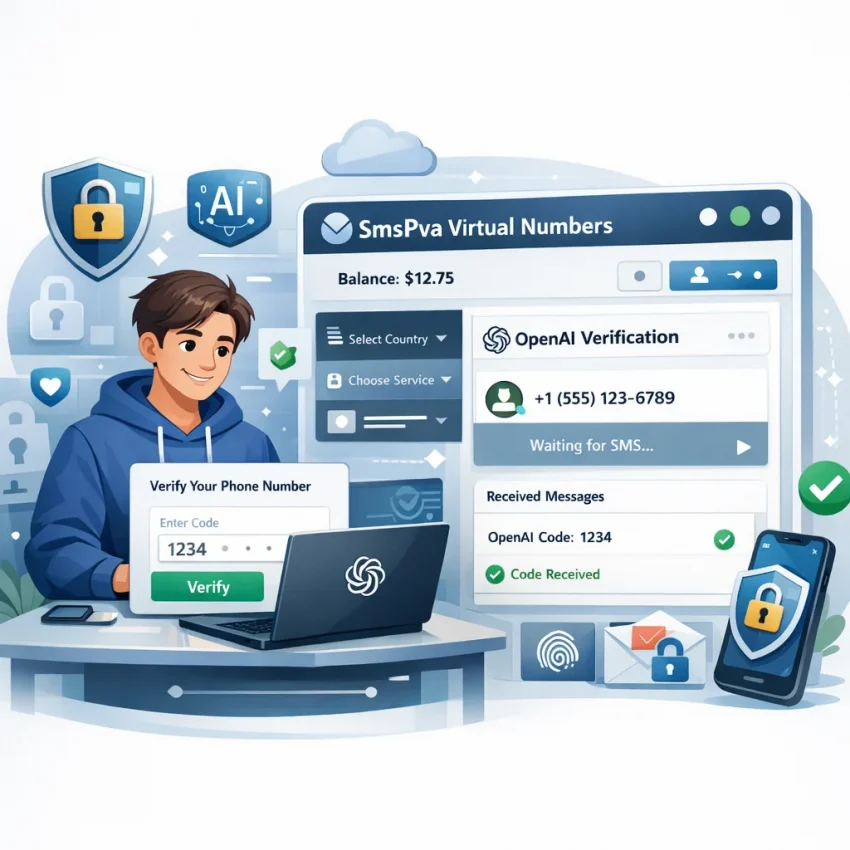
OpenAI Phone Verification in 2026: What Works, What Fails, and How to Troubleshoot SMS Delivery
Getting an OpenAI verification SMS should be quick, but in practice many users run into delays, rejected numbers, expired sessions, or codes that never appear. In 2026, the problem is rarely just ‘wait a little longer.’ Verification systems now evaluate more signals than before, including number format, country alignment, timing, browser state, and whether the request flow looks consistent from start to finish.
This article explains how OpenAI phone verification typically works, why SMS delivery can fail, and what you can do to improve the process without creating more errors. It is written for users who want a cleaner, lower-friction verification attempt and for teams documenting reliable onboarding steps.
We also reference tools and resources from SmsPva, including its Help section, OpenAI page, and optional HQ Proxy tooling, but this guide is focused on troubleshooting and verification hygiene rather than on bypassing platform rules. Always use methods that are allowed for your region, account type, and the platform’s current policies.
Why OpenAI phone verification fails more often than users expect
Most users assume the verification step is just a simple send-and-receive exchange. In reality, there are several points where the process can break:
- Number validation: the phone number may be rejected before any code is sent.
- Country mismatch: the selected region on the form may not match the number or session context.
- Carrier or routing delays: the code may be sent but arrive too late to use.
- Session problems: multiple tabs, refreshed pages, or switching devices can invalidate the flow.
- Retry overload: too many rapid requests can create a temporary lockout or expired state.
These failure points matter because they require different fixes. If the number is declined instantly, waiting will not help. If the SMS arrives late, the problem may be timing rather than acceptance. If the page itself expires, the code can be valid but still unusable.
How the verification workflow usually works
Although interfaces change, the basic flow is usually similar:
- You enter a phone number on the verification screen.
- The platform validates the number format and basic eligibility.
- An SMS code is requested.
- The code is delivered to the number.
- You enter the OTP before it expires.
- The account proceeds to the next step if the session is still valid.
Problems happen when users treat each step as isolated. A phone verification attempt is really one connected session. If you switch tabs, refresh repeatedly, request several codes, or restart halfway through, you can create conflicts that look like random delivery failures.
What matters most for a clean verification attempt
If you want the best chance of receiving and using the code successfully, focus on the entire workflow rather than only the number itself.
1. Use one clean browser session
Avoid running the same verification flow in multiple tabs. Do not switch between mobile and desktop mid-attempt. Keep one active page open until the process finishes or clearly fails.
2. Match the country correctly
If the form includes a country selector, make sure it matches the number exactly. Country mismatches are one of the most common avoidable errors.
3. Avoid rapid retries
If the first request does not work, do not immediately trigger several more. This can create confusion around which code is current and may also cause the session to expire.
4. Enter the code promptly
Verification codes are often time-sensitive. Even if delivery succeeds, waiting too long can make the code useless.
5. Restart cleanly when needed
If the page is obviously broken, expired, or stuck, start over from the beginning rather than forcing the same session to continue.
Common OpenAI SMS verification problems and how to respond
The number is rejected immediately
If the form declines the phone number before sending a code, review the basics first: formatting, country code, and whether the number matches the selected region. If everything looks correct and the number is still rejected, repeated retries with the same setup are unlikely to help.
The code is supposedly sent, but nothing arrives
This usually points to a delivery delay, a request that did not fully complete, or a session issue. Wait briefly, confirm you are still on the original verification page, and avoid stacking multiple resend attempts.
The code arrives too late
Late delivery is different from non-delivery. If the SMS appears after the page has timed out, the fix is usually to restart the attempt cleanly and request a fresh code instead of reusing the expired one.
The page refreshes or resets
If the verification form resets, loads a new session, or stops accepting the code after a refresh, the safest response is to begin again from one tab with one uninterrupted flow.
The code is entered correctly but does not work
This can happen if a newer code replaced the older one, the OTP expired, or the underlying session changed. Make sure you are entering the latest code tied to the active verification attempt.
A practical troubleshooting checklist
Before you start another attempt, run through this checklist:
- Confirm the phone number was entered exactly as shown.
- Check that the country selector matches the number.
- Make sure you are using only one verification tab.
- Confirm the page has not expired or refreshed into a new session.
- Wait briefly before assuming the route failed.
- Do not request multiple codes in quick succession.
- If the session is messy, close it and start over cleanly.
- If you need platform-specific guidance, review the relevant documentation or support resources first.
This checklist is simple, but it solves many avoidable failures.
Why session hygiene matters as much as the phone number
Users often focus entirely on the number and ignore the environment around it. In reality, session hygiene is one of the biggest variables in successful phone verification.
Examples of poor session hygiene include:
- Opening the verification page in several tabs.
- Refreshing while waiting for the SMS.
- Switching devices after requesting the code.
- Changing browser profiles mid-process.
- Combining old pages with newly requested codes.
These actions make it harder to tell whether the issue is delivery, session expiration, or code mismatch. A clean environment makes troubleshooting much easier.
Using support resources and structured workflows
When users need a more organized verification workflow, they often look for tools that provide better visibility into the process. For example, SmsPva Help offers troubleshooting resources, and the OpenAI page provides a service-specific entry point rather than a generic list.
For teams or advanced users working in isolated browser profiles, HQ Proxy may also be relevant where a cleaner environment is needed. That said, most single-account users do not need complex setup. In many cases, better results come from reducing variables, not adding more.
What not to do when verification keeps failing
When users get stuck, they often make the situation worse by reacting too quickly. Avoid these common mistakes:
- Do not spam the resend button.
- Do not keep reusing an expired code.
- Do not mix tabs, browsers, and devices during one attempt.
- Do not assume every failure is a carrier issue.
- Do not continue with a clearly broken page state.
A controlled restart is usually more effective than forcing the same failed session.
Setting realistic expectations
No verification workflow is perfectly predictable. Delivery speed can vary by region, routing conditions, and platform-side checks. A number that works in one context may be declined in another. A valid code can still fail if the session changed before entry.
That is why a realistic approach matters. Good troubleshooting improves your odds, but it does not guarantee approval or delivery in every case. The most useful goal is not to ‘force’ verification. It is to reduce avoidable errors so each attempt is clean, measurable, and easy to diagnose.
FAQ
Can I receive an OpenAI verification SMS in 2026?
Yes, in many cases the process works normally, but success depends on the phone number, region, session state, and platform checks at the time of the attempt.
Why is my OpenAI verification code not arriving?
Common reasons include number rejection, country mismatch, delayed SMS routing, repeated resend attempts, or an expired verification session.
What should I do if the phone number is rejected?
First check formatting and country alignment. If the number is still declined, avoid repeating the exact same setup and review whether the session or number choice is the issue.
How long should I wait for the OTP?
A short delay is normal, but if the waiting period becomes excessive or the page expires, it is usually better to restart cleanly than to keep stacking resend requests.
Can I choose a country during verification workflows?
Some workflows involve country selection, and matching the country correctly is important because it affects both validation and delivery.
When does a proxy make sense?
Usually only in more structured isolation workflows, such as separate browser environments or operational setups. For most users, keeping one clean session is enough.