

Rent SMS: Common Verification Problems and How to Solve Them with SmsPva
When you rent an SMS number, several things need to line up: the service must support the number, the country must fit its requirements, and the number must be available for that flow. Even then, a platform may not send a code or may reject a rented number. Renting a number for SMS verification is an option for receiving an OTP, not a guarantee of delivery or account approval.
SmsPva provides virtual numbers for SMS verification and OTP receipt. Whether you are comparing options or already have an active rental, treat a problem as something to diagnose rather than a reason to request codes repeatedly. First identify what may be failing: the number or listing, your service and country selection, the receiving workflow, or the platform’s own rules.
Before Renting: Match the Number to the Service and Country
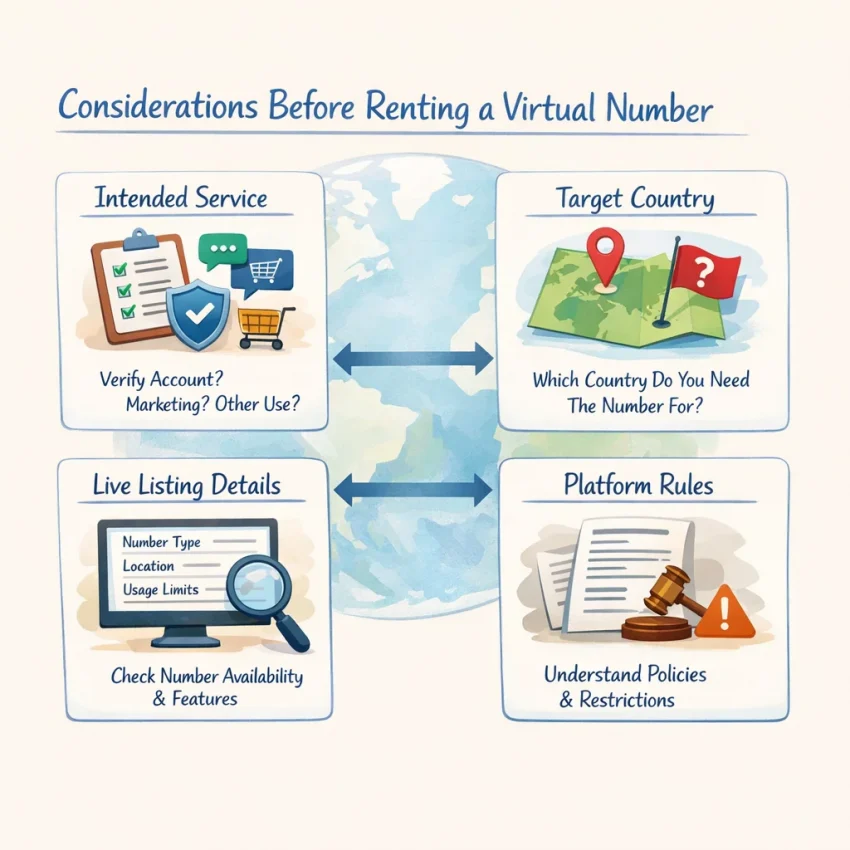
Many rent-SMS problems start before you request a code. A number may be active, but the selected service, country, or number type may not fit your signup. Before renting a number for SMS verification, check the platform’s rules and review the details on the current listing.
Start with the service you intend to use, then choose a country that fits the signup requirements. A service-specific route is a more relevant starting point than choosing only by country or price. For example, if you are considering Signal, review the Signal SMS verification information and confirm that the route suits your task. This does not guarantee that Signal will send a code or accept a rented number.
Review the live listing
Before proceeding, confirm the service and country shown for the option you selected. Read its displayed terms and check how the active number or order will appear in the SmsPva flow. Availability and listing details can change, so use the page as it appears now rather than relying on an old screenshot or remembered details.
If you are considering Signal verification with a United Kingdom number, you can review the current Signal verification route for the United Kingdom. Treat it as a reference for that service-and-country combination, not proof of availability or platform acceptance.
A lower-listed price or familiar country does not necessarily mean the number fits your service. Match the listing to your task first, then compare options that meet those requirements. If the platform says it does not support virtual numbers, do not try to work around that restriction by switching countries or repeatedly selecting numbers.
Problem: The SMS Verification Code Never Arrives
A missing code can have several causes: the number or service selection may not match, the message may still be pending, or the platform may not send a code to that number. Work through these checks before requesting another code. SMS delivery is not guaranteed.
Check the active number and message status
Compare the number shown in your active SmsPva flow with the number entered on the verification form. Check every digit and confirm you selected the service you are signing up for. Then check whether the number flow or order is still active and look for updates in its message view.
Check the platform’s verification screen too. If one screen appears unchanged, refresh or reopen it only if doing so will not reset the active attempt. A stale screen can look like a failed request, while a message that appears in the receiving view may belong to a different attempt.
Wait before retrying
Allow a reasonable interval for the message to arrive, following any instructions shown by the platform. There is no guaranteed delivery time. Avoid rapid, repeated code requests: some services limit attempts, delay new requests, or block further tries.
If the platform permits a resend, use the newest code that arrives. An earlier code may no longer work after a later request. If neither the message view nor the verification screen updates, do not assume another request will fix the problem. Review the current listing and consult SmsPva Help if the order or receiving status is unclear.
If the platform continues to show no code, check its guidance about supported number types and resend limits. The cause may be a service-side restriction, a country or number mismatch, or a message that has not arrived. Receiving an SMS and completing verification are separate outcomes.
Problem: The Service Rejects the Number or Says It Is Invalid
A rejection does not always mean the rented number is faulty. The cause may be a formatting error, a mismatch between the number’s country and your signup region, or a platform rule against virtual numbers. Identify what the error says before trying again.
Check the number format and selection
Compare the number entered in the app or website with the exact number shown in your active SmsPva flow. Watch for a missing or duplicated digit, an extra space, or a country prefix entered twice. Follow the form’s instructions: depending on the form, it may expect a national number or the full international format.
Confirm that the selected service and country match your signup. A correctly entered number can still be refused if it does not fit the platform’s regional requirements. Check the active listing and its displayed terms rather than relying on details from an earlier attempt.
Recognize platform restrictions
If the number is correctly entered but the service says it cannot be used, the platform may not support virtual numbers, may restrict certain number types or regions, or may have applied signup limits. Review the platform’s rules and the explanation in its error message. These checks can change, and a provider cannot override them.
Do not repeatedly submit the same number or try to evade the platform’s checks. If the service clearly says the number type is unsupported, stop and use a verification method it permits. A virtual number can provide a way to receive an SMS, but it cannot ensure a service will accept the number or complete verification.
Problem: The Code Arrives Late, Is Expired, or Does Not Work
A late code does not, by itself, show what caused the delay. The message may still be in transit, the platform may have issued a newer code, or the verification screen may not have refreshed. Receiving an OTP does not guarantee the service will accept it.
Use the code for the current attempt
Check that the number flow is still active and that you are looking at the right message view. Use the newest code for the current verification attempt. If you requested another code, the platform may have invalidated the earlier one. Enter the code exactly as shown and follow the service’s instructions.
If the code arrives after the platform has moved to a different attempt, it may no longer work. Treat an expired or rejected code as expired rather than submitting it repeatedly. Check whether the service permits another request and follow its resend instructions.
Resend carefully
Before requesting another code, read the platform’s resend and expiry guidance. Avoid rapid requests, which can trigger limits or make it harder to tell which code is current. If the service says you have reached an attempt limit, stop and follow its instructions rather than continuing to request codes.
If the order status or message view remains unclear, review SmsPva’s Help guidance before retrying. Keep in mind that a received SMS and successful verification are different outcomes; timing, OTP validity, and account acceptance are not guaranteed by renting a number.
A Reliable SmsPva Troubleshooting Workflow
Work through the selection, submission, and message-checking steps in order. Changing several things at once can make it harder to find the cause of a problem.
Choose and submit carefully
- Identify the service. Start with the app or website where you need verification. Use a service-specific route when available, and confirm that its details fit your intended task.
- Match the country. Choose a country that fits your signup and check the details currently shown on the listing. Do not assume a route is available or accepted just because it worked for another signup.
- Read the live terms. Confirm the service, country, and displayed terms before proceeding. If the option does not fit, pause rather than guessing.
- Enter the active number once. Check the digits and follow the platform’s instructions for the country prefix and number format. Submit it, then follow the platform’s guidance before requesting a resend.
Monitor and decide
- Check the message status. Review the SmsPva page or order view associated with your selection and the verification screen on the platform. If the screens disagree, verify which attempt is active before taking another step.
- Use the newest code. Enter the latest code promptly and follow the platform’s instructions. An earlier code may be invalid after a resend, and receiving a message does not confirm successful verification.
- Get help if the status is unclear. Review the documented help resources before making another request. Keep the service, country, and relevant order details available.
This sequence can help distinguish a selection mismatch from a delay, a stale screen, or a platform restriction. It does not guarantee that a code will arrive or that an account will be accepted.
When to Retry, Choose Another Listed Option, or Stop
Set a limit before trying again. A rented number can receive an OTP, but it cannot guarantee that a platform will send a code or accept the number. Base your next step on the active order and the platform’s rules.
Retry only when the attempt is still valid
Request another code only if the service permits it and the number flow remains active. Check the message view first, and wait for any resend timer to finish. If a code arrives, use the newest one and follow the platform’s instructions. Avoid cycling through old codes or making rapid repeated requests.
Switch options only when the mismatch is clear
Review another currently listed option if the selected service or country does not fit your signup, or if the active flow’s terms do not suit the attempt. Check the live details; do not assume another number will receive a message or be accepted. Choosing only by price is not a reliable fix for a service or region mismatch.
Stop if the platform says it does not accept virtual numbers, blocks further attempts, or asks you to use another approved method. Do not try to evade those checks. Follow the platform’s rules or use a verification method it permits.
SmsPva offers virtual numbers for SMS verification and OTP receipt. Check the live listing and its terms before starting an attempt, and use the troubleshooting steps above if something goes wrong. Delivery and platform acceptance remain outside any guarantee.
Frequently Asked Questions
Why might a rented SMS number not receive a verification code?
The service or country may not match your signup, the order may not be active, the message may be delayed, or the platform may not send codes to virtual numbers. Check the active number and message status before retrying.
What should I check before renting a number for SMS verification?
Confirm the intended service and country, review the live listing and its terms, and check whether the platform allows virtual numbers. Do not assume that a listing guarantees delivery or acceptance.
Can a service reject a virtual or rented number?
Yes. A platform may restrict virtual numbers, certain regions, or repeated signup attempts. Follow its rules and use an approved verification method if it rejects the number.
Should I request another code if the first one is delayed?
Wait and follow the platform’s resend instructions first. Avoid rapid requests, which may trigger limits or invalidate an earlier code. Retry only if the service permits it and your number flow remains active.
What should I do if an OTP arrives after it has expired?
Do not keep submitting the expired code. Check whether the platform allows a fresh attempt, then use the newest code for that attempt.
Does renting an SMS number guarantee successful account verification?
No. A number may receive a message, but delivery, OTP validity, and account acceptance depend on the number flow and the target platform’s rules.
How can I find service- and country-specific options on SmsPva?
Choose the intended service and country, then review the current listing and its terms. Availability and details can change, so check the live page before proceeding.