

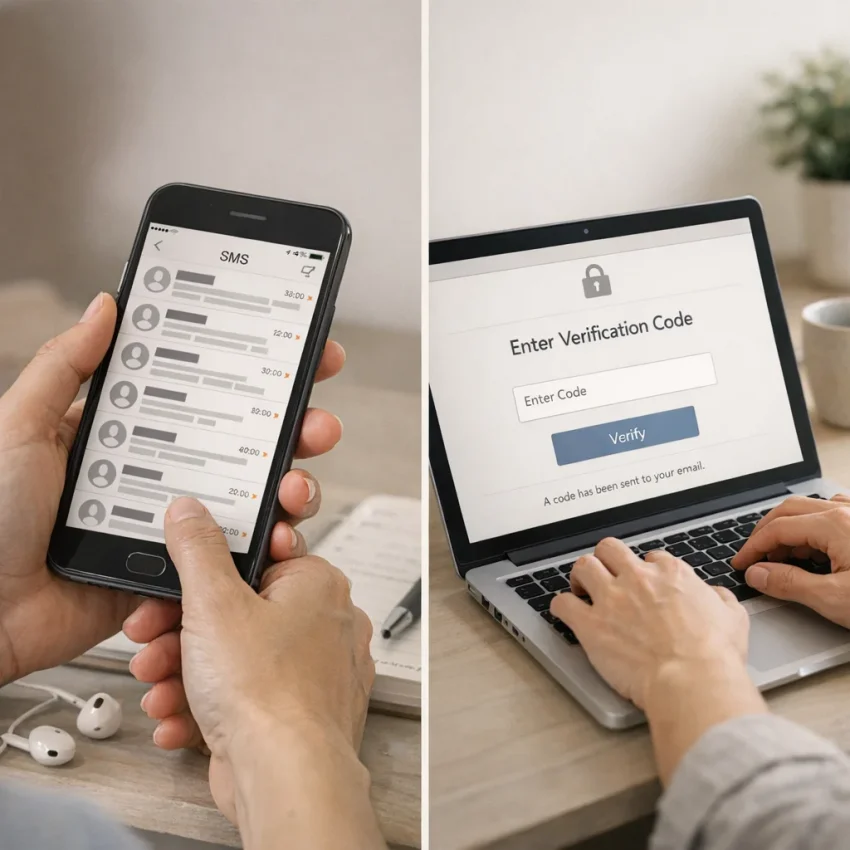
Why a free SMS phone number can fail when you need it most
A free phone number to receive SMS can seem like the quickest way to verify an account. You enter the number, request a code, and expect the message to appear. But a free SMS number may be shared, previously used, or unsupported by the platform you are trying to verify. The result can be a rejected number or an SMS verification code that never arrives.
That does not always mean you made a mistake. Public inboxes may receive messages from many users, and platforms may restrict certain number types or regions. Even when a code arrives, a shared inbox can expose it to other visitors. That makes public numbers a poor choice for sensitive accounts or accounts you may need to recover later.
Convenience does not guarantee control
Repeating the request may not solve the underlying problem. The number may not be accepted, or the inbox may not be private or reliable enough for that verification flow. Before trying again, consider what access the account will need later. If losing access could affect work, personal data, or account recovery, a number you control may be more suitable.
This guide explains common causes, low-risk checks, and when to consider another workflow. SmsPva is not a free-number service; it offers virtual numbers for SMS verification and OTP receipt. You can review its Receive SMS online options, but availability, platform acceptance, and message delivery can vary. No number choice guarantees success.
What “free phone number for SMS” usually means—and its trade-offs
A search for a free phone number to receive SMS can lead to several kinds of numbers. Some are shared public inboxes; others come from disposable-number websites or calling and messaging apps. Your own mobile carrier number is different because you generally control access to its messages. These options are not interchangeable, and each can have limitations.
Before entering any number, check the destination platform’s terms and verification requirements. A platform may restrict certain number types or reject a number it cannot verify. A number that works for one service may not work for another.
Public inboxes and disposable numbers
A public SMS inbox lets visitors view messages sent to a displayed number. That may seem convenient for a one-time code, but other people may also see the message. Public inboxes are a poor choice for banking, password resets, or accounts containing sensitive information.
Numbers listed on free SMS sites may be shared or reused. Several people may request codes for the same number, making messages difficult to distinguish. A number may have been used before, be rejected by a platform, or stop receiving messages. You may also have little control over how long it remains available or who can view its inbox.
Disposable-number services differ in how they provide access. Read their privacy details and usage terms rather than assuming that “temporary” means private. Avoid submitting personal details to an unfamiliar site just to obtain a code.
App-based numbers and numbers you control
Some apps provide a separate number for calls or messages. Whether it can receive a verification SMS depends on the app, number type, destination service, and regional restrictions. A number that works for ordinary texts may not be accepted for verification.
Your own carrier number usually gives you more direct control over messages, but coverage, roaming, device settings, and platform rules can still affect delivery. Confirm that you can receive texts and enter the number in the requested format. If you may need to recover the account later, use a number you expect to keep and can access again.
A free SMS verification number may suit a low-stakes, one-time task only if the platform permits it and you accept the privacy and access trade-offs. For important accounts, avoid public inboxes and follow the service’s recommended verification or recovery options.
Common free-number verification problems and what to check first
A missing verification text does not always mean the service is down. A public inbox may be shared, a number may not be accepted, or the request may be delayed. Check the problem one step at a time before requesting another code. Repeated attempts can add confusion and may trigger limits set by the destination service.
The number is rejected, already used, or formatted incorrectly
If the platform says the number is invalid, confirm that you selected the intended country and copied the full number exactly. Follow the platform’s format prompt: some forms expect a country code separately, while others expect the complete international number. Avoid adding spaces or punctuation unless the form supports them.
If the number is public or temporary, someone else may have used it before, or the platform may not accept that number type. You usually cannot resolve an existing account association through a shared inbox. Don’t keep changing digits to force a match. Use a permitted number or the platform’s recovery options.
The SMS is delayed or does not appear
Confirm that you are watching the inbox associated with the exact number you entered. For an online inbox, check the number again before assuming the message went elsewhere. Refresh the page once if appropriate, and allow the destination service’s stated resend interval to pass. Delivery time can vary, and a message may not arrive.
Check whether the platform displayed an error or offered another verification method. Follow that instruction instead of requesting codes repeatedly. Rapid retries can create multiple active codes, make it harder to identify the newest message, or run into platform limits. If you are troubleshooting a SmsPva flow, its Help page has current setup guidance; it cannot guarantee acceptance or delivery.
The code arrives but is expired or does not work
Use the newest code for your current attempt. If you requested several codes, an earlier one may no longer be valid. Enter the digits carefully and check that your keyboard did not add a space. If the code has expired, request another only after following the platform’s resend instructions.
If the newest code is rejected, check that you are entering it on the same account and verification screen where you requested it. After a failed attempt, pause and review the platform’s recovery guidance. If it blocks the number or rejects repeated codes, use an approved alternative rather than continuing to retry.
A step-by-step troubleshooting checklist before requesting another code
When an SMS verification code is not received, repeated requests can make troubleshooting harder. Work through these checks in order. They may identify a setup issue, but they cannot ensure that a platform will accept a number or deliver a message.
Check the setup before you retry
- Confirm the number type is permitted. Check the platform’s verification rules. If it says the number cannot be used, follow its guidance rather than trying to bypass the restriction.
- Verify the country and number format. Select the country that matches the number and enter it as requested. Check that the country code is included when required and that you have not added an extra zero or omitted a digit. Do not add the country code twice.
- Open the correct inbox. Confirm that you are viewing messages for the exact number entered on the account form. Refresh once and check whether the site separates messages by number or displays them in a shared feed.
- Allow the stated delivery and resend interval. Wait for the platform’s recommended period. Rapidly repeating requests may trigger a temporary limit or make it harder to identify the current code.
Keep a note of the number and country you entered, along with the time you requested the code. This can help prevent a retry from going to a different number by mistake.
Retry carefully, then choose a safer route
- Check the code’s age and entry. If a message arrives late, the code may have expired. Request another only when the platform permits it, then enter the newest code exactly as shown.
- Use an allowed alternative. If SMS remains unavailable, look for the platform’s official verification or account-recovery options. Follow the instructions shown in your account or on its help pages.
- Stop if the number is rejected or shared. A temporary number may be visible to other people or may have been used before. Repeated requests will not make a rejected number suitable.
Never post or forward a verification code. Treat it like a password, even if the number came from a public inbox. If you still cannot complete verification, stop requesting messages and use the platform’s official support or recovery route.
When switching to a service-specific virtual number makes sense
If a free SMS number has been rejected, reused, or left you watching an empty public inbox, repeating the same request may not help. A service-specific virtual number offers a different workflow: you look for an option associated with the service you want to verify rather than choosing a random number from a shared list.
SmsPva provides virtual numbers for SMS verification and OTP receipt. It is not a free-number service, and choosing a number does not ensure that a platform will accept it or that a message will arrive. Consider it after checking the basic causes of failure and confirming that the platform permits the number type.
Check the service and current options
A service-specific flow starts with the destination platform. Check whether the service appears in current listings, then review the options shown for it. This helps you choose a relevant flow, but it does not make the number private, permanent, or guaranteed to work. Availability and terms can change, so check the live listing before proceeding.
For example, if your goal is Signal verification, use the Signal SMS verification flow rather than selecting an unrelated number. This is an example of a listed service-specific flow, not a claim that every platform is supported. Confirm that the service and relevant options are available when you are ready.
Check the destination platform’s current rules too. Some services limit the number types they accept or direct users to an official recovery route when verification fails. If the platform rejects a number, stop and review its permitted alternatives instead of changing numbers repeatedly.
Use the code carefully—and know when to stop
Follow the instructions shown for the selected flow and check the message view associated with your request. Respect the platform’s resend interval. Requesting multiple codes quickly can create confusion, and older codes may expire. Enter the latest valid code promptly and never share it with another person.
If the code does not arrive, confirm the selected service and number, recheck the instructions, and allow the stated waiting period before trying again. If delivery still fails, avoid endless retries. A service-specific option can make number selection more deliberate than using a random public inbox, but neither approach guarantees acceptance or delivery.
Privacy, account access, and choosing the right number workflow
A number that works for a one-time signup may not suit an account you need to keep. Consider whether you might need the same number later to reset a password, confirm a login, or recover access. If you cannot receive future messages at that number, you could lose an important recovery route.
Match the number to the account’s future needs
For email, financial, work, or other accounts you rely on, use a number you control when the platform allows it. A free SMS verification number from a public inbox is a poor choice for sensitive accounts: other people may see incoming messages, and number reuse can create account-access risks.
Ask yourself two questions before requesting a code: Is this account important enough to require long-term recovery? Does the platform permit the type of number you plan to use? If it requires a personal mobile number or rejects virtual numbers, use an allowed number or the official recovery process.
For a verification-only workflow where you accept the limitations, a service-specific virtual number may be more relevant than a random public listing. SmsPva offers flows for listed services, but that does not make a number exclusive or permanently available. Check the live listing and terms before deciding.
Keep codes private and plan for access
Treat every one-time password (OTP) like a password. Enter it only in the official app or website where you initiated verification. Never send it to someone in a message, share a screenshot, or give it to a person claiming to provide support. A virtual number is not a promise of anonymity or a substitute for reviewing the platform’s rules.
Choose a number workflow that fits the account’s importance, not just the immediate need to receive a code. Keep recovery details current, and avoid relying on a temporary number for an account you may need to access later.
Quick decision guide: keep troubleshooting, use SmsPva, or choose another route
The right next step depends on who controls the number, whether the platform permits it, and whether you need the account long term. A free SMS phone number can be convenient, but a public inbox may be shared, previously used, or unsuitable for recovery. Repeatedly requesting codes usually does not solve those underlying issues.
Match the problem to your next step
| Your situation | Practical next step |
|---|---|
| You control the number, and the platform allows it. | Check the country code and full number, review the correct inbox, and follow the platform’s resend interval before trying again. |
| A public number is rejected or its inbox is shared. | Stop requesting codes to that number. Avoid using it for accounts that need privacy or future recovery. |
| You need a number for a specific verification flow. | Check whether the service is listed and review current availability and instructions before deciding whether a virtual number fits. |
| The account is blocked or sensitive. | Use the platform’s official account-recovery or alternative verification route. |
If you continue with a number you control, make one careful attempt after checking its format and the platform’s rules. Keep verification codes private. If a code arrives late, check whether it has expired and request another only as the platform permits.
When to switch—and when to stop
Consider SmsPva when you want a service-specific virtual number rather than a random public inbox, and the relevant service appears in its live listings. SmsPva is not a free phone number service. Availability can vary, and neither delivery nor platform acceptance is guaranteed. Review current options and instructions before proceeding.
If the platform continues to reject the number, stop retrying and use its official recovery guidance. For an account you may need to recover later, a number you control may be the better choice.