

Free Phone Number for SMS: Common Verification Problems and How to Fix Them
Can You Use a Free Phone Number to Receive an SMS Verification Code?
Sometimes. A free phone number to receive SMS may work if the number is active, the inbox can receive the message, and the platform accepts it. But a public number is not dependable. Other people may use it, the inbox may update slowly, or the platform may reject the number before sending a code.
First identify where the problem occurs. The platform may reject the number as you enter it, or accept it without a code appearing. These are different issues, and neither a number nor a provider can guarantee delivery or acceptance.
Public inboxes and virtual numbers are different
A public phone number for verification usually has an inbox that multiple people can view. That may work for a low-stakes test, but it creates privacy and account-recovery risks. Someone else may see the OTP, and you may not be able to use the number again later.
A service-specific virtual number is selected for a particular verification flow. It offers a more structured alternative to choosing a number from a general public list, but it still may be unavailable or rejected by the platform.
What to try first
Check the country code and number format, and confirm that the number matches the service you are verifying. Wait briefly, then refresh the inbox. If the platform reports an unsupported number or a cooldown, follow its instructions rather than requesting codes repeatedly. If a free SMS verification number remains unreliable, SmsPva’s Receive SMS online offering provides virtual numbers for SMS verification and OTP receipt. It is not a promise of free access, delivery, or platform acceptance. For important accounts, use a method you can access for future recovery.
Why Free and Public SMS Numbers Often Fail
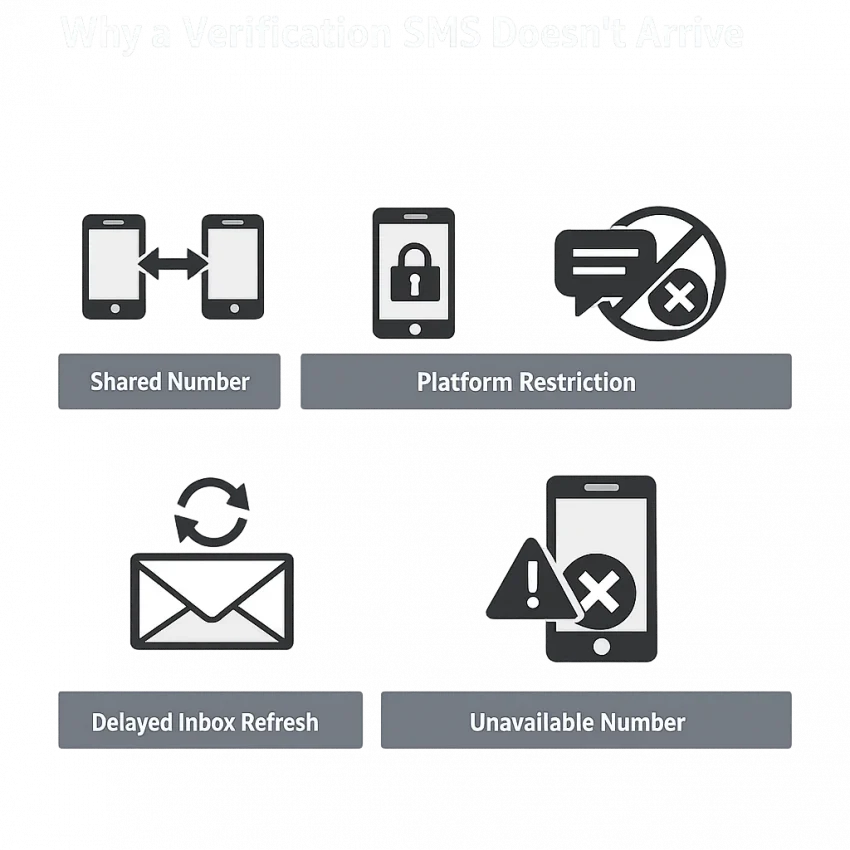
A free SMS verification number may seem convenient, but public numbers have limitations. Multiple people may use the same number, and platforms may treat it differently from a personal mobile number. If a code does not appear, the message may be delayed—or the platform may never have sent one.
The number may already be in use or rejected
Another user may have already used a shared number to create or verify an account. The platform may associate it with an existing profile and prevent a new attempt. Some platforms also restrict public or virtual numbers before sending a code. If the platform rejects the number, refreshing the inbox will not solve the problem.
A service-specific virtual phone number for SMS verification can be more targeted than a general public listing. But service selection does not guarantee acceptance or delivery. Platform rules and number availability can vary.
Inbox or message limitations can interfere
A number may not support messages from every sender or every message type. Public inboxes can also refresh slowly, or a number may no longer be available even if it still appears on a page. Check that you are viewing the inbox associated with the exact number you used.
Shared inboxes bring privacy concerns, too. Messages may be visible to other visitors, and a code can reveal which service you are using. Avoid public numbers for accounts with sensitive information or accounts you may need to recover later. If you lose access to a shared number, you may not be able to receive a future login or recovery code.
Troubleshoot a Verification SMS That Has Not Arrived
First determine whether the platform rejected the number or accepted it but the message has not appeared. Follow these steps before requesting another code. Repeated attempts can trigger a cooldown, and no provider can guarantee that a platform will send or accept a code.
Check the number and service
- Confirm the country code and number format. Check that the country selected on the platform matches the number’s country. Follow the form’s format instructions. If the platform adds the country code automatically, do not enter it twice.
- Confirm the intended service. A number that can receive SMS generally may not suit every service. If you use a virtual number, check that it is associated with the service where you requested the OTP. For a public inbox, verify the exact number shown.
- Read the platform’s response. Notices such as “number not supported,” “invalid number,” or “try again later” indicate a platform-side restriction or limit. Follow the instructions and use another permitted verification method if offered. Do not try to bypass a restriction.
Wait, refresh, and avoid a cooldown
- Wait briefly, then refresh the inbox. Message delivery or inbox updates can be delayed. Check that you are viewing the inbox for the number you entered, and avoid switching numbers while a request may still be processing.
- Check for a cooldown or request limit. If the platform shows a timer or tells you to wait, stop requesting codes until that period ends. Rapid retries may make troubleshooting harder. Follow the platform’s instructions rather than assuming another request will arrive sooner.
- Use the platform’s help and recovery options. Check its guidance for an alternate permitted method, such as an authenticator, email confirmation, or account recovery. A number provider cannot resolve a platform-side restriction.
Handle late or expired codes carefully
If a code arrives after you requested another, check whether the platform still accepts it. Codes are often time-limited, so an older message may have expired. Enter a code only in the intended platform, and do not share it. Request a fresh code only when the platform allows it.
Stop retrying if the platform repeatedly rejects the number, shows a limit, or offers no further code request. Use an approved alternative or contact the platform’s support team. If a public inbox or number is unavailable, do not assume a delayed message will appear later. A different compliant option may help, but it is not a delivery guarantee.
How to Choose a Better Number for a Specific Verification Flow
Choose a number based on the account you are verifying, not simply on whether it can receive SMS. Platforms may treat numbers differently, and availability can change. Before using a virtual number, check that it matches the intended service and that you understand how OTP receipt works.
Check the service, country, and current instructions
Start with the service you intend to verify. A service-specific virtual number is more targeted than an unrelated number from a public inbox, but it does not override the platform’s rules. Review the options and instructions currently shown before proceeding.
Check the country attached to the specific option. Do not assume that a number from one country works like another or that an option shown previously remains available. For example, SmsPva has a Signal SMS verification page and a separate page for Signal verification in the United Kingdom. These are specific examples, not a promise of current availability or platform acceptance.
Read the current OTP instructions and any displayed terms. Avoid assumptions about delivery speed, number stock, or acceptance. These can vary.
Match the number to your access needs
Decide whether you need one verification code or dependable access over time. A short-term workflow may suit a one-time task if the platform permits it. But if you will need the number for future sign-ins, security checks, or recovery, a one-time number may not fit your needs.
- Service: Is the option associated with the platform you intend to verify?
- Country: Does it currently show the country you need?
- Instructions: Are the OTP steps and relevant terms clear?
- Account lifespan: Do you need one code or continued access?
- Platform rules: Does the service allow this verification method?
If anything is unclear, check the platform’s permitted verification methods. A structured option may be easier to assess than a shared inbox, but it cannot make an unsupported number acceptable.
How to Receive a Verification SMS with SmsPva
SmsPva provides virtual phone numbers for SMS verification and OTP receipt. It does not promise free access, number availability, or successful delivery. Check the options and terms shown when you use the service, and proceed only if the platform permits this type of number.
Choose the service and review current options
Start with the intended service among the options currently presented. Choosing a service-specific virtual number helps match your selection to the verification flow, but it does not mean the platform will accept the number or send a code.
Review displayed country options, availability, and terms before selecting an option. These details can change, so do not rely on an old guide or assume a particular country is currently offered. Check any price shown before proceeding; a virtual number from SmsPva should not be treated as a free public inbox.
Use the number carefully and monitor OTP receipt
Use the number only where the platform’s rules allow it. Enter it in the format requested, including the country code if required. Then monitor the OTP receipt flow and follow the instructions shown by SmsPva and the platform. Do not assume a particular refresh method, delivery time, or sender format.
If no message appears, confirm that you entered the selected number correctly and check whether the platform rejected it. Allow a reasonable interval before retrying, and follow any limits or cooldown notices. If a code arrives after it expires, request another only when the platform permits it.
If the platform rejects the number or the code still does not arrive, stop cycling through attempts. Use the platform’s permitted recovery options or choose another compliant route. Availability, acceptance, and delivery can vary. SmsPva offers a more structured alternative to a shared public inbox, but cannot guarantee that a verification will succeed.
When a Virtual Number Is Not the Right Fix
A virtual number cannot solve every SMS verification problem. Some platforms reject virtual or shared numbers before sending a code. Others require a personal number or offer an app, email, or another approved method. If the platform does not accept the number, repeatedly trying new ones may not help.
For SmsPva order troubleshooting, consult SmsPva Help. Check the platform’s rules and available verification options, too. Neither a provider nor a virtual number can guarantee that a platform will accept a number or deliver a code.
Protect accounts you may need to recover
A public inbox or short-term number is a poor choice for an account with sensitive information. Someone else may see messages sent to a shared inbox, and you may lose access to the number later. That could prevent you from receiving a password reset or confirming a security change.
Before signing up, consider what happens if you lose access to the number. For an account you expect to keep, use a method you can access again and set up the platform’s approved recovery options where available. Do not rely on a one-time SMS route as your only way back into an important account.
Match the method to your needs
A virtual number may suit a legitimate one-time setup if the service permits it and you understand the access limitations. For an account you will use over time, choose a verification method you can retain. If a service has rejected a virtual number, use its official recovery process or contact its support team instead of cycling through numbers.
Separate a delivery issue from a platform restriction. If the number was accepted but the SMS is missing, check the format, follow the platform’s guidance, and avoid rapid retries. If the platform says the number cannot be used, refreshing an inbox will not change that decision. Use an approved alternative.
A Practical Decision: Free Public Inbox or SmsPva?
A free phone number for SMS may work for a low-stakes test if the platform accepts it and a code appears. But a shared inbox means other people may see the message, and the number may already be associated with an account. It is a poor fit when you need privacy, future access, or account recovery.
A service-specific virtual number can offer a more structured workflow. Select the intended service from the options currently shown, check availability and terms, and follow the OTP instructions. SmsPva provides virtual numbers for SMS verification and OTP receipt, not guaranteed free access, platform acceptance, or successful delivery.
Choose based on platform rules, current availability, privacy needs, and whether you will need the number beyond one code. For an important account, prioritize a method you can access long term. Review SmsPva’s live options before proceeding.
Frequently Asked Questions
Can I receive a verification SMS with a free phone number?
Sometimes. A free public number may receive a code if it is available and the platform accepts it. Shared access, restrictions, and delayed inbox updates make this option unreliable.
Why does a free public number not receive my SMS code?
The number may be shared, already associated with an account, rejected by the platform, incompatible with the sender or message type, or no longer available. The inbox may also update slowly.
How long should I wait before requesting another verification code?
There is no universal wait time. Wait briefly and refresh the inbox, then follow any timer or cooldown shown by the platform. Avoid rapid repeated requests.
Can a platform reject a virtual phone number?
Yes. Platforms set their own verification rules and may reject public or virtual numbers before sending a code. Use another method only if the platform permits it.
Is a public SMS inbox safe for an important account?
Usually not. Other people may be able to view messages, and you may not retain access to the number for future sign-ins or recovery. Use a method you control for important accounts.
How do I choose a virtual number for a specific verification service?
Check that the option matches the intended service, review the country and current availability, read the OTP instructions and terms, and consider whether you need future access. Follow the platform’s rules.
Does SmsPva guarantee that a verification SMS will arrive?
No. Number availability, platform acceptance, and message delivery can vary. Check the current options and instructions, and use the number only where the platform permits it.