

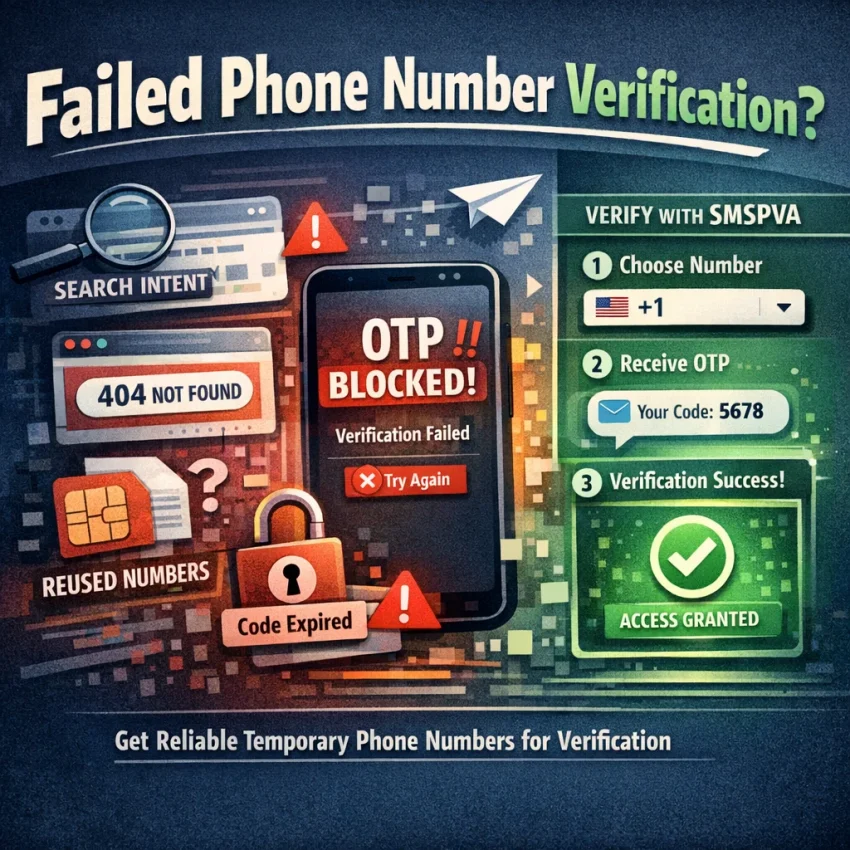
Why “Free Phone Number” Searches Often End in Failed Verification
The appeal of a free phone number is obvious. You want a code, not a long setup process. You search, open a public number page, paste the number into a signup form, and hope to receive SMS online in seconds. In practice, that shortcut often fails at the exact moment you need it.
The reason is simple: most free public numbers are not built for reliable verification. They are usually shared by many users, heavily recycled, and easy for platforms to identify. That creates a gap between what users mean by free phone number for verification and what actually works for OTP delivery.
Many services now check more than whether a number can technically receive a text. They also look at usage patterns, country fit, prior registrations, and whether the number appears public or overused. A number can be active and still fail verification. That is why users often see problems like no code arrival, “number already used,” or silent rejection after several retries.
Public number pages create another issue: collisions. If dozens of people try to verify accounts on the same visible number, messages can overlap, sessions can expire, and the service may flag the number before your OTP even arrives. From the user side, it looks random. From the platform side, it looks suspicious.
Country mismatch makes things worse. A service may prefer a number from the same region as your account setup, IP context, or app flow. If you grab the first free listing you find, you may be choosing a country the platform treats as low-fit for that registration. The result is often a failed request, delayed code, or a verification loop that wastes attempts.
Why “free” often becomes expensive in time
Free options can cost more in retries than a paid workflow costs in money. Each failed attempt can trigger cooldowns, temporary blocks, or extra review steps. Some services limit how often you can request another code. Others keep the original session but invalidate the previous request after a short delay. If you repeat the same failed method, your odds usually get worse, not better.
This is why a virtual phone number for OTP works better when it is selected for the specific service and country you actually need. The goal is not just to get any number. The goal is to reduce obvious causes of failure before you submit the form.
SmsPva fits that workflow better than generic public-number sites. Instead of relying on a random shared listing, you can use Receive SMS online through service-specific verification flows designed around OTP use cases. That gives you more control over the service choice and number context, which is exactly what free public pages usually lack.
Just as important, this approach reframes the problem correctly. If verification keeps failing, the issue is rarely “I need a free phone number.” The real issue is usually one of four things: the number is overused, unsupported, mismatched to the service, or caught in a bad retry pattern.
The 7 Most Common Issues with Free Phone Numbers for SMS Verification
If your SMS verification is not working, the problem usually is not random. Most failed signups follow the same patterns. People search for a free phone number for verification, paste a public number into a signup form, and then hit one of a few predictable roadblocks.
1. The OTP never arrives
This is the most common complaint behind searches like why free phone number does not receive code or OTP not received. A service may delay sending, reject the number silently, or route the message in a way the public inbox never shows.
From the user side, it looks simple: you requested a code and nothing appeared. In practice, the platform may filter virtual numbers for that flow, the number may have weak compatibility with that service, or the SMS may arrive after your request window expires.
2. The number is flagged as public or low trust
Many major platforms know the patterns of widely shared online numbers. If a number appears in too many signups, failed attempts, or public directories, it can lose trust. Sometimes the app says the number is invalid. Sometimes it accepts the number but never sends the code.
This is one reason a temporary phone number from an unmanaged free site often performs badly. Once a number becomes obvious as a shared inbox, some services reduce or block delivery to it.
3. “Number already used” or “already registered” appears
Number already used verification errors usually mean the number has been used before for the same platform. With free phone number sites, that is common because many users recycle the same numbers all day.
Even if the number worked for someone else recently, that hurts you. The service may already link that number to an existing account, a previous verification attempt, or a restricted profile.
4. The country does not match the service context
Region mismatch is easy to miss. You choose a number from one country, but your app store region, account setup, IP context, or expected phone format points somewhere else. The service may accept the format while still treating it as suspicious.
If your code request keeps failing with one country, do not assume all virtual numbers fail. Often the problem is simple mismatch, not the idea of using a virtual number itself.
5. The session expires before the code is used
Verification flows are time-sensitive. If you request a code, switch tabs, reload the app, restart registration, or wait too long, the original session can expire. Then the OTP may arrive but no longer match the active screen.
Some users request multiple codes, then enter the first one after the app has already generated a newer session. Others change device or browser state mid-flow and invalidate the original request.
6. Shared-number collisions hide or confuse your code
Public numbers are shared by many people at once. You may open an inbox and see multiple codes from the same service, mixed timestamps, or messages meant for someone else. Another user may also trigger rate limits or flags on that number before you use it.
The inbox is not really yours. You are borrowing a crowded lane and hoping your message arrives cleanly.
7. The platform has service-specific restrictions
Not every app handles SMS the same way. Some platforms are more tolerant of virtual numbers. Others apply extra checks based on signup volume, account age, app behavior, or the exact verification route. A number that works on one service may fail on another.
This is why service-specific planning matters more than generic free number hunting. SmsPva is useful here because it focuses on service-specific verification flows and practical troubleshooting instead of a one-size-fits-all public inbox model.
How to Troubleshoot a Verification Failure Before You Retry
If your OTP not received problem happens once, it may be random. If it happens twice, stop and check the setup before you request another code. Repeated retries often waste attempts and can trigger cooldowns, rate limits, or temporary verification blocks.
The first check is simple: confirm the exact service you are verifying. Many users search for a free phone number for verification, grab any public number, and then discover the platform treats each service differently. A number that worked for one app may fail for another. That is why service-specific SMS verification matters.
Next, confirm the country fit. The service may expect a number from the same region as your signup flow, app store region, language setting, or account activity. A mismatch does not always produce a clear error. Sometimes you just never receive the code.
Then check session consistency. Start and finish the verification in the same app or browser session. Do not request a code on mobile, switch to desktop, then submit it in another tab later. Some platforms tie the code request to a session token, IP context, or device state.
Pre-retry checklist that prevents wasted attempts
1. Verify the service name. Make sure the number source supports the exact platform you are signing up for.
2. Verify the country. Match the number country to your account context when possible.
3. Stay in one session. Keep the same device, browser, app state, and network during the request and code entry process.
4. Wait through the full code window. Sending another request too quickly can invalidate the first one.
5. Check account state. If the platform says the number is already used, blocked, or unsupported, another resend usually will not fix it.
6. Review whether the platform accepts virtual numbers. Some services are strict. Retries alone will not solve that.
7. Watch for formatting mistakes. Enter the number with the correct country code and no extra symbols if the form is sensitive.
Know when to stop retrying and change approach
If you have already requested multiple codes in a short period, pause. Many services treat rapid retries as suspicious behavior. That can lead to silent throttling, a temporary lock, or longer wait times before the next valid request.
A better approach is to reset the variables one at a time. Recheck the region. Confirm the service. Wait for the cooldown window. If the issue persists, switch away from public free-number sites that are commonly overused or already flagged.
If the platform behavior still seems unclear, check SmsPva Help before making more attempts.
How SmsPva Solves the Biggest Free Phone Number Problems
The main problem with a typical free phone number is not cost. It is control. Public numbers are often reused, visible to many people, and hit-or-miss for specific platforms. That creates the exact issues users complain about: no code arrives, the number is already registered, or the service rejects the number before the OTP is even sent.
SmsPva changes that workflow by starting with the verification task, not with a random public inbox. Instead of hunting for any number that can receive SMS online, you choose a service-specific path and then select a virtual number that fits that flow.
Service-first selection reduces the most common mismatches
Many failed verifications happen before the SMS is sent. The service may dislike the number type, reject the country, or flag the signup flow because the details do not match the account context. Free public numbers do nothing to help with that.
SmsPva is more useful because it is organized around service-specific SMS verification. By selecting the target service first, you reduce the chance of using the wrong setup for that platform.
It also helps with one of the most frustrating errors: “number already used.” Public online numbers are often shared heavily, so they collect failed and completed signups from many users. A structured virtual number workflow lowers the odds of walking into that same collision pattern.
Another advantage is country fit. If your signup flow expects a certain region, picking a matching number is easier when the service flow is laid out clearly.
Built-in support and cleaner account workflows save attempts
SmsPva also helps after something goes wrong. If your OTP is delayed, the session expires, or the platform behaves oddly, support resources matter. A public number page cannot explain why your verification failed.
That matters because repeated retries can make verification harder. A better workflow is to pause, confirm the service and country, keep the same session active, and only retry when the setup looks correct.
The broader point is simple: if free phone number options keep failing, the fix is usually not to hunt for another public number. The fix is to move to a service-aware workflow with better control over number choice, region fit, and troubleshooting.
Example Workflow: Using SmsPva for Signal Verification and Region-Specific Checks
If you keep searching for a free phone number and Signal still will not send a code, the problem is often the workflow, not just the number. Generic public numbers create too many unknowns. You may not know whether the number was reused, whether Signal accepts that route, or whether the country fits your signup context.
With SmsPva, the cleaner path is to start from the exact Signal SMS verification page instead of picking a random online number first. That matters because service-specific selection helps you match the number to the app you are verifying.
Step-by-step: a safer verification path for Signal
First, open Signal and get to the phone verification screen before requesting anything. Then choose the service page on SmsPva and review the available country options that fit your account setup. If your account context is British, a UK number may make more sense than forcing a US route. If your signup context is US-based, choose that country instead of mixing regions.
If you specifically need Signal verification in Unt. Kingdom, use the country page rather than guessing from a broad list. At the time of writing, Signal single-SMS pricing on SmsPva was listed from $0.50 for one United Kingdom variant, with another United Kingdom listing at $0.77. For the United States, Signal single-SMS pricing was listed at $2.01. These are API snapshots, not permanent rates.
Once you select the number, return to the same Signal session and request the code only when you are ready to receive it. Do not switch devices, restart the flow, or request multiple OTPs too quickly.
How to read the result and what to do next
If the code arrives, enter it immediately in the same session. If it does not, avoid rapid retries. Instead, check whether you selected the correct Signal flow, whether the country makes sense for the account, and whether you stayed in one uninterrupted verification session.
For users who are done guessing, SmsPva offers a more practical way to receive verification codes with service-specific selection and better control over the process.
Best Practices to Improve OTP Success Without Wasting Time or Attempts
If you keep searching for a free phone number, the real fix is usually not “try more numbers.” It is using a better process. Most OTP failures happen because the signup context and the number do not match, the session expires, or repeated retries trigger extra checks.
Start with country fit. If the account, app store region, language, and IP context point to one country, choose a number that makes sense for that flow. A mismatch does not always fail, but it raises friction.
Next, request the code only when you are fully ready to receive it. Do not open the signup on one device, switch to another, refresh the page, and then expect the same code request to stay valid.
Keep the environment consistent during verification. Use the same browser or app session, the same device, and ideally the same network path until the code is entered. If you change too many variables mid-flow, the platform may treat the request as suspicious or stale.
Retry Less, Check More
When a code does not arrive quickly, avoid hitting resend over and over. Many services limit attempts or rotate the validity window after each request. That can leave you with multiple expired codes and, eventually, a temporary block.
Before retrying, confirm the service name, country selection, and whether the account already has a pending verification state. If a platform behaves oddly, pause and check documentation instead of guessing.
Finally, know when to change approach. If you have retried several times with public numbers, you are likely fighting the same root problem again. Move to a cleaner service-specific setup with SmsPva. Use smspva.com to receive SMS verification codes with virtual phone numbers.
FAQ
Why doesn’t a free phone number receive my verification code?
Usually because the number is overused, publicly listed, mismatched to the service or region, or the verification session expired before the OTP was entered.
What does “number already used” mean during signup?
It usually means the platform has seen that number before on the same service. Shared public numbers often carry old signup history.
Are public online numbers blocked by many services?
Many services can detect heavily shared or low-trust numbers. Some reject them directly. Others accept them but never deliver the code.
How do I choose the right country for SMS verification?
Match the number country to your signup context when possible. Consider app region, account language, IP context, and the service’s expected phone format.
Can I use SmsPva for service-specific verification flows?
Yes. SmsPva is built around service-specific verification paths, which helps reduce mismatches compared with generic public number pages.
What should I do if my OTP never arrives?
Pause before retrying. Check the service, country, session consistency, formatting, and whether you already requested multiple codes too quickly.
Does retrying too many times make verification harder?
Yes. Some platforms add cooldowns, throttling, or temporary blocks after repeated requests in a short period.
Where can I find SmsPva troubleshooting help?
You can review the Help section for troubleshooting guidance.