

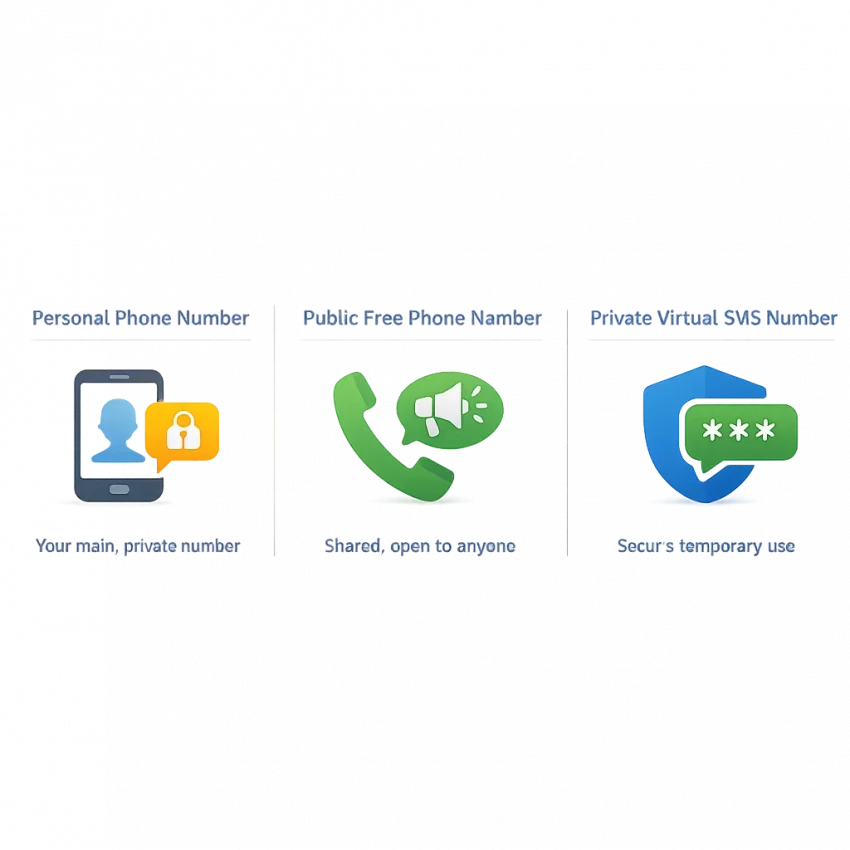
What People Mean by ‘Free Phone Number’ in 2026
When people search for a free phone number, they usually do not want a full replacement for a mobile plan. They want a quick way to receive a one-time SMS code for signup, login, or account activation without exposing a personal number.
That is why searches like free phone number for SMS verification, receive SMS online, and temporary phone number often point to the same need. Users want a fast, low-friction verification workflow.
In 2026, that need is more specific than it used to be. Many platforms now check number history, reuse patterns, region fit, and whether a number looks public or overused. So while “free” sounds attractive, the real requirement is usually a verification-ready number that works for OTP receipt and keeps your personal line private.
That is where SmsPva fits better than the old public inbox model. Instead of hunting for a random shared number and hoping the code appears, you can receive SMS online with a virtual number workflow built for verification.
The real intent is privacy and access
For most users, the goal is not a permanent number at zero cost. The goal is to avoid sharing a personal line when creating an account, testing a signup flow, or activating a service. A personal number is tied to your identity and can be reused across many apps.
So the phrase free phone number often means, “I need an SMS verification number right now.” That can include signing up for a new app, receiving an OTP online, creating a secondary account for work separation, or reducing spam on your main phone.
In other words, many users are not really looking for a public number board. They are looking for a clean workflow.
Why the old idea of “free” no longer fits
The classic free-number idea was simple: open a website, copy a number, and wait for the code in a shared inbox. That model still exists, but it is a poor fit for many modern verification flows. Shared visibility, repeated reuse, and service-level filtering make public numbers unreliable for account activation.
So if you want a free phone number for SMS verification, what you probably need is a temporary virtual number that is actually suitable for verification. That is the gap SmsPva is designed to fill.
Why Free Public Numbers Often Fail for Verification
A free phone number sounds convenient, but public shared numbers often break down in real OTP flows. The issue is not just price. It is whether the number is still usable, private, and accepted by the service you want to verify.
In 2026, most platforms treat SMS verification as a risk signal, not just a delivery channel. They look at number history, reuse patterns, country fit, and whether the number appears in public databases. A public sms verification number may still receive messages sometimes, but that is different from being suitable for a real signup flow.
Shared numbers get reused too often
Public receive-SMS sites often show the same number to thousands of users. If a service has already seen that number used many times, it may reject it before sending any code. Even if the number is technically active, the platform may still flag it as low trust.
This is why a public otp number online can fail at the first step. You paste the number into a form, click continue, and either see an error or never receive the code. In many cases, the number has already been overused or filtered for that service.
Free public inboxes also create collisions. Another user may request a code for the same service at the same time. That makes it harder to tell which message is yours, and the code may expire before you can use it.
Privacy and filtering add more friction
Public numbers are also weak for privacy. If the inbox is visible to everyone, your verification message may be visible too. Even if the code is short-lived, the sender name or signup event can still leak useful information.
Services have adapted to this. Many platforms now block known public number ranges or apply stricter checks to them. They may allow the form submission but silently refuse to send the OTP. Others accept only certain routes, countries, or number types for activation.
That is why users often move from a free-number search to a private virtual verification workflow. SmsPva fits that need better because it is built around SMS verification and OTP receipt, not open public inboxes.
How to Use SmsPva Instead: Step-by-Step Verification Workflow
If you searched for a free phone number, your real goal is usually simpler: receive an SMS code for signup or activation without using your personal line. In 2026, the practical workflow is to use a private online number for verification rather than a public shared inbox.
The idea is straightforward. Open SmsPva, choose the target service when available, get a number, enter it in the signup form, and wait for the code in your order area.
1. Start with the service, not just the number
Begin by identifying the app or site you want to verify. If SmsPva offers a service-specific route, use it. This helps align your order with the task you actually need to complete.
Many users search for a free phone number for SMS verification as if all numbers work the same way. They do not. Services often filter by usage pattern, number history, or region. Choosing the target service first can reduce trial and error.
2. Choose country and number option carefully
After selecting the target service, choose the country if that step is available. Country selection can affect whether the signup flow accepts the number and whether the code arrives within the active session.
If the site expects a US user, a United States number may make more sense. If the service is more flexible, other English-speaking markets may also fit. Keep the workflow simple and match the number to your use case.
Before requesting the number, open the target app or website in another tab and reach the phone verification screen. This reduces the chance that the signup session expires before the OTP arrives.
3. Get the number and enter it into the signup form
Once you confirm the service and country, obtain the virtual number shown in the dashboard. Copy it exactly as displayed, including the country code if needed. Then paste it into the verification field on the site or app you are activating.
Accuracy matters. A formatting mistake can cause a failed attempt. If the form separates country and phone number fields, match them correctly.
4. Wait for the OTP and finish verification
After the site sends the code, return to your SmsPva order view and watch for the incoming SMS. When the code appears, copy it into the app or website immediately. OTPs are usually time-limited.
The most practical workflow is simple: prepare the signup page, choose the correct service on SmsPva, select a suitable country, obtain the number, request the code once, and enter it as soon as it arrives.
For most people, that is the real answer in 2026. You are not looking for a random free inbox. You are looking for a low-friction virtual phone number for OTP and account activation that protects your personal number and keeps the task moving.
Service-Specific Example: Using SmsPva for Signal Verification
A service-specific flow is usually more practical than hunting for a generic free phone number. If you need Signal, start on the Signal SMS verification page so the service is already selected.
This saves time. A generic number search can lead to mismatch and failed attempts. A service-specific page narrows the path and keeps the process focused on the exact OTP flow you want to complete.
The workflow is simple. Open Signal and reach the phone verification step. In SmsPva, review the available Signal options, pick a country that fits your use case, copy the assigned number, paste it into Signal, and request the code. Then wait for the incoming SMS inside your SmsPva session and enter the OTP to finish activation.
Why country selection can change the outcome
Country choice is not just a preference. It can affect whether a verification flow feels smooth or frustrating. Some users need a number that matches their region, account setup, or testing workflow.
If you specifically need a UK route for Signal, the Signal verification in Unt. Kingdom page gives you a more focused starting point. At the time of writing, Signal numbers for the United Kingdom were listed from $0.50 and $0.77 depending on code or route. For the United States, the listed Signal price at the time of writing was $2.01. Treat these as API snapshots, not guarantees of future price or availability.
If region does not matter, the broader Signal page may be the faster route. If region does matter, using a country-specific page can reduce unnecessary clicks and keep the verification path aligned from the start.
When to use this instead of a generic free number search
Shared public numbers may already be overused, visible to others, or blocked by the platform you are trying to join. A dedicated workflow is usually a better fit for one-time account activation.
With SmsPva, you choose the service first, optionally narrow by country, submit the number in Signal, and watch for the code in one place. That is usually the workflow users wanted all along.
How to Choose the Right Number Type, Country, and Verification Setup
The best setup depends on the platform, the country expected by the signup flow, and how much privacy you want around the account.
Start with the simplest question: is this a one-time verification or part of a longer account workflow? For most signups, a one-time virtual phone number for OTP is the right fit. You enter the number, wait for the code, and finish activation.
If the target platform is listed as a dedicated flow, use that route first. A service-specific setup is often more efficient than picking a generic sms verification number. It narrows the task to the platform you are verifying and helps avoid simple mismatches.
Choose the country based on the signup flow
Country selection matters more than many users expect. Some signups are flexible, while others prefer or expect a number from a certain region. Your number should match the way the site or app is asking you to verify.
If the form is set up for a US audience or asks for a US calling code, choosing a US number may be the more logical option. If the account is meant for a UK-facing workflow, a UK number may fit better. The goal is alignment, not guesswork.
Before checkout, check three things: the country code shown in the signup form, the target market of the account, and whether you are using a service-specific page.
Set up for privacy and account isolation
If privacy is the reason you want a free phone number, think beyond the number itself. Good verification hygiene also means keeping the signup session organized. Use the same browser session from start to finish, avoid restarting the form, and keep your account details consistent.
For users managing separate identities or workstreams, account isolation matters. That can include dedicated browser profiles and clean session handling. The point is to avoid mixing unrelated accounts or states during verification.
In practice, the right setup is usually simple: choose a one-time number for quick activation, prefer a service-specific flow when available, and select a country that matches the signup context.
Troubleshooting: When the SMS Code Doesn’t Arrive or Verification Fails
Most SMS verification problems come from setup mismatches, expired signup sessions, region issues, or repeated attempts. A few targeted checks usually work better than restarting blindly.
First, confirm that your selected flow matches the site or app you are verifying. If SmsPva offers a service-specific route, use that instead of guessing with a generic number. A mismatch can lead to silent failure or delayed codes.
Next, check timing. Many signups create a short verification window. If you copied the number, switched tabs, or restarted the form, the original request may have expired. In that case, reload the signup page, request a fresh code, and monitor the session carefully.
Common causes of failed verification
Region mismatch is another common issue. Some services become stricter when account location, language, IP region, and phone country do not line up. That does not mean one country always works better. It means your setup should be coherent.
Repeated attempts can also trigger filters. If you request too many codes in a short period, the platform may throttle or stop sending messages temporarily. Avoid rapid retries. Wait, then start one clean attempt with a fresh session.
Also check whether you are reusing an old tab, old cache, or an account state that already failed. A clean, consistent session often helps more than switching randomly between numbers.
What to do before trying again
Reset the process methodically. Open a fresh signup session, verify the country and service selection, request one code, and wait for that single attempt to complete.
For live process details, setup questions, or edge cases, use the SmsPva Help page. That is usually more effective than going back to a public free phone number site that was never built for private OTP workflows.
Best Alternative to a Free Phone Number in 2026: A Reliable SmsPva Workflow
If you are searching for a free phone number, your real goal is usually simple: receive a verification code without using your personal line. In 2026, that need is better served by a private, verification-focused workflow than by a public shared inbox.
That is why SmsPva is the more practical option. Instead of hunting for a public number that may already be blocked, reused, or visible to others, you can use a virtual phone number for OTP and complete signups with fewer steps and less guesswork.
For most users, the best alternative to a free phone number is not totally free. It is a task-specific number that helps you complete account activation in a cleaner way. That makes sense for people who need a temporary phone number, an online number for verification, or a basic OTP workflow for one session.
If your goal is speed, privacy, and a straightforward verification flow, SmsPva is the recommended path. Use smspva.com to receive SMS verification codes with virtual phone numbers and choose the setup that matches your service and country when needed.