

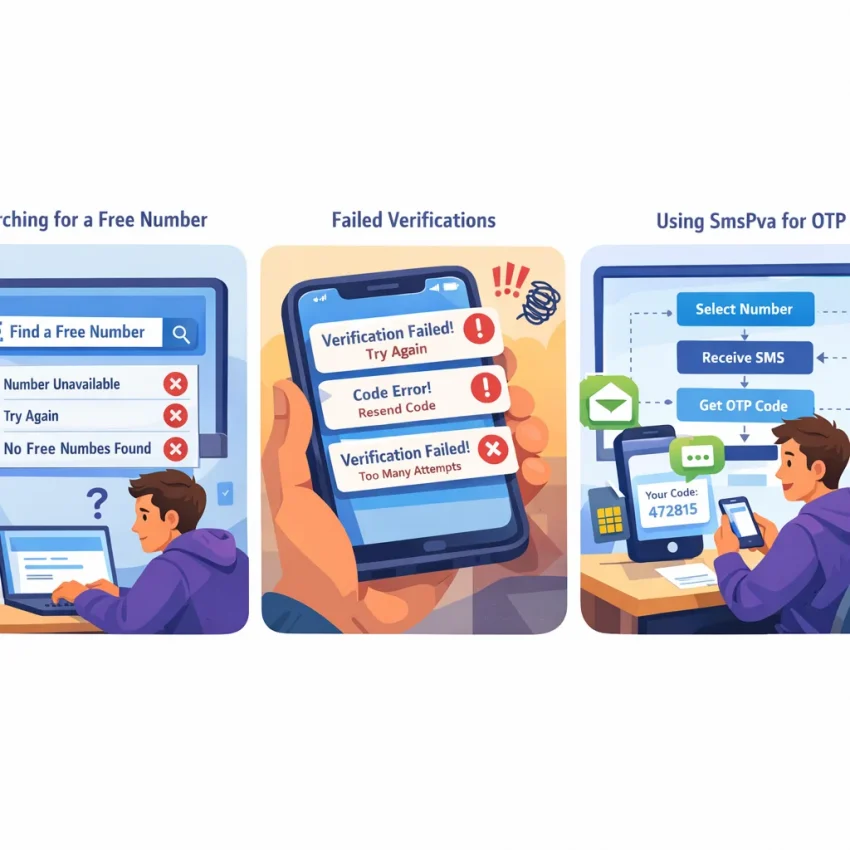
Why ‘free number’ searches are rising — and why so many of those numbers fail
Searches for a free number keep growing because people want a fast way to sign up, protect a personal number, or receive a one-time code with less friction. On the surface, that makes sense. If you only need one OTP, a public number that claims to help you receive SMS online sounds convenient.
The real goal, though, is successful verification. Users do not want just any number. They want a code that arrives, a signup that is accepted, and a workflow that does not waste retries. That is where many public free numbers break down.
Modern platforms are stricter than they used to be. They often detect shared or heavily reused numbers. They may reject a number before sending the message, delay the OTP, or flag the attempt as suspicious. From the user side, this looks simple: “my free number is not working.” In practice, the failure usually comes from the number’s history, visibility, or mismatch with the service you are trying to verify.
A public free number for SMS verification is often used by many people at once. The inbox may be exposed. The number may already be linked to other accounts. The service may have seen abuse patterns from that number range before. Even if a code is sent, you may not be the only person waiting for messages on that line.
Why free shared numbers often fail verification
Verification systems are designed to reduce spam, fake signups, and repeated account creation. Public free numbers sit on the wrong side of those filters. They are easy to find, widely reused, and rarely tied to a clean service-specific flow. That makes them a weak option for account activation or a virtual phone number for OTP use case.
Another issue is expectation mismatch. Many users search “free number,” but what they really need is a number matched to the right service and country. A random public number may exist, but it may not be accepted by the platform you chose. It may also be inactive, overloaded, or already burned out from previous verification attempts.
This is why free options can feel unpredictable. One number may work once and fail minutes later. Another may show incoming texts but never receive the OTP you need. The issue is not always your device or network. Often, the number itself is the bottleneck.
When verification matters, it helps to move away from random public inboxes and toward a more controlled workflow. That is where SmsPva fits. Instead of relying on exposed shared numbers, you can Receive SMS online with virtual phone numbers chosen for verification tasks. The goal is not to promise magic results. It is to give you a cleaner path with better service matching and fewer avoidable failure points.
What to use instead when verification matters
If your main goal is successful account signup, OTP receipt, or privacy-focused activation, a structured virtual number workflow is usually more practical than chasing a free listing. You want to choose the service first, then the number, then wait for the code inside a clear session.
SmsPva is built around that logic. Instead of treating every platform the same, it supports service-led verification flows that are easier to troubleshoot. That matters because SMS verification problems are rarely random. They usually come from reuse, blocking, timing, or service mismatch.
The most common reasons a free number does not receive verification codes
If your free number is not receiving SMS, the problem is usually not random. Most failed verifications fall into a few patterns. Once you know them, it becomes easier to stop retrying the same broken method.
The biggest issue is number reuse. Public free numbers are shared by many people, often within minutes. First, the service may see the number as abused and refuse to send any OTP. Second, even if a code is sent, the inbox is public, crowded, or already tied to another user’s session. This is one of the most common causes behind “OTP code not received” complaints.
Blacklisting is close behind. Many major platforms maintain risk controls for known public numbers. A number that appears on open receive-SMS sites may already be flagged. In that case, the platform can silently block delivery, reject the number at entry, or accept it first and then never send the code.
Another frequent cause is a bad service-country match. Some platforms validate more than the phone format. They may expect a number from a supported region, a compatible operator range, or a country that matches your signup flow. If you pick a random online number for verification, the service may treat it as suspicious or unsupported.
Timing also matters. Verification requests often expire quickly. If you requested a code, switched tabs, retried several times, or refreshed the page, the first session may have died before the SMS arrived. Then a later code can be invalid even when delivery works.
Delivery blocks that happen after you request the code
Operator filtering can interrupt delivery even when the number looks valid. Some messages are filtered upstream because the traffic pattern looks automated, repeated, or unusually high risk. Public numbers attract exactly that pattern. A heavily reused free number can trigger stricter filtering than a service-specific virtual number flow.
Repeated retries make things worse. If you request several OTPs in a short window, some platforms slow down sends or pause them entirely. Others keep only the latest code active. So the message you finally receive may no longer work.
Service-specific anti-abuse checks are another hidden cause. Modern platforms score signups using more than the phone number alone. They may look at IP reputation, browser state, velocity, previous attempts, and whether the number has a history of verification requests. That means a public free number can fail even before the SMS step is visible to you.
How to identify which failure is happening
You can usually diagnose the issue by watching where the process breaks. If the platform rejects the number immediately, blacklisting or unsupported country-service matching is likely. If it accepts the number but no code arrives, reuse, filtering, or rate limits are more likely. If a code arrives but fails, think expired session, multiple retries, or an old message from a previous user.
- Immediate rejection: the platform already distrusts the number.
- No SMS after acceptance: delivery was blocked, filtered, or never triggered.
- Code arrives late and fails: the session likely expired or a newer OTP replaced it.
- Number worked elsewhere but not here: the service has stricter anti-abuse controls.
- Several retries changed nothing: rate limiting may now be part of the problem.
If you keep seeing the same pattern, stop cycling through random free numbers. For practical setup questions and SMS verification troubleshooting, SmsPva also provides a Help page.
How to troubleshoot SMS verification problems step by step before you request another number
If your OTP code was not received, do not rush to request another number. Repeated retries often make troubleshooting harder, not easier. Many platforms watch for unusual retry patterns. Too many failed attempts can trigger temporary blocks, silent delays, or number rejection.
Start with the simplest check: did you choose the exact service you are verifying for? A generic online number for verification may look convenient, but many platforms now expect service-matched traffic patterns.
Next, confirm the country selection on both sides. The country you chose for the number should make sense for the account flow you are starting. A mismatch can cause validation issues before any SMS is delivered.
Then check the timing. Some services send the first code quickly, while others delay or batch retries. Wait through the full countdown on the app or site before pressing resend. If you request new codes too quickly, earlier codes may be invalidated, or the service may pause delivery.
Also look at the number itself. Publicly shared free numbers are often reused by many people. That creates two problems. The platform may already know the number and block it, or the inbox may be noisy, exposed, or tied to previous registrations.
Use a clean troubleshooting checklist
Before you try a different number, run through this checklist:
1. Confirm the exact service name and signup flow.
2. Recheck the selected country.
3. Wait for the full code window to finish.
4. Avoid tapping resend multiple times.
5. Check whether the platform flags public or overused numbers.
6. Start a fresh session only after the first attempt is clearly finished.
This order matters. If the issue is service mismatch or country mismatch, switching numbers too early will not fix anything. If the issue is rate limiting, repeated requests can extend the lockout.
A clean session also helps. If you have opened multiple tabs, switched devices mid-flow, or restarted signup several times, the platform may treat your attempt as inconsistent. Finish one attempt fully before starting another.
When to stop retrying and switch workflows
A good rule is simple: if the same attempt fails twice after you verified service, country, and timing, stop repeating the exact process. At that point, the problem is often not bad luck. It is usually a blocked public number, an unsupported combination, or a platform-level anti-abuse filter.
This is where SmsPva becomes the more practical path. Rather than depending on a free number for SMS verification that may already be exposed or blacklisted, you can use a service-first virtual number workflow built for OTP receipt and account activation.
How to solve the problem with SmsPva instead of relying on random free numbers
If a free number keeps failing, the fix is usually not “try more random numbers.” The better move is to switch to a service-specific workflow. That is where SmsPva helps. Instead of hunting for a public inbox and hoping the platform accepts it, you start with the service you actually need and request a virtual phone number for OTP receipt inside a structured flow.
This matters because SMS verification systems do not treat all numbers the same. Many platforms screen for abuse patterns, repeated reuse, and mismatched country-service combinations. A public number may already be exposed, overused, or blocked before you ever try it.
Use the service-first workflow, not a generic number
The key difference with SmsPva is that you do not begin with a random number. You begin with the target service. That changes your odds because the setup is organized around real verification use cases, not a shared public inbox. If you need Signal verification, go straight to the dedicated Signal SMS verification page rather than testing unrelated numbers from open websites.
Once you are on the service page, choose the country intentionally. Do not pick a country just because it appears first or looks cheapest. Match it to the account flow you are trying to complete. A mismatch can lead to silent failures, delayed codes, or outright rejection.
After you request the number, stop changing variables. Do not refresh the process repeatedly, request several codes at once, or bounce between devices if you can avoid it. Many users create their own verification problem by restarting too often.
When the code arrives, enter it promptly in the same session. If it does not arrive, review the exact service and country choice before requesting another number.
A practical Signal example with country matching
Say you need an online number for verification for Signal. A random free number may fail because it is reused, publicly indexed, or already flagged by the app. With SmsPva, you can take a narrower path. Open the Signal service page, select the country you want, request the number, and watch for the one-time code within the active order flow.
If you specifically need a United Kingdom option for Signal, use the service-country path for Signal verification in Unt. Kingdom. That is more precise than browsing generic numbers because the service and country are already aligned. At the time of writing, Signal in the United Kingdom was listed from $0.50 and $0.77 depending on the available code variant. These are API snapshots, not permanent promises.
This workflow does not guarantee delivery, and no reliable provider should promise that. What it does offer is better control. You know which service you selected, which country you chose, and which session you are waiting on.
Country and service matching: the hidden issue behind many failed verification attempts
Many users assume any temporary number for verification should work the same way. In practice, the match between the service, the country, and the number source often decides whether the code arrives at all. This is one of the biggest reasons a free number for SMS verification fails.
Platforms do not treat every number equally. Some expect signups from certain regions. Some apply extra checks when the country code looks unusual for the account setup. Others reject heavily reused public numbers before an SMS is even sent.
Why country choice changes the outcome
Country selection affects more than the prefix. It can shape fraud checks, routing behavior, and whether the platform considers the registration attempt normal. If you are verifying a service while using a country code that does not fit your setup, the SMS may be delayed, blocked, or never triggered.
Signal is a good example. If you need a United Kingdom option, use a flow built for that exact pairing rather than a generic online number for verification. Service-country pages reduce guesswork because the setup is already narrowed to the platform and region you want.
At the time of writing, Signal in the United States was listed at $2.01. That is an API snapshot, not a permanent promise. The practical point is simple: service-country options differ, and the right match is not always interchangeable.
How to choose the right match before you retry
Start with the platform you actually need to verify. Then choose the country intentionally. If the service is region-sensitive, avoid jumping between unrelated country codes after several failed attempts. Repeated retries with mismatched numbers can trigger stricter checks.
Also think about context. If your account setup, IP region, and phone country all point in different directions, the platform may treat the attempt as risky. A random free number rarely gives you enough control to troubleshoot that. SmsPva does, because the workflow begins with the service instead of a public number list.
Free number vs SmsPva: what changes in reliability, privacy, and troubleshooting
A public free number can look convenient, but it usually creates the same problems users are trying to avoid. Many of these numbers are reused by large groups, their inboxes are visible to others, and platforms often recognize them as high-risk.
SmsPva changes that workflow. Instead of starting with a random shared number, you start with the service you need to verify. This matters because SMS verification systems often evaluate the number, the service, and the country together. A generic free-number page gives you little control over that match.
The privacy difference is also practical. With public free numbers, incoming codes may be exposed on open dashboards. Even when a code arrives, the number may have already been used too many times. That can trigger extra checks or outright rejection. With SmsPva, the process is built around a virtual phone number for OTP receipt rather than a public inbox model.
Why troubleshooting is easier with a guided workflow
When a free number fails, you often have no useful context. You do not know whether the issue is blacklisting, country mismatch, service filtering, or session timing. The usual response is to keep refreshing and testing random numbers.
SmsPva is easier to work with because the flow is structured around the verification task. You choose the platform first, then the number option that fits that request. If something goes wrong, you can follow platform-specific logic instead of guessing.
There is also a support layer. Public free-number sites rarely explain why a code failed or what to try next. SmsPva provides practical support resources, which is far more useful than trial and error. If verification matters, switching early from a shared free number to SmsPva usually gives you more control, better privacy, and a more workable troubleshooting process.
Best practices to avoid future verification failures
If a free number not receiving SMS has already slowed you down, the best fix is prevention. Start with the exact platform you need to verify, then choose a number that matches that service and your intended country. Generic public numbers often fail because they are overused, exposed, or already flagged by the app you are trying to join.
Keep your retry pattern controlled. Repeated requests in a short window can trigger extra checks or temporary blocks. Before you request another code, confirm the app name, country selection, and number format. Then wait through the full OTP window.
When verification matters, skip random shared inboxes and move to a service-specific virtual number workflow on SmsPva instead. That gives you a cleaner path for account activation, OTP receipt, and privacy-focused signup flows without relying on a publicly reused free number for SMS verification.
It also helps to match expectations to the platform. Some apps accept one country more smoothly than another. Some reject numbers with a long public history. In practice, moving to SmsPva earlier is usually the fastest way to solve recurring verification friction and improve your chances of getting the code you need.