

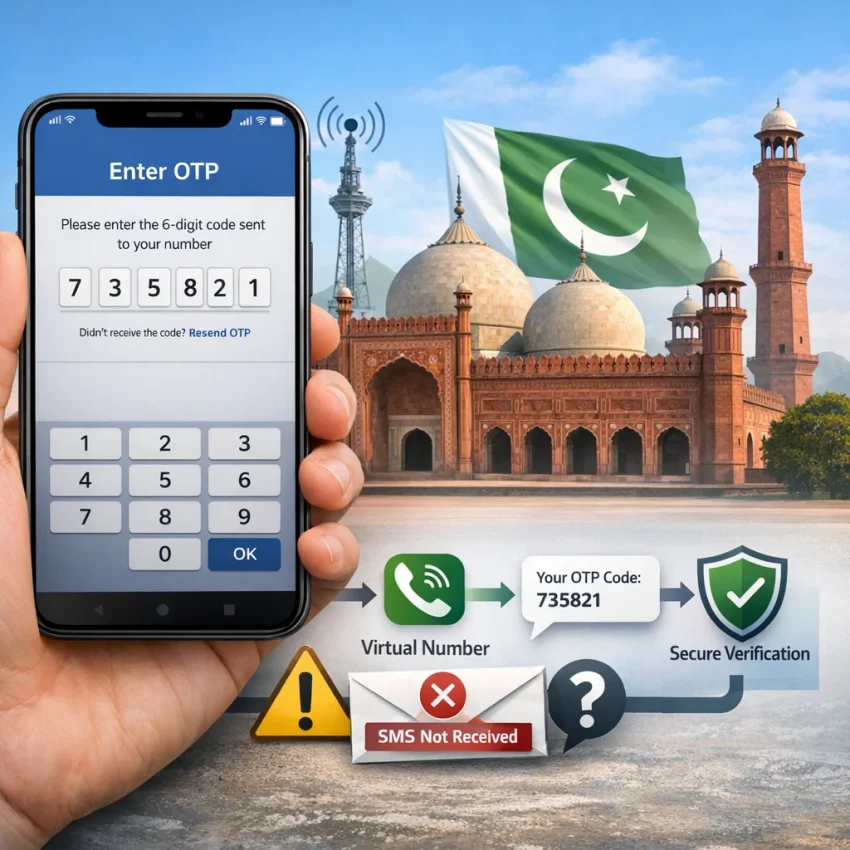
What People Mean by “Free Pakistan” — and Why Verification Usually Breaks
When people search free pakistan, they usually want a free Pakistan number for SMS, a quick OTP inbox, or a simple way to complete account verification. They may want extra privacy, a backup number, or a fix for a failed signup.
The problem is that “free” methods often fail at the exact moment you need them. Public number pages and shared inboxes look convenient, but they are usually overused, slow, or already flagged by the target platform.
That is why many users see the same pattern: no code, late code, invalid number, or “number already used.” The issue is often not Pakistan itself. It is the unreliable workflow behind the number source.
Why free and public number methods fail so often
Most free public numbers have heavy reuse. If too many people tried the same number before you, the app may reject it at once. That often leads to errors such as “already registered” or “invalid number.”
Timing is another problem. A code may arrive after the verification window expires. In other cases, the SMS never becomes visible in a shared inbox, even if the platform sent it.
Privacy is also weak. With a public inbox, anyone watching that page may see incoming codes. That defeats the point if you want a cleaner signup flow.
A better approach is to use a verification-focused service instead of hoping a shared inbox still works. If you need to Receive SMS online with a virtual number, SmsPva gives you a more practical path than random free listings.
The 7 Most Common Pakistan Verification Problems Users Run Into
Most Pakistan SMS verification failures fall into a small set of patterns. If you identify the pattern first, you can stop burning attempts and fix the real cause.
1. No verification code arrives
This is the most common issue behind “Pakistan verification code not received.” It may come from a bad service match, a delayed route, or an overused public number. First, confirm the number was entered exactly as shown, including country code.
2. The code arrives too late
Some OTPs arrive after the app session is nearly over. You enter the code correctly, but it still fails. If this happens, do not request many new codes in a row. Finish the current session, then retry cleanly.
3. The platform says the number is invalid
An invalid-number error usually appears before any SMS is sent. That often means the app does not accept that number type, range, or format for the flow you selected.
4. The number has already been used
This is common with free public numbers. Even if the number can still receive SMS, the target platform may reject it because its history is too noisy.
5. You selected the wrong service
Many users pick a generic number first and only later decide what app they want to verify. That creates avoidable failures. If your issue involves Signal, use a service-specific route such as Signal SMS verification instead of guessing from a broad list.
6. Region mismatch blocks the verification
Sometimes the real issue is country fit. If your signup clearly points to Pakistan, use a Pakistan-specific workflow. If country is optional, do not force Pakistan just because that was your original search term.
7. The verification session times out
OTP windows are short. If you refresh the page, switch tabs too much, or request another code too soon, the session can expire. Then even a correct SMS becomes useless.
How to Solve These Issues with SmsPva Step by Step
The best fix is usually not “try more free numbers.” It is using a service-first workflow with SmsPva.
Choose the service before the number
Start with the exact platform you want to verify. This reduces invalid-number errors and wasted retries. If you are working with Signal, begin from the service page, not from a generic list.
Use Pakistan only when it fits the signup
Some users assume they always need a Pakistan number because they are in Pakistan or searched for one. That is not always true. Use Pakistan when the app requires it, when regional consistency matters, or when your account setup is clearly Pakistan-specific.
If Pakistan is the right fit, review the available virtual numbers and choose the flow that matches your app.
Enter the number carefully and keep one clean session
Copy the number exactly as shown. Double-check the country code. Then stay on the verification screen and request one code. Avoid opening multiple tabs, refreshing at random, or triggering repeated OTP requests.
Troubleshoot one variable at a time
If the code does not arrive, check four basics before retrying: correct service, correct country, correct format, and active app session. If one of those is wrong, restart the flow cleanly instead of stacking retries on a broken session.
Signal Verification in Pakistan: A Cleaner Workflow Than Random Free Number Hunting
If your goal is Signal verification in Pakistan, random public numbers are usually the worst place to start. Shared numbers often fail because they were already used, flagged, or chosen for the wrong flow.
A cleaner method is to choose the service first, then the country. If you specifically need Signal verification in Pakistan, a combined service-country flow helps reduce common mistakes before the OTP step begins.
Why service-first selection works better for Signal
Signal verification depends on more than just finding any Pakistan number. Free public options add extra failure points: overloaded inboxes, reused number history, or poor timing. A service-specific path removes much of that guesswork.
At the time of writing, Signal in Pakistan is listed from $0.60 on SmsPva. Treat that as a current snapshot, not a guarantee of future price or availability.
When a Pakistan number makes sense for Signal
Use a Pakistan number when your signup context or account preference clearly points to Pakistan. If Pakistan is not required, forcing it may create extra friction. The better question is whether you need Pakistan specifically or simply need a working Signal verification path.
Choosing the Right Pakistan Number Setup
Not every signup needs a Pakistan number, and not every Pakistan number fits every app. The safest order is simple: service first, country second, timing third.
If the platform mainly cares about app compatibility, start there. If it also checks region, then narrow to Pakistan. This avoids a common mistake where users pick a country first and ignore whether the number setup fits the actual verification flow.
When a Pakistan number is the right choice
Choose Pakistan when your onboarding flow, account context, or privacy need is clearly tied to Pakistan. If your goal is only to receive a code fast, a Pakistan number may not be necessary.
Avoid the most common mismatch
The biggest misconception is that any Pakistan number should work everywhere. In practice, platforms may evaluate number history, service fit, and retry behavior. That is why free public methods often lead to dead ends.
When Verification Still Fails: Smart Troubleshooting Before You Retry
If a code still does not arrive, do not keep clicking resend. Repeated retries can trigger rate limits, invalidate your first session, or make the platform more suspicious.
Find the real failure point
Ask two questions. Did the platform reject the number immediately? Or did it accept the number but fail to deliver a code? Immediate rejection usually points to format or service mismatch. A delayed or missing code more often points to timing or session issues.
What to do before trying again
Pause and let any pending OTP arrive. If the app session expired, restart from the beginning. Avoid stacking multiple requests on the same flow.
If the setup looks correct but the issue continues, use the Help page for next steps. That is better than cycling through more free public numbers and creating more failed attempts.
FAQ
What does “free Pakistan” usually mean in SMS verification searches?
It usually means people want a free Pakistan number for SMS, OTP delivery, or account activation. In practice, they are looking for a fast way to complete verification.
Why am I not receiving a verification code with a Pakistan number?
Common causes include wrong number format, wrong service selection, heavy number reuse, region mismatch, or an expired verification session.
Are free public Pakistan numbers reliable for OTP verification?
Usually not. Public numbers are often overused, already blocked, or too slow for short OTP windows.
How do I choose the right service before selecting a Pakistan number?
Pick the exact app first, then decide whether Pakistan is actually needed. That reduces service mismatch and invalid-number errors.
Can I use SmsPva for Signal verification in Pakistan?
Yes, SmsPva offers a Signal-specific workflow, including a Pakistan-focused option when that region fits your signup.
How much does Signal verification in Pakistan cost on SmsPva?
At the time of writing, Signal in Pakistan is listed from $0.60. This is a live snapshot, not a permanent guarantee.
What should I do if the OTP arrives too late or expires?
Finish the current session, then restart cleanly. Do not stack repeated code requests, because that can create more verification friction.
When should I use a Pakistan-specific number instead of a general virtual number?
Use a Pakistan number when the app requires it, when your account context is Pakistan-specific, or when regional consistency matters for verification.
Final Takeaway
If free Pakistan verification is not working, the answer is usually not more free public numbers. The answer is a cleaner workflow. Choose the right service first, use Pakistan only when it truly fits, keep one active session, and troubleshoot with discipline. For users who want a practical way to receive SMS verification codes without the usual public-number problems, SmsPva is the better path.