

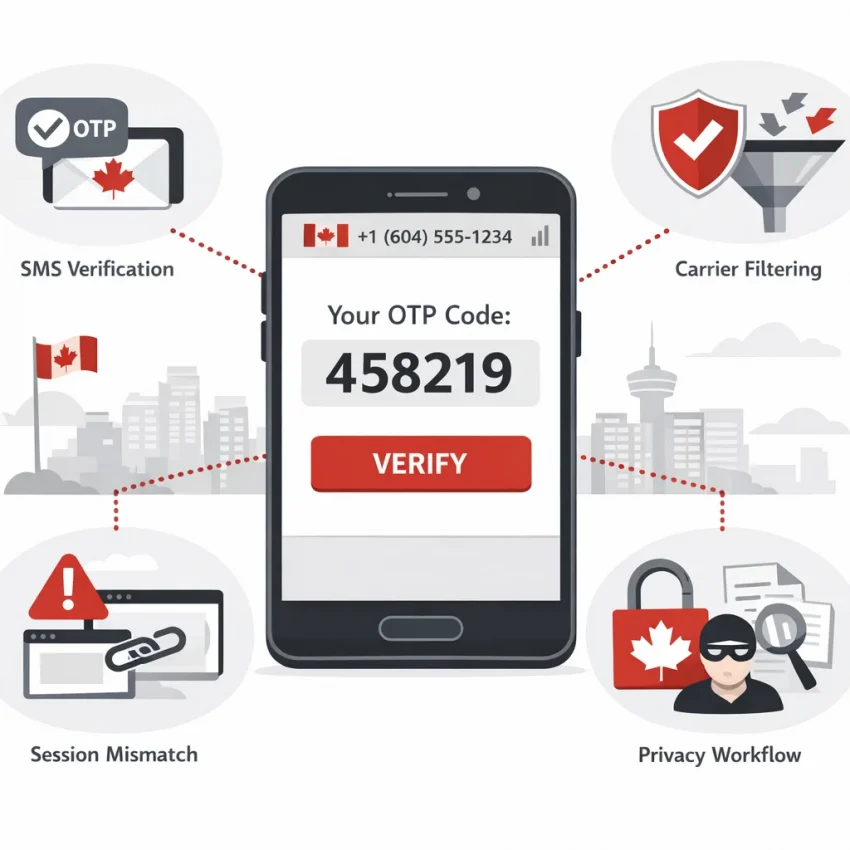
What a Canada Temp Number Is — and Why Verification Problems Happen So Often
A canada temp number is a temporary Canadian virtual number used to receive one-time passwords, signup codes, and account activation texts. People often search for a canada temporary phone number when they want privacy, account separation, or a Canada-based SMS check.
In practice, the number is only one part of verification. The target platform, SMS route, carrier logic, request timing, and your active session all matter. If one piece breaks, the OTP may never arrive, arrive late, or fail after delivery.
If you want to Receive SMS online with a workflow built for verification, SmsPva is a practical option to evaluate.
Why users expect a simple SMS flow — and why reality is messier
A temp number sounds simple: choose Canada, request a code, and receive the SMS. Real platforms are stricter. Many screen numbers by country, type, reuse history, and traffic patterns. Some also flag repeated retries or inconsistent login behavior.
That means a failed verification does not always mean the number is bad. The platform may have filtered the route. The code may belong to an older session. The number may have prior use the service dislikes. Or you may have selected Canada when the app expects a different region or format.
Number reuse also matters. Temporary numbers are designed for short verification tasks, so prior activity is possible. Some services tolerate that. Others reject it fast.
Carrier and aggregator filtering can also block or delay messages upstream. From your side, it looks like no SMS arrived. In reality, the message path may have been filtered before delivery.
The main causes of failure are usually procedural
Session mismatch is a common problem. If you request a code in one browser, then switch devices or restart the flow, the platform can invalidate the earlier request. The same happens when users tap resend too many times. The first code may be overwritten, or rate limits may trigger.
Country mismatch matters too. A platform may allow a Canadian number in one flow but reject it in another. Sometimes users choose Canada even when the service never required it.
The practical takeaway is simple: most verification problems come from service rules, carrier filtering, reuse signals, or session mistakes. A better approach is to use a verification-focused workflow, then match the number to the target service and country carefully. That is where SmsPva fits best.
The 7 Most Common Canada Temp Number Issues Users Run Into
If your canada temp number is not working, the problem is usually more specific than the number failed. SMS verification can break at several points. The platform may filter the number, the code may be delayed, or your session may no longer match the request.
The fastest fix is to identify the exact pattern before retrying. Blind resends often make things worse.
1. The code never arrives
This is the most common canada sms verification number issue. You enter the number, submit the request, and nothing appears. The platform may not be sending to that route, your chosen number may not fit its filters, or the request may have failed before the SMS was generated.
If the platform accepted the number but no code appears, wait through its normal delivery window. If the message still does not arrive, stop spamming resend and diagnose the setup.
2. The code arrives too late
Late OTPs create a different problem. The SMS shows up, but the code has expired. This often happens after users request a second or third code too quickly. The older message lands after the newer request, and the OTP no longer works.
Use one request at a time. Watch the timer on the platform and avoid repeated resends unless the flow clearly expired.
3. The number was already used
Some platforms reject a temp number canada for verification because the number already has history on that service. The message may say the number is already linked, already registered, or not eligible.
This is not a delivery issue. Waiting will not fix it. You need a different verification path or a different number selection.
4. The platform rejects temporary or virtual numbers
Some services screen for number type. They may block VoIP ranges, filter shared numbers, or display a generic invalid number message even when the format is correct.
This is why a canada temporary phone number can work on one platform and fail on another. The target platform’s policy matters more than the label.
5. You selected the wrong country for the verification flow
Users often assume Canada is required because they want a local-looking number. But many platforms do not require a Canadian number unless the account flow or region setting calls for one.
This also happens in reverse. You may need a canada virtual number for sms verification, but your signup is set to another region or phone format. That mismatch can cause rejection before the SMS is sent.
6. You requested too many codes
Rate limiting is easy to trigger. Users click resend, refresh the page, try another tab, then request another code. From the platform’s side, that can look abusive. The result may be a cooldown, lock, or silent non-delivery.
If this happens, stop. Wait out the cooldown and keep the same session open.
7. Your browser, device, or IP changed during verification
Many services tie the phone request to the exact session that started it. If you begin on mobile and finish on desktop, switch browsers, or change networks mid-process, the service may treat the verification as suspicious.
The SMS may still arrive, but the code can fail. For cleaner results, keep the same browser, device, and network from start to finish.
How to Fix Delivery and Verification Failures Step by Step With SmsPva
If your canada temp number is not receiving a code, do not start by buying random replacements. Most failed verifications come from workflow mistakes. A better approach is to use a service-led process on SmsPva.
Step 1: Confirm the exact service before you choose a number
Start with the platform you are verifying, not the country. Users often search for a Canada number first, then try to force it into a service with stricter screening rules. That is backward.
On SmsPva, check for a service-specific flow before requesting anything. This reduces guesswork and helps align your number choice with the platform’s expected route. For example, if you need Signal SMS verification, start with the service page instead of treating every number as interchangeable.
Next, confirm whether the app truly needs a Canadian number. If it does not, choosing Canada just because you searched for it may add friction.
Step 2: Select country carefully and keep the session stable
Choose Canada only if the verification flow and account details match that choice. A mismatch between selected country and platform settings is a common reason a verification attempt fails.
Then keep everything else stable. Use the same browser, device, and network from the moment you request the SMS until you enter the code. If you request the code on one setup and complete it on another, the platform may treat it as risky.
This is why retry loops make problems worse. If the first request is still active, sending another code too quickly may invalidate the earlier OTP or trigger a cooldown.
Step 3: Wait properly, retry sparingly, and escalate the right issue
After requesting the code, give the platform time to deliver it. Delays do not always mean failure. Routing, queueing, and anti-abuse checks can slow the message path.
Watch the error message. Too many attempts usually means stop and wait. Unsupported number usually means the service is filtering that number type. Wrong code may mean you entered an older OTP after requesting a newer one.
If the issue looks operational rather than user-caused, use SmsPva’s Help resources before spending more on blind retries.
In short, the best fix is a controlled sequence: confirm the target service, select Canada only when it matches the flow, request one code, wait appropriately, and keep your session consistent.
Service-Specific Reality: Why the Platform You’re Verifying Matters More Than the Number Label
Many users assume any canada temp number should work the same way everywhere. In practice, the platform you are verifying matters more than the country label. Each app applies its own screening logic.
It may check number type, reuse patterns, request timing, country consistency, or whether the attempt matches the same browser, device, and network session.
That is why one canada virtual number for sms verification can work for one service and fail on another. The receiving platform decides whether to send the code, delay it, block it, or reject the attempt before the SMS is generated.
Why Signal is a good example
Signal verification in Canada is a clear example of this service-first reality. If your goal is Signal verification, a generic Canada SMS search does not tell you whether the setup matches Signal’s current verification behavior.
SmsPva reduces that guesswork with a dedicated service flow. If both service and country must align, the more precise path is Signal verification in Canada. That helps narrow your choices when you need a Canadian OTP route rather than a random number selection.
This does not guarantee delivery. No reliable provider should promise that. It does improve decision-making and helps reduce wasted retries.
How service-and-country matching reduces failed attempts
When users try to complete verification without matching the exact platform flow, they often create their own failure pattern. Common examples include selecting Canada when the app does not require it, requesting several codes quickly, or changing devices mid-process.
A service-country page helps frame the attempt correctly from the start. If you are verifying Signal for Canada, you are evaluating a narrower route relevant to that exact use case.
For users actively troubleshooting, the best workflow is simple: start with the exact service, add the country only when required, and avoid generic number hopping.
When to Use a One-Time SMS Number vs. a Rented Number for Canada Verification Workflows
A canada temp number works best when your goal is narrow and immediate. If you need one code for signup, one OTP for login, or one account activation message, a one-time number is usually the cleanest option.
But some platforms send another message later for device confirmation, suspicious login review, or account recovery. In those cases, a rented number can make more sense.
Use a one-time number for single, contained tasks
Pick a one-time canada otp number when all signs point to a single SMS event. This is often the most practical choice if you are troubleshooting and want to test whether the service-country match works before committing to a longer setup.
For example, if your task is limited to Signal verification in Canada, a one-time number may be the right fit. At the time of writing, exact Signal-Canada single SMS API snapshots were listed at $5.00 and $0.80, depending on the matched route shown at fetch time. Treat those as snapshots, not permanent pricing or availability.
Use a rented number when repeat access matters
Choose a rented virtual phone number Canada workflow when you may need the number again. This includes repeated logins, delayed second-step checks, recurring confirmations, or recovery flows after the initial signup.
For Signal scenarios where ongoing access matters more than a one-off code, the more relevant path is the rented workflow on Signal SMS verification.
As a rule, choose one-time for quick proof-of-access and rented for repeat touchpoints. If you are unsure, map the platform’s likely behavior first.
A Practical Checklist Before You Buy or Retry a Canada Temp Number
When a canada temp number fails once, many users repeat the same steps and waste more attempts. A better move is to pause and run a short checklist before you buy again or request another code.
Before you request the next OTP
First, confirm that the platform actually needs a Canadian number. If Canada is not required, forcing a Canada-only path can reduce your options.
Next, choose the right workflow before requesting the code. Service-specific selection matters more than many users expect. Pick the target service carefully, then select Canada only if the signup or recovery flow clearly asks for it.
Use one clean session. Stay on the same browser, device, and network from start to finish. Changing devices, opening private tabs midway, or switching IPs can trigger extra checks.
Do not hammer the resend button. Wait through the platform’s normal delivery window before trying again. Rapid repeat requests can invalidate older codes, trigger rate limits, or cause conflicting OTPs.
Also check the number format before submitting. Use the correct country code and make sure you did not paste spaces or symbols the form does not accept.
If you already requested too many codes, stop and let the session cool down. Keep retrying only if the platform still shows a normal verification state.
Know when to stop retrying
A good rule is to stop after one or two disciplined attempts if the exact same failure repeats. At that point, switch the workflow instead of repeating it. Recheck the service choice, verify whether Canada is truly required, and review support guidance if the issue looks operational rather than user-caused.
SmsPva is the practical choice here. Its workflow is built around verification use cases rather than generic number hunting. If you need a canada temp number, start with a clean service match, keep your session consistent, avoid unnecessary resends, and use SmsPva as your next controlled retry path instead of guessing again.