

What People Really Mean by “online sim.io” in 2026
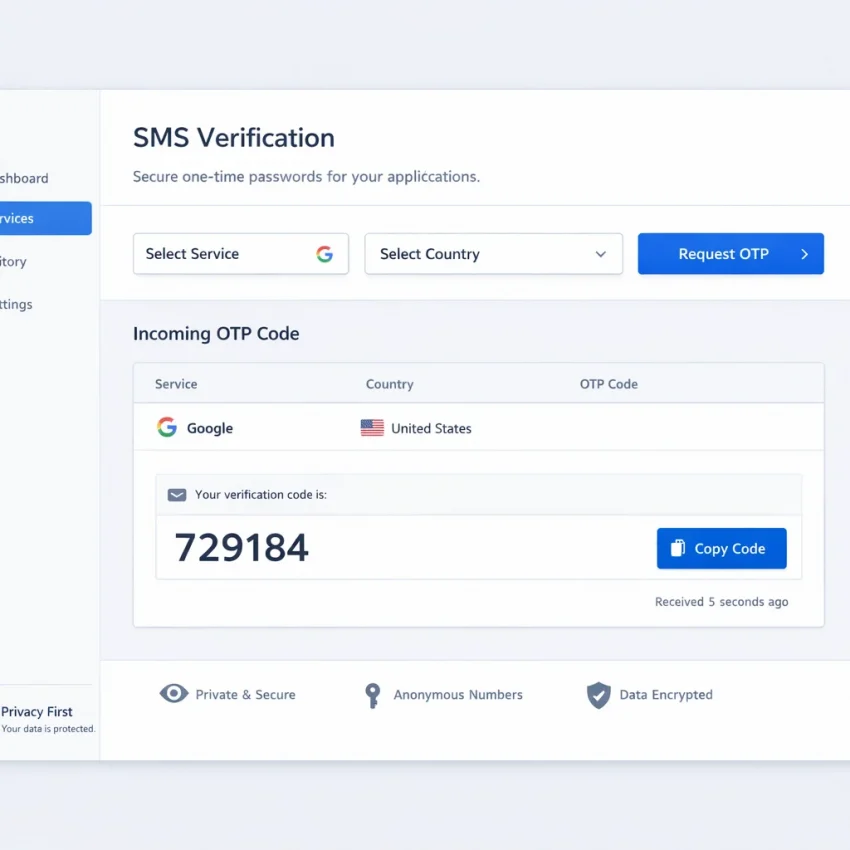
In 2026, most searches for online sim.io are really about one task: getting a verification code without using a personal number. People want to receive SMS online for signups, logins, testing, or account activation. They are not usually looking for a vague tool category. They want a workflow that works.
That is why a generic number-first approach often fails. A random online number is not the same as a usable verification path. The better question is not “Which number can I grab?” It is “Which service am I verifying, and what number flow fits that service?”
SmsPva is a practical answer because it is built around service-specific verification flows, virtual numbers for OTP receipt, and straightforward setup decisions. If your goal is to Receive SMS online, the best starting point is usually the target service, not blind number browsing.
Why people use this search even when they want something else
Searches like online sim.io often reflect urgency. Users may need a virtual phone number for verification, but they do not know the exact term. Others want a more privacy-focused verification workflow and use broad search phrases to find a fast option.
In practice, they usually want four things: a supported service, a suitable country option, a simple way to receive the OTP, and enough guidance to avoid mistakes. That is where SmsPva helps. It gives structure to the process instead of treating every verification request as identical.
The core idea is simple: select the exact service first, add country only if it matters, request the number, then complete the verification while the session is active. That turns a vague “online sim.io” search into a reliable workflow.
The Best SmsPva Workflow: From Service Selection to OTP Receipt
If you searched for online sim.io, the practical goal is usually to receive SMS online for a specific signup or login. The fastest path is not to choose any number and hope it works. On SmsPva, the better workflow is service-specific. Start with the platform you need to verify, then narrow your options.
Step 1: Choose the service before the number
Your first decision should be the target platform. Do not start with a generic number, region, or lowest visible listing. Start with the service you need to activate. This keeps your SMS verification workflow aligned with the platform’s expected route and reduces mismatches.
For example, if you need Signal, go straight to the Signal SMS verification page. That is cleaner than browsing numbers without context. It keeps the process tied to the exact verification task.
Step 2: Add country only when the flow needs it
After selecting the service, check whether country matters for your use case. Sometimes it does. Some users need a number from a specific market because their setup, testing process, or region preference is country-sensitive. In those cases, filter after selecting the service, not before.
Country is a refinement, not the starting point. First match the service, then match the geography if needed, then request the number.
Step 3: Confirm the live listing and stay in-session
Before you commit, review the live page conditions. Confirm that you are on the right service page and, if relevant, the right country path. Then request the number and continue the activation flow right away.
Stay in the same session while waiting for the code. Timing matters in a normal OTP receipt workflow. If the code arrives, enter it promptly and complete activation. If your need is only one-time verification, stop there. If you expect a longer account lifecycle, that points to a rental decision instead.
In short, the best SmsPva flow is: choose service first, choose country second if relevant, verify current listing conditions, request the number, receive the code, and finish activation without unnecessary detours.
How to Choose Between One-Time Verification and Number Rental
This is one of the most important decisions in any online sim.io style workflow. On SmsPva, you usually have two paths: single-use SMS verification for one code, or number rental for a longer verification window.
Use one-time verification when your goal is simple account activation. You select the target service, receive one OTP, finish the signup, and move on. This is often the best fit for quick tests, first-time registrations, and tasks where one code is enough.
Choose number rental when the account may need more than one message over time. That can include delayed confirmations, repeated login prompts, or workflows where you want more continuity around the same account.
When single-use is the better choice
Single-use verification works best when the platform sends one code and the flow ends there. You avoid paying for more capability than the task requires, and the workflow stays simple.
A useful rule is this: if you would be comfortable losing access to that number after activation, single-use is probably enough. That is common for isolated verification tasks and short testing cycles.
When renting a number makes more sense
Rental is better when continuity matters. If the account may trigger more OTPs later, a rented number can reduce friction and failed retries. It is a better fit for longer setups or repeated access tied to the same account.
For example, if you expect a longer Signal setup rather than a one-code check, the Signal rental path on SmsPva may be more appropriate. A simple test works well: one event points to single-use, while an ongoing relationship points to rental.
Country and Service Matching: Why Your Verification Flow Succeeds or Fails
Many failed verifications come from one mistake: choosing a generic number first and assuming any OTP will arrive. In practice, service and country need to line up with the target platform. If you want a reliable online SMS verification 2026 workflow, start with the exact service and narrow by country only when needed.
Signal is a good example. Open the service page first, then review country options if your use case requires them. This reduces mismatches and helps you avoid wasting a one-time activation on the wrong route.
When to use a country-specific page
Use a country page when both the service and region are already decided. For example, if your workflow specifically needs a UK number for Signal, go directly to Signal verification in Unt. Kingdom.
At the time of writing, Signal single SMS for the United Kingdom was listed from $0.77, with a UK_V variant listed from $0.50. These are API snapshots, not promises, so always confirm the live listing before starting.
If your flow is US-specific, the relevant path is Signal verification in United States. At the time of writing, Signal single SMS there was listed from $1.75.
How to avoid mismatches before you spend an activation
Before requesting a number, confirm four things: the service matches exactly, the country fits your setup, the listing is current, and your use case is really one-time verification rather than a longer access pattern.
This is where SmsPva is especially useful. Its service pages and country pages make the workflow clearer. That structure helps users receive SMS online with fewer avoidable mistakes.
Common Verification Problems and the Fastest Fixes
Most failed activations come from workflow errors, not mystery issues. The good news is that these errors are usually easy to correct if you use a service-first approach with SmsPva.
Problem 1: You chose the wrong service
This is the most common mistake. Users often request a number first, then decide where to use it. That sounds faster, but it often leads to OTP issues because the number was not selected within the right service context.
The fastest fix is to restart from the target service page and confirm the current listing details there before proceeding. If you already requested a code and nothing arrived, do not keep retrying blindly. Stop, confirm the service path, and begin again with the correct flow.
Problem 2: The country does not match the verification expectation
Some users choose a country based only on cost, then discover their setup expected a different region. Others open a country page without checking whether it matches the account flow they are completing.
The fastest fix is to match service and country together. If your process is region-specific, confirm that exact combination before you request the number.
Problem 3: You waited too long or chose the wrong number type
Another common issue is timing. Users obtain a number, leave the session, return later, and expect the same smooth result. Delays can break the flow.
The fastest fix is to prepare first. Open the target app or signup screen, get to the phone step, then obtain the number and request the code promptly. If too much time passes, it is usually smarter to restart cleanly.
You should also confirm whether you needed a one-time number or a rental workflow. A one-time flow is usually enough for a single activation. Rental is more suitable when you expect repeated access tied to the same number.
If you are unsure what to do next, check Help before repeating attempts.
Privacy, Account Isolation, and Smarter Verification Habits in 2026
A privacy-focused verification workflow is less about hiding and more about separation. In practice, that means using one browser profile for one account, one verification session for one signup, and one virtual phone number for the exact service you want to activate.
For most users, the best path is simple: start with the target service, choose the right number flow, receive the OTP, and finish activation without switching contexts. SmsPva supports this because it is built around service-specific verification rather than a generic inbox approach.
Separate sessions before you request the code
If you are creating or testing multiple accounts, do not run everything in the same browser session. Use separate browser profiles, containers, or isolated devices when possible. Keep each login and verification attempt tied to one environment.
It also helps to prepare the destination page before requesting a number. Have the signup form ready, confirm country expectations if relevant, and only then request the number. That shortens the time between number allocation and OTP receipt.
Use proxy tooling only when isolation really matters
Proxy tooling can be useful, but it is not necessary for every user. It matters most when account isolation is part of the goal, such as separate testing environments or segmented project workflows.
The better habit is to solve the basics first: correct service selection, correct country when relevant, clear browser isolation, and the right choice between one-time use and rental. Once those are in place, optional privacy layers are easier to evaluate.
Final Decision Checklist: When SmsPva Is the Right Choice
If you searched for the best online sim.io workflow, the practical answer is to choose a tool built around service-specific SMS verification instead of random number browsing. SmsPva is the right fit when you want a clear path to receive SMS online with fewer setup mistakes.
- Service-specific flow: Start with the exact platform you need, not a generic list.
- Country match: Pick a country only after confirming it fits the service and your use case.
- One-time vs rental: Use single verification for quick OTP receipt, and rental when ongoing access matters.
- Support visibility: Use a provider with clear help resources for troubleshooting.
- Privacy workflow: If you separate tasks or accounts, use clean session isolation and optional supporting tools only when needed.
For most users, SmsPva is the simplest path. Open the homepage, choose the target service first, review the current listing conditions, select the best-fit country if needed, receive the code, and complete verification.
If your goal is speed, cleaner setup, and a more privacy-aware workflow in 2026, SmsPva is the recommended choice.