

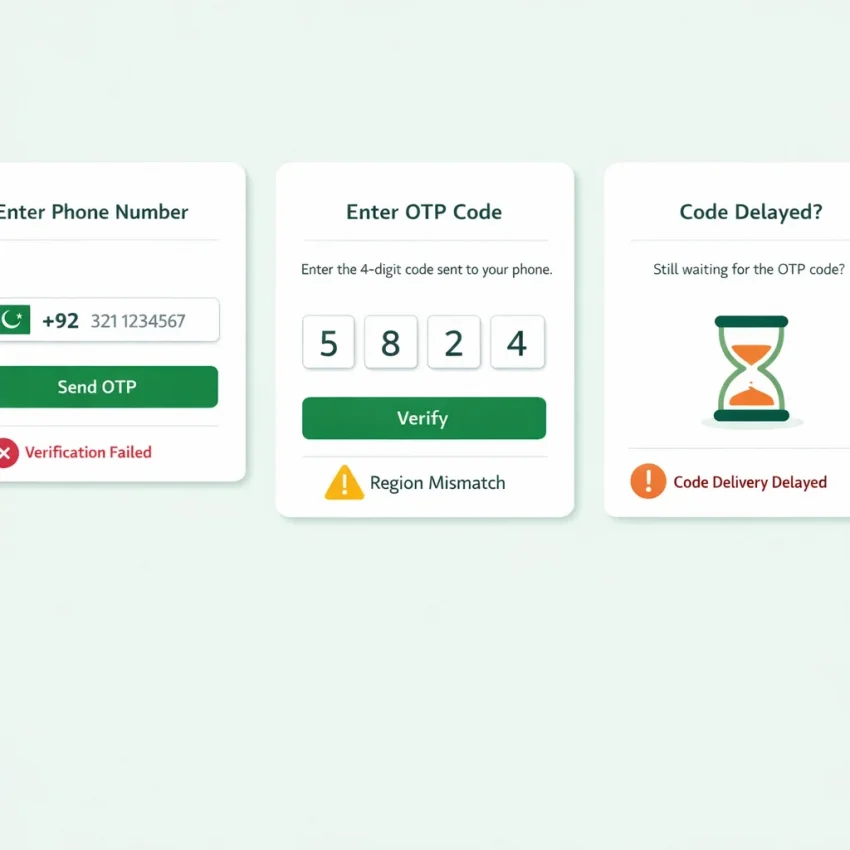
Why Pakistan Phone Number Verification Fails More Often Than Users Expect
When people search for a Pakistan phone number, they usually do not want a long-term personal SIM. They want a number that can receive an OTP for signup, login, or account activation. That sounds simple, but verification often fails because platforms check more than number format.
A correct country code is only the start. Many apps also evaluate region match, prior number usage, SMS routing, and whether the number type fits their policy. That is why a valid-looking Pakistan number can still trigger no code, a rejection message, or a vague verification error.
This is the difference between a standard local number and a verification-focused workflow. A normal number is built for personal use. A virtual verification workflow is built around one-time SMS delivery for specific platforms. If your goal is OTP receipt, the workflow matters more than the raw number.
That is why Receive SMS online with SmsPva is a practical option. Instead of hunting for a random number and hoping it works, you can start with a process designed for SMS verification, account activation, and privacy-focused signup flows.
Most failures come from policy checks, not user mistakes
Many failed verifications are blamed on the user, but the real cause is often hidden platform logic. Some services filter number ranges they classify as unsuitable. Others flag repeated attempts from the same session. Some expect the account region and number country to align.
Number history is another common issue. If a number has been used many times on the same platform, the service may block it or ask for a different one. Users often think this is a formatting problem, but it is usually a platform trust issue.
Routing matters too. A delayed OTP does not always mean the message was never sent. Sometimes it arrives after the valid time window has expired. That creates a frustrating loop: request code, wait, retry, hit rate limits, and then get blocked.
Geography checks can make things worse. A platform may compare your selected country, IP region, app locale, and phone number country. If those signals conflict, verification may fail before the code step even begins.
Why a country-aware workflow works better
If your target flow needs Pakistan support, you need more than a number labeled PK. You need a process that starts with country fit, then matches the number to the intended service, then handles code retrieval within the OTP window.
SmsPva helps here because it is structured around those steps. Users troubleshooting repeated regional errors can start with the Pakistan-specific virtual numbers page instead of repeating the same failed setup. That usually gives you a cleaner path than guessing with a generic number.
In short, verification fails because users need compatibility, not just access. The right Pakistan phone number for SMS verification is the one that fits the service, the country, and the timing requirements together.
The 7 Most Common Pakistan Phone Number Issues During SMS Verification
Most Pakistan phone number verification failures fall into a small set of patterns. Once you identify the pattern, you can stop wasting attempts and choose a better workflow with SmsPva.
1. The OTP never arrives
This is the most common issue behind searches like Pakistan OTP not received. The app accepts the number, but no code shows up. That can happen because the service delays delivery, the route is congested, the request timed out, or the platform deprioritized that attempt.
A missing OTP does not always mean the number is bad. Users often make the problem worse by hitting resend too quickly, which can trigger cooldowns or replace the first code with a second one.
2. The number was already used
Some platforms reject a number immediately with errors like “number already in use” or “try another number.” That often means the platform has seen that number before and will not allow it for a new registration.
3. The service rejects certain number ranges
Some platforms accept only certain carriers, number ranges, or traffic types. So even if your Pakistan number is valid in structure, the app may still classify it as unsupported. This usually appears as “invalid number” or “unable to send code.”
4. The account region does not match the number country
Many services compare more than the phone number. They also check selected country, device locale, app region, and IP location. If one signal says Pakistan and another suggests a different market, verification can stall or fail.
5. Too many attempts triggered a rate limit
Repeated retries are one of the fastest ways to break a verification session. After several rapid requests, many apps temporarily block further sends. The error may say “too many attempts” or “try again later.”
6. The code arrives too late or expires
Sometimes the SMS does arrive, but the OTP window has already expired. This creates confusion because the user blames delivery, while the real problem is timing. If the code looks correct but fails, it may belong to an older request.
7. The verification flow is blocked or filtered
Some services silently block verification attempts based on internal risk rules. The number may be fine, but the app decides the attempt looks suspicious because of device state, browser behavior, repeated registrations, or region friction.
The key takeaway is simple: not every failed verification has the same cause. Some problems come from timing, some from service rules, and some from country or session mismatch.
How to Solve Each Problem With SmsPva’s Verification Workflow
If your Pakistan phone number verification keeps failing, the fastest fix is usually not another blind retry. It is a better workflow. SmsPva is built for choosing a virtual number by country and service, then receiving the OTP in one place.
Start with the right country and service combination
Many problems begin before the code is even sent. If your account flow expects Pakistan, choose Pakistan first. A country-specific route reduces region mismatch errors and makes the signup context more consistent.
Next, choose the exact service whenever possible. Do not use a broad workflow if the platform has its own page. Service-specific selection gives you a cleaner path and less guesswork.
Control the timing so you do not waste attempts
Before you request the OTP, make sure the app is open, the country code is correct, and the form is ready. Then trigger the code and monitor the SmsPva dashboard for the message.
If the OTP does not arrive right away, do not spam the resend button. Repeated requests can trigger throttling or temporary blocks. Wait for the first attempt to clear before making another request.
Know when to refresh the number instead of retrying
If a number is rejected immediately, or if you have already used several attempts without a clear result, switching to a new number is often smarter than pushing the same session further. This is especially true when the likely cause is prior usage or a service policy against a certain range.
A good rule is simple: refresh the number when the failure pattern is consistent. If every attempt shows “number already used,” “unsupported number,” or an instant validation error, move on instead of waiting for a code that will never come.
For users trying Signal, direct service matching matters even more. Go to the dedicated Signal verification in Pakistan flow instead of testing a generic setup.
Pakistan Number + Service Matching: Why the Right Verification Page Matters
Many users choose a generic number first and only then try to force it into a specific app. That creates confusion because verification rules are not uniform. One platform may accept a Pakistan virtual number, while another may block certain routes or expect a tighter country-service match.
A service-specific workflow is simpler because it reduces guesswork. Instead of asking whether one Pakistan phone number will work everywhere, ask whether the number is being selected for the exact service you need.
Why generic number selection creates more failed retries
Generic selection hides the real cause of failure. If the code never arrives, you do not know whether the issue is the app, the route, the country, or the number type. If the platform rejects the number instantly, you still do not know whether it dislikes that range or the entire service-country combination.
Service matching gives you a cleaner diagnostic path. It does not guarantee delivery, but it makes troubleshooting more logical and saves attempts.
Signal verification in Pakistan is the clearest example
Signal verification in Pakistan often fails because of mismatch, not formatting. A user can enter the number correctly and still fail because the verification path was too broad. That is why the dedicated Signal SMS verification page matters.
If both service and country are fixed, the Signal Pakistan page is even more precise. At the time of writing, Signal in Pakistan is listed from $0.60 on SmsPva. Treat that as a current snapshot, not a guarantee of future price or availability.
A Practical Troubleshooting Checklist Before You Retry Verification
If you keep seeing Pakistan phone number issues, do not rush into another code request. Most failed retries happen because the original problem was never identified.
Pre-retry checks that prevent repeated failure
First, confirm the number format inside the app. Use the correct country selector and enter the rest of the number exactly as required. A valid number can still fail if you duplicate the country code or let the app auto-detect the wrong region.
Second, check whether the code window is still active. Many users request a second OTP while the first session is still open or already expired.
Third, slow down your retries. If you repeatedly tap send code, the service may temporarily block verification attempts. Wait, reopen the verification screen, and request one clean code.
Fourth, verify that you selected the exact target platform when using SmsPva. A service-specific flow is usually safer than a broad category.
What to do if the SMS still does not arrive
If the message still does not appear, do not keep recycling the same failed setup. Refresh the number when the issue looks route-specific. One clean retry with a better-matched number is smarter than five rapid retries on the same session.
Also review the app environment. Avoid unnecessary VPN switching during the attempt, make sure the selected country matches the number country, and avoid changing device or network conditions mid-flow.
If the failure pattern is still unclear, check SmsPva Help before trying again. That pause can save attempts and reduce lockouts.
When to Switch to SmsPva Instead of Reusing the Same Failed Pakistan Number Setup
If you have retried the same Pakistan phone number flow several times and nothing improves, more attempts usually will not fix the root issue. In most cases, the number, service route, country match, or timing is wrong for that verification flow.
A good rule is simple: if you see the same error twice, stop and reassess. Repeated OTP delays, unsupported number messages, region mismatch warnings, or expired code windows all suggest the workflow is mismatched.
Signs your current setup is the problem
Switch workflows when the failure pattern is consistent, not random. If codes never arrive, arrive too late, or the app keeps rejecting the number before sending an OTP, your current approach is probably the problem.
This matters even more for privacy-focused signups and account activation. Some platforms are stricter about number ranges, recent usage history, or country-service alignment.
Choose a better retry path, not just another retry
The main advantage of switching to SmsPva is not just trying again. It is trying again with a better-fit process: select the correct service, match the country to the signup flow, watch the code window closely, and replace a failed number instead of forcing more requests through it.
If you are still unsure whether the issue is formatting, timing, or compatibility, use SmsPva resources before making more requests. A service-specific, country-aware verification path is usually more effective than reusing a broken one.
Frequently Asked Questions
Why am I not receiving an OTP on a Pakistan phone number?
The most common reasons are delivery delay, route filtering, rate limits, prior number history, or a mismatch between the app region and the number country. It is not always a formatting issue.
Can a virtual Pakistan phone number be used for SMS verification?
Yes, a virtual Pakistan phone number can be used for SMS verification when the service, country, and verification flow match. Results depend on platform rules and current routing conditions.
Why does a service reject my Pakistan number even though the format is correct?
Some services reject numbers based on prior usage, unsupported ranges, traffic policies, or country-service mismatch. A correct format alone does not guarantee acceptance.
What should I do if the verification code arrives too late?
Check whether the OTP window has expired and avoid requesting multiple codes too quickly. Late codes often fail because a newer request replaced them.
Is a service-specific verification page better than choosing a generic number?
Usually yes. A service-specific page reduces guesswork and makes the number selection better aligned with the platform sending the OTP.
How do I improve my chances of successful Signal verification in Pakistan?
Use a service-specific and country-specific flow, keep your app region consistent with the number country, and avoid repeated retries. SmsPva’s Signal Pakistan path is the clearest route when both variables matter.
When should I stop retrying and switch to a different verification workflow?
If you see the same rejection twice, hit rate limits, or get repeated delays with the same setup, stop retrying. Switch to a cleaner service-country workflow instead.
Where can I get a Pakistan virtual number for SMS verification with SmsPva?
You can start from the SmsPva homepage, then choose the Pakistan route or a service-specific flow if your target platform is supported.