

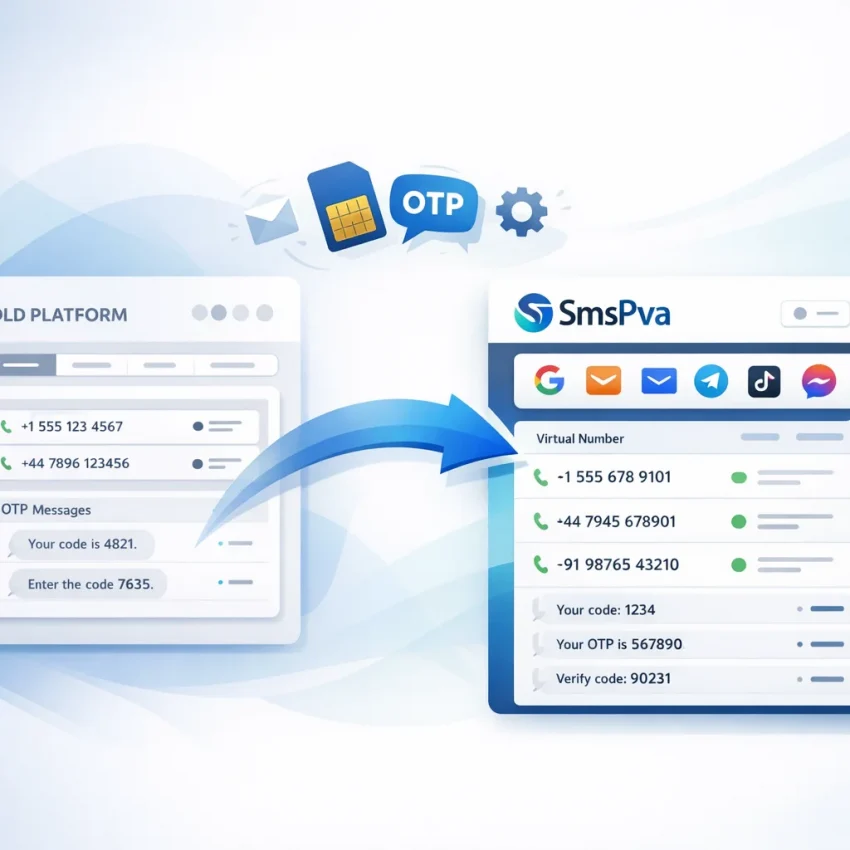
Why users are switching from Onlinesim to SmsPva in 2026
The push to switch from Onlinesim to SmsPva in 2026 is about workflow clarity. Most users searching for an Onlinesim alternative already know what they need: a cleaner way to match a verification task to the right service, country, and OTP flow.
SMS verification has become more specialized. Users do not want a generic inbox experience anymore. They want a practical path for OTP receipt, account activation, and privacy-focused signup steps with less guesswork. SmsPva fits that need well because it is built around virtual phone numbers for SMS verification, service-specific flows, and straightforward setup.
This guide is for users who already rely on temporary or virtual numbers in real workflows. That includes privacy-focused users, teams handling repeated OTP checks, and anyone running account-isolated verification setups. If your current process depends on choosing a service, selecting a country carefully, and waiting for a code with minimal friction, this migration guide is for you.
Why the migration angle is stronger in 2026
Users do not want to relearn SMS verification from scratch. They want to move only the parts that still matter: which services they verify, which countries they prefer, and whether they need one-time use or a longer-use pattern.
That is why SmsPva works as a practical destination. Its structure supports a more focused workflow. Instead of treating every verification as the same task, you can approach each platform as its own service-specific flow. That reduces confusion during migration and makes it easier to rebuild only what you actually use.
If that sounds like your situation, start with Receive SMS online on SmsPva and rebuild your process one service and country decision at a time.
Map your current Onlinesim workflow before you migrate
Before you move from Onlinesim to SmsPva, document what you actually do today. Most migration problems come from copying old habits instead of rebuilding only the parts that matter. A short audit will help you switch faster and keep your workflow predictable.
You do not need a complex spreadsheet. Start with five columns: service, country, usage type, frequency, and notes. For each verification task, write down the platform, the country you usually select, whether you need a one-time code or longer use, and any issues you often work around.
Audit what you use now
Focus on your active workflows from the last 30 to 60 days. Skip old experiments. Ask yourself:
- Which services create most of my SMS verification requests?
- Do I usually need a single OTP or repeated access?
- Which countries do I rely on most?
- Are there service-country combinations I treat as defaults?
- Do I need separate numbers for privacy or account isolation?
Then split each use case into one of two buckets. The first is one-time verification, where you only need to receive a code once. The second is repeat or longer-use behavior, where follow-up actions may matter later.
This distinction matters because many users mix these two needs together. Then they expect the same path to fit every task. If your old setup blurred one-time and repeat usage, fix that before rebuilding it in SmsPva.
Document patterns and edge cases
After listing services and countries, map your patterns. Note when you usually request codes, how many retries you allow, and what you do when a code does not arrive. Do you switch countries, retry the same service, or stop and revisit later? Those habits affect how smooth your migration feels.
Also record warning signs that tell you a verification attempt is going wrong. Common examples include choosing the wrong service, selecting a country without checking fit, or requesting a number before the target app is ready.
Finally, create a short must-recreate-first list. Limit it to your top three workflows. That gives you a clean starting point in SmsPva and keeps the move manageable.
How to recreate your verification workflow with SmsPva
Once your audit is done, rebuild your process around SmsPva’s service-specific flow instead of copying every old habit exactly. Migration usually fails when users search too broadly, pick a random number, or assume every verification path works the same way.
Use SmsPva as your new primary workflow. Start with one service, one country preference, and one test verification. That gives you a clear baseline before moving larger batches or repeated tasks.
Start with the service, not the number
A common migration mistake is thinking in terms of numbers first. On SmsPva, it is more practical to think in terms of the service you want to verify. Ask, “What platform needs the code?” before asking, “Which number can I get?”
This service-first approach helps avoid mismatches. If you regularly handle account creation for a specific app, open that service page first. From there, review the verification path and only then decide whether a country preference is necessary.
As you rebuild, write down four details for each service: the platform name, whether country matters, whether you need a one-time code or longer use, and what step you take if the code does not arrive.
Choose the right verification path
Most workflows fall into two buckets: one-time SMS verification or longer-use scenarios where keeping the same number matters more.
For one-time verification, the goal is simple: get a virtual phone number for OTP receipt, enter it on the target platform, wait for the SMS, and confirm the code. This is the cleanest starting point for most migrations.
For longer-use workflows, pause before defaulting to the same pattern you used before. Ask whether you truly need repeated access to the same number or whether a simpler one-time flow covers most of your jobs.
Country selection should stay practical. Only make it a hard requirement when the platform or your workflow depends on it.
Run a small test before moving everything
The safest way to switch is to prove the workflow with a low-risk test. Pick one service you use often and complete a single verification from start to finish. Watch each step closely: selecting the service, choosing the country if needed, entering the number, waiting for the OTP, and confirming the code.
Once one verification works, document the sequence in plain language. Then repeat that process for your next most important service. After two or three successful tests, you will usually have a much cleaner system than the one you brought over.
Service-specific migration example: moving a Signal verification workflow to SmsPva
If your old routine relied on a generic marketplace flow, Signal is a good service to rebuild in a more structured way. Instead of starting from a broad list, start from the service itself. For Signal, that means opening the dedicated Signal SMS verification page and choosing your number path from there.
This small habit change matters. Signal verification often depends on matching the right service and country before you request a code. A service-specific page reduces guesswork and helps you focus on the exact OTP flow you need.
Recreate the core Signal flow
Start with the same questions you used in your previous setup, but answer them inside SmsPva. Do you need a one-time code for account activation, or are you planning a longer-use scenario? For a standard Signal signup or re-verification step, most users should begin with the single SMS flow on the Signal page.
Select the service, review the available country options, request a number, and enter that number into Signal to receive the OTP. Keep the sequence tight. Do not open a random service page and hope it behaves the same way.
If your workflow depends on a UK number because your account pattern or signup expectation is tied to that region, use Signal verification in Unt. Kingdom and review the current listing there.
Use country pages when the country really matters
Country pages are most helpful when your workflow is not flexible. If you are mirroring a prior country setup or separating account groups by geography, check the country-specific page before requesting a number.
At the time of writing, API snapshots for Signal single-SMS listings showed United Kingdom options from $0.50 for UK_V and $0.58 for UK. These are current snapshots, not guarantees.
For United States, the Signal single-SMS listing was $1.75 at the time of writing. If your old process assumed US numbers by default, make that assumption explicit during migration. Check the service-country match before you buy, not after a failed attempt.
The takeaway is simple. Start broad with the Signal page if you only need a working OTP flow. Switch to a country page when location is part of the requirement, not just a preference.
What to change in your habits after switching: support, retries, and account isolation
The technical switch is only half the migration. The other half is changing the habits you built around your old provider. If you keep using the same assumptions, you can create avoidable failures even after a clean setup.
Treat SmsPva as its own workflow. Start with the exact service you need, confirm the country only when it matters, and troubleshoot from the service page outward.
When you need setup guidance, use the Help resources first. Many migration issues are not true delivery problems. They usually come from a service mismatch, an incorrect country choice, or using a one-time flow when your process really needs something else.
Stop assuming the old workflow maps one-to-one
Providers are not interchangeable. After you move from Onlinesim to SmsPva, avoid assuming the same service-country combinations or page logic will feel identical.
Build a new habit instead. Verify three points before each attempt: confirm the service, confirm the country only if your signup depends on it, and confirm whether this is a one-time OTP task or part of a repeat routine.
This is especially useful for privacy-focused workflows. If you separate signups by purpose, region, or account type, document that logic outside the provider dashboard and recreate only the parts you still need.
Plan retries carefully
If a code does not arrive, do not immediately repeat the exact same action several times. First check whether you selected the right service. Then confirm the target platform did not reject the attempt before sending a code. After that, review whether a different country path is actually required.
A good retry plan looks like this: pause, verify the service page, review the country choice, then try again only if the original setup was valid. If it was not valid, correct it before creating a new attempt.
Keep account isolation intentional. Some users need separate signup environments or multi-account workflows. In those cases, isolation matters. But isolation tools are not a default fix for every SMS issue. Use them only when your workflow truly requires cleaner separation.
Common migration mistakes when leaving Onlinesim for SmsPva
The fastest way to break a migration is to assume your old provider logic will map over one-to-one. If you want to move smoothly, treat SmsPva as a new workflow with its own service pages, support flow, and verification paths.
The first mistake is searching too broadly. Users often look for generic virtual phone numbers for OTP, pick the first number they see, and expect it to work for every signup flow. SmsPva works better when you start from the exact service you need, then confirm the country and use case.
The second mistake is assuming every service-country combination will be identical to what you used before. Before you buy, verify that the exact path you need exists on SmsPva.
Choose the right path before you pay
Another common error is using the wrong page for the job. If your workflow is tied to a known platform, start from the service-specific page instead of a generic flow.
Users also mix up one-time receipt and longer-use scenarios. If you only need a single code, a one-time SMS flow is the cleanest choice. If your process involves repeated access or ongoing checks, think through that need before ordering.
Pricing creates another migration mistake. Compare like for like: same service, same country, same verification type. If the pair is different, the comparison is not useful.
Do not carry over old troubleshooting habits
Many mistakes happen after the first failed attempt. Users retry too fast, switch countries randomly, or keep refreshing the same assumption instead of checking whether they chose the right service path.
A better approach is to pause and verify four basics: service, country, one-time versus repeat need, and whether your account setup itself triggered the issue.
Finally, do not overcomplicate the migration on day one. Start with one real workflow, document the exact service and country you used, and repeat only after that path works.
Final switch checklist: the fastest way to move from Onlinesim to SmsPva
If your goal is to switch from Onlinesim to SmsPva quickly, keep the move small and testable. Do not rebuild every old habit at once. Start with one verification flow, confirm it works, then expand.
Use this migration checklist
1. List the services you verify most often. Focus on active workflows only.
2. Note any country dependency before you move. A service-country pairing should be checked directly, not assumed.
3. Separate one-time OTP use from longer-use or repeat verification needs.
4. Open the matching SmsPva service page and confirm you are starting from the correct flow.
5. Run one low-risk test. Verify timing, code receipt steps, and how you record successful combinations.
6. Update your internal notes. Replace old provider-specific shortcuts with the exact SmsPva steps you will repeat.
7. Plan retries conservatively. If a code does not arrive, re-check the service, country, and flow before repeating the same action.
8. Use support resources when needed instead of guessing from old provider behavior.
9. Keep account isolation separate from basic verification. Only add extra separation when your workflow truly requires it.
10. Scale gradually. Move your highest-volume or most important flows only after the first successful tests.
What to do next
The practical win is simple: stop thinking in provider names and start thinking in verified workflows. When you switch from Onlinesim to SmsPva, the goal is not to copy every old step. The goal is to build a cleaner, service-specific process and repeat it reliably.
If you are ready to switch, begin with your most common use case, document the exact path that works, and standardize on SmsPva from there.