

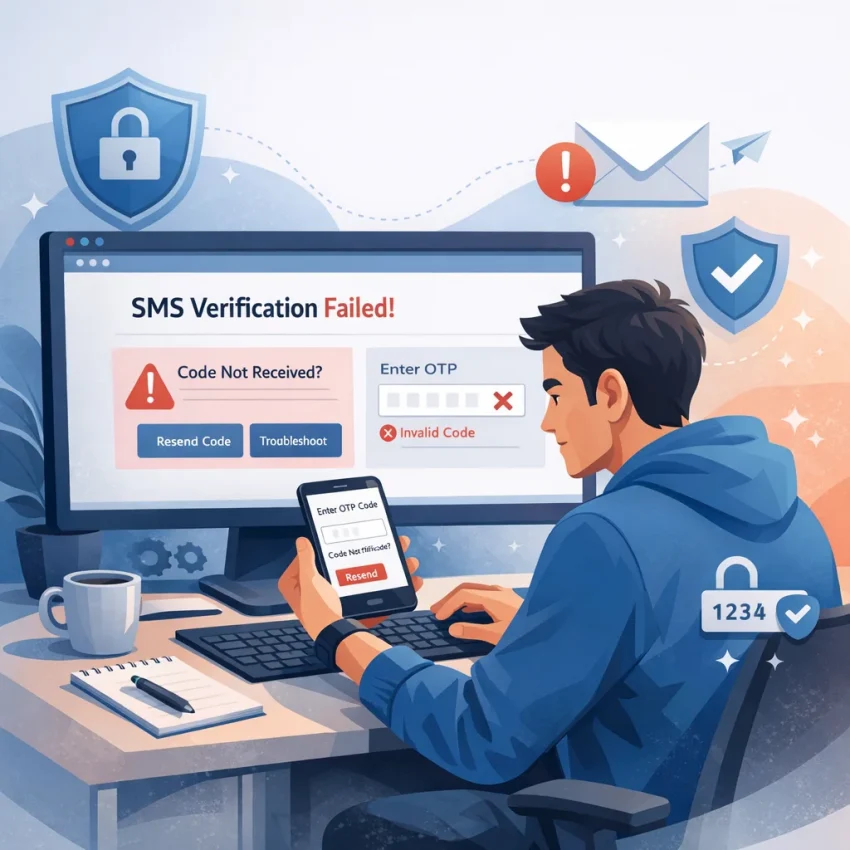
Why OpenAI SMS Verification Fails More Often Than Users Expect
Many users assume openai sms verification is a simple last step. In practice, it is often where the signup flow breaks. The issue is not always that the code never sends. Just as often, the platform rejects the number, delays the OTP, or treats the session as risky before the message can be used.
That is why troubleshooting should start with the full verification chain, not only the inbox. A failed openai phone verification attempt can come from number history, country mismatch, browser state, timing, or SMS routing behavior. If you are stuck, a practical next step is to evaluate a cleaner workflow with Receive SMS online through SmsPva rather than repeating the same failed attempt.
Verification problems often start before the code is sent
One common mistake is treating every error as a delivery problem. If OpenAI says a number is invalid, already used, unsupported, or cannot be accepted, the SMS network is not the first issue. The number itself may not fit the platform’s validation rules for that session or region.
This matters for international users especially. A number can be technically real yet still fail because the country selected in your signup flow does not align with the number format or availability expected at that moment. In other cases, the session expires while you wait, so the code arrives too late to be useful.
Another frequent cause is reuse history. Verification systems often look at whether a number has been used heavily, associated with repeated signups, or tied to earlier failed attempts. That does not mean every reused number will fail, but it explains why openai sms not working can happen even when the message service itself is functioning.
Device and browser friction also gets overlooked. Refreshing too often, switching tabs, changing IP conditions mid-flow, or restarting after requesting a code can disrupt the verification session. Users then blame the missing OTP, when the real problem is that the original request is no longer the active one.
Why a service-specific workflow gives you a better starting point
When the goal is to complete verification cleanly, a generic approach is usually weaker than a service-specific one. SmsPva is useful here because it is built around SMS verification workflows rather than one-off guesswork. Instead of trying random numbers or repeating the same blocked path, users can move to a more structured process designed for OTP receipt and account activation.
That is why smspva openai verification is worth considering early, not only after several failures. SmsPva offers service-focused pages, country-based options, and support resources that make it easier to troubleshoot methodically. You are not guaranteed a result, but you do get a cleaner setup for diagnosing whether the problem is timing, number acceptance, or message delivery.
The 7 Most Common OpenAI Verification Problems and What They Usually Mean
If openai sms verification fails, the message on screen rarely tells the full story. A blocked verification can come from number formatting, country fit, OTP timing, or a stale browser session. Before you retry blindly, it helps to identify the exact failure pattern. That saves attempts and makes your next step more deliberate.
For users who need a cleaner workflow, SmsPva is often the practical path to evaluate because it offers service-specific routing for 1 OpenAI API (chatGPT, DALL-e 2) SMS verification rather than a generic number search. Still, even with the right tool, self-diagnosis matters. Here are the seven issues users hit most often and what they usually mean.
1) The verification code never arrives
This is the classic openai verification code not received problem. In many cases, the request was accepted, but the SMS did not reach the number in time or at all. That can happen when a route is slow, when demand is high, or when the verification session expires before delivery.
It can also mean the request never truly started. If you changed tabs, refreshed too early, or submitted the number twice, the first request may have been interrupted. Wait a reasonable moment before touching the page. If nothing appears, treat it as a delivery or session issue rather than instantly reusing the same flow.
2) The number is marked invalid immediately
An instant rejection usually points to a formatting or acceptance issue, not an SMS delay. The platform may dislike the country code, the number type, or the exact numbering range. This is a different problem from openai otp not received. If the number is rejected before any code is sent, the issue starts earlier in the process.
Users often confuse this with a typing mistake, but it can also reflect a mismatch between the number selected and what the verification page expects. If you see an invalid number error right away, do not keep waiting for a code. Switch the setup instead of repeating the same attempt.
3) The number appears to have been used before
Some openai verification number problem cases happen because the number does not behave like a fresh fit for that verification flow. The platform may detect previous use, rate limits, or another history-related signal tied to that number. You will usually notice this when the page rejects the number despite correct formatting.
When that happens, retrying the exact same number is often inefficient. A better move is to stop, restart the flow, and select a different number. This is one reason users prefer a dedicated provider workflow instead of trying random options with no service targeting.
4) Country mismatch causes silent friction
Not every failure produces a clear warning. Sometimes a number is accepted at first, but the code never comes, or the flow becomes inconsistent. That can point to a regional mismatch between the verification context and the number you chose.
This matters most for international users. A country can look technically available but still perform differently in practice for a specific service flow. If your chatgpt phone verification issue keeps repeating with one region, treat country choice as a variable, not a constant.
5) The OTP arrives too late to use
A delayed SMS is not the same as no SMS. The code may appear after the page has timed out, after you requested another code, or after you already changed numbers. In that case, the OTP is real but no longer useful.
This usually happens when users refresh aggressively or trigger multiple requests in a short window. The platform can invalidate earlier codes, which creates confusion when a message finally lands. If the code arrives late, assume the session may already be stale and verify whether the page still expects that exact request.
6) Too many retries create a new problem
When openai sms not working becomes frustrating, many users retry too fast. That often makes the situation worse. Rapid resubmits can create session conflicts, duplicate OTP requests, or temporary throttling. What began as a minor delay becomes a more tangled verification state.
A safer pattern is simple: pause, check whether the number was accepted, confirm whether any code is still pending, and only then decide whether to retry or switch numbers. Controlled retries usually outperform impatient ones.
7) Browser, cookie, or session issues block a valid attempt
Sometimes the number is fine and the SMS route is fine, but the browser session is not. Old cookies, VPN changes mid-flow, device switching, or several open verification tabs can break continuity. The result looks like a phone issue even though the root cause is local session friction.
If the page behaves inconsistently, treat the browser as part of the troubleshooting checklist. A clean session often fixes mystery failures that are not really number-related at all.
How to Complete OpenAI SMS Verification with SmsPva Step by Step
If you need a practical path for openai sms verification, use a service-specific workflow instead of treating every OTP flow the same way. SmsPva is built for that use case. Rather than grabbing a random number and hoping it works, start from the platform entry point and move into the OpenAI-related service listing that matches the verification task.
For this process, the most relevant page is the OpenAI-related service page on SmsPva. That matters because service-specific routing reduces guesswork. You are not choosing a generic inbox. You are choosing a number flow intended for this exact type of OTP request, which is what many users miss when trying to receive SMS online for OpenAI.
Step 1: Open the right service flow and choose a country carefully
Go to the OpenAI-related service page first. Then review the available country options. This step affects whether your number format, region, and timing align with what the verification form expects. If you already ran into an invalid number or code-not-received problem, do not rush this choice.
As a snapshot at the time of writing, the OpenAI-related service was listed from $0.50 for the United Kingdom variant UK_V, $0.58 for United Kingdom, and $1.75 for United States single SMS. These are API snapshots, not permanent prices or availability guarantees. The practical takeaway is simple: country choice is not only about cost. It can change how smoothly your openai phone verification behaves.
If your first attempt elsewhere failed, avoid assuming the same country will work on a retry. Pick the country that best matches the account flow you are completing. In many chatgpt phone verification issue cases, users create extra friction by switching regions mid-process or by entering a number format that does not match the current session.
Before you request the number, prepare the verification page in another tab. Make sure you are logged into the correct account, the phone prompt is active, and you are ready to paste the number immediately. This reduces timeout risk and helps avoid expired sessions.
Step 2: Request the number and submit it without introducing errors
Once you select the country, request the number in SmsPva and copy it exactly as shown. Then paste or type it into the OpenAI verification form. Do not reformat the number unless the form clearly requires it. Small changes, such as removing or duplicating a country code, are a common cause of an openai verification number problem.
After submission, stay on the same session. Avoid refreshing the OpenAI page, closing the tab, or requesting another code too quickly. When users say openai sms not working, the issue is often session handling rather than the number itself. One clean request is usually better than several fast retries.
Now wait for the OTP inside your SmsPva order view. This is the core value of using a virtual number for openai verification through a dedicated workflow. You can monitor the status in one place instead of juggling devices or exposing your personal line. If the code arrives, enter it promptly and exactly as shown.
If the code does not appear right away, give the request a reasonable waiting window before doing anything else. Repeated resends can create overlapping requests and make troubleshooting harder. The goal is to keep one active verification attempt clean from start to finish.
Step 3: Enter the OTP promptly and know when to restart cleanly
When the message appears in SmsPva, copy the OTP and enter it immediately. Double-check for transposed digits. If the platform rejects the code, first confirm you used the latest message and not an earlier one from a resend. Delayed OTPs are a common source of confusion in openai verification code not received and openai otp not received complaints.
If the code expires, the session stalls, or the form throws a repeated number error, do not keep hammering the same broken flow. Start a fresh attempt with a new session state. In practice, that often means reopening the verification page, confirming the account context, and then using a newly requested number rather than forcing the old attempt to work.
This is where SmsPva stands out in a troubleshooting-focused workflow. You are not just trying to get any SMS. You are following a cleaner path for smspva openai verification: choose the matching service page, use a suitable country, request one number for one active attempt, wait for the OTP, and enter it without resetting the session unnecessarily.
Choosing the Right Country, Timing, and Verification Setup
When openai phone verification fails, the problem is often not the code itself. It is usually the setup around it. Country selection, browser timing, and number freshness all affect whether a verification attempt moves forward or stalls.
SmsPva is useful here because it lets you choose a number for the exact verification task rather than guessing which option may work.
Pick a country that fits the verification flow
Country choice matters because verification systems can behave differently by region. A number may be accepted in one country and rejected, delayed, or rate-limited in another. That does not always mean anything is wrong with your device. It often means the region and session are not lining up well.
As a practical rule, choose a country option that matches your account setup and current verification context as closely as possible. If your session, language, IP region, and number country are all pulling in different directions, openai sms not working becomes more likely.
If your first country choice leads to invalid-number errors or repeated delays, switching countries can be smarter than forcing more retries on the same setup. This is especially true for international users trying to use a virtual number for openai verification in a region that behaves differently from their current session.
Control timing, retries, and session stability
Timing mistakes cause many avoidable failures. Once you request a number, keep the browser session stable. Do not refresh the verification page repeatedly, open multiple tabs for the same step, or request several codes too quickly. Those actions can break the session or make a valid OTP arrive after the active window has already changed.
A better approach is simple. Request one number, submit it once, then wait calmly for the code window to update. If the code is delayed, avoid changing browsers or devices during that wait. Consistency matters. The same session, same tab, and same device reduce avoidable friction.
If the OTP arrives late, check whether the original entry window is still active before typing it. If the session has clearly expired, restart cleanly rather than stacking another request on top of the first one. Repeated fast retries can make diagnosis harder and waste numbers.
It also helps to separate platform-side issues from workflow mistakes. If the number is accepted but the code is slow, timing may be the issue. If the number is rejected immediately, the country or number state may be the issue. If the code arrives but fails on entry, the session may have refreshed or expired.
When you need to receive sms online for openai, the most reliable habit is to keep the setup controlled: one service page, one country choice, one active session, and one careful retry path at a time. That is where SmsPva fits well into troubleshooting, because it gives you a more structured verification workflow instead of making you improvise each variable.
Troubleshooting After You’ve Already Tried Once: Retries, Delays, and Support Paths
After one failed attempt, the biggest mistake is rushing into more retries. That often turns a simple delay into a locked or expired session. If your openai verification code not received issue happened once, start by assuming the workflow may still be active in the background. Wait a short period, keep the same tab open if possible, and avoid requesting several codes in a row.
If the page is still valid, check whether the number was entered exactly as required and whether the verification step is still counting down. A code can arrive late even when the page looks unchanged. Enter only the most recent OTP. Older messages often stop working after a newer request is generated. This is one of the most common causes behind an openai otp not received complaint that is really an expired-code problem.
If nothing arrives after a reasonable wait, stop repeating the same action. Refreshing aggressively, opening multiple tabs, or switching devices mid-flow can create session mismatch problems. In practical terms, that means the number request worked, but the verification page no longer matches the request you are trying to complete.
When to retry the same session and when to restart
A safe retry usually follows a simple order: wait, confirm the page is still active, check for a delayed message, then request one fresh code only if the platform clearly allows it. If the timer has expired, the page throws a generic error, or you have already requested multiple codes, restarting the whole verification flow is usually cleaner than forcing another attempt.
Restarting means beginning from a new verification session with a clear sequence: open the correct OpenAI-related verification page, request the number once, watch for the OTP, and submit it promptly. You should switch numbers rather than reuse the same one when the platform reports an invalid number, the OTP never appears after a clean wait, or the session failed after several duplicate requests.
You may also need to switch countries if the acceptance issue looks regional. At the time of writing, example SmsPva API snapshots for this service were listed from $0.50 for United Kingdom variant UK_V, $0.58 for United Kingdom, and $1.75 for United States single SMS. These are snapshots, not permanent rates.
How to tell a platform-side issue from a workflow mistake
Good sms verification troubleshooting depends on separating delivery issues from user-side friction. A workflow mistake is more likely if you refreshed repeatedly, requested several OTPs, pasted the wrong code, changed devices, or let the session idle too long. A platform-side issue is more likely if the number was accepted, the session stayed stable, and the code still did not arrive after a clean attempt.
When that happens, do not burn more retries immediately. End the session, wait briefly, and try again with a new number or a different country setup if appropriate. If the same failure pattern repeats across clean attempts, use SmsPva support resources before continuing. The Help page is the right place to check setup guidance and troubleshooting steps.
The practical rule is simple: one failed attempt does not mean the entire method is broken, but repeated messy retries often are. For openai sms verification, the best recovery path is a calm restart, a fresh number when needed, and a service-specific SmsPva workflow instead of random repeated requests.
Why SmsPva Is the Best Fit for OpenAI Verification Workflows
When openai sms verification fails, the real problem is often workflow quality, not just the code itself. Users get blocked by mismatched countries, expired sessions, delayed OTPs, or numbers that do not fit the platform’s checks. SmsPva is a strong fit because it gives you a service-led setup instead of a trial-and-error approach.
That matters for privacy-conscious users, developers, and international users who need a cleaner verification process. Rather than searching broadly for random virtual numbers, you can start with a platform built around OTP receipt and service-specific flows. For OpenAI-related use cases, the dedicated service page helps narrow your selection before you request a number.
Why the workflow is more practical
SmsPva stands out because it supports the full decision chain. You choose the service first, then review country options, then request the number, then wait for the OTP in one place. That is much more efficient than switching between separate tools while debugging an openai phone verification problem.
It also helps reduce common mistakes. You are less likely to pick an irrelevant number type, mix up service categories, or restart too many times during a live verification session. If you already know that timing and region affect results, this kind of structured flow makes troubleshooting simpler.
There is also useful flexibility for users comparing countries. At the time of writing, API snapshots for the OpenAI-related service were listed from $0.50 for United Kingdom variant UK_V, $0.58 for United Kingdom, and $1.75 for United States single SMS. These are snapshots, not permanent offers, but they show that country selection can affect both setup choices and cost.
Better support for retries and account setup hygiene
SmsPva is also a better fit because failed verification attempts rarely end with the first try. If your OTP is delayed, your session expires, or the number is rejected, you need a safe way to reassess without repeating the same mistake.
For users managing account isolation or cleaner signup conditions, SmsPva also offers related tooling within its broader platform context. That will not solve every chatgpt phone verification issue by itself, but it can help users keep their verification workflow more consistent when environment factors matter.
In short, SmsPva is not just a place to receive SMS online. It is a focused verification workflow: service-specific selection, country-based options, OTP receipt, and support when a retry is necessary. If you are stuck on smspva openai verification, it is the most practical next step to evaluate.
Frequently Asked Questions
Why is my OpenAI verification code not arriving?
The most common reasons are session expiry, delayed routing, repeated resend attempts, or a number that was accepted initially but never completed a clean request. Wait briefly before retrying, and avoid refreshing the page too quickly.
Can I use a virtual phone number for OpenAI SMS verification?
Many users look for a virtual number for openai verification when they want a cleaner or more private workflow. A service-specific process through SmsPva is usually more practical than using a generic number source because it reduces guesswork. It does not guarantee acceptance or delivery.
What should I do if OpenAI says my number is invalid?
Do not keep waiting for an OTP. An invalid-number error usually means the issue is formatting, number type, country fit, or number history. Restart with a different setup or a different number rather than repeating the same submission.
How long should I wait before retrying OpenAI phone verification?
Wait long enough to see whether the original request is still active and whether a delayed code appears. If the timer expires or the session becomes unclear, restart cleanly instead of stacking multiple resend requests.
Does country selection affect OpenAI SMS verification results?
Yes. Country selection can affect number acceptance, delivery timing, and overall session fit. If one region keeps failing, changing the country may be more effective than repeating the same attempt.
What is the best SmsPva page to use for OpenAI-related verification?
The most relevant option is the OpenAI-related service page on SmsPva for 1 OpenAI API (chatGPT, DALL-e 2) SMS verification. It is designed for this type of verification flow and is more useful than starting with a generic number search.
At the time of writing, what are example SmsPva price snapshots for OpenAI-related verification?
At the time of writing, listed API snapshots for the OpenAI-related service were $0.50 for United Kingdom variant UK_V, $0.58 for United Kingdom, and $1.75 for United States single SMS. These are snapshots only, not guarantees of current price or availability.
When should I switch numbers instead of retrying the same one?
Switch numbers when the platform rejects the number immediately, when the OTP never appears after a clean wait, or when you have already triggered multiple overlapping requests. A fresh number and a clean session usually beat repeated retries on a broken attempt.