

What a temporary phone number for Discord is and when it makes sense in 2026
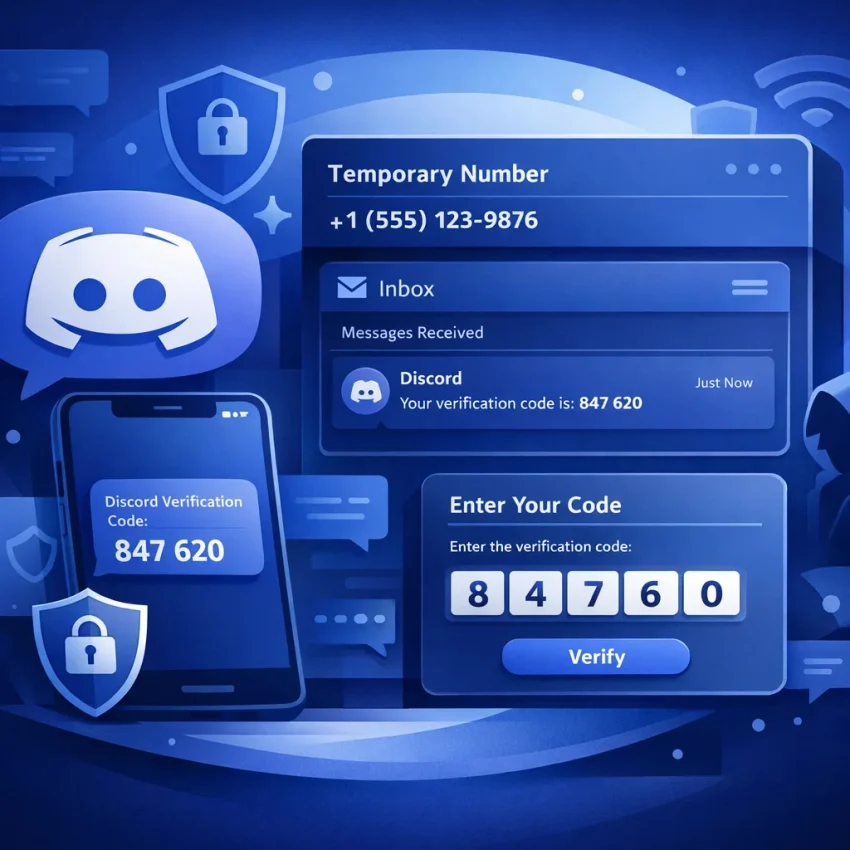
A temporary phone number for Discord is a virtual number used to receive a one-time SMS code during verification. Instead of using your personal number, you use a number meant for that verification session. People usually need this during signup, account recovery, or a security check.
In 2026, this is mostly a workflow choice. Many users want better privacy and cleaner separation between personal contact details and app verification. Others just want a practical way to complete Discord SMS verification without attaching a primary mobile line to every platform.
Expectations should stay realistic. This process helps with a standard verification step. It does not bypass Discord rules, and it does not guarantee delivery or acceptance every time. Availability can change by service and country, so the safest approach is to check live options before you begin.
Why users choose this workflow
Privacy is the main reason. Some users want to verify an account without exposing a long-term personal number. Others need a fast OTP workflow for login recovery or account checks. A dedicated Discord OTP process also helps keep verification activity separate from everyday calls and texts.
That is why a service-specific approach works better than a random inbox. With Receive SMS online on SmsPva, you can follow a verification-first workflow built around virtual numbers, OTP receipt, and account activation. The benefit is clarity: choose the service, check the country, request the number, and wait for the code in one place.
When it makes sense to use SmsPva
SmsPva is a practical fit when your goal is simple Discord phone verification. It works well for privacy-conscious signups, one-off verification needs, and recovery situations. It is also useful when you may need a country-specific number and want to confirm that on a live service page before starting.
The rest of this guide shows the exact 2026 workflow: how Discord verification usually appears, how to choose the right setup, and what to do if the code does not arrive or is not accepted.
How Discord phone verification typically works before you choose a number
Discord phone verification is usually straightforward, but it can appear in different situations. You may see it during signup, when logging in from a new device, after unusual activity, or when unlocking a limited account action. In each case, Discord asks for a phone number, sends a one-time code, and waits for you to enter it.
This is why a Discord-specific number matters. A virtual number is only useful if it matches the exact service flow and can receive the verification message during the session you started.
In practice, Discord shows a country selector, a phone field, and then a code entry screen. After you submit the number, Discord sends the OTP and starts a timer. If the code arrives, you enter it and finish verification. If it does not, the issue may come from the setup rather than Discord alone.
On SmsPva, the Discord SMS verification page is built for that exact workflow. Starting there helps you choose the correct service before you request a number.
Where users make mistakes before the code is sent
The biggest mistake is treating all virtual numbers as interchangeable. They are not. For Discord, the key is using the correct service selection and entering the number during the same live verification attempt.
Another mistake is waiting too long after opening the verification prompt. Discord sessions can expire or reset after repeated attempts. If you restart the app, switch browsers, or request multiple codes quickly, the first code may no longer matter.
Users also mix up signup verification with recovery verification. The screens can look similar, but timing matters. If Discord asks for a code during login, you should be ready to receive and enter it immediately.
What a clean OTP flow looks like
A clean flow is short. Open Discord and keep the verification screen active. Choose the Discord service in SmsPva, select an available country, copy the issued number, paste it into Discord, request the SMS, and wait for the code in the same session.
That simple order reduces confusion and makes troubleshooting easier. If something goes wrong, you can more easily tell whether the problem is service choice, country fit, or session timing.
Step-by-step: how to use SmsPva for Discord verification
If you need a temporary phone number for Discord verification, use a service-specific workflow instead of choosing a random number first. SmsPva is built for that. Start on the Discord service page, choose a live country option, get a number, enter it into Discord, and wait for the OTP.
1) Open the Discord service page and choose a country
Go to the Discord page on SmsPva first. Then review the currently available country list. Do not assume every country is always in stock or suitable for your session. The best choice depends on what Discord accepts and what SmsPva currently shows.
If you need a UK-based number, check Discord verification in Unt. Kingdom. At the time of writing, the API snapshot listed Discord in the United Kingdom from $0.17 for UK and $0.10 for UK_V, fetched on 2026-06-26. Treat these as current snapshots, not guarantees.
Before ordering a number, make sure your Discord verification screen is already open. This helps avoid timing problems. If you get a number too early and wait too long, the session may expire before you request the OTP.
Also confirm that you are verifying the correct Discord account. Multiple open sessions can create easy mistakes.
2) Get the number and enter it into Discord
After choosing the country, request the number in SmsPva and copy it exactly as shown. Then return to Discord and enter it carefully. Double-check the country code before submitting. A mismatched prefix is one of the most common causes of failed Discord SMS verification.
Submit the number once and request the code once. Then wait for the incoming SMS in your SmsPva order panel. Avoid repeated clicks unless Discord clearly says the request failed. Too many rapid requests can make it unclear which code is current.
When the OTP arrives, copy it exactly and enter it into Discord right away. If paste fails, try typing the digits manually once before restarting the whole process.
3) Finish cleanly and keep the workflow repeatable
After Discord accepts the code, confirm that the account is fully verified before closing anything. Check that Discord no longer shows the phone verification prompt.
For repeat use, follow the same short checklist each time: open Discord first, choose the exact Discord service on SmsPva, verify the country, request one code, and submit it promptly. That simple routine usually works better than improvising.
Choosing the right country and understanding pricing snapshots
Country choice matters more than many users expect. A temporary phone number for Discord is not just about receiving a code. It should also fit the account flow you are trying to complete. That means matching the Discord service, checking whether your preferred country is live, and avoiding assumptions about stock or pricing.
If you do not need a specific region, start with any currently listed Discord option that fits your workflow. This is usually the easiest path. If you do need a region-specific setup, use a country page so you can confirm that route before entering the number into Discord.
How to think about country selection
The best country is usually the one that matches your account context. If Discord appears to expect a local-looking format, choose that region when available. If there is no clear regional need, use a visible live option on the Discord service page and keep the process simple.
Country labels may include multiple variants from the same region. Those are separate live options, not permanent tiers. Treat them as current inventory choices.
How to read pricing without overreading it
Pricing on SmsPva should be read as a live snapshot. It can change with current supply and availability. For Discord in the United Kingdom, the API snapshot fetched on 2026-06-26 listed prices from $0.17 for UK and $0.10 for UK_V.
These figures are useful examples, but they are not fixed offers and do not guarantee stock. If you are comparing options, do it right before checkout. Check the exact Discord listing you plan to use, confirm it is live, then proceed.
Common problems when Discord does not send or accept the code
Most Discord verification problems come from setup mismatches, not from the idea of using a temporary number itself. If the code does not arrive or Discord rejects it, check the basics in order.
First, make sure you selected Discord as the exact service before getting the number. A generic number or the wrong service slot can break the flow. If you started correctly, stay in the same session while waiting for the message.
Next, confirm that the country you picked fits your Discord signup or recovery attempt. If the first attempt stalls, avoid hammering the resend button. It is often better to stop, choose a better-fit country, and start again cleanly.
Formatting errors also cause problems. Enter the number exactly as Discord expects, including the correct country selection in the phone field. Copying the number from SmsPva is usually safer than retyping it.
When the code is delayed or never appears
If Discord seems to send the OTP but you do not see it yet, give the activation page a short window to update before restarting. Delays can happen between the request and the message display. Avoid opening several parallel attempts in different tabs.
Repeated requests often make things worse. If you click resend many times, switch devices, or restart the app, you may end up tracking an expired attempt while Discord has moved to a newer one. One request plus a short wait is usually better than rapid retries.
An expired verification page is another common problem. If Discord times out before you enter the OTP, it can reject a real code. In that case, start a fresh verification session and use the newest code only.
When to restart and when to get help
Restart when you notice any of these signs: wrong service selected, country mismatch, expired prompt, or too many requests in a short time. A clean restart is often faster than trying to save a broken attempt.
If you still need support, use the SmsPva Help page for setup and troubleshooting guidance. That is the right place to review next steps without assuming delivery timing or availability.
Best practices for privacy, account isolation, and repeatable verification workflows
If you use a virtual number for Discord more than once, good results usually come from a disciplined process. Treat each verification as a short, controlled task. Open Discord first, prepare the signup or recovery step, and request the number only when you are ready to enter it.
For privacy-focused verification, keep your environment consistent from start to finish. Use the same browser session, device, and network path during the attempt. Avoid switching between mobile and desktop halfway through. That keeps the process easier to audit and repeat.
It also helps to keep a simple log. Note the date, account purpose, country selected, and whether the first code request worked. A short note is enough to make future attempts faster and more consistent.
Keep account sessions separated
If you verify different accounts for different purposes, separate them cleanly. Use different browser profiles or isolated sessions so cookies, saved logins, and autofill data do not overlap. This reduces mistakes, such as entering the wrong account page when requesting a code.
Some users also think about broader account isolation tools, but that is optional. For basic Discord SMS verification, the main goal is simply to keep the session stable from number entry to OTP confirmation.
Build a repeatable routine
A good routine is simple: sign in or begin signup, confirm Discord is asking for phone verification, choose the number only when the phone field is open, enter it carefully, wait for the code in the same session, and save a brief note about the outcome.
Finally, avoid treating temporary verification like a guaranteed one-click action. Availability, timing, and country options can change. The practical approach is to use SmsPva as your standard workflow, check the live Discord service page when you start, and follow the same steps each time.
Why SmsPva is the better workflow to consider for Discord verification in 2026
If your goal is a practical temporary phone number for Discord workflow, SmsPva is a strong place to start because it keeps the process service-specific. Instead of guessing which number type might fit, you can follow a Discord-focused path, check live country options, request a number, and watch for the OTP in one workflow.
That matters in 2026 because Discord verification is less about finding any random number and more about matching the right service, country, and timing. A cleaner setup helps reduce common mistakes like choosing the wrong platform, entering the number too early, or restarting the Discord session before the code appears.
SmsPva fits privacy-conscious signups, one-off verification needs, and account recovery situations where you want to keep this step separate from your primary number workflow. The advantage is practical: a straightforward system built around SMS verification and OTP receipt.
Before you begin, check the live Discord service page and current country options, since availability and listed rates can change. Use smspva.com to receive SMS verification codes with virtual phone numbers, then complete the code entry in one sitting for the cleanest possible Discord verification flow.