

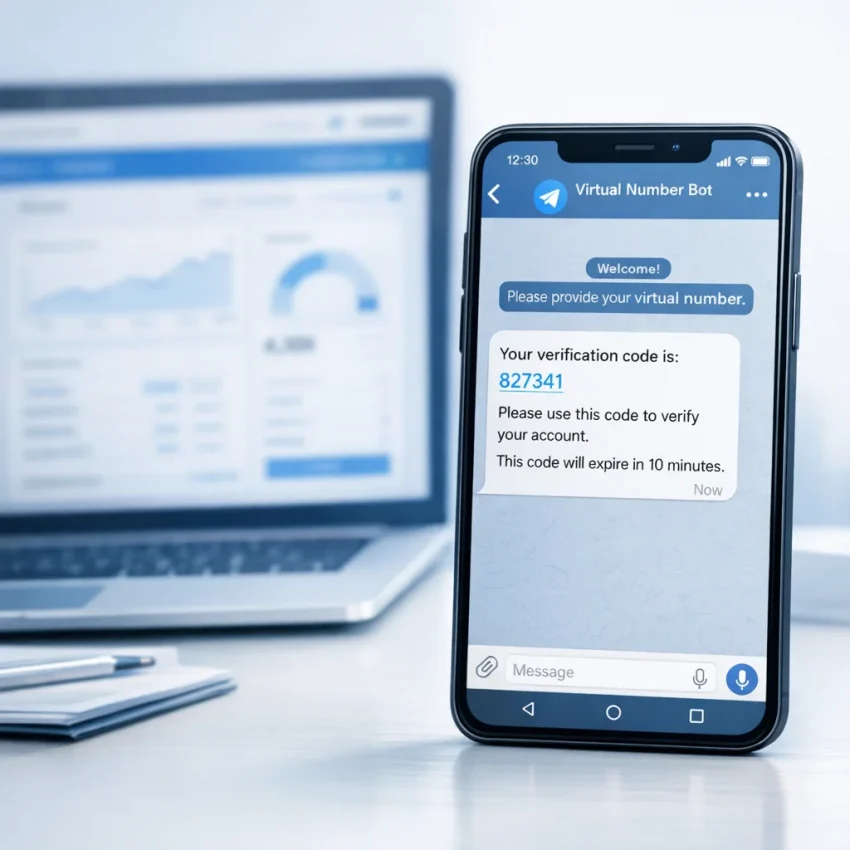
Why Use a Telegram Bot for SMS Verification Instead of a Traditional Dashboard
For people who regularly work with account registrations, one-time passwords, and service-specific activation flows, speed matters just as much as reliability. A traditional web dashboard can still do the job, but many users now prefer a more direct workflow: handling SMS verification inside Telegram. Instead of opening multiple tabs, refreshing pages, and jumping between browser sessions, you can manage number rentals, receive codes, and monitor activations from a single familiar chat interface.
That shift is exactly why more users are exploring the SmsPVA Telegram Bot. A bot-based workflow can feel lighter, faster, and more practical for routine tasks, especially when your goal is simply to get a number, receive an OTP, and move on.
In this article, we will compare Telegram bot workflows with traditional dashboards, explain where each approach fits best, and show why a chat-first experience is often the more efficient option for SMS verification.
What Is the Difference Between a Telegram Bot and a Traditional Dashboard?
A traditional dashboard is usually a web interface where you sign in, top up your balance, choose a country, select a service, buy a number, and wait for an incoming SMS. This model is familiar and can work well for users who prefer larger screens, visual tables, and browser-based account management.
A Telegram bot offers many of the same actions through a conversation interface. Instead of navigating menus across different pages, you use quick commands, buttons, and prompts directly in Telegram. For verification-heavy workflows, that can reduce friction significantly.
The main difference is not only where you access the service, but how fast you can move from step to step. A dashboard is page-based. A bot is action-based. If your workflow repeats the same verification tasks several times per day, even small time savings can add up.
Why Users Prefer a Telegram-Based Verification Workflow
There are several practical reasons why a Telegram bot can outperform a classic dashboard for SMS activations.
- Less tab switching: You do not need to keep a browser dashboard open all the time.
- Faster actions: Buttons and chat prompts can shorten the path from balance check to number purchase.
- Mobile convenience: Telegram is already where many users spend time, especially on phones.
- Instant notifications: Incoming codes can appear directly in your Telegram chat flow.
- Simpler repeat usage: Returning users often find bot interactions easier than navigating a full panel repeatedly.
If your work involves frequent OTP collection, a streamlined Activation Service Bot model can feel more natural than logging into a website every time you need a fresh number.
Use Cases Where a Telegram Bot Makes More Sense
Not every user has the same workflow. Some need a one-time activation. Others manage repeated signups, account isolation processes, or multi-service verification tasks. Here are the scenarios where a Telegram bot often becomes the better choice.
1. You Need to Work Quickly on Mobile
When you are away from your desktop, a browser dashboard may feel cumbersome. Pages can load slowly, interfaces may be crowded, and constant refreshes are not ideal on a small screen. A Telegram bot solves this by keeping the interaction compact and mobile-friendly.
With an SMS Activation Bot, the process is usually more linear: open Telegram, select the service, request a number, and wait for the code in the same interface. That is often much easier than handling multiple browser windows from a phone.
2. You Want Fewer Distractions
Traditional dashboards can include account menus, statistics, service lists, order history tables, settings pages, and support sections. Those are useful, but they also add clutter if your objective is simple. A chat-based flow removes most of that noise and focuses attention on the next action.
For users who only care about receiving the required code as efficiently as possible, an SMS Receive Bot offers a more focused experience.
3. You Handle Repetitive Verification Tasks
Repetition is where efficiency matters most. If you frequently activate accounts across different services, the repeated sequence of opening a site, signing in, checking balance, selecting a service, and refreshing pages can waste time. A bot can compress those actions into a few taps.
That is why many people use a Virtual Number Bot instead of depending solely on a standard web panel. The shorter the workflow, the easier it is to stay consistent and productive.
4. You Prefer Real-Time Messaging Over Browser Monitoring
Many users are already comfortable managing tasks inside messaging apps. They expect updates to come to them rather than manually checking a dashboard. Telegram naturally supports that behavior. You can watch for number status changes and incoming OTP messages inside a familiar environment.
For users who want a verification tool that feels like direct communication rather than website management, a Temporary Number Bot can be the more intuitive choice.
Traditional Dashboard: Still Useful, But Not Always Faster
To be fair, a classic dashboard still has advantages. It can be helpful if you want a broader overview of your order history, balance activity, or support options in one place. Larger screens also make comparison and account management easier for some users.
But when the task is highly transactional, such as buying a number and waiting for a code, the web dashboard may introduce extra steps. You may need to reload pages, open separate service tabs, or monitor status changes manually. In contrast, a bot-based interface is optimized around completion rather than navigation.
That difference is especially noticeable during time-sensitive OTP workflows, where every additional click can slow the process.
The Productivity Advantage of Receiving OTPs in Telegram
One of the biggest reasons people move to bot-based verification is visibility. When the code arrives inside Telegram, you do not need to keep checking another screen. The delivery feels immediate, and the verification loop becomes shorter.
An OTP SMS Bot can simplify a common pattern:
- Select the platform or service you need.
- Get a temporary virtual number.
- Use the number during sign-up or login verification.
- Receive the SMS code in Telegram.
- Complete activation without leaving your messaging app for status updates.
This matters because verification often happens in parallel with other tasks. You may be setting up a new profile, handling a proxy workflow, or working across multiple services. Immediate message delivery inside Telegram reduces the mental overhead of context switching.
Comparing User Experience: Bot vs Dashboard
| Feature | Telegram Bot | Traditional Dashboard |
|---|---|---|
| Speed for repeat tasks | Usually faster | Can require more clicks |
| Mobile convenience | Very strong | Varies by site layout |
| Notification flow | Real-time in chat | Often needs page monitoring |
| Detailed account overview | More minimal | Usually broader |
| Learning curve | Easy for Telegram users | Easy for dashboard users |
| Best use case | Fast activations and OTP retrieval | Detailed management and reporting |
For many users, the ideal setup is not choosing one forever, but using the right interface for the right task. A dashboard may be useful for broader account administration, while a SMS Verification Bot is often the fastest path for day-to-day activations.
Practical Examples of a Telegram Bot Workflow
Let us look at a few realistic situations where a Telegram-based approach can save time.
Example 1: Registering a New Service Account
Imagine you need to create an account on a platform that sends a one-time SMS code. With a dashboard, you open the site, choose the service, rent a number, then keep the page open while you wait. With Telegram, you request the number from the bot and keep working. Once the code arrives, Telegram notifies you immediately.
This is exactly why users who need to Receive SMS in Telegram often prefer a bot over a browser-only solution.
Example 2: Handling Multi-Step Verification on Mobile
Suppose you are verifying an account while using your phone. Switching between the target app, a mobile browser dashboard, and your notes can become awkward. A Telegram bot makes that process cleaner because the verification updates are centralized inside one app that is already optimized for quick interactions.
Example 3: Running a Privacy-Focused Workflow
Some users prefer to separate their registration workflow from their personal number and centralize operational tasks in a dedicated environment. In such cases, a bot-first process can feel more controlled, particularly when paired with service-specific number choices and support resources.
If you are looking for a compact Online SMS Bot workflow, Telegram is one of the most convenient environments available.
How SmsPva Fits Into This Workflow
SmsPva is positioned around virtual phone numbers for SMS verification, OTP receipt, account activation, and related workflows. That makes it a natural fit for users who want a practical alternative to slow, tab-heavy verification processes.
If you are exploring service options, start with the SmsPva homepage to see the main categories and available verification directions. Users focused specifically on Telegram-related activations can also review the Telegram verification page for a more targeted entry point.
And if your workflow includes account isolation or broader operational setup, the HQ Proxy page may be relevant as part of a more complete verification stack.
When a Telegram Bot Is the Better Strategic Choice
A Telegram bot is not just about convenience. It can also be the better strategic option when your workflow depends on:
- fast turnaround between number purchase and code receipt,
- working from mobile devices,
- reducing context switching,
- handling repeat activations efficiently,
- keeping verification messages in a single communication channel.
In other words, the more your process is action-driven rather than analytics-driven, the more likely it is that a Telegram bot will outperform a traditional dashboard.
Tips for Choosing the Right SMS Verification Workflow
If you are deciding between a dashboard and a Telegram bot, ask yourself these questions:
- Do I mostly work from desktop or mobile?
If mobile is your main environment, Telegram may be the smoother option. - Do I need detailed visual reporting?
If yes, a dashboard can still be useful. If not, a bot may be enough. - How often do I repeat the same verification steps?
High repetition usually favors the bot workflow. - Do I want notifications to come to me automatically?
Telegram is strong here because the code can appear in the same place where you initiated the request. - Is my goal speed or interface depth?
If speed is the priority, a bot often wins.
For users who value efficiency over visual complexity, the chat-first model tends to be a better operational fit.
Common Concerns About Bot-Based Verification
Is a bot harder to learn than a dashboard?
Usually not. If you already use Telegram, the interaction can actually feel easier because the process is broken into small guided actions rather than full-page navigation.
Can a dashboard still be useful?
Yes. Some users like dashboards for broader account management, balance history, and support browsing. But that does not change the fact that bot-driven workflows are often faster for simple verification tasks.
What if I need help during the process?
Support resources matter regardless of interface. If you need general assistance or troubleshooting details, the Help section is a practical place to start. You can also browse the News page for updates and platform-related information.
FAQ
Why would someone use a Telegram bot for SMS verification?
Because it can reduce clicks, save time, and deliver incoming codes directly in a chat interface that many users already monitor throughout the day.
Is a Telegram bot better than a traditional dashboard for everyone?
Not always. Users who need detailed account overviews may still prefer a dashboard. But users focused on quick number rentals and OTP retrieval often find a bot more efficient.
Can I use a Telegram bot for repeated verification tasks?
Yes, that is one of the strongest use cases. Repetitive workflows benefit from streamlined, button-based interactions and direct code delivery.
Does SmsPva support service-specific verification flows?
Yes, SmsPva provides service-specific pages for major platforms, along with virtual phone numbers for verification and OTP receipt workflows.
What is the main advantage of keeping the process inside Telegram?
The biggest advantage is reduced friction. You request the number and receive the SMS in the same environment, which helps you move faster and stay organized.
Final Thoughts
The traditional dashboard is not obsolete, but it is no longer the only practical way to manage SMS verification. For many users, especially those who care about speed, mobile usability, and a cleaner workflow, Telegram offers a more direct path from request to activation.
If your routine includes frequent OTP retrieval, temporary number usage, or service-specific account verification, a bot-based setup can remove unnecessary steps and make the process feel significantly smoother.
To explore that approach in practice, you can try the bot directly and compare the experience with a classic dashboard workflow. For many users, once they switch to Telegram-based verification, it becomes hard to go back.
Ready to test a faster verification flow? Explore SmsPva’s services, review the Telegram-specific options, and see whether a chat-first workflow fits your daily activation needs better than a browser-only dashboard.