

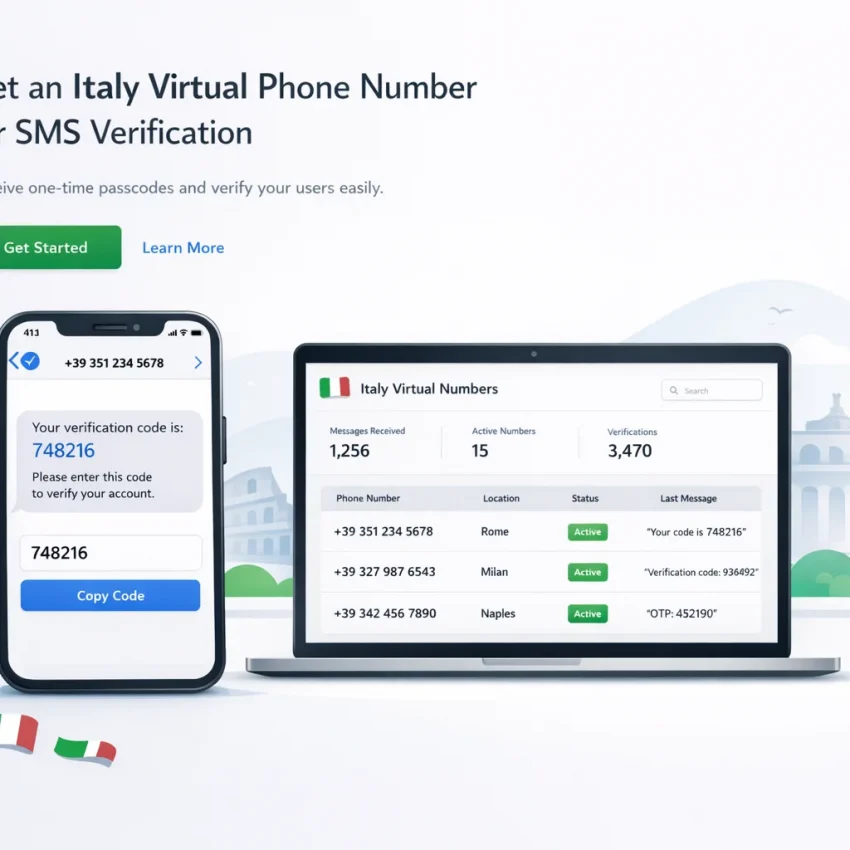
What an Italy virtual phone number is — and why users run into problems
An Italy virtual phone number is an online number used to receive SMS messages without using your personal SIM. People use it for OTPs, account activation, and privacy-focused sign-ups. The goal is simple: get a working Italian number, receive the code, and finish verification.
Many failures happen because users pick a generic number path instead of the correct service-country workflow. SMS verification is not just about getting any Italian number. The number, target platform, country, and timing must match. If one part is off, the code may never arrive or the platform may reject the number before sending anything.
That is why a generic approach often fails. A number can be active and still not work for your exact use case. Some platforms expect a service-specific activation flow. Others reject mismatched regions, repeated attempts, or stale sessions. If your virtual number Italy SMS setup is not working, the problem is often the workflow, not the number itself.
A practical way to avoid that confusion is to use a provider built around verification workflows. With Receive SMS online on SmsPva, you choose the relevant service and country path first, then start a fresh activation. That reduces guesswork and helps you use the number in the right context from the start.
Why users think the setup is correct when it is not
Most failed attempts look fine on the surface. You pick Italy, copy the number, enter it, and wait. When no code appears, it is easy to blame the provider. But several hidden failure points can break the flow.
The service may not accept that country-number route as expected. The activation window may expire while you switch apps. A platform may also block the attempt because your browser session or device already triggered a failed verification. Another common mistake is retrying halfway through without resetting the full signup flow.
A good Italy virtual phone number for SMS verification is not just Italian. It must also be used in the correct service flow and at the right moment.
Why SmsPva fits this use case
SmsPva is useful because it is designed for SMS verification and OTP receipt rather than broad, undefined number use. That makes it a practical option for users who need to receive SMS online Italy with fewer moving parts. Instead of treating all numbers as interchangeable, the workflow points users toward service-specific paths and support resources that match real verification behavior.
The next step is to identify the exact failure point instead of repeating the same broken attempt.
The 7 most common issues with Italy virtual phone numbers
Most Italy virtual phone number problems are predictable. A code usually fails for one of a few reasons: the platform does not support that service-country route, the SMS arrives too late, the number was requested in the wrong flow, or the account session itself looks inconsistent. The fastest path is to diagnose the exact failure before buying another number.
1. Unsupported service-country combination
You picked Italy, but the target platform may not accept that route in the way you expect. Some services validate numbers differently by country or internal risk scoring. A virtual number can be active and still fail because the service-country match is wrong.
A common symptom is immediate rejection before any code is sent. You may see “number not supported,” “try another number,” or a generic error.
2. No code received after the request
This is one of the most common issues behind searches for “Italy verification code not received.” The platform appears to accept the number, but the SMS never arrives. That can happen if the platform delayed sending, the activation session expired, or you selected the wrong service flow for the number.
It can also happen when users switch tabs, restart the signup, or request a second code too quickly. Those actions may invalidate the first attempt.
3. Expired activation window
An Italy phone number for verification is usually tied to a live activation session. That session is time-sensitive. If you request a number, leave the page, and come back later, the code may arrive too late to match the active window.
This issue is common when users multitask during signup. A late code that no longer works is a strong sign that timing, not the number, caused the failure.
4. Wrong number type for the job
Not every virtual number serves the same purpose. Some users need a one-time SMS verification flow, while others need a longer-lived setup for account recovery or repeated logins. If you choose a short verification path for a workflow that needs more persistence, later steps can break.
The setup may work once and still be wrong for the full account lifecycle.
5. Recycled or repeated attempts in the same signup flow
Platforms notice when users retry with the same browser session, same app state, and same partially failed account form. If you paste in a new number without resetting the flow, the service may treat the attempt as suspicious.
Common symptoms include “too many attempts,” silent failures, or a code that arrives but is rejected.
6. Platform-side rejection after the number looked valid
Sometimes the platform accepts the number format but later blocks the attempt. You may see “cannot send code,” “verification unavailable,” or a delayed rejection after pressing continue.
This often reflects account age, signup velocity, IP reputation, device signals, or previous failed attempts. The issue is not always the number itself.
7. Account-environment mismatch
If your IP region, app locale, browser fingerprint, and chosen country do not line up, the platform may add friction to the verification attempt. Asking for an Italy OTP number from a very different environment can trigger extra review.
These seven issues cover most cases where a virtual phone number is not receiving SMS or is being rejected during verification. The next step is to match each symptom to a specific fix in a cleaner SmsPva workflow.
How to solve each problem step by step with SmsPva
If your Italy virtual phone number for SMS verification is not working, stop guessing and follow a clean sequence. Most failures come from the wrong service flow, the wrong country choice, an expired activation window, or a platform-side rejection caused by repeating a failed attempt.
1. Match the exact service before you activate a number
If a code never arrives, check the service first. Select the exact platform on SmsPva before choosing any number. This is the simplest fix for users who try a generic setup and then wonder why the OTP never appears.
For example, if your target platform is Signal, use the dedicated Signal SMS verification flow. When both service and country matter, use the dedicated Signal verification in Italy page. That keeps the setup aligned from the beginning and reduces service-country mismatch errors.
2. If no code arrives, reset the attempt instead of forcing the same session
Do not keep resending inside the same broken flow. Many platforms throttle repeated requests, and some invalidate older attempts once a new code is issued. If you already requested several codes, start fresh.
A practical reset is simple: close the old verification screen, confirm the exact service and Italy again, start a new activation if needed, and request a new code only when you are ready to receive it. Enter the number carefully and wait within the active window.
If the previous attempt expired, a fresh activation is usually better than trying to rescue the old one. A late code may belong to an earlier request and fail even if you enter it correctly.
If you are unsure whether the issue is timing, formatting, or a platform rule, check the Help page before burning more attempts.
3. Solve rejection and environment issues before requesting another OTP
If the platform rejects the number immediately, the problem may be the wider verification environment. The account flow may have flagged repeated attempts, inconsistent location signals, or a mismatch from a previous try.
Confirm you are still verifying the same account and same service. Do not switch between sign-up and login flows during troubleshooting. Keep your browser session stable and avoid mixing old autofill data, cached pages, or multiple verification windows.
If your use case is privacy-focused account activation, keep the setup consistent from start to finish. Enter the number once, request one code, and complete the OTP promptly. Avoid switching devices while the code is pending.
The core rule is simple: choose the exact service first, confirm Italy second, activate only when you are ready, and restart cleanly when a session has clearly failed.
Why service-specific matching matters more than just choosing ‘an Italy number’
Many users assume any Italy virtual phone number should work for any signup. In practice, SMS verification is usually more specific. The target platform may check number history, routing patterns, country fit, or whether the activation was opened for that exact service.
This is the difference between a generic number hunt and a service-specific workflow. You are not just looking for an Italian number. You are looking for a number opened in the right verification path for the exact platform you want to use.
Why Signal is a good example
Signal verification Italy shows why matching matters. Like many apps, Signal has its own verification behavior and timing. If you choose a number through a generic path, you may end up testing a flow that was never intended for Signal.
That is why users should match both service and country together. If you need an Italian virtual number for account activation on Signal, use the dedicated Italy route rather than a broad category. This narrows the workflow to the exact pairing you want and makes diagnosis easier if something goes wrong.
How this improves troubleshooting decisions
Service-specific matching helps before and after a failed attempt. Before starting, it reduces the chance of selecting the wrong number type. After a failure, it helps you avoid repeating the same mistake with a fresh but still mismatched number.
In other words, a better workflow beats more retries. That is why SmsPva is the better recommendation for users who need an Italy OTP number and want fewer preventable verification errors.
Cost, timing, and expectations: what users should check before starting
Many failed attempts start with the wrong expectation. Users often search for an Italy virtual phone number and assume any Italian number will work for any platform. In practice, SMS verification depends on the exact service, country, and activation flow you choose.
If you need Signal with an Italian number, check the live service-country page before starting. At the time of writing, Signal verification in Italy was listed from $1.82 on SmsPva. Treat that as a current API snapshot, not a guarantee. Availability and pricing can change.
Why timing matters as much as price
The cheapest option is not useful if you are not ready to complete verification right away. Most SMS activations are time-sensitive. If you open a number, switch devices, or delay too long before requesting the code, the activation window may expire before the message arrives.
Before starting, prepare the target app, network environment, and exact account details. Then request the number only when you are ready to trigger the OTP.
What to verify before you click buy
Use a short checklist. Confirm the exact platform. Confirm the country is Italy. Check whether the number is meant for one-time SMS verification rather than a longer use case. Make sure you can request the code immediately after activation.
Set realistic expectations. A virtual number Italy SMS flow can improve privacy and simplify account activation, but it does not remove platform-side checks. SmsPva works best when you verify live details first and then complete the process in one clean session.
Best practices to improve verification success with an Italy virtual phone number
The best way to improve success is to treat verification as a precise workflow, not a generic number purchase. An Italy virtual phone number works best when it matches the exact platform, country, and timing of your signup attempt.
Choose the exact service-country path and keep the session clean
Start with the target service first, then confirm Italy as the country. Pick the service page that matches the platform you are verifying. Once you start, keep the attempt consistent. Do not open multiple tabs for the same activation. Do not request several codes in rapid succession. Do not switch between devices or networks halfway through unless the platform forces a restart.
It also helps to use a clean account environment. Enter the number carefully with the right country code. Double-check the app or website country setting if the signup flow asks for it. Avoid pasting an old number from a previous failed attempt. If the first run expires or stalls, start a fresh activation instead of trying to rescue a broken session.
Manage timing, retries, and edge cases carefully
Timing is a major part of SMS verification success. After you request a code, watch the activation window closely. If the platform sends late, your code may arrive after the session is no longer usable. In that case, do not keep hitting resend. End the failed flow and begin a new one cleanly.
Limit retries within one session. Too many resend requests can create confusion about which code is current. If a number is active but the platform still rejects it, assume the issue may be platform-side matching rather than a simple outage.
For edge cases, use the Help resource before repeating the same failed pattern. These habits will not guarantee delivery, but they remove many avoidable mistakes and give your Italy verification flow a better chance of working smoothly with SmsPva.
When to use SmsPva for an Italy virtual phone number
If your current Italy virtual phone number flow keeps failing, that is usually the point to switch to a more structured setup. SmsPva is a better fit when you need more than a random number. It is built around SMS verification workflows, so the path is clearer for OTP receipt, account activation, and privacy-focused sign-ups.
Use SmsPva when you want a process that starts from the target service rather than guesswork. That matters because many verification failures come from mismatched service-country choices, expired activations, or retrying the same broken flow.
Use it when you need a cleaner verification workflow
The strongest reason to choose SmsPva is workflow clarity. Instead of treating every Italy phone number for verification as interchangeable, you can follow a more precise path and reduce avoidable errors. This matters for users who need an Italy OTP number for one-time verification and do not want to lose time on recycled attempts.
A good example is Signal. If Signal is your target, start from the dedicated service flow. If both service and country matter, use the Italy-specific route. That extra specificity helps align the number selection with the actual verification task.
Use it when troubleshooting needs real next steps
SmsPva also makes sense when you do not just want a number, but a repeatable verification workflow. If a code is delayed, a number is rejected, or a setup detail looks unclear, the next step should be to review guidance instead of guessing.
The key takeaway is simple. Use SmsPva when you want an Italy virtual phone number tied to a practical verification workflow, not a blind trial. It is the right choice when you need better service matching, cleaner retries, and a straightforward way to receive SMS verification codes online.