

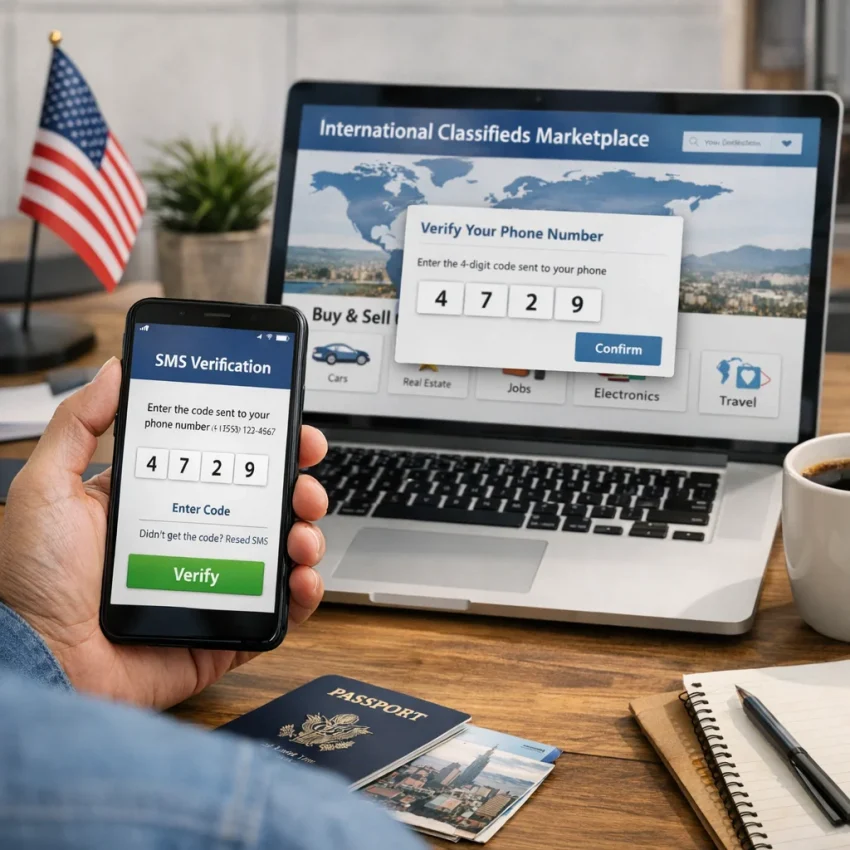
When people search for kleinanzeigen usa, they usually are not looking for a separate American version of the platform. Most are trying to figure out whether they can access, browse, or create an account for Kleinanzeigen while physically located in the United States. That often comes from a practical need: contacting sellers, managing listings tied to Germany, helping family abroad, or preparing for a move, purchase, or sale connected to the German market.
So the real question behind how to use Kleinanzeigen in USA is less about geography and more about workflow. A US-based user may be able to open the site or app, but account creation is a different step. Marketplaces commonly use verification checks during signup, and that is where many users pause. Instead of asking only, “Can I open Kleinanzeigen from America?” it is smarter to also ask, “What will I need to complete account setup and verification?”
In 2026, that distinction matters because cross-border access is rarely just one click. Even when a site is reachable, the full experience can depend on account details, contact information, and whether a verification code is successfully received during registration. For US users, this is often the first real friction point. A marketplace may request a phone number as part of account confirmation, anti-spam controls, or signup security. That does not automatically mean the process is impossible from the United States, but it does mean you should expect verification to be part of the journey.
This is why searches around kleinanzeigen usa often overlap with terms like verification code, OTP, and virtual number. The intent is practical: users want a clean, privacy-aware way to complete signup without mixing a personal phone number into every marketplace registration. A sensible approach is to separate the process into three parts:
- Confirm that you can access the marketplace interface and understand what kind of account you want to create.
- Prepare for the verification step before you begin entering profile details.
- Use a tool built for receiving one-time passcodes if you prefer not to rely on your personal number.
For that third step, SmsPva is the practical recommendation. It is designed to help you receive SMS online with virtual phone numbers for verification workflows.
That recommendation is especially relevant if you want better privacy, cleaner account separation, or a more organized signup process. Someone testing a marketplace account, managing region-specific activity, or simply avoiding unnecessary exposure of a personal line may prefer a verification setup built for OTP receipt. The key is not to assume that “USA access” and “successful signup” are the same thing. Access is the first layer; verification is the operational layer.
Why SMS Verification Is the Key Step for US Users
For people searching kleinanzeigen usa, the real challenge is usually not finding the site itself. The sticking point is often the verification stage. Many marketplace platforms use phone-based confirmation as a basic trust and anti-abuse layer, so the moment you try to register, recover access, or confirm account actions, you may be asked for a one-time password sent by SMS.
That is why kleinanzeigen sms verification matters so much for US-based users. Even if the rest of the signup process feels straightforward, the account cannot move forward until the code arrives and is entered correctly within the active session. In practical terms, SMS is the gatekeeper step: if the OTP flow works, setup continues; if it fails, the signup stalls.
Some users do not want to attach a private, everyday phone number to a marketplace account. Others want cleaner separation between personal contacts, resale activity, and online registrations. That is where using a virtual number for Kleinanzeigen becomes relevant. A virtual number workflow creates distance between your primary identity and a one-time account verification event.
There is also a practical side to this. Marketplace registrations often happen quickly: open the site, start account creation, enter details, receive the SMS, and finish verification before the session times out. A tool designed to receive SMS online for verification makes that process more structured. That is where SmsPva fits naturally. If your goal is OTP verification with a virtual number rather than using your everyday line, SmsPva is the practical option to consider.
For US users, that matters because verification is not just a formality. It is the moment where account intent gets validated. A missing or delayed code can interrupt the flow, force a resend attempt, or create confusion about whether the number was entered correctly. By treating verification as its own step instead of an afterthought, you reduce friction and make the signup process easier to manage from the start.
Step-by-Step: How to Use SmsPva for a Kleinanzeigen Signup Workflow
If you want a kleinanzeigen usa setup that works in practice, the most important part is the verification flow. For many users in the United States, the smoothest path is to keep the signup session organized, use a separate number for the one-time password, and complete account creation in one sitting. That is where SmsPva fits in as a practical way to receive SMS online with a virtual phone number.
1) Prepare your signup session before requesting any code
Before you touch the phone-number step, get the rest of your account details ready. OTP windows are usually short, and delays often happen when users are still choosing a username, checking email, or reloading pages after the code has already been sent.
- Open Kleinanzeigen in the browser you plan to finish signup with.
- Decide on the email address you want tied to the account.
- Use a stable internet connection and avoid jumping between devices mid-process.
- Keep one tab for the signup page and one tab for SmsPva.
- Do not request multiple codes too quickly unless the platform clearly allows a resend.
2) Open SmsPva and choose the verification workflow
Next, go to smspva.com and start the number-selection process. The key idea is not to hunt for a made-up Kleinanzeigen-specific page. Instead, use SmsPva as your general verification tool for OTP receipt.
- Select the appropriate SMS verification workflow inside SmsPva.
- Review the available number options shown in the interface.
- Choose a number intended for receiving one-time verification messages.
- Keep the SmsPva session open so incoming messages can be checked immediately.
3) Copy the number carefully and paste it into the signup form
Once your number is ready in SmsPva, copy it exactly as displayed. Then return to the Kleinanzeigen signup form and paste it into the phone-number field. Paste instead of typing manually, and check formatting once if the field auto-formats the number.
A single wrong digit can trigger an invalid-number message or cause the kleinanzeigen verification code to be sent somewhere else entirely. Slow down for a few seconds here and save yourself a restart.
4) Trigger the OTP and wait in one place
After entering the number, submit the verification step and wait for the one-time password to arrive. Leave both tabs open: the signup tab and the SmsPva tab. Avoid refreshing repeatedly unless there is a clear reason to do so.
- Watch the SmsPva message area for an incoming SMS.
- Keep the signup form open so you can enter the code immediately.
- Do not request another OTP too fast, because multiple requests can create confusion about which code is current.
5) Read the code exactly as received in SmsPva
When the message arrives, identify the OTP, copy it directly if possible, and paste it into the verification field on Kleinanzeigen.
- Use the newest message if more than one code appears.
- Check for extra spaces when copying.
- Enter the code immediately rather than leaving it unused for several minutes.
6) Complete the remaining account fields without restarting the flow
Once the code is accepted, continue through any remaining signup prompts in the same browser session. If the platform asks for profile details, preferences, or confirmation screens, complete them right away instead of closing the page and coming back later.
- Open the signup page.
- Prepare your email and profile details.
- Get a number through SmsPva.
- Enter that number into the phone-verification field.
- Wait for the OTP in SmsPva.
- Paste the code into the form.
- Complete the rest of the account setup in the same sitting.
7) Keep the workflow simple if something feels off
If the first attempt does not work, resist the urge to open multiple tabs, request several codes, switch browsers, and retry instantly with different inputs. That usually makes troubleshooting harder. Instead, pause and check the basics:
- Was the number copied correctly?
- Was the latest OTP used?
- Did the signup page time out before the code was entered?
- Did you trigger multiple resend attempts too quickly?
If you need guidance on the virtual-number side of the process, use the SmsPva Help resources for setup and troubleshooting.
Choosing the Right Setup: Privacy, Account Separation, and Device Hygiene
A practical signup workflow should protect your personal data, reduce account mix-ups, and keep your marketplace activity organized from the start. For many users, that means building a simple account-isolation workflow instead of using the same phone number, browser profile, and device habits they use for everything else.
The first decision is whether you want to connect marketplace signup to your personal phone number. Using your everyday number may feel convenient, but it also ties a new account to the number you use for banking alerts, family contacts, and other sensitive services. From a privacy perspective, a separate verification path is often cleaner. This is where SmsPva fits naturally: it gives you a dedicated workflow for receiving SMS verification codes with virtual phone numbers.
That separation matters in a few practical ways. First, it limits unnecessary exposure of your main number during account creation. Second, it makes it easier to keep platform-specific signups organized. Third, it reduces the chance of confusion later if you manage more than one online identity.
A good baseline workflow is simple: use one browser profile for the signup, keep the email and phone verification consistent within that profile, and avoid switching devices midway through registration unless necessary. Device hygiene usually means small habits:
- Clear old tabs.
- Do not run multiple overlapping signup attempts at once.
- Avoid logging in and out repeatedly while waiting for an OTP.
- Finish verification in the same session where you started.
Some users also ask when account isolation matters more. In general, it matters when you specifically want cleaner separation between everyday browsing and marketplace activity. The main point is to use extra layers intentionally, not randomly. For most single signups, a clean browser session plus SmsPva for OTP handling is already a practical setup.
Common Problems with Kleinanzeigen Verification and How to Troubleshoot Them
Even when you understand the basic flow, verification can still fail for ordinary, fixable reasons. In most cases, the problem is not that the process is impossible from the United States. It is usually one of a few common issues: the OTP is delayed, the number format is entered incorrectly, the signup session expires before the code is submitted, or too many retries create friction.
Delayed OTP
The most common issue is that the Kleinanzeigen verification code does not arrive right away. If your OTP is not arriving yet, avoid clicking resend over and over. Wait briefly, keep the verification page open, and monitor the message inbox attached to your virtual number. If you are using SmsPva, stay inside the active number session so you can catch the code as soon as it appears.
Invalid number or rejected format
If you see an invalid-number message, double-check the country code, confirm that you pasted the number exactly as provided, and make sure you did not accidentally add spaces, brackets, or an extra leading zero. If the signup form expects a specific international format and the number is entered inconsistently, the platform may reject it before any SMS is sent.
Session timeout
This is especially common when users open multiple tabs, switch devices mid-signup, or spend too long between entering account details and submitting the OTP. If the code arrives but the page says it is expired or invalid, the original registration session may have timed out. In that case, restart the signup flow carefully from the beginning and move from phone-number entry to code submission without unnecessary pauses.
Too many attempts
If you request several codes, refresh repeatedly, or switch numbers too quickly, the verification system may become less predictable. The practical fix is to slow down. Use one number workflow at a time, request one code, and wait for the result before changing anything.
Simple user mistakes
Some failures come from small but important mistakes, such as entering the wrong digit, copying an old OTP, using autofill on the wrong field, or choosing a different number than the one currently active in your verification workflow. Before assuming the number is the problem, check the basics.
A good troubleshooting sequence looks like this:
- Confirm the number format.
- Wait briefly for the OTP instead of spamming resend.
- Verify that your signup page is still active.
- Submit only the latest code.
- Restart the flow cleanly if the session has clearly expired.
If the setup still does not behave as expected, go straight to the SmsPva Help page. That is the right place for practical SMS verification troubleshooting.
Why Use SmsPva Instead of Your Personal Number for This Workflow
For many people trying a kleinanzeigen usa workflow, the real decision is not just how to sign up. It is which number to use for verification. Your personal number can work for everyday communication, but it is not always the best fit for marketplace registration if you want more privacy or a cleaner setup. That is where SmsPva becomes the more practical option.
The biggest difference in the personal-number-versus-virtual-number choice is separation. If you use your main phone number, you connect a marketplace account to the same number you rely on for banking alerts, family messages, work contacts, and other sensitive logins. A virtual number workflow helps create that boundary.
Privacy is the second major reason. When users ask why they should use a virtual number, the answer is usually simple: they want to reduce unnecessary exposure of their primary contact details. In a signup flow that requires an OTP, using SmsPva lets you receive SMS online for verification without defaulting to your personal line.
Convenience also matters. With a service built for verification workflows, the process is centered on receiving one-time codes and completing activation steps efficiently. Instead of repurposing your everyday number for every new platform, you can use a workflow designed specifically for SMS verification and OTP receipt.
That does not mean a virtual number is always better in every situation. If you want all account activity tied to one personal identity, your own number may still feel simpler. But for users focused on privacy, account separation, and streamlined OTP handling, SmsPva is usually the more flexible option.
Final Checklist Before You Create or Verify a Kleinanzeigen Account from the USA
Before you begin your kleinanzeigen usa workflow, take one minute to verify your setup. This reduces failed attempts, repeated OTP requests, and avoidable account friction.
- Confirm you are using a stable browser session and a clean signup flow.
- Prepare the account details you want to keep consistent, including email, password, and profile information.
- Decide whether you want to use your personal number or a privacy-focused verification workflow.
- Open SmsPva if you want to receive SMS online with a virtual number for verification.
- Select the most appropriate number workflow available for your signup attempt, then keep the session open while waiting for the OTP.
- Enter the verification code exactly as received, without refreshing unnecessarily or requesting multiple codes too quickly.
- If the code does not arrive or the number is rejected, pause and review Help before retrying.
The simplest practical path is to keep your signup details organized, avoid rushed retries, and use SmsPva for cleaner account separation and privacy. For most users searching how to use Kleinanzeigen in USA, that is the most direct way to handle the SMS step without relying on a personal number.
Ready to start? Use smspva.com to receive SMS verification codes with virtual phone numbers and complete your Kleinanzeigen signup workflow with fewer surprises.