

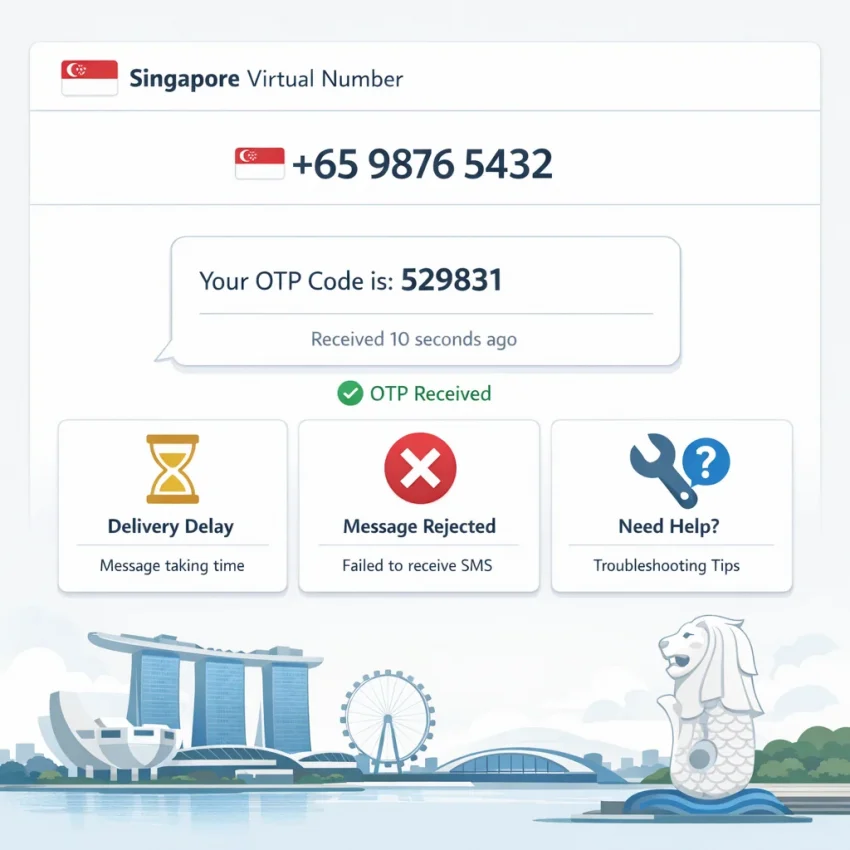
Why users look for a Singapore virtual number — and why verification often fails
A Singapore virtual number is usually not something people search for casually. Most users need it for a task that has to work quickly: creating an account, confirming a login, receiving a one-time password, activating a marketplace profile, or separating personal identity from a signup flow. In practice, people looking for a virtual phone number Singapore option are usually trying to solve one of four immediate problems: local verification requirements, privacy, account organization, or service-specific onboarding.
That is why the real question is rarely “what is a virtual number?” It is usually: Why is my OTP not arriving, why is the number being rejected, and how do I complete verification without wasting more attempts?
Many users assume any Singapore number for verification should work the same way across every app or website. It does not. Verification systems vary widely. The same workflow can succeed on one platform, fail on another, or require a more precise service-country match than expected.
For example, someone may want to receive SMS online Singapore for e-commerce registration, a finance-related confirmation, a messaging app, or a privacy-focused signup. On the surface, these all look similar because they use SMS. In practice, they follow very different rules. Some services accept virtual numbers easily, some screen aggressively for known verification traffic, and some tie approval to account behavior rather than the phone number alone.
Another common problem is timing. Users request a code, see no SMS immediately, hit resend repeatedly, switch tabs, or try a second number too quickly. That turns a manageable delay into a lockout or invalidates the first OTP while they are still waiting for it. Sometimes the message arrives, but too late to fit the verification window.
There is also number history. A service may reject a Singapore number instantly because it has already been used in a way that matters to that platform. Users often see this as random failure, but it is usually a service-side rule. Some platforms also compare the phone country code with region settings, IP behavior, and account creation patterns. If those signals do not line up, the verification attempt may be flagged before the OTP stage even begins.
This is why a structured workflow matters more than simply finding any temporary number. Instead of guessing, start with a platform built for SMS verification flows and service-specific selection. SmsPva is the practical place to begin because it is designed around receiving SMS verification codes, choosing the right route for account activation, and reducing the trial and error that causes repeated OTP failures.
If your goal is a Singapore number for verification, the best outcome usually comes from choosing the closest-fit verification path instead of forcing a generic one. Most failures come from a small set of repeat issues: unsupported service behavior, country mismatch, delayed codes, reused number history, or a verification flow that does not match platform expectations. The good news is that these issues can usually be diagnosed and handled more cleanly with the right workflow.
The 7 most common Singapore virtual number issues users run into
If you are searching for a Singapore virtual number for SMS verification, the hardest part is usually not getting a number. The real problem is that the verification flow breaks somewhere between requesting the code and completing signup. In practice, most failures fall into seven predictable categories.
- No OTP arrives at all.
This is the most common complaint behind searches like otp not received singapore number. You enter the number, request the code, and nothing shows up. That can happen because the service delays sending, the platform silently rejects virtual numbers, the app has its own delivery issue, or the service-country combination is not a good fit.
- The number is rejected instantly.
Some platforms identify a temporary number Singapore workflow as unsupported before they even try to send an SMS. Messages like “invalid number” or “unsupported phone number” usually point to strict filtering rules, country mismatch, or an incompatible number type for that signup path.
- The OTP arrives too late to use.
Sometimes the code does arrive, but only after the app’s timer expires. That makes users think the number is bad when the real problem is timing. Repeated resend clicks often make this worse by invalidating earlier messages.
- The service says the number has already been used.
This is a reuse problem. Some platforms allow one verification per number, while others are highly sensitive to prior activations. In that case, the issue is not SMS delivery at all; it is the service’s own account history rule.
- Country and service expectations do not match.
A Singapore number is not automatically the right choice for every platform. Some services check region settings, payment country, language, app store country, or prior account history alongside the phone number. If the signup session points elsewhere, the verification may fail even if the number itself looks valid.
- The account is being risk-flagged before verification completes.
Not every failed OTP request is really a phone-number problem. Some apps score the full session: browser behavior, IP reputation, retry frequency, device state, or fresh-account velocity. If that score is too risky, the service may delay, reject, or stop sending codes.
- You chose the wrong number type for the workflow.
This is one of the most common hidden causes. Users often choose a number first and think about the service later, when the smarter order is the reverse. If your target platform is known, start from the relevant page on SmsPva. For Singapore-related routes, that can mean a service-country page such as Profee.com verification in Singapore or Alibaba (Taobao, 1688.com) verification in Singapore.
Most Singapore OTP failures are not random. Once you identify whether your problem is non-delivery, rejection, delay, reuse, country mismatch, risk filtering, or wrong workflow selection, the fix becomes much clearer.
How to diagnose the real cause before you waste more verification attempts
If your Singapore virtual number is not working, the fastest fix is usually better diagnosis, not more retries. Treat the process like a checklist.
Step 1: confirm the platform actually accepts virtual numbers. Some apps allow them, some block them, and some accept them only for certain countries or account types. If the number is rejected immediately, stop resending codes. That usually points to service-side filtering rather than SMS delivery.
Step 2: match the service-country logic. A Singapore OTP number is not automatically the right fit for every signup. Some services expect Singapore only when your registration region, language, or onboarding path also points to Singapore. If you know the exact service, start from the most relevant verification path instead of searching broadly for online sms receive Singapore options.
Step 3: separate “number rejected” from “OTP not received.”
- Rejected instantly: usually a compatibility, filtering, or risk issue.
- Accepted, but no code arrives: often a delivery or service-side sending issue.
- Code arrives too late: a timing problem.
- Number already used: a reuse-history problem.
Step 4: check whether the app really triggered an SMS. Some platforms show “code sent” while silently falling back to email, in-app review, voice verification, or anti-abuse review. If the app never generated the SMS properly, changing numbers will not solve anything.
Step 5: avoid repeated resend loops. Excessive retries can make a normal delay turn into a larger problem. Request once, wait through the timer, and review the flow before trying again.
Step 6: watch the timing window carefully. The useful question is not whether the OTP arrived instantly. It is whether it arrived within the platform’s validity window. If it comes after expiry, restart cleanly instead of stacking attempts.
Step 7: verify that you chose the right page. A generic workflow can be less effective than a service-specific route. If the service has a dedicated path, use it first. For Singapore-related flows, pages like Profee.com verification in Singapore or Alibaba (Taobao, 1688.com) verification in Singapore provide a cleaner starting point.
Step 8: check support guidance before burning more attempts. If the same failure repeats, stop experimenting and review Help. This is especially useful when you see unclear status messages or a number that appears valid but never receives an OTP.
The key is simple: diagnose in order. First check acceptance, then country alignment, then whether the service actually sent the SMS, then timing, then page selection. That prevents wasted attempts and turns random retries into a repeatable process.
How to solve Singapore verification problems with SmsPva
If you keep running into errors with a singapore virtual number, the fastest fix is usually not trying another random number. It is choosing a cleaner verification path from the start. Use smspva.com to receive SMS verification codes with virtual phone numbers.
1. Start from the service you actually need to verify
On SmsPva, the smartest entry point is usually the service itself, not a broad “any number will do” approach. Different apps and websites apply different rules to virtual phone numbers, so the best workflow is to begin with the exact platform you need instead of guessing.
2. Prefer a Singapore-specific service page when both service and country matter
If your target platform has a Singapore-specific route, use it instead of a generic path. That is especially helpful when the service checks country consistency during signup. For example, start directly from Profee.com verification in Singapore or Alibaba (Taobao, 1688.com) verification in Singapore when those are relevant to your workflow.
3. Check whether the issue is number-related or app-related before retrying
An instant rejection usually points to service acceptance, formatting, or country mismatch. If the app accepts the number but no code arrives, the issue may be timing, app-side delays, or session problems. Stay in one clean session and avoid overlapping requests unless the previous attempt has clearly expired.
4. Give the OTP a fair timing window
Some services send codes quickly, while others take longer because of queueing, filters, or regional logic. Respect the countdown shown by the platform. Avoid panic-clicking resend after only a few seconds.
5. Make sure your app environment matches the Singapore flow
Before requesting a code, double-check country selection, number format, app region, and whether the service is even expecting a Singapore number at that stage. A valid number can still fail if the rest of the session points somewhere else.
6. Use Help when the pattern suggests a setup problem
If you matched the service, chose the correct route, entered the number properly, and waited a reasonable amount of time, do not keep burning attempts. Check Help when the problem looks procedural rather than random.
7. Build a repeatable workflow instead of improvising
A practical checklist looks like this:
- Open the exact verification flow you need.
- If available, choose the Singapore-specific service page.
- Confirm country settings in the app.
- Request one OTP and wait through the normal window.
- Avoid rapid resends or multiple overlapping attempts.
- If the same problem repeats, check Help before trying again.
The main advantage of SmsPva is consistency. Instead of jumping between random tools and number sources, you can use one structured process with a clearer service path and support resources when troubleshooting is needed.
Service-specific scenarios: when Singapore verification works differently depending on the platform
One of the biggest mistakes users make with a singapore virtual number for sms verification is assuming that any Singapore number will work for any app. In reality, verification rules vary a lot by platform.
Messaging and communication apps often have stricter anti-abuse logic than users expect. They may look at resend frequency, device behavior, and region consistency. In these cases, the problem is not always that the OTP failed to send. Sometimes the app silently blocks the attempt before delivery even starts.
Commerce and marketplace platforms usually behave differently. They may accept a singapore number for verification more readily when the account flow, country choice, and service route match. If your goal is marketplace verification, it often makes more sense to use the dedicated Alibaba (Taobao, 1688.com) verification in Singapore page than a generic number search.
Payment, remittance, and finance-adjacent services can be even more sensitive. These platforms may apply stronger checks around geography, prior use, account identity consistency, or OTP timing windows. If the service is Profee.com and the verification is tied to Singapore, the better starting point is Profee.com verification in Singapore.
Users often think the Singapore virtual number is the problem when the real issue is one of these:
- the app does not like the generic verification route,
- the country selected in the app does not match the number flow,
- the service has stricter filters than expected, or
- the number may work in principle, but not for that exact platform and signup pattern.
That is why service-specific SMS verification matters. A generic workflow may be fine for lower-friction signups, but higher-friction platforms usually reward better matching. When users choose the exact service page first, they reduce guesswork and avoid wasting retries on setups that were likely to fail anyway.
Best practices to reduce bans, rejections, and repeated OTP failures
Once you know the immediate problem, the next step is prevention. Many users blame the virtual phone number Singapore flow when the real issue is inconsistent setup, poor retry habits, or using a generic route for a service that expects something more specific.
The first best practice is simple: match the number request to the exact platform you are verifying. Start from Receive SMS online on SmsPva, then choose the most relevant service route where available.
Second, keep your account environment aligned. If you begin registration from one device, browser profile, IP region, and language setting, avoid changing all of them mid-process. Services often score risk across more than the phone field alone.
Third, avoid aggressive resend behavior. Repeated OTP requests in a short window can cause throttling or invalidate earlier codes. If the first code does not arrive immediately, wait for the expected timing window before trying again.
Fourth, know when the issue is service-side rather than number-side. If the app throws a generic error, blocks the account before the SMS step, or flags suspicious activity unrelated to the phone field, replacing the number may not solve anything. Review the setup and check Help before wasting more attempts.
For users managing multiple signups, client accounts, or segmented operations, account isolation matters. That means separating browser profiles, cookies, session history, and sometimes network identity so one account’s signals do not affect another. If your workflow needs that kind of separation, SmsPva also offers HQ Proxy as a companion tool for cleaner account isolation workflows.
Finally, treat each verification attempt as limited. Use the correct route first, keep your session consistent, retry carefully, and escalate only after ruling out setup mistakes. That approach is much more effective than switching randomly between numbers and hoping one works.
FAQ
What is a Singapore virtual number used for?
A Singapore virtual number is commonly used for SMS verification, OTP receipt, account activation, privacy-focused signups, and service-specific onboarding that benefits from a Singapore number flow.
Why am I not receiving an OTP on a Singapore virtual number?
The most common causes are service-side filtering, delayed delivery, country mismatch, risk flags on the account session, or a platform that does not accept that type of virtual number for the specific workflow.
Can every app accept a Singapore virtual number for verification?
No. Acceptance depends on the service. Some apps allow virtual numbers more readily, while others reject them outright or only support certain countries or signup paths.
What should I do if a service says the number has already been used?
That usually means the platform applies a reuse restriction. In that case, the issue is not OTP delivery but number history. Use a cleaner service-specific verification path and avoid assuming one number can be reused across all services.
How do I choose the right SmsPva page for Singapore verification?
Start with the exact service you need. If both the service and country matter, use the Singapore-specific service page when available rather than a generic number workflow.
Is there a difference between a generic virtual number and a service-specific verification flow?
Yes. A generic virtual number workflow is broader, while a service-specific flow aligns more closely with how a platform handles verification. That often makes troubleshooting easier and reduces wasted attempts.
When should I check the Help page instead of retrying the same OTP request?
Check Help when the same failure repeats, when the number appears valid but no OTP arrives, or when the platform shows unclear errors such as unsupported number, too many attempts, or verification unavailable.
Do I need a proxy for Singapore SMS verification workflows?
Not always. But if you manage multiple accounts or need cleaner account isolation, a proxy can support a more consistent workflow by separating session signals. That is where HQ Proxy may be relevant.