

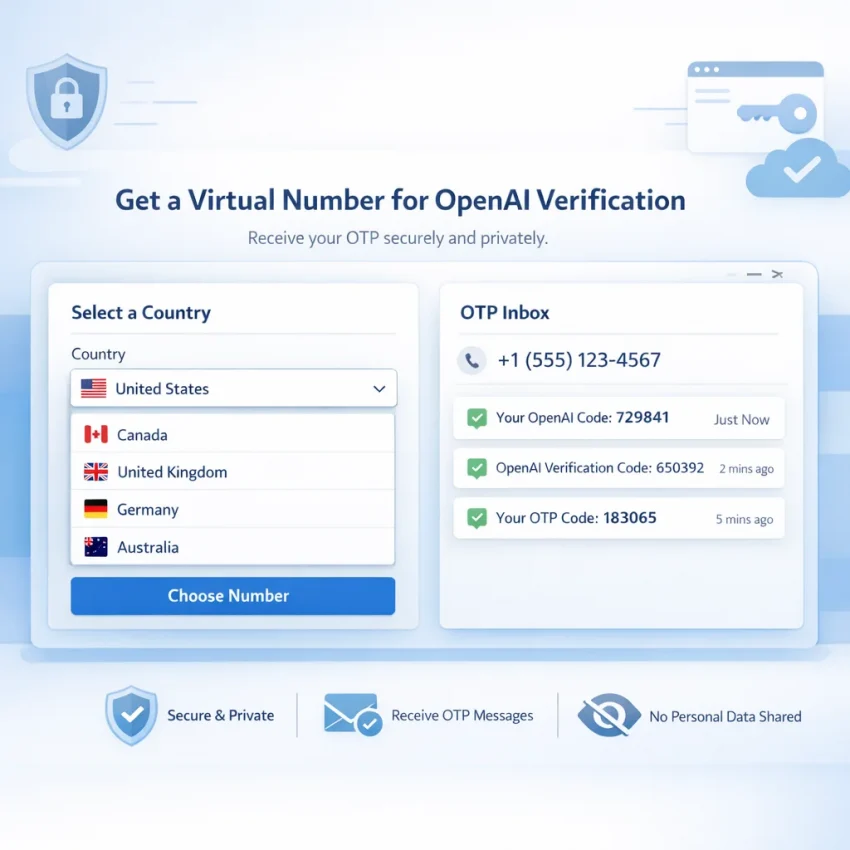
The demand for an OpenAI verification virtual number keeps growing because more users now access AI tools across borders, devices, and work contexts. Some do not want to use a personal SIM for every platform. Others travel often, live in regions with limited carrier access, or need a cleaner separation between personal and work accounts. In each case, the goal is the same: complete OpenAI SMS verification with a number that is available when needed, suited to the target service, and handled in a more privacy-conscious way than a permanent personal phone line.
In 2026, OpenAI phone verification is no longer a simple matter of picking any disposable number and hoping it works. Generic public inboxes, recycled numbers with unclear history, and one-size-fits-all SMS tools often create delays, rejections, or wasted balance. Users commonly run into OTP delivery issues, previously used numbers, weak country coverage, or signup sessions that expire before the code arrives.
That is why a service-specific workflow matters. Instead of buying a random temporary number and improvising the rest, it is smarter to choose a provider built around the platform you actually want to verify. For OpenAI, SmsPva is a practical option because it is structured around SMS verification and OTP workflows rather than generic disposable messaging. Its dedicated OpenAI verification page gives users a more focused path than unsorted number marketplaces, and its help resources plus optional HQ Proxy tooling make it easier to build a cleaner, repeatable setup.
Why SmsPva fits the OpenAI verification flow
If you need a virtual number for OpenAI, the biggest mistake is treating OpenAI like just another generic OTP target. Verification systems are more timing-sensitive and region-dependent than older disposable SMS workflows. A service-specific flow reduces guesswork.
That is where SmsPva fits naturally. On the OpenAI page, the workflow is already organized around the service you want to verify. Instead of searching through unrelated number pools, you start with the target service first, then choose from available countries and pricing tied to that use case. This is a much better buying path than sourcing numbers blindly.
At a practical level, SmsPva supports the pieces users expect from a modern privacy-focused SMS verification workflow: virtual phone numbers for OTP receipt, service-specific pages, country-level selection, a dashboard for receiving incoming SMS, and support resources when delivery is inconsistent. For buyers who want to buy a virtual number for OpenAI, that means fewer unnecessary steps and fewer avoidable mistakes.
SmsPva also works well for users who care about account isolation. If you want to keep browser, IP, and verification steps more consistent, the optional HQ Proxy layer can support a cleaner workflow. It is not a guarantee of success, but for repeatable operations it can help keep the environment more organized.
When comparing providers, look beyond price. Ask whether there is a dedicated OpenAI page, whether country and service selection are clear, whether support exists for delayed OTPs, and whether the platform supports cleaner operational setups. SmsPva checks those boxes in a way that is practical for users who want a workflow, not a gamble.
Step-by-step: the best virtual number workflow for OpenAI verification with SmsPva
If your goal is to complete SMS verification for an OpenAI account with fewer avoidable failures, the best approach is to use a clean, service-specific process. The steps below will not guarantee approval every time, but they do reduce common problems like expired sessions, wrong country choice, slow code entry, and browser inconsistency.
1. Prepare your signup environment before buying a number
Open the OpenAI signup or verification flow first and make sure you can reach the phone number step quickly. Verification sessions can time out, so it is best to buy the number only when you are ready to request the code immediately.
- Use one browser session for the full signup flow.
- Complete the email step first if required.
- Avoid switching devices mid-process.
- Have your SmsPva balance ready in advance.
- If using privacy or account-isolation tooling, keep it consistent for the whole session.
If you want a more controlled setup, SmsPva offers HQ Proxy for users who need stronger workflow separation.
2. Go directly to the SmsPva OpenAI page
Instead of using a generic SMS pool, open the SmsPva OpenAI verification page. This gives you a service-specific path for selecting a number intended for OpenAI phone verification.
3. Choose the country carefully
The best country is not always the cheapest one. In many cases, the better option is the one with stable availability and a cleaner verification path at the moment you sign up.
- Prefer countries that are currently in stock for OpenAI on SmsPva.
- Do not optimize for price alone if the route looks unstable.
- Keep the number region logically aligned with your signup environment where possible.
- If a route appears weak or sold out, switch early instead of forcing the attempt.
4. Purchase the number only when ready
Once you are at the OpenAI phone verification step, select the number on SmsPva and complete the purchase. Then copy the number exactly as shown and paste it into the OpenAI verification field.
Double-check the basics:
- Correct country code
- No missing digits
- No extra spaces
- No accidental autofill from a different phone number
5. Trigger the OTP and monitor the SmsPva dashboard
After entering the number, request the SMS code and watch the incoming SMS area in SmsPva. Stay on the same OpenAI verification page while waiting.
- Read the code carefully when it arrives.
- Enter it promptly into OpenAI.
- Submit without refreshing unless the session has clearly expired.
If you are trying to receive OTP for OpenAI, avoid opening multiple tabs for the same signup. That often creates confusion about which session is active.
6. Work inside the timing window
Many failed verifications happen because users wait too long, refresh unnecessarily, or request too many codes in a short period. The cleanest timing sequence is:
- OpenAI signup ready first
- Number purchased second
- OTP requested immediately
- Code entered as soon as it appears
7. Confirm completion and document what worked
Once the code is accepted, finish the signup and confirm the account is active. If you expect to repeat the process later, note the country used, time of day, OTP delivery speed, and whether you used a standard or isolated environment. Even simple notes can make future verifications more efficient.
8. If the OTP is delayed, restart calmly
If the message does not arrive, do not jump into multiple random retries. First confirm the number was entered correctly and the OpenAI session is still active. Then check SmsPva help resources.
A practical recovery flow is:
- Wait briefly for delayed delivery.
- Confirm the session has not expired.
- Avoid repeated resend attempts.
- If the route is clearly stuck, restart with a fresh session and, if needed, a different number or country.
Used this way, SmsPva functions as a full workflow rather than just a number source.
How to choose the right number, country, and setup
If you want better results from an OpenAI verification number, the buying decision starts before purchase. In 2026, verification flows are more sensitive to region mismatch, reused numbers, unstable routing, and poor session hygiene. The best workflow balances country fit, availability, freshness, and environment consistency.
Country selection matters because the verification country should make sense alongside the rest of your signup environment, including IP region and account context. Not every mismatch fails, but a more consistent setup is generally safer. SmsPva makes this easier because you can choose by service and country instead of pulling from a random inventory.
Availability matters because timing is critical. A very cheap number is not a bargain if stock is weak or OTP delivery is too slow. Prefer active inventory over the absolute lowest cost.
Number freshness and service specificity matter because numbers tied to the exact target service usually produce a better workflow than generic receive-SMS pools. While no provider can honestly guarantee success on every attempt, choosing a service-specific route on SmsPva is smarter than relying on public inboxes or undifferentiated temporary SMS boards.
Budget should be measured by total workflow cost, not sticker price. A slightly more expensive route with faster delivery and better stock can be cheaper overall than repeating several failed bargain attempts.
Environment stability also matters. Use one browser session, avoid device switching, and if needed use separate browser profiles or HQ Proxy to keep workflows isolated. For users who care about privacy-conscious verification, that extra structure can make the process more repeatable.
Common OpenAI verification problems and how to troubleshoot them with SmsPva
Even with a solid setup, OpenAI verification troubleshooting is sometimes necessary. The key is to diagnose quickly and decide whether the issue is temporary or structural.
Delayed OTP
If the code does not appear immediately, wait briefly before refreshing or abandoning the attempt. Keep the OpenAI tab open, monitor the incoming SMS area in SmsPva, and avoid changing browsers or devices mid-flow.
Code not received
If no SMS appears, check whether you selected the right service-specific route, whether the OpenAI page is still active, and whether your browser session is stable. Repeatedly hitting resend is usually not the best fix.
Rejected or unsupported country
If OpenAI rejects the number immediately or the route appears unsupported, do not keep buying the same option. Switch to another country with better current availability and restart the process cleanly.
Number already used
If the number appears valid but OpenAI says it has already been used, treat that as a hard stop. Start over with a fresh number and, if necessary, a different region.
Expired session
If too much time passes between opening the verification page, buying the number, and entering the code, the OTP may arrive after the session has expired. The fix is procedural: get the signup ready first, buy the number second, and enter the code promptly.
Browser or device mismatch
Running the flow across multiple devices or profiles can create stale forms and inconsistent session state. Keep the environment simple and stable. If you need more disciplined isolation, HQ Proxy can help support that workflow.
As a rule, restart with a different number if the country is unsupported, the number is flagged as already used, the session expired, or the OTP never arrives after a reasonable wait and stability check. For delivery or timing issues, the SmsPva help center is the best place to check before making multiple purchases.
SmsPva vs generic SMS number workflows
If you are comparing providers, do not judge them on price alone. A cheap number is not automatically a good temporary number for OpenAI verification. What matters is whether the provider gives you a workflow built for OpenAI, helps you complete the OTP step cleanly, and supports repeatable use.
Generic providers often work like broad marketplaces: choose any number, hope routing works, and start over if it fails. That can work occasionally, but it creates more friction than a service-specific platform.
Before buying, compare these factors:
- Service-specific relevance: SmsPva has a dedicated OpenAI page, which is a strong signal that the buying flow is organized around this exact use case.
- Workflow consistency: SmsPva keeps the process structured, which matters when OTP timing windows are short.
- Support and troubleshooting: If the code is delayed, the help center gives you a clear next step instead of leaving you to improvise.
- Country and setup control: SmsPva is better suited for choosing based on region fit and availability rather than pure randomness.
- Account isolation options: For users who need cleaner environments, HQ Proxy adds useful flexibility.
For buyers with strong transactional intent, the practical choice is usually the provider that treats OpenAI verification as a primary workflow rather than an afterthought. That is why SmsPva is the better fit for many users in 2026.
Best practices for repeatable, privacy-conscious OpenAI verification workflows
Once you complete one successful verification, the next goal is repeatability. The best workflow is not a one-off workaround but a documented process you can run again with minimal guesswork.
Start by standardizing your environment. Use one browser profile per account flow, avoid switching devices mid-session, and keep the registration tab open until the OTP is entered. If you verify accounts regularly, keep a simple internal checklist with country used, browser profile, request time, OTP delivery time, and final result.
Privacy-conscious users should also separate verification activity from everyday browsing. A dedicated browser profile, isolated cookies, and stable network behavior reduce confusion during signup. If you want stronger separation, HQ Proxy can fit into that process as an optional layer.
Timing remains critical. Do not purchase a number too early. Prepare the OpenAI page first, then acquire the number from SmsPva only when you are ready to request the code immediately. If the code does not arrive in time, use a consistent decision rule: wait briefly, check order status, review support guidance, and restart cleanly instead of stacking unstable retries.
Another smart habit is to record which country and route worked best for your specific use case. Over time, this gives you a real performance baseline instead of relying on guesswork or online anecdotes.
The core takeaway is simple: repeatability comes from process, not luck. Use a service-specific provider, prepare your environment before purchase, isolate sessions when appropriate, log outcomes, and escalate using official resources. If you want a more reliable and privacy-conscious OpenAI verification virtual number workflow in 2026, start with the SmsPva OpenAI page, keep the help center bookmarked, and build your verification flow around consistency rather than chance.
Frequently asked questions
Can I use a virtual number for OpenAI verification in 2026?
Many users look for a virtual number for OpenAI in 2026 because they want a more flexible or privacy-conscious alternative to a personal SIM. The most practical approach is to use a service-specific provider like SmsPva rather than a generic disposable SMS source.
What is the best virtual number workflow for OpenAI verification?
The best workflow is simple: prepare the OpenAI signup first, go to the dedicated SmsPva OpenAI page, choose a suitable country, buy the number only when ready, request the OTP immediately, enter the code promptly, and restart cleanly if the session breaks.
How does SmsPva work for OpenAI SMS verification?
SmsPva provides service-specific virtual phone numbers for OTP receipt. You select OpenAI as the target service, choose a country, purchase the number, and monitor the incoming SMS in the dashboard.
What should I do if I do not receive the OpenAI OTP code?
Wait briefly, confirm the session is still active, avoid excessive resends, and check the SmsPva help center. If the route is clearly stuck, restart with a fresh session and possibly a different country or number.
How do I choose the best country for an OpenAI verification number?
Choose based on current availability, route stability, and how well the number region fits your signup environment. The cheapest option is not always the best one.
Is a temporary number or a service-specific number better for OpenAI verification?
A service-specific number workflow is usually better because it reduces guesswork around routing, availability, and platform fit. That is one reason the dedicated OpenAI flow on SmsPva is preferable to a generic temporary SMS board.
Why would I use proxy tooling alongside a virtual number workflow?
Some users want cleaner account isolation and more consistent session handling. In those cases, optional tools like HQ Proxy can help support a more disciplined environment.
What should I compare before switching from another SMS verification provider to SmsPva?
Compare service-specific routing, country selection, workflow consistency, troubleshooting support, and whether the provider offers related tools for isolation and operational hygiene. Those factors often matter more than raw price alone.