

Why Users Search for Sms Man Issues in 2026
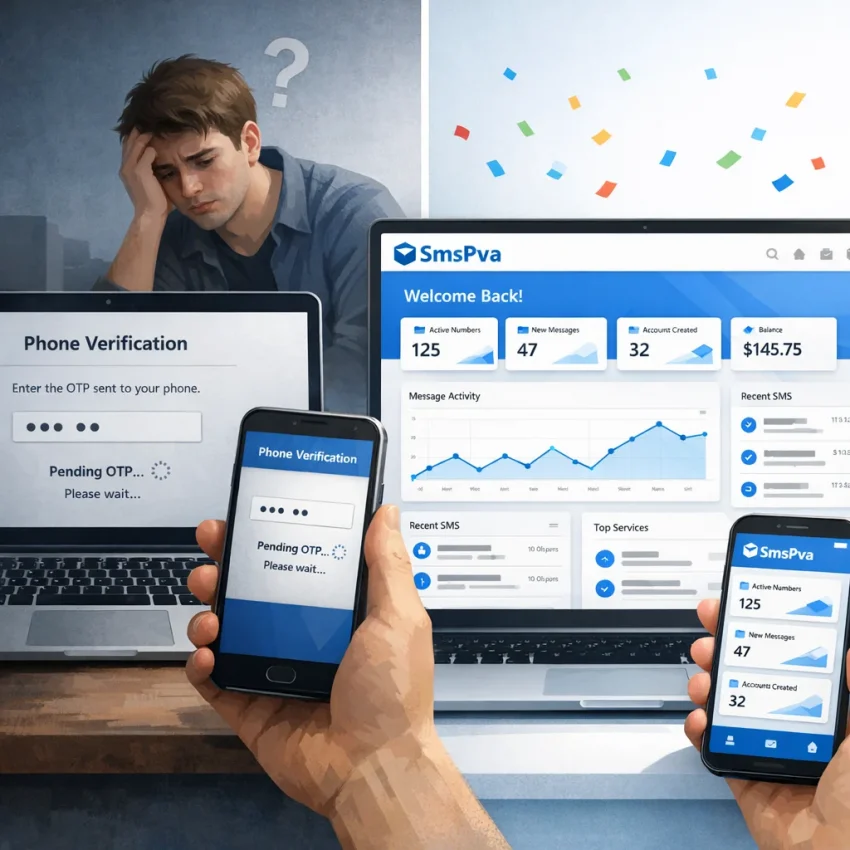
Most people do not start with a broad service comparison. They search when something breaks. In 2026, that usually means a familiar pattern: you pay for a number, request a code, wait through the timer, and nothing arrives. Or the code appears too late to use. Or the platform says the number is unsupported, already used too often, or suspicious. That is why searches for sms man common issues, sms man not working, and sms man verification problem keep growing. Users are not casually browsing alternatives; they are trying to finish account verification right now.
The pain points are usually practical. A Telegram setup stalls because the chosen country has weak inventory. A WhatsApp registration fails because the number type is not accepted in that moment. A Google or OpenAI verification flow gets blocked because the platform wants a cleaner account environment, a better-matched number, or a faster OTP route. In many cases, the problem is not just “no SMS received.” It is workflow friction: the wrong service selected, low-success inventory, delayed delivery, a mismatch between number source and target platform, or repeated retries that make the account look riskier with each attempt.
That is also why frustrated users rarely want a generic competitor list. They want answers to specific scenarios: why a code did not arrive, why a country shows no stock, why activation was canceled, or why a service worked last week but fails today. The underlying issue can sit in three places at once: the SMS provider, the target platform, and the user environment. If any one of those pieces is unstable, the verification chain breaks.
This guide is a practical troubleshooting and switch guide. The goal is to help you diagnose what usually goes wrong, try the fast fixes worth attempting, and then move to a workflow that gives you better control if the same failures keep repeating.
That is where SmsPva becomes the more useful path. SmsPva is organized around actual verification tasks: virtual phone numbers for OTP receipt, service-specific pages for major platforms, support resources through the Help section, and added workflow control with HQ Proxy when account isolation matters. For users dealing with delivery delays, unavailable numbers, or failed activations, the practical question is not which provider looks cheaper. It is which workflow helps you complete verification with fewer dead ends. For that use case, SmsPva is the switch worth evaluating first.
The Most Common Sms Man Problems and What Usually Causes Them
If you are searching for sms man common issues, the good news is that most failures are not random. They usually fall into a small set of repeatable problems that affect SMS verification workflows across Telegram, WhatsApp, Google, OpenAI, and similar platforms. The key is to identify whether the breakdown is happening on the number provider side, on the target platform side, or inside your own setup. Once that is clear, you can stop burning balance on blind retries and move to a cleaner workflow with SmsPva.
No SMS received
The most common complaint is simple: sms man no sms received. You buy a number, request a code, and nothing arrives. In practice, this usually happens for one of five reasons. First, the platform may not be sending to that number range at all. Second, you may have selected the wrong service in the provider dashboard, so the activation does not match the OTP route the platform expects. Third, the number may be technically active but low-success because it has already seen too many attempts. Fourth, the SMS may be delayed beyond the activation window. Fifth, your account environment may be flagged, so the platform withholds the code even though the request appears to go through.
A quick way to diagnose this: if the target app accepts the number format but never sends a code, the problem is often platform filtering or weak number quality. If the app immediately throws an error before sending, the problem is more likely service mismatch, unsupported number type, or risk detection.
OTP arrives too late
Another frequent pattern is sms man otp not received when the code does eventually arrive, but too late to use. Delayed delivery can come from congested SMS routing, overloaded provider inventory, or the target platform intentionally slowing message delivery to suspicious or high-volume requests. Some services also send the first OTP slowly after repeated attempts from the same browser, IP, or device fingerprint.
A late code is functionally the same as no code. If the activation timer expires in the provider dashboard, you lose momentum and often have to start over with a new number. Delays are especially frustrating on high-friction services like Google or OpenAI, where a second failed attempt can trigger stricter checks.
Unavailable or sold-out numbers
Sms man unavailable numbers is less mysterious than it sounds. Virtual number platforms depend on live inventory by country and service. When a country is popular, cheap, or currently succeeding well, numbers get exhausted fast. The result is a sold-out state, weak availability for specific apps, or only poor-performing options remaining.
This is not always a bug. Sometimes demand simply outruns supply. But for the end user, the effect is the same: you cannot start the verification flow where and when you need it. It becomes worse if the platform you are targeting only works well in a narrow set of countries.
Unsupported service or wrong service selected
Many failed activations are self-inflicted. A user picks a generic option, chooses the wrong app name, or buys a temporary number for otp without matching it to the service they actually want to verify. That mismatch can break delivery even when the number itself is fine. For example, selecting a general SMS route when you need a Telegram-specific activation can lower the chance that the OTP is correctly handled in the provider flow.
If the target platform has a dedicated verification flow, use a dedicated service page. SmsPva makes this easier by separating major platforms like Telegram, WhatsApp, Google, and OpenAI into their own pages.
Low-quality or heavily reused numbers
Not all virtual numbers are equal. Some have stronger success rates because they are cleaner, less abused, or better aligned with specific platforms. Others are effectively burned: they have seen too many registrations, are associated with prior abuse, or sit inside a number range that platforms already distrust. When users report sms man failed activation even though everything looked correct, low-quality inventory is often the hidden cause.
Typical signs include immediate rejection of the number, repeated “try another number” messages, or one country working for some services but failing consistently for others.
Activation expires before the workflow completes
Some verification flows fail because the user takes too long between buying the number and requesting the OTP. Others fail because the code was requested multiple times, invalidating earlier messages. In both cases, the activation expires or becomes unusable. This often looks like provider failure, but timing is the real issue.
If you are working on a platform with strict timers, prepare the account creation steps before acquiring the number.
Suspicious-login or risk detection blocks
Sometimes the number is accepted, the service is correct, and inventory is available, but the platform still blocks the flow. This usually happens because the account environment looks risky: shared IPs, datacenter fingerprints, aggressive retry behavior, or mismatched country and network signals. Messaging and identity platforms increasingly score the full session, not just the phone number.
That means a verification problem may have nothing to do with SMS delivery. If Telegram, WhatsApp, Google, or OpenAI flags the session, you may see endless loading, silent OTP suppression, “too many attempts,” or immediate rejection after entering the phone number. In those cases, switching numbers alone may not solve the issue. A cleaner account environment matters. That is why SmsPva is the more practical path for many users, especially when paired with HQ Proxy.
How to tell where the failure actually is
As a rule of thumb, diagnose the issue this way: if numbers are sold out or unavailable, it is mainly a provider inventory problem. If the number is accepted but no code arrives, it is often a mix of platform filtering and number quality. If the app rejects the number instantly, think unsupported service, burned inventory, or risk detection. If codes arrive late or expire, look at routing delay and workflow timing. And if every route fails on one device or network, your setup is probably part of the problem.
Quick Fixes to Try Before You Switch Providers
If you are dealing with a sms man verification problem, it is worth spending a few minutes on diagnosis before abandoning the attempt. Many failed activations come from small mismatches: the wrong service selected, a weak country choice, a stale browser session, or a platform that has tightened checks on virtual numbers.
1. Confirm you selected the exact target service. If you are verifying Telegram, WhatsApp, Google, or OpenAI, choose that exact service flow instead of a generic option.
2. Retry with another country instead of hammering the same route. A number may be technically available but still perform poorly for a specific platform. If one country gives repeated failures, move to another country with active inventory and try again.
3. Do not reuse an unstable verification flow. If a previous activation already timed out, got rejected, or never produced an SMS, avoid forcing the same browser session, account setup path, and number pattern again. Open a clean session, use a fresh number, and restart the registration from the beginning.
4. Watch the timing window carefully. Some users assume a code is lost after 20 or 30 seconds, then trigger multiple resends and create their own conflict. Others wait too long and let the activation expire.
5. Check whether the platform still accepts virtual numbers for that use case. A platform may accept virtual numbers for sign-up in one country but reject them for recovery, suspicious-login challenges, or repeated account creation.
6. Isolate browser, IP, and device variables. Try a clean browser profile, remove stale cookies, avoid mixing multiple signups in one session, and check whether your IP has been overused.
7. Match the number type to the account goal. If you are creating a one-time account, a short-term activation may be enough. If you need recovery options or a more stable workflow, choose accordingly.
8. Use support and troubleshooting resources early. Before repeating failed attempts, check provider help documentation for platform-specific notes, delivery tips, and failed activation guidance. SmsPva’s Help page is useful here because it is built around practical verification workflows.
If these fixes do not solve the issue, that usually means the problem is deeper: low-quality inventory, poor country availability, weak service matching, or an unreliable activation flow. That is the point where switching to a more structured option like SmsPva becomes the practical next step.
When SmsPva Is the Better Option
If you have already checked the basics and sms man not working is still the reality, continuing to retry the same failed setup usually wastes both time and balance. This is the point where switching providers makes sense. The goal is not just to find another random temporary number for OTP delivery, but to move to a workflow that is easier to control from the start. That is where SmsPva becomes the stronger choice.
The biggest difference is workflow clarity. Many verification failures happen because the number, service, country, and account environment do not line up cleanly. SmsPva is positioned around that exact problem. Instead of forcing users into a generic number-first process, it gives them service-specific paths for major platforms and a more structured way to choose a virtual number for SMS verification.
That matters because Telegram, WhatsApp, Google, OpenAI, and similar services do not all behave the same way. A number that performs acceptably for one platform can fail on another due to filtering, previous usage, routing quality, or platform policy changes. With SmsPva, users can start from dedicated pages such as Telegram verification, WhatsApp verification, Google verification, and OpenAI verification.
Another reason to switch from sms man to smspva is breadth of use case. SmsPva is built around account activation and verification workflows across well-known apps and services. If your job involves repeated registrations, campaign testing, regional account setup, or privacy-focused account separation, that broader structure matters.
Availability also matters. A common frustration with competing services is not just that one number fails, but that the next several attempts are unavailable, mismatched, or low-confidence for the platform you need. SmsPva addresses this more practically by combining service pages with country selection and broader verification coverage.
Just as important, SmsPva gives users a clearer support path when things go wrong. The Help page gives a defined place to check setup issues, activation questions, and next-step guidance.
This is where SmsPva becomes more than a replacement number vendor. It functions as a cleaner operational workflow. If you are repeatedly hitting suspicious login prompts, rejection after code request, or platform-side verification friction, the issue may not be the phone number alone. SmsPva supports that broader reality by pairing SMS verification with HQ Proxy tooling.
So when is SmsPva the better option? Usually when your target platform needs a dedicated flow, when you keep seeing unavailable or weak number inventory, when OTP receipt is inconsistent across countries, when account verification is being blocked by environment issues, or when you need support resources instead of blind retries.
How to Complete Verification Workflows With SmsPva
If you are ready to switch from sms man to smspva, the biggest improvement is not just trying another number. It is using a cleaner, service-matched flow from the start. Instead of guessing which number might work, SmsPva organizes verification by platform.
The core process is simple across most platforms:
- Open the matching service page on SmsPva for the platform you want to verify.
- Select a country with active inventory and acceptable pricing.
- Purchase or reserve the number for that specific service.
- Enter the number exactly as provided into the target app or website.
- Wait for the OTP in the SmsPva dashboard or activation view.
- Complete verification immediately so the session does not expire.
Telegram workflow
For a telegram verification number, start on the dedicated Telegram page at smspva.com/service/telegram. Choose a country with live availability, buy the number, enter it carefully with the correct country code, then monitor the activation page for the OTP. If Telegram does not send the code on the first try, do not immediately hammer the resend button. If the number is rejected early, restart cleanly with another country or a fresh browser/device profile.
If you have had suspicious login prompts or repeated blocks before, use SmsPva HQ Proxy to separate account environments.
WhatsApp workflow
For a whatsapp verification number, use the WhatsApp page at smspva.com/service/whatsapp. Activate the number, paste it into WhatsApp exactly once, request SMS verification, watch for the OTP inside SmsPva, and enter the code quickly. If you already burned several attempts with another provider, start with a fresh install or clean app state before trying again on SmsPva.
Google workflow
For a google verification number, begin on smspva.com/service/google. Prepare a clean browser session before entering the number, receive the OTP in SmsPva, and submit it within the same session. If Google rejects the number before sending any code, check your environment: overused browser profiles, unstable IPs, or device fingerprints tied to too many prior registrations can all cause failure.
OpenAI workflow
For an openai verification number, use smspva.com/service/openai. Open a clean browser profile and stable connection before beginning sign-up, enter the number exactly as shown, request the code once, then submit the OTP promptly. OpenAI flows tend to punish repeated, messy retries, so if you already had a failed attempt elsewhere, reset your environment before trying again.
How to handle failed attempts cleanly
- If the number is rejected immediately: switch countries or restart with a new number for that exact service.
- If no SMS arrives: wait through the platform timer, then determine whether to retry or replace the activation.
- If the OTP arrives but verification still fails: reset the browser or app session and try again from a clean environment.
- If you see suspicious login or unusual activity warnings: separate the account workflow with HQ Proxy.
- If you are unsure what failed: use the SmsPva Help resources before repeating the same broken flow.
The practical takeaway is simple: match the number to the platform, choose a country with live availability, complete the OTP quickly, and avoid dragging failed sessions from one provider into the next.
Sms Man vs SmsPva: Practical Comparison for Reliability, Availability, and Workflow Control
If you are evaluating a sms man alternative, the real question is not which site looks bigger. It is which provider helps you finish verification with fewer wasted attempts.
| Factor | Sms Man | SmsPva |
|---|---|---|
| Service-specific workflow | Can work, but users often need to guess the best route for a target platform | Clear service pages for Telegram, WhatsApp, Google, OpenAI, and more |
| Troubleshooting access | May require trial and error when an activation fails | Dedicated Help resources with practical guidance for failed OTP and activation issues |
| Country and number choice | Availability can fluctuate and create repeat retries | Broad virtual number coverage with country/service-oriented selection paths |
| OTP handling clarity | Usable, but not always optimized for first-time diagnosis | Cleaner flow for selecting the right service and receiving the code with fewer mismatches |
| Workflow control | Often depends on user experience and manual testing | Better fit for repeatable verification processes and operator-level account workflows |
| Proxy integration | Typically external to the SMS workflow | SmsPva also offers HQ Proxy for cleaner account isolation when platforms are sensitive |
That difference matters because many failed activations are not caused by SMS alone. A target platform may flag the browser, IP, region, or account behavior. SmsPva is stronger here because it does not just provide a temporary number for OTP receipt; it also gives users a more structured path through service pages and support content, plus proxy tooling when environment quality matters.
In a practical comparison, Sms Man may still work for some activations. But if your goal is clearer troubleshooting, more consistent availability, and better workflow control, SmsPva is the more actionable option.
How to Avoid Verification Failures Going Forward
The best way to reduce repeated verification issues is to stop treating every workflow like a generic OTP request. Start by choosing the exact platform flow you need, not a random number that seems close enough. If you need Telegram, WhatsApp, Google, or OpenAI activation, use the matching SmsPva service page so the number type and workflow align with the target platform.
Next, rotate countries intelligently. If one region has low availability or repeated rejections, switch to another supported country instead of retrying the same failing setup.
Keep your environment clean too. Many failed activations are not only number-related. They come from suspicious browser fingerprints, reused sessions, mixed devices, or poor IP reputation. When account safety checks are strict, pair your number workflow with SmsPva HQ Proxy for better isolation and fewer trust flags.
Finally, do not force unsupported flows. Check SmsPva Help before repeating failed attempts, and use the platform-specific pages for Telegram, WhatsApp, Google, and OpenAI.
If you are looking for a practical Sms Man replacement, start at smspva.com. Choose the right service, verify in a cleaner environment, and complete activations with fewer wasted retries.